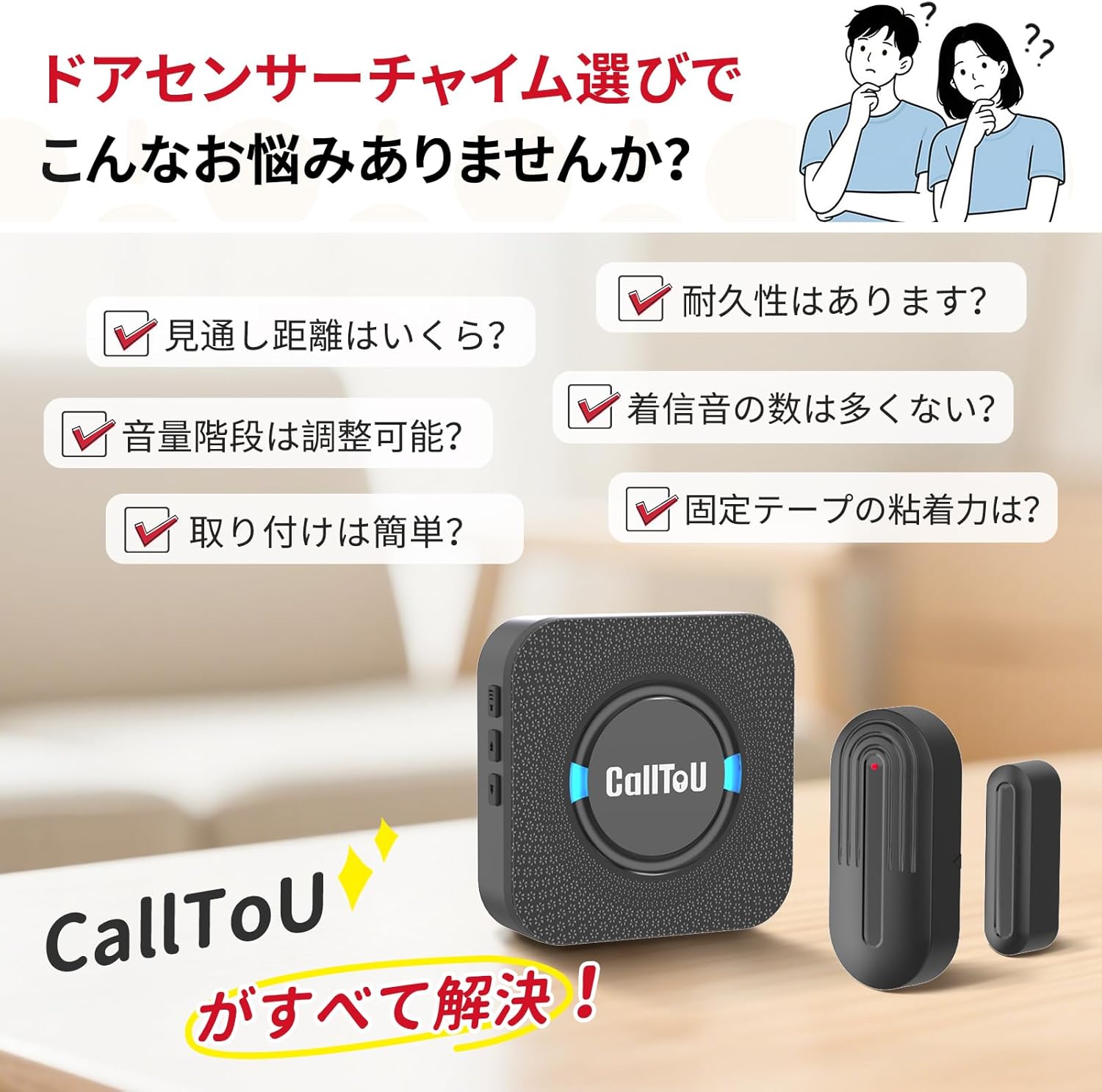
CallToU DS17 Wireless Door Sensor Chime Instruction Manual
Model: DS17 (1 AC Receiver, 3 Battery-Powered Magnet Sensors)
Toode läbiview
The CallToU DS17 Wireless Door Sensor Chime is designed to provide notification when a door or window is opened. It functions as a door chime, an anti-theft alarm, or a visitor notification system for various environments such as homes, offices, stores, and garages. The system features adjustable volume, multiple melody options, and a long communication range.
Põhifunktsioonid
Wireless operation for easy installation and flexible placement.
High durability with approximately 86,000 uses on a new battery (approx. 5 years with 50 uses/day).
5-level volume adjustment (0dB to 110dB) to suit different needs and environments.
55 selectable melodies for personalized alerts.
Long communication range of up to 150 meters (line of sight).
AC-powered receiver eliminates the need for battery replacement.
Pakendi sisu
Palun veenduge, et teie pakendis oleksid kõik järgmised esemed:
1 x AC-powered Receiver
3 x Battery-powered Magnet Sensors (each with 12V 23A battery included)
1 x kasutusjuhend
2 x Double-sided Adhesive Tapes (for each sensor)
Image: CallToU DS17 Wireless Door Sensor Chime package contents.
Seadistusjuhend
1. Vastuvõtja paigaldamine
Plug the AC-powered receiver unit into a standard wall power outlet. The receiver will power on and be ready for operation.
2. Anduri paigaldamine
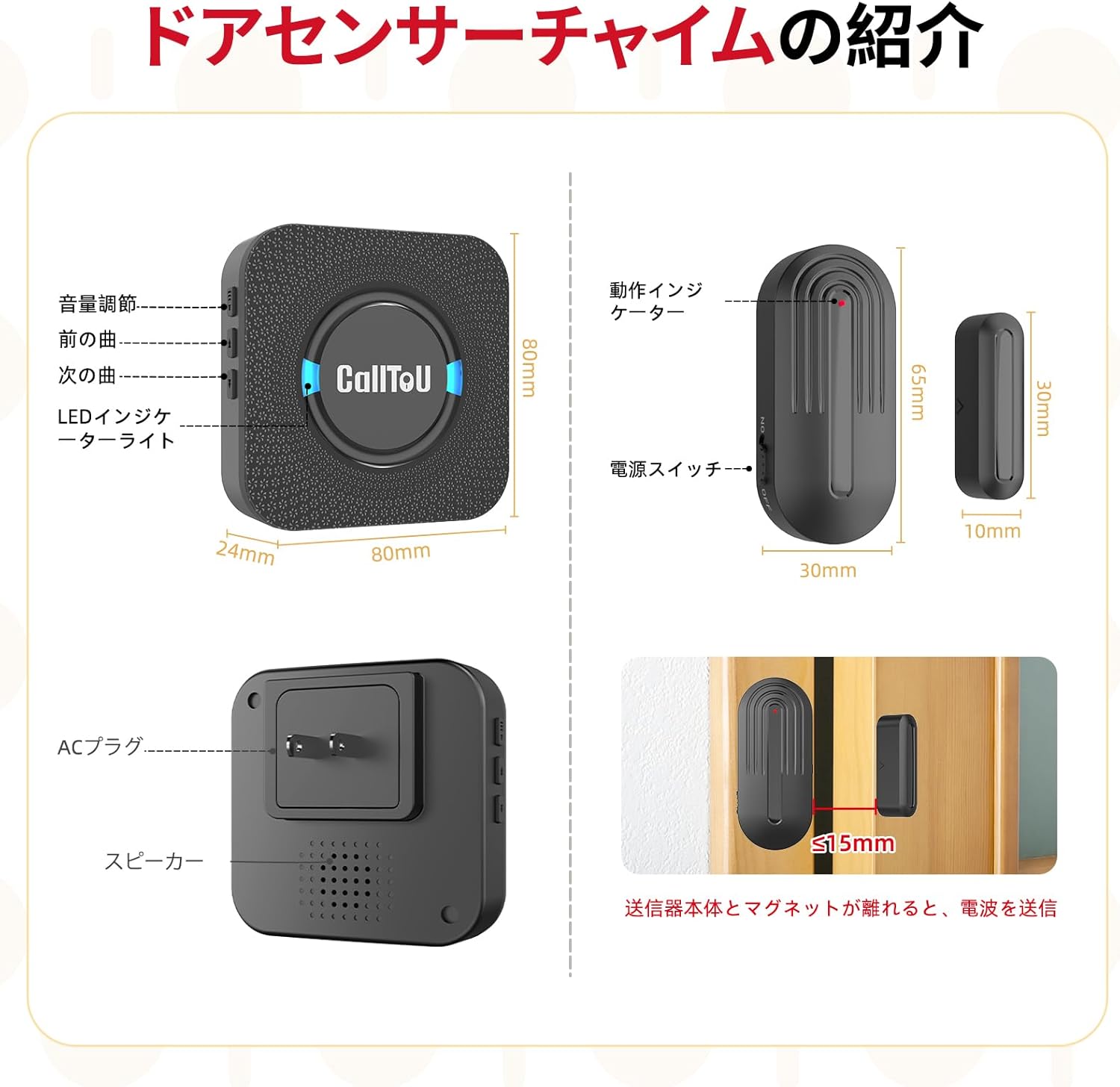
Attach the magnet sensor to your desired door or window frame using the provided double-sided adhesive tape. Ensure the two parts of the sensor (main unit and magnet) are aligned and within 1.5 cm (0.6 inches) of each other when the door/window is closed. The sensor can be installed on various surfaces like doors, windows, and drawers.
Image: Installation of the CallToU DS17 magnet sensor on a door frame.
3. Pairing the Sensor with the Receiver
To pair a magnet sensor with the receiver:
Long-press the volume adjustment button on the receiver for approximately 5 seconds. The LED will flash, and you will hear a "ding" sound, indicating that the receiver is in pairing mode.
While the receiver is in pairing mode, separate the two parts of the magnet sensor. The receiver will emit a melody, confirming successful pairing.
Test the pairing by separating the sensor parts again. The receiver should chime with the selected melody.
Video: Demonstrates the pairing method for the CallToU Wireless Door Sensor Chime.
Video: Shows the unboxing, pairing, and basic operation of the CallToU Door Sensor Chime.
Kasutusjuhised
Helitugevuse reguleerimine
Press the volume button on the receiver to cycle through 5 different volume levels, ranging from silent (0dB) to maximum (110dB). This allows you to adjust the sound output based on your environment and preference.
Meloodia valik
Use the up and down arrow buttons on the receiver to browse and select from 55 different melodies. Once a melody is selected, it will be saved for future alerts.
Anduri töö
When the magnet sensor detects an opening (i.e., the main unit and the magnet part separate by more than 1.5 cm), it will wirelessly transmit a signal to the paired receiver. The receiver will then activate the selected chime and flash its LED indicator.
Image: Visual representation of volume adjustment and melody selection on the receiver.
Hooldus
Battery Replacement (Magnet Sensor)
The magnet sensor is powered by a 12V 23A battery. When the battery is low, the sensor's indicator light may not flash, or the signal range may decrease. To replace the battery, carefully slide open the sensor casing, remove the old battery, and insert a new one, ensuring correct polarity. The design allows for easy removal and replacement.
Puhastamine
To clean the receiver and sensors, wipe them with a soft, dry cloth. Avoid using abrasive cleaners, solvents, or excessive moisture, as these can damage the devices.
Veaotsing
Vastuvõtjast ei kosta helinat: Ensure the receiver is securely plugged into a working power outlet. Verify that the sensor is correctly paired with the receiver. Check the battery in the magnet sensor and replace if necessary.
Weak Signal or Intermittent Chime: Confirm that the distance between the sensor and receiver is within the maximum effective range of 150 meters (line of sight). Thick walls, metal objects, or other electronic devices can interfere with the wireless signal. Try repositioning the receiver or sensor.
Valehäired: Ensure the two parts of the magnet sensor are properly aligned and are less than 1.5 cm apart when the door/window is closed. Check for any loose mounting or vibrations that might cause the sensor parts to separate unintentionally.
Cannot Change Melody or Volume: Ensure the receiver is powered on. Briefly press the respective buttons. If the issue persists, try unplugging and re-plugging the receiver.
Tehnilised andmed
Funktsioon
Detail
Kaubamärk
CallToU
Mudel
DS17
Paigaldustüüp
Uksekinnitus
sensor Technology
Kontaktandur
Toote mõõtmed
8.1 x 8.1 x 3 cm
Kauba kaal
240 g
Battery Type (Sensor)
12V 23A (kaasas)
Heli tase
Kuni 110 dB
Sideulatus
Kuni 150 m (vaatejoon)
Melody Options
55
Helitugevuse tasemed
5 (0 dB kuni 110 dB)
Garantii ja tugi
CallToU stands behind the quality of its products. This Wireless Door Sensor Chime comes with a 1-year quality guarantee. If you encounter any defects, damage, or initial malfunctions with your product, please contact us directly through your Amazon order history. We are committed to providing prompt and sincere support to ensure your satisfaction.
Seotud dokumendid - DS17
CallToU Wireless Chime/Pager User Manual - Model CC05 User manual for the CallToU Wireless Chime/Pager system, model CC05. Provides instructions on installation, pairing, changing ringtones, adjustments, battery replacement, and troubleshooting for this IP55 waterproof doorbell.
CallToU liikumisandurisüsteemi kasutusjuhend CallToU liikumisandurisüsteemi kasutusjuhend, mis sisaldab vastuvõtja mudelit CC28 ja saatja mudelit HW12. Käsitleb funktsioone, paigaldamist, tehnilisi andmeid ja tõrkeotsingut.
CALLTOU CC01 seeria hooldaja piiksusüsteem: kasutusjuhend ja juhend CALLTOU CC01 seeria hooldaja piiksusüsteemi põhjalik juhend. Siit leiate teavet seadistamise, sidumise, funktsioonide, spetsifikatsioonide, tõrkeotsingu ja ettevaatusabinõude kohta usaldusväärse eakate hoolduse tagamiseks.
CallToU CC28 vastuvõtja ja BT009-WH saatja kasutusjuhend CallToU CC28 vastuvõtja ja BT009-WH saatja kasutusjuhend, koduhoolduse ja eakate hooldajate piiparisüsteem. Siit leiate teavet funktsioonide, kasutamise, paigaldamise ja tõrkeotsingu kohta.
CallToU CC28 hooldaja piippari KKK Korduma kippuvad küsimused CallToU CC28 hooldaja piipari kohta, mis hõlmavad selliseid teemasid nagu leviulatus, aku probleemid, sidumine ja veekindlus.