Sissejuhatus
The Sharp GX-BT290 Crystal Clear Series Portable Bluetooth Speaker is designed to deliver high-quality audio with enhanced bass, offering a robust and portable listening experience. Featuring IP67 waterproof and dustproof capabilities, a long-lasting 14-hour battery, and versatile connectivity options including True Wireless Stereo (TWS) pairing, this speaker is suitable for various environments. It also includes a built-in microphone for hands-free calling and two distinct LED light modes to enhance your audio experience.
Pakendi sisu
- Sharp GX-BT290 Bluetooth-kõlar
- USB Charging Cable (not explicitly listed but implied for battery charging)
- Kasutusjuhend (see dokument)
Seadistamine
1. Kõlari laadimine
Before first use, fully charge the speaker. Connect the provided USB charging cable to the speaker's charging port and the other end to a compatible USB power adapter (not included) or a computer's USB port. The charging indicator light will illuminate during charging and turn off once fully charged. A full charge provides approximately 14 hours of playtime.
2. Toite sisse / välja lülitamine
Vajutage ja hoidke all nuppu Toitenupp located on the control panel until you hear an audible prompt or see the indicator lights activate. To power off, press and hold the Toitenupp uuesti.

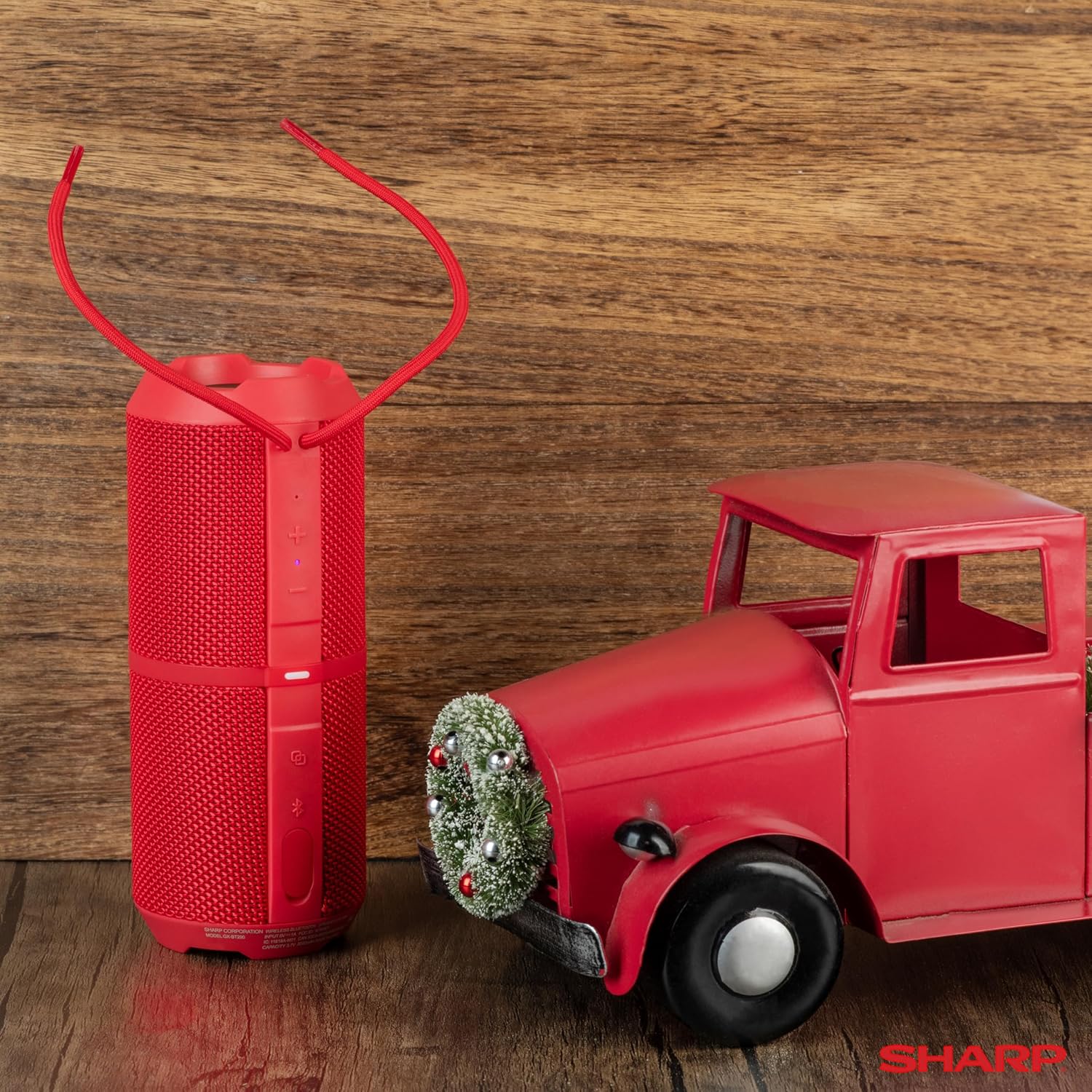
Image: The Sharp GX-BT290 speaker in red, displaying its vertical control panel with power, volume, light mode, and Bluetooth buttons. This view highlights the speaker's cylindrical design and integrated strap.
Kasutusjuhised
1. Bluetoothi sidumine
- Ensure the speaker is powered on and in Bluetooth pairing mode (indicated by a flashing blue LED). If not, briefly press the Bluetoothi nupp.
- Luba oma seadmes (nutitelefon, tahvelarvuti, sülearvuti) Bluetooth ja otsi saadaolevaid seadmeid.
- Select "GX-BT290" from the list of found devices.
- Once connected, the speaker will provide an audible confirmation, and the Bluetooth LED will become solid blue.
2. Tõeliselt traadita stereo (TWS) sidumine
To achieve a stereo sound experience, you can pair two GX-BT290 speakers together:
- Ensure both GX-BT290 speakers are powered on and not connected to any other Bluetooth device.
- Ühel kõlaril (see on peamine kõlar) vajutage ja hoidke all nuppu TWS nupp (often integrated with the Bluetooth button or a dedicated button).
- Põhikõlar otsib teist kõlarit. Kui ühendus on loodud, annavad mõlemad kõlarid helisignaali.
- Nüüd ühendage oma seade peamise kõlariga Bluetoothi kaudu, nagu on kirjeldatud jaotises „Bluetoothi sidumine”. Heli esitatakse stereos mõlema kõlari kaudu.
3. Audio Playback and Volume Control
- Kasutage Helitugevuse suurendamine (+) ja Hääl maha (-) buttons on the speaker to adjust the playback volume.
- Vajutage nuppu Esita/Paus nupp (often integrated with the Power button or a dedicated button) to play or pause audio.
- For track navigation, refer to your connected device's controls.
4. Käed-vabad helistamine
Nutitelefoniga ühendatuna võimaldab kõlari sisseehitatud mikrofon käed-vabad kõnesid:
- To answer an incoming call, briefly press the Helistamisnupp (often integrated with the Play/Pause button).
- To end a call, briefly press the Helistamisnupp uuesti.
- Sissetulevast kõnest keeldumiseks hoidke all klahvi Helistamisnupp.
5. LED-valgusrežiimid
The speaker features two LED light modes. Briefly press the Valgusrežiimi nupp (often indicated by a lightbulb icon) to cycle through the available light effects or to turn them off.
Pilt: Plahvatanud view of the Sharp GX-BT290 speaker, illustrating its unique cylinder design, DSP technology, and the precision dual drivers responsible for exceptional depth and clarity in sound.
Hooldus
Puhastamine
Wipe the speaker with a soft, dry, or slightly damp lapiga. Ärge kasutage abrasiivseid puhastusvahendeid, alkoholi ega keemilisi lahusteid, kuna need võivad pinda kahjustada.
Veekindel ja tolmukindel (IP67)
The GX-BT290 is rated IP67, meaning it is protected from dust ingress and can withstand immersion in water up to 1 meter for 30 minutes. Ensure the charging port cover is securely closed before exposing the speaker to water or dust. After exposure to water, dry the speaker thoroughly before charging.

Image: The Sharp GX-BT290 speaker being splashed with water, visually demonstrating its IP67 water and dustproof capabilities. This image emphasizes the speaker's durability for outdoor use.
Säilitamine
Store the speaker in a cool, dry place away from direct sunlight and extreme temperatures when not in use for extended periods. Avoid storing in environments with high humidity.
Veaotsing
| Probleem | Võimalik põhjus | Lahendus |
|---|---|---|
| Kõlar ei lülitu sisse | Aku tühjenemas; toitenuppu pole õigesti vajutatud | Charge the speaker; Press and hold the Power button for a few seconds |
| Ei mingit heli | Volume too low; Not paired; Device volume low | Increase speaker volume; Ensure successful Bluetooth pairing; Increase volume on connected device |
| Seadmega ei saa siduda | Kõlar ei ole sidumisrežiimis; seadme Bluetooth on välja lülitatud; kõlarist liiga kaugel | Ensure speaker is flashing blue LED; Turn on device Bluetooth; Move device closer to speaker (within 33 feet) |
| TWS -i sidumine ebaõnnestub | Speakers already paired to other devices; Too far apart | Disconnect speakers from other devices; Ensure speakers are close to each other during TWS pairing |
| Halb helikvaliteet | Häired; Seade on liiga kaugel; Aku tühjeneb | Move away from other wireless devices; Move device closer; Charge the speaker |
Tehnilised andmed
| Funktsioon | Spetsifikatsioon |
|---|---|
| Mudeli nimi | GX-BT290(R) |
| Kõlari tüüp | Õues |
| Eriomadused | Bassivõimendus, sisseehitatud mikrofon, tolmukindel, LED-valgus, kerge |
| Ühenduvustehnoloogia | Bluetooth |
| Wireless Range | Kuni 10 meetrit (33 jalga) |
| Toiteväljund | 32W Max Power (16W RMS) |
| Veekindluse tase | IP67 (vee- ja tolmukindel) |
| Aku tööiga | Kuni 14 tundi |
| Toiteallikas | Akutoitega (kaasas 1 liitium-ioon aku) |
| Toote mõõtmed | 3"S x 7.5"L x 3"K (umbes 7.6 cm S x 19 cm L x 7.6 cm K) |
| Kauba kaal | 16 untsi (umbes 0.45 kg) |
| Kaasatud komponendid | Bluetooth kõlar |
| Värv | Punane |

Image: A hand holding the Sharp GX-BT290 speaker, demonstrating its compact size and portability. This image provides a sense of scale for the device.
Garantii ja tugi
For warranty information, technical support, or customer service inquiries, please refer to the documentation included with your purchase or visit the official Sharp webveebisait. Hoidke ostutõendit garantiinõuete esitamiseks.
Lisateabe saamiseks võite pöörduda ka jaemüüja poole, kellelt toote ostsite.


