1. Sissejuhatus
Thank you for choosing the iProda 15.6-inch Portable Monitor. This device is designed to enhance your productivity and entertainment by providing a versatile second screen for your laptop, PC, smartphone, and gaming consoles. This manual will guide you through the setup, operation, and maintenance of your new monitor.
2. Toote omadused
- 15.6-inch Full HD (1080p) IPS Display: Kogege erksaid värve ja laia viewnurgad.
- 60 Hz värskendussagedus: Ensures smooth visuals for work and entertainment.
- Anti-Glare Screen: Reduces reflections for comfortable viewerinevates valgustingimustes.
- Kerge ja kaasaskantav: Weighing approximately 1.2 kg (2.6 lbs) and only 0.6 cm (0.24 inches) thick, it's ideal for on-the-go use.
- Ühenduvus: Simple setup with USB-C or HDMI.
- Sisseehitatud kõlarid: Integrated audio for convenience.
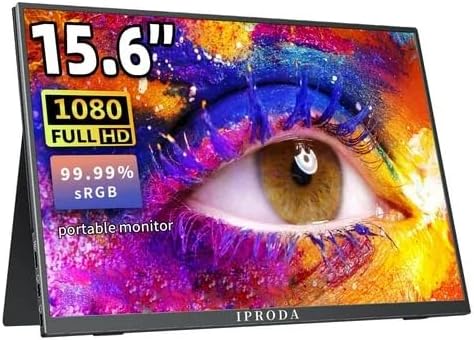
Figure 2.1: iProda 15.6-inch Portable Monitor showcasing its 1080 Full HD resolution and sRGB color accuracy.

Figure 2.2: Close-up of the iProda portable monitor screen highlighting IPS technology and a 178-degree super wide viewing angle for an excellent visual experience.
3. Seadistusjuhend
The iProda portable monitor is designed for easy plug-and-play setup. Follow these steps to connect your device:
- Toiteühendus: Connect the monitor to a power source using the provided USB-C cable and a compatible power adapter (not always included, check packaging).
- Video ühendus:
- USB-C (Full Function): If your device (laptop, smartphone) has a full-function USB-C port that supports video output and power delivery, simply connect a single USB-C cable from your device to one of the monitor's USB-C ports.
- Mini HDMI: Connect a mini HDMI to HDMI cable from the monitor's mini HDMI port to your device's HDMI port. You will also need to connect a USB-C cable for power.
- Heli (valikuline): If you prefer to use external headphones or speakers, connect them to the 3.5mm audio jack on the monitor.
- Seadme seaded: Your device should automatically detect the monitor. If not, you may need to adjust display settings in your operating system (e.g., Windows Display Settings, macOS System Preferences).
4. Kasutusjuhised
The monitor features intuitive controls for adjusting settings:
- Power Button / Return Button: Press and hold to power on/off. Short press to return to the previous menu in OSD settings.
- Dial-wheel Switch (OSD Settings):
- Vajutage: Enter the On-Screen Display (OSD) menu.
- Scroll Up/Down: Menüüvalikute vahel navigeerimine või väärtuste muutmine.
- Press (while in menu): Kinnitage valik.
The OSD menu allows you to adjust brightness, contrast, color settings, input source, and other display parameters.
5. Connectivity and Compatibility
The iProda portable monitor offers broad compatibility with various devices:
- USB-C (x2, Full Function): Connects to laptops, PCs, tablets, and smartphones that support DisplayPort Alternate Mode and Power Delivery.
- Mini HDMI (x1): Connects to devices with an HDMI output, including laptops, PCs, gaming consoles (Xbox, PlayStation, Nintendo Switch), and media players.
- 3.5 mm kõrvaklapipesa (x1): Väliste heliseadmete ühendamiseks.
Ühilduvad seadmed hõlmavad järgmist:
- Lauaarvutid
- Sülearvutid (Windows, macOS)
- Tabletid
- Smartphones (with full-function USB-C)
- Nintendo Switch
- PlayStation 4/5
- Xbox One/Series X|S

Figure 5.1: Port layout and compatible devices for the iProda portable monitor.
6. Kasutusrežiimid
When connected to a laptop or PC, the iProda portable monitor supports various display modes:
- Duplikaatrežiim: Displays the same content on both your primary screen and the portable monitor. Ideal for presentations or sharing content.
- Laiendatud režiim: Extends your desktop across both screens, providing more screen real estate for multitasking. Drag windows between screens.
- Ainult teise ekraani režiim: Displays content only on the portable monitor, with your primary screen turned off. Useful for focusing on a single display or when using the portable monitor as the main display.

Figure 6.1: Display modes (Duplicate, Extend, Second Screen Only) with a laptop.
7. Rakendused ja kasutusjuhud
The iProda portable monitor is versatile for various scenarios:
- Daily Work & Business: Enhance productivity by extending your workspace for spreadsheets, documents, and presentations.
- Phone Extension: Transform your smartphone into a larger display for media consumption or light productivity tasks.
- On-the-GO: Its lightweight design makes it perfect for travel, remote work, or mobile presentations.
- Mängimine: Connect to your favorite gaming consoles for an immersive gaming experience anywhere.
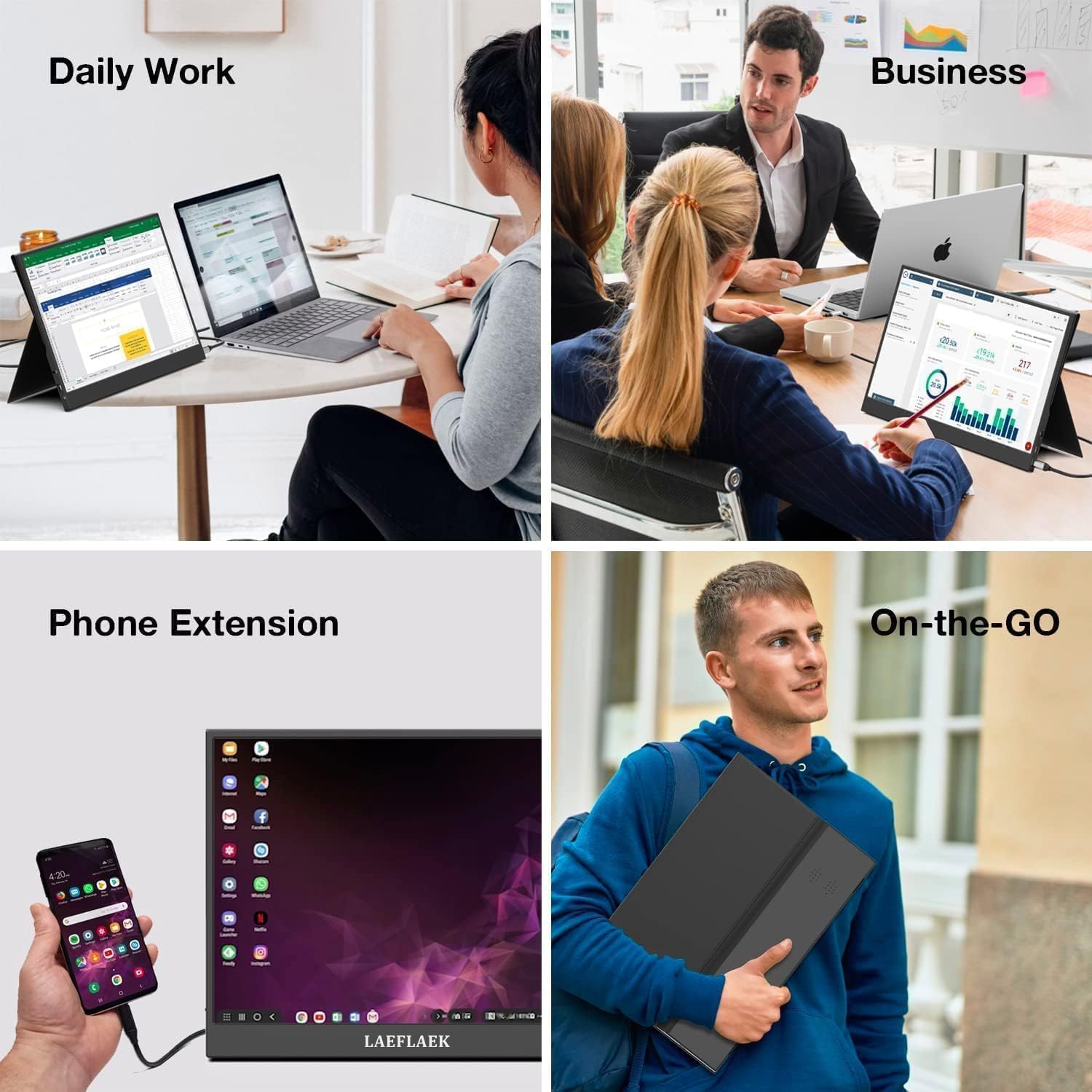
Figure 7.1: Various applications of the iProda portable monitor.

Figure 7.2: iProda portable monitor used for gaming with various consoles.
8. Hooldus
To ensure the longevity and optimal performance of your iProda portable monitor, follow these maintenance guidelines:
- Ekraani puhastamine: Kasutage kergelt pehmet ebemevaba lappi dampened with water or a screen-cleaning solution. Do not spray liquid directly onto the screen. Avoid using harsh chemicals or abrasive materials.
- C puhastamineasing: Pühkige monitori casing pehme ja kuiva lapiga.
- Hoiustamine: When not in use, store the monitor in a cool, dry place, preferably in its original packaging or a protective sleeve to prevent dust and scratches.
- Käitlemine: Hoidke monitori alati servadest. Vältige ekraanile surve avaldamist.
9. Veaotsing
If you encounter issues with your iProda portable monitor, refer to the following common problems and solutions:
| Probleem | Võimalik põhjus | Lahendus |
|---|---|---|
| Signaali pole / must ekraan | Incorrect input source selected; Loose cable connection; Insufficient power; Device not outputting video. | Check cable connections; Ensure monitor is powered; Select correct input source via OSD; Verify device's video output settings. |
| Jõudu pole | Power cable not connected; Power adapter faulty; USB-C port on device not providing enough power. | Ensure power cable is securely connected; Try a different power adapter/USB-C port; Use an external power source if needed. |
| Virvendav ekraan | Faulty cable; Interference; Graphics driver issue. | Try a different cable; Ensure no strong electromagnetic interference; Update graphics drivers on your connected device. |
| No Audio from Monitor | Monitor volume too low; Audio output not set to monitor; External speakers/headphones connected. | Adjust monitor volume via OSD; Set audio output to the monitor in your device's sound settings; Disconnect external audio devices if using monitor speakers. |
If the problem persists after trying these solutions, please contact iProda customer support for further assistance.
10. Tehnilised andmed
| Funktsioon | Spetsifikatsioon |
|---|---|
| Ekraani suurus | 15.6 tolli |
| Kuva tüüp | IPS, Anti-glare |
| Resolutsioon | Full HD (1920 x 1080) |
| Värskendussagedus | 60 Hz |
| Kuvasuhe | 16:9 |
| Ühenduvus | 2x USB-C (Full Function), 1x Mini HDMI, 1x 3.5mm Audio Jack |
| Kaal | u. 1.2 kg (2.6 naela) |
| Paksus | u. 0.6 cm (0.24 tolli) |
| Sisseehitatud kõlarid | Jah |
11. Garantii ja tugi
Your iProda portable monitor comes with a standard manufacturer's warranty. Please refer to the warranty card included in your product packaging for specific terms and conditions.
For technical support, troubleshooting assistance, or warranty claims, please contact iProda customer service through the contact information provided on the official iProda websaidil või teie ostuplatvormil.
Palun hoidke klienditoega ühendust võttes käepärast oma toote mudel ja ostuandmed.


