Sissejuhatus
Tere tulemast oma Blacki kasutusjuhendisseview Active 8 Pro Rugged Tablet. This device is engineered for durability and performance, designed to withstand challenging environments while providing a robust computing experience. Featuring a 10.36-inch display, a powerful MediaTek Helio G99 Octa-core processor, and a massive 22000mAh battery, the Active 8 Pro is built for extended use and demanding tasks. It is MIL-STD-810H certified and boasts IP68 & IP69K waterproof ratings, ensuring resilience against water, dust, and drops.
This manual provides essential information on setting up, operating, maintaining, and troubleshooting your tablet to ensure optimal performance and longevity.
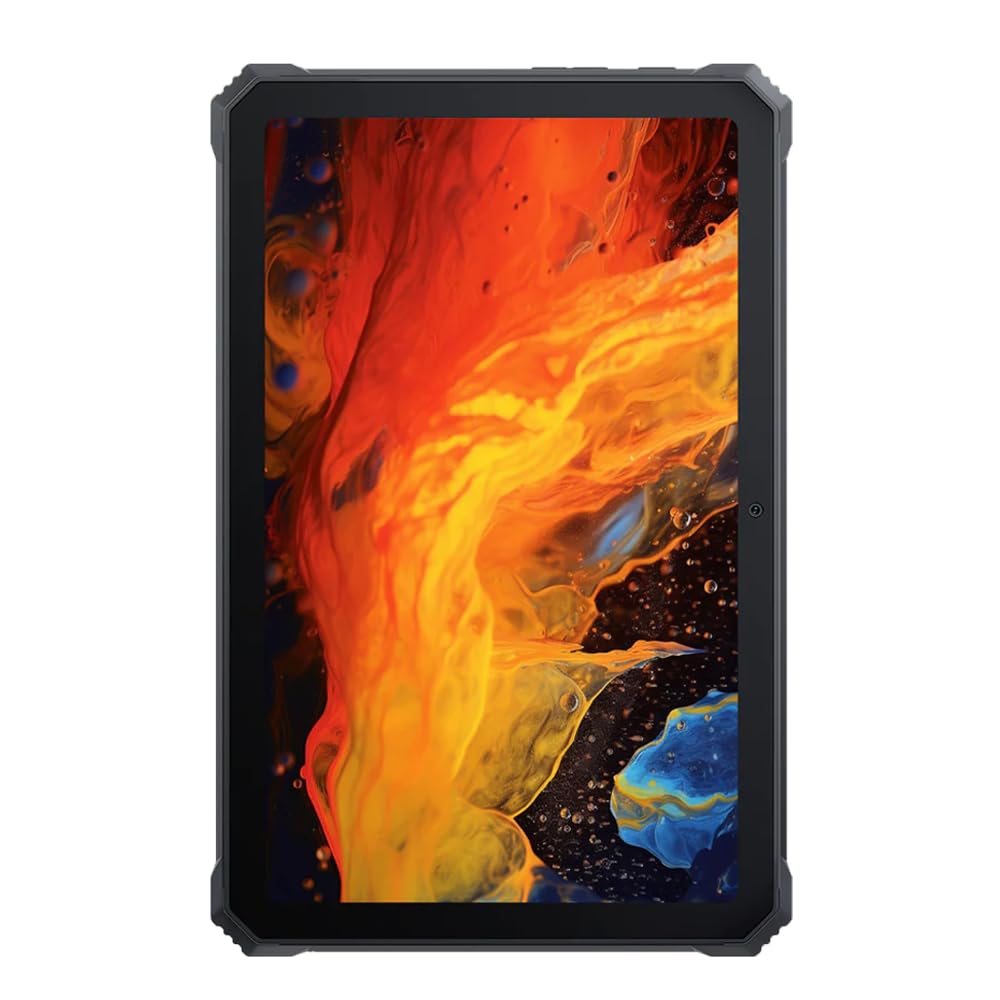
Pilt: Esikülg view mustastview Active 8 Pro Rugged Tablet, showcasing its display and robust bezel.
Pakendi sisu
Palun veenduge, et teie tootepakendis on kõik esemed olemas:
- Mustview Active 8 Pro Rugged Tablet
- Padded Leather Strap
- Laadimiskaabel
- Toiteadapter
- SIM-kaardi väljutusvahend (kui on olemas)
- Kiirjuhend
Seadme paigutus
Familiarize yourself with the physical components and ports of your Active 8 Pro tablet.

Pilt: Esikülg view mustastview Active 8 Pro tablet, highlighting the display and front camera location.

Pilt: Tagumine view mustastview Active 8 Pro tablet, showing the camera module, speaker grilles, and the attached padded leather strap for secure handling.

Pilt: Nurk taga view mustastview Active 8 Pro tablet, providing a perspective of its ruggedized corners and the ergonomic padded leather strap.
Seadistamine
1. Seadme laadimine
Before first use, fully charge your Active 8 Pro tablet. Connect the provided charging cable to the tablet's charging port and the power adapter to a wall outlet. The tablet supports 33W fast charging for quick power replenishment.
- Use only the original Blackview charger and cable to ensure optimal charging speed and safety.
- Ekraanile ilmub laadimise indikaator.
2. Toite sisse / välja lülitamine
- Sisselülitamiseks: Press and hold the Power button (typically located on the side) until the Blackview logo ilmub ekraanile.
- Väljalülitamiseks: Vajutage ja hoidke toitenuppu all, kuni kuvatakse toitemenüü. Valige valikute hulgast „Lülita välja”.
- Taaskäivitamiseks: From the power menu, select "Restart".
3. Esialgne konfiguratsioon
Esimesel sisselülitamisel juhendab tahvelarvuti teid esmase seadistamise protsessis. Järgige ekraanil kuvatavaid juhiseid, et teha järgmist.
- Valige oma keel.
- Ühendage Wi-Fi võrguga.
- Logi sisse oma Google'i kontoga või loo uus.
- Seadistage ekraanilukk (PIN-kood, muster, parool või sõrmejälg).
- Review ja nõustuge tingimustega.
Kasutusjuhised
1. Põhiline navigeerimine
Your Active 8 Pro runs on Android 14, offering an intuitive user interface. Use standard touchscreen gestures:
- Puudutage: Valige üksus või avage rakendus.
- Puuduta ja hoia all: Avage kontekstimenüüd või liigutage ikoone.
- Pühkige: Kerige lehti või loendeid või vahetage avakuvasid.
- Näpistamine suumimiseks: Suumige pilte sisse või välja ja web lehekülgi.
2. Ühenduvus
- WiFi: Go to Settings > Network & internet > Wi-Fi to connect to available networks. The tablet supports 802.11ac, 802.11ax, 802.11g, and 802.11n standards.
- Bluetooth: Go to Settings > Connected devices > Connection preferences > Bluetooth to pair with Bluetooth accessories like headphones or speakers.
- Mobiilne andmeside (kui on olemas): Insert a SIM card into the designated slot to access mobile data services.
3. Kaamera kasutamine
The tablet features a 48 MP rear camera. Open the Camera app to capture photos and videos. Tap on the screen to focus, and use the on-screen shutter button to take a picture.
4. Audio Enhancement
Experience enhanced audio quality with Sound By Harman AudioEFX. Adjust audio settings in the tablet's sound preferences to optimize your listening experience for music, movies, or calls.
5. Using the Padded Leather Strap
The included padded leather strap is designed to provide extra grip and comfort, reducing hand fatigue during extended use. Securely attach the strap to the designated points on the back of the tablet. Adjust for a snug fit that allows for comfortable one-handed or two-handed holding.
Hooldus
1. Tahvelarvuti puhastamine
- Use a soft, lint-free cloth to wipe the screen and body of the tablet.
- Kangekaelse mustuse korral kergelt dampLoputage lappi veega või ekraanile ohutu puhastuslahusega.
- Avoid using harsh chemicals, abrasive materials, or excessive moisture, especially near ports.
- Ensure all port covers are securely closed before cleaning if exposing to water.
2. Ladustamine
When not in use for extended periods, store your tablet in a cool, dry place away from direct sunlight and extreme temperatures. Ensure the battery is charged to approximately 50% before long-term storage to preserve battery health.
3. Tarkvaravärskendused
Regularly check for and install software updates to ensure your tablet has the latest features, security patches, and performance improvements. Go to Settings > System > System update to check for available updates.
Veaotsing
See osa käsitleb levinud probleeme, mis võivad teie musta värviga kokku puutuda.view Active 8 Pro tablet.
- Seade ei lülitu sisse:
Ensure the tablet is sufficiently charged. Connect it to the charger for at least 30 minutes before attempting to power it on again. If it still doesn't power on, try holding the power button for 10-15 seconds to force a restart.
- Screen Unresponsive or Display Issues:
If the screen becomes unresponsive, try restarting the device. If the display fails or shows abnormalities, ensure the tablet has not sustained severe physical damage. Contact customer support if the issue persists after a restart.
- Laadimisprobleemid:
Verify that the charging cable and adapter are securely connected and undamaged. Try using a different compatible charger and cable if available. Ensure the charging port is free of debris.
- WiFi/Bluetoothi ühenduvuse probleemid:
Toggle Wi-Fi or Bluetooth off and on. Restart your tablet and the router/Bluetooth device. Ensure you are within range and have the correct password for Wi-Fi networks.
- Aeglane jõudlus:
Close unnecessary background applications. Clear cache data for apps that are frequently used. Consider performing a factory reset as a last resort (back up your data first).
Tehnilised andmed
| Funktsioon | Spetsifikatsioon |
|---|---|
| Mudeli nimi | Active 8 Pro |
| Ekraani suurus | 10.36 tolli |
| Ekraani eraldusvõime | 1920 x 1080 pikslit |
| Protsessor | MediaTek Helio G99 kaheksatuumaline (2.2 GHz) |
| RAM | 8 GB (DDR4 SDRAM) |
| Sisemälu | 256 GB |
| Operatsioonisüsteem | Android 14 |
| Aku mahutavus | 22000 mAh |
| Kiire laadimine | 33W Support |
| Vastupidavusreitingud | MIL-STD-810H Certified, IP68 & IP69K Waterproof |
| Ekraani kaitse | Corning Gorilla Glass 5 |
| Tagumine kaamera | 48 MP |
| Traadita ühenduvus | 802.11ac, 802.11ax, 802.11g, 802.11n |
| Mõõdud (PxLxK) | 10.09 x 6.53 x 0.66 tolli |
| Kauba kaal | 3.34 naela |
Garantii ja tugi
Sinu mustview Active 8 Pro tablet comes with a limited warranty. Please refer to the warranty card included in your package for specific terms and conditions, including coverage duration and limitations. Keep your proof of purchase for warranty claims.
For technical support, service, or warranty inquiries, please visit the official Blackview toetust website or contact their customer service department. Contact information can typically be found on the Blackview webveebisaidil või tootega kaasasolevas dokumentatsioonis.
Lisateabe saamiseks külastage aadressi Mustview Pood Amazonis.


