1. Sissejuhatus
This manual provides detailed instructions for the installation, operation, and maintenance of your TOUCAN Wireless Video Doorbell PRO 2024 Edition and its accompanying chime. This system is designed to enhance your home security with advanced features such as 2K resolution video, accurate motion detection, and remote access capabilities.
Palun lugege enne toote kasutamist see kasutusjuhend hoolikalt läbi, et tagada selle õige seadistamine ja toimimine.
2. Mis on karbis
Veenduge, et pakendis on kõik komponendid olemas:
- TOUCAN Wireless Video Doorbell PRO
- Juhtmeta uksekella helin
- Katteplaat
- Kinnituskruvid ja seinaankrud
- USB laadimiskaabel
- Kiirjuhend
- Optional DIY Wiring Kit (for continuous power)

Image: Contents of the TOUCAN Wireless Video Doorbell PRO package, including the doorbell, chime, and accessories.
3. Seadistamine
Follow these steps to set up your TOUCAN Wireless Video Doorbell PRO:
- Laadige uksekella: Before installation, fully charge the doorbell using the provided USB cable. The built-in 6,500mAh rechargeable battery ensures reliable performance.
- Download the Toucan Smart Home App: Otsi "Toucan Smart Home" in your device's app store (iOS or Android) and download the application.
- Loo konto: Avage rakendus ja järgige uue kasutajakonto loomiseks ekraanil kuvatavaid juhiseid.
- Pair the Doorbell to the App:
- Rakenduses vali „Lisa seade” või ikoon „+”.
- Choose the Wireless Video Doorbell PRO from the list of devices.
- Follow the app's prompts to connect the doorbell to your home's 2.4GHz Wi-Fi network. Märkus: 5 GHz Wi-Fi ei toetata.
- Uksekella paigaldamine:
- Choose a suitable location for your doorbell, typically near your front door.
- Use the mounting bracket as a template to mark screw holes.
- Drill pilot holes, insert wall anchors if necessary, and secure the mounting bracket.
- Attach the doorbell to the mounting bracket.
- For continuous power, you may use the optional DIY wiring kit to connect to existing doorbell wiring.
- Pair the Chime: The wireless chime typically pairs automatically with the doorbell. If not, refer to the chime's specific instructions for manual pairing.

Image: Visual guide for downloading the app, creating an account, and pairing the camera to the app and Wi-Fi. For more details, visit toucansmarthome.com/pages/smarthomeapp.

Image: Diagram illustrating the doorbell's internal 6500mAh rechargeable battery and the option for DIY wiring for continuous charging.
4. Kasutusjuhised
Understand the key functionalities of your video doorbell system:
- Otse View and Remote Access: Access a live video feed of your doorstep anytime, anywhere through the Toucan Smart Home App. This feature allows you to monitor your property remotely.
- 2K Quad HD Resolution: The doorbell captures video in 2K Full Quad HD resolution with a 140° field of view, providing clear and wide coverage of your entrance.

Image: A smartphone displaying the ultra-wide angle 2K Quad HD live view uksekella kaamerast.
- Accurate Radar Motion Detection: The doorbell utilizes radar motion detection to identify movement within customizable security zones (up to 30ft). You will receive instant notifications on your smartphone when motion is detected.

Image: An overhead diagram illustrating the customizable radar motion detection zones extending up to 30 feet from the doorbell.
- Kahesuunaline heli: Communicate directly with visitors at your door using the built-in microphone and speaker via the app.
- Siren Alarm and Emergency Call: Activate a siren alarm or initiate an emergency call directly from the app in response to suspicious activity.
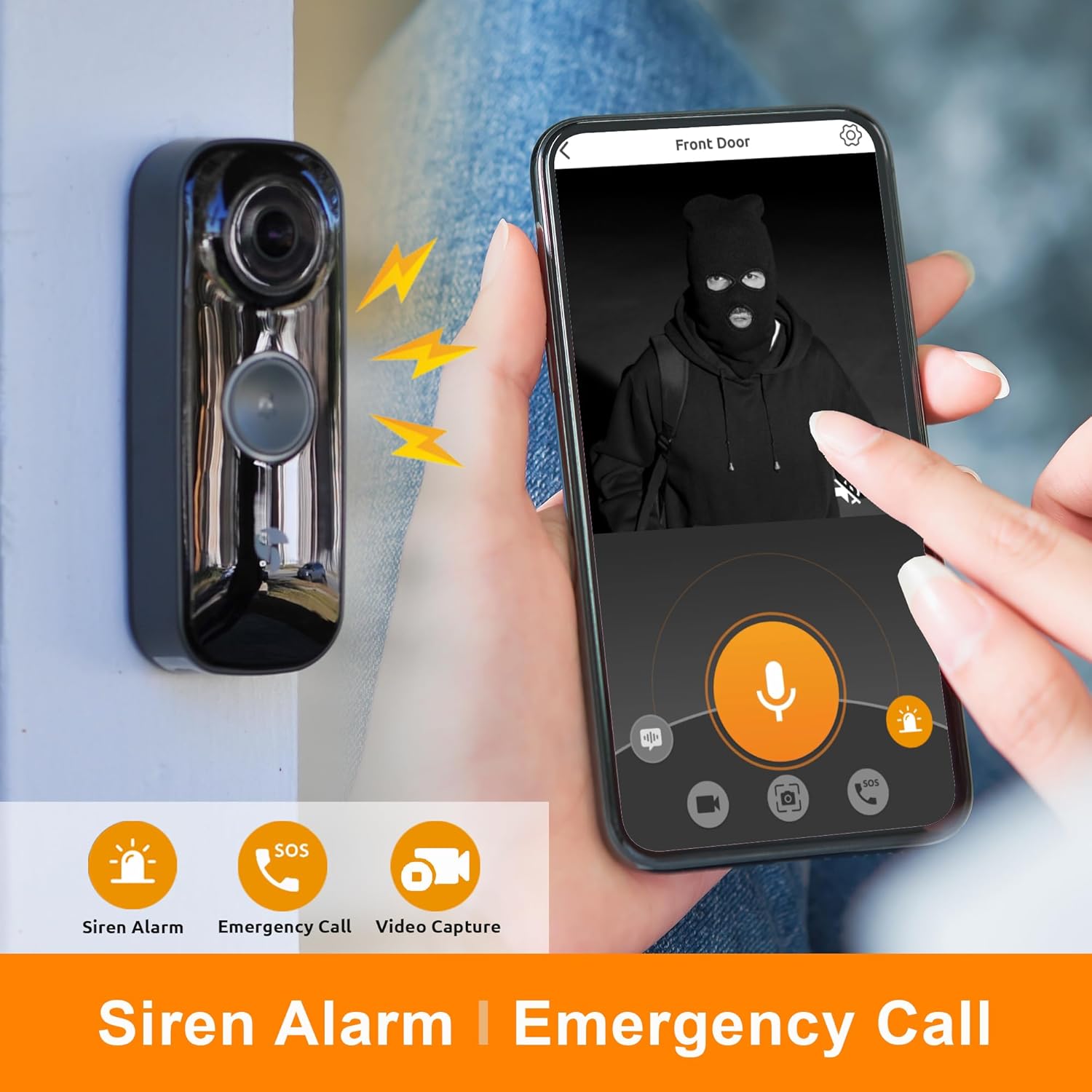
Image: The doorbell on a wall and a smartphone screen showing a person in a mask, with icons for siren alarm, emergency call, and video capture.
- Wireless Doorbell Chime: The included chime offers six different sounds. It connects wirelessly to the doorbell and can be placed anywhere within range.

Image: The wireless doorbell chime mounted on a wall, with musical notes indicating its sound capabilities.
- Nutika kodu integreerimine: The doorbell is compatible with Amazon Alexa and Google Assistant, allowing for voice control and integration into your smart home ecosystem.

Image: A smart display showing a live feed from the doorbell, with logos for 'Works with Alexa' and 'Works with Google Assistant'.
- Event Recording and Storage: The Toucan Smart Home App provides a rolling 24 hours of event recording history without a subscription.

Image: A smartphone displaying a list of recorded events from various cameras, indicating 'NO MONTHLY FEE' for unlimited devices.
5. Hooldus
- Aku laadimine: The doorbell's built-in battery typically lasts for an extended period. When the battery level is low, you will receive a notification via the app. Recharge the doorbell using the provided USB cable. If using optional DIY wiring, the doorbell will trickle charge continuously.
- Puhastamine: Periodically wipe the doorbell's camera lens and body with a soft, damp lapiga tolmu ja mustuse eemaldamiseks. Vältige tugevate kemikaalide või abrasiivsete materjalide kasutamist.
- Keskkonnatingimused: The doorbell has an IP65 rating, indicating it is protected against dust and water jets. While it is weather-resistant, avoid submerging it in water or exposing it to extreme temperatures outside its operating range.
6. Veaotsing
- Chime Losing Connection: If the chime frequently loses connection to the doorbell, ensure it is within range and not obstructed by thick walls or other interference. Try re-pairing the chime according to its specific instructions. Ensure the chime's batteries (if applicable) are fresh.
- Liikumistuvastuse probleemid: If motion detection is too sensitive or not detecting motion, adjust the sensitivity settings and customize the detection zones within the Toucan Smart Home App. Ensure the radar sensor area is clear of obstructions.
- App Notifications Delayed or Not Received: Check your smartphone's notification settings for the Toucan Smart Home App to ensure notifications are enabled. Verify that your phone has a stable internet connection.
- Wi-Fi-ühenduse probleemid: Ensure your doorbell is connected to a 2.4GHz Wi-Fi network. 5GHz networks are not supported. Check your Wi-Fi signal strength at the doorbell's location. Restarting your router and the doorbell may resolve connectivity issues.
- Lühike aku tööiga: Frequent motion events, live view access, and cold weather can impact battery life. Ensure the doorbell is fully charged. Consider using the optional DIY wiring for continuous power if battery life is a persistent concern.
- Kehv videokvaliteet: Ensure the camera lens is clean. Check your Wi-Fi connection speed. Low battery levels can sometimes affect video performance.
7. Tehnilised andmed
| Funktsioon | Detail |
|---|---|
| Mudel | PRO 2024 Edition |
| Video eraldusvõime | 2K Full Quad HD |
| Väli View | 140 kraadi |
| Liikumistuvastus | Accurate Radar Motion Detection |
| Toiteallikas | 6,500mAh Built-in Rechargeable Battery, Optional Trickle Charge |
| Ühenduvus | WiFi (ainult 2.4 GHz) |
| Kahesuunaline heli | Jah |
| Nutika kodu ühilduvus | Amazon Alexa, Google'i assistent |
| Sissepääsukaitse (IP) reiting | IP65 |
| Tootja | VuPointi lahendused |
8. Garantii ja tugi
TOUCAN products are manufactured by VuPoint Solutions. For warranty information, technical support, or any inquiries regarding your Wireless Video Doorbell PRO, please refer to the official TOUCAN Smart Home websaidilt või võtke otse ühendust nende klienditeenindusega.
TOUCAN is committed to your privacy and safety, providing quality products and support. For the most up-to-date support resources, please visit the official TOUCAN Smart Home support page.


