1. Sissejuhatus
Thank you for choosing the Baseus E13 TWS Bowie Headphones. This manual provides essential information for setting up, operating, and maintaining your new wireless earbuds. Please read it carefully before use to ensure optimal performance and longevity of your device.
2. Pakendi sisu
Veenduge, et pakis on kõik esemed olemas:
- Baseus E13 TWS Bowie Headphones (Left and Right Earbuds)
- Laadimisümbris
- USB laadimiskaabel
- Kõrvapadjad (erinevad suurused)
- Kasutusjuhend (see dokument)

Image: The Baseus E13 TWS Bowie Headphones, including the earbuds, charging case, and the included USB charging cable.
3. Toote lõppview
The Baseus E13 TWS Bowie Headphones feature a compact design with a charging case for portability and extended battery life.

Image: The Baseus E13 TWS Bowie Headphones, showing both earbuds resting in their open charging case.
4. Seadistamine
4.1 Kõrvaklappide ja ümbrise laadimine
- Esmane tasu: Enne esmakordset kasutamist laadige kõrvaklapid ja laadimisümbris täielikult.
- Korpuse laadimine: Connect the provided USB charging cable to the charging port on the case and a compatible USB power source. The indicator light on the case will show charging status.
- Kõrvaklappide laadimine: Place the earbuds into the charging case. Ensure they are correctly seated; the indicator lights on the earbuds will confirm charging.
Täislaadimine annab laadimisümbrisega kuni 30 tundi taasesitusaega.
4.2 Bluetoothi sidumine
- Toide sisse: Ava laadimisümbris. Kõrvaklapid lülituvad automaatselt sisse ja lülituvad sidumisrežiimi.
- Bluetoothi aktiveerimine: Luba oma seadmes (nutitelefon, tahvelarvuti jne) Bluetooth.
- Valige seade: Otsi "Baseus E13" in the list of available Bluetooth devices and select it to connect.
- Kinnitus: Eduka sidumise kinnitamiseks kostab häälkäsklus.
Kõrvaklapid ühenduvad ümbrisest väljavõtmisel automaatselt viimati seotud seadmega, kui seadmes on Bluetooth lubatud.
4.3 Rakenduse juhtimine
Enhance your experience by downloading the official Baseus app. The app allows for customizable controls, EQ settings, and other features.
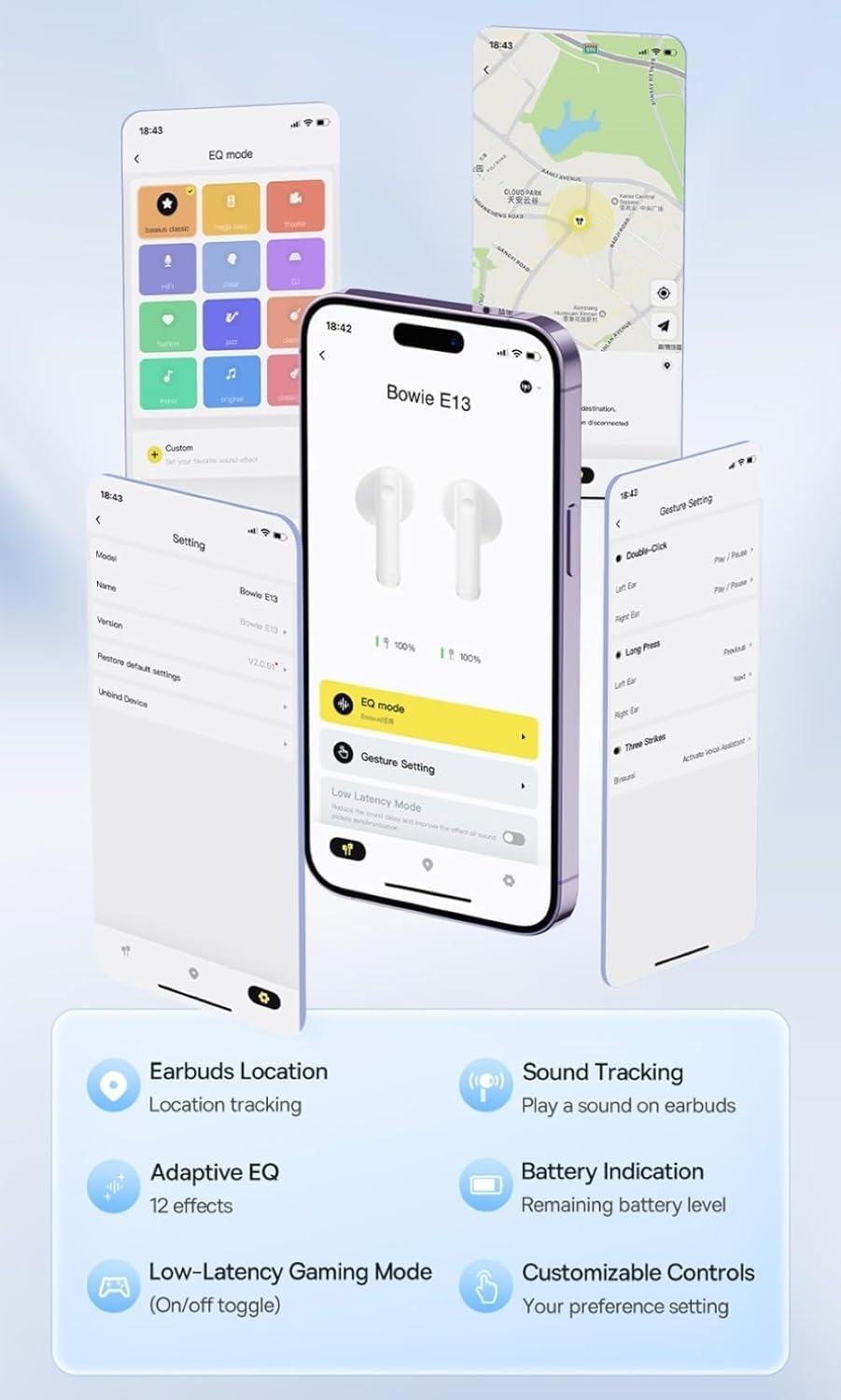
Image: Multiple smartphone screens displaying the Baseus app interface, highlighting features such as EQ mode, gesture settings, low-latency gaming mode, earbud location tracking, sound tracking, adaptive EQ with 12 effects, battery indication, and customizable controls.
5. Operatsioon
5.1 Põhilised juhtnupud
The Baseus E13 TWS Bowie Headphones feature touch controls for easy management of audio and calls. Specific gestures can be customized via the Baseus app.
- Esita/peata: Üks puudutus kummalgi kõrvaklapil.
- Järgmine lugu: Topeltpuudutage paremat kõrvaklappi.
- Eelmine lugu: Topeltpuudutage vasakul kõrvaklapil.
- Kõnele vastamine/lõpetamine: Üks puudutus kummalgi kõrvaklapil.
- Keeldu kõnest: Vajutage pikalt kummalgi kõrvaklapil.
- Hääleabi aktiveerimine: Kolmikpuudutus kummalgi kõrvaklapil.
5.2 Low-Latency Gaming Mode
For an optimized gaming experience, activate the 0.06s ultra-low latency gaming mode through the Baseus app. This reduces audio delay, providing faster response times.
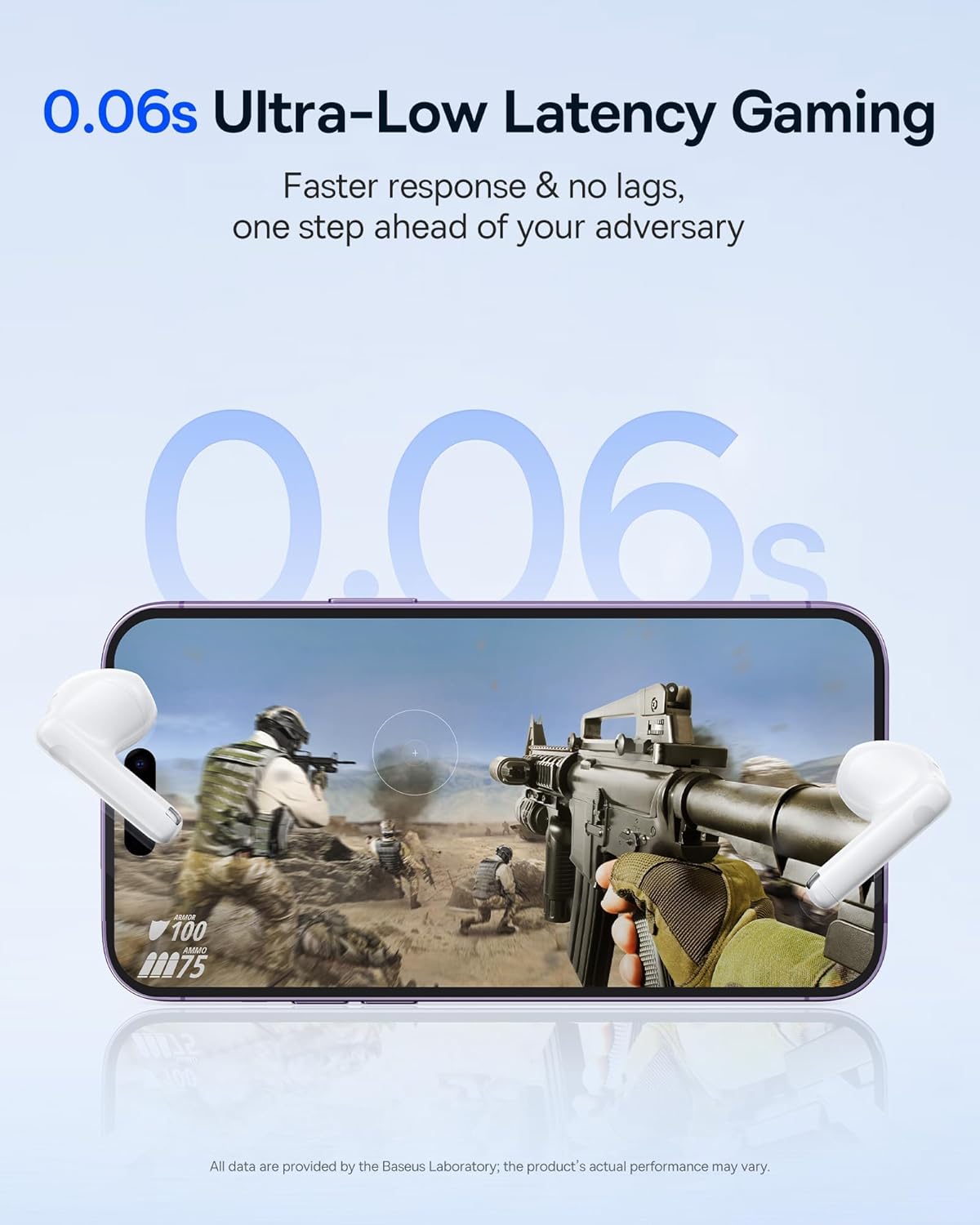
Image: The Baseus E13 TWS Bowie Headphones positioned near a smartphone screen displaying a fast-paced first-person shooter game, emphasizing the 0.06s ultra-low latency feature for gaming.
5.3 Heli taasesitus
Enjoy up to 30 hours of continuous audio playback with the assistance of the charging case. Each earbud provides several hours of playback on a single charge, with the case offering multiple recharges.

Image: The Baseus E13 TWS Bowie Headphones and their charging case, overlaid with a graphic prominently displaying '30H', signifying the total audio playback time achievable with the case.
5.4 Heli kvaliteet
The earbuds are equipped with a large 12mm diaphragm, designed to restore each note with remarkable depth and accuracy, providing a powerful low-frequency audio experience.

Image: A detailed cutaway diagram of a Baseus E13 TWS earbud, focusing on the internal structure of the large 12mm diaphragm and its contribution to sound quality.
5.5 Ühenduvus
Utilizing Bluetooth 5.3 technology, the headphones offer a faster and more stable wireless connection, ensuring smooth audio transmission and enhanced sound quality.

Pilt: Läbipaistev view of a Baseus E13 TWS earbud, revealing its internal circuitry and specifically highlighting the integrated Bluetooth 5.3 chip for advanced wireless connectivity.
6. Kõrvaklappide kandmine
The earbuds are designed with a mini stem and a lightweight profile, featuring a 45° wearing angle for a comfortable and secure fit.

Image: A woman wearing a Baseus E13 TWS earbud, illustrating the ergonomic design with a mini stem and lightweight construction for a comfortable user experience.
7. Hooldus
- Puhastamine: Puhastage kõrvaklappe ja laadimisümbrist regulaarselt pehme, kuiva ja ebemevaba lapiga. Ärge kasutage tugevaid kemikaale ega abrasiivseid materjale.
- Veekindlus: The earbuds are water resistant. Avoid submerging them in water or exposing them to excessive moisture. Dry thoroughly if they come into contact with liquids.
- Hoiustamine: Kui kõrvaklappe ei kasutata, hoidke neid laadimisümbrises, et neid kaitsta ja laetuna hoida. Hoidke jahedas, kuivas ja äärmuslike temperatuuride eest kaitstud kohas.
- Aku hooldus: Aku tööea pikendamiseks vältige kõrvaklappide ja ümbrise sagedast täielikku tühjendamist. Laadige neid regulaarselt, isegi kui neid pidevalt ei kasutata.
8. Veaotsing
If you encounter issues with your Baseus E13 TWS Bowie Headphones, refer to the following common solutions:
- Heli puudub:
- Veenduge, et kõrvaklapid on laetud.
- Kontrollige oma seadme Bluetooth-ühendust.
- Reguleerige helitugevust nii kõrvaklappidel kui ka ühendatud seadmel.
- Kõrvaklapid ei ühendu:
- Asetage kõrvaklapid tagasi ümbrisesse, sulgege see ja avage uuesti, et sidumisrežiimi uuesti siseneda.
- Forget "Baseus E13" from your device's Bluetooth list and attempt to pair again.
- Ensure earbuds are within range of your device.
- Laadimisprobleemid:
- Verify the charging cable is securely connected to both the case and power source.
- Proovige teist USB-porti või toiteadapterit.
- Ensure charging contacts on earbuds and in case are clean and free of debris.
- Üks kõrvaklapp ei tööta:
- Veenduge, et mõlemad kõrvaklapid on laetud.
- Try resetting the earbuds (refer to app or Baseus support for specific instructions).
9. Tehnilised andmed
| Kaubamärk | Baseus |
| Mudeli nimi | E13 TWS |
| Ühenduvustehnoloogia | Traadita (Bluetooth 5.3) |
| Kõrvade paigutus | Kõrvas |
| Vormitegur | Tõeline traadita ühendus |
| Takistus | 32 oomi |
| Juhtimistüüp | Touch controls, App |
| Materjal | Plastikust |
| Kauba kaal | 0.07 kilogrammi |
| Veekindluse tase | Veekindel |
| Maksimaalne töökaugus | 10 meetrit |
| Aku keskmine eluiga | Kuni 30 tundi (koos laadimiskotiga) |
| Eriomadused | 0.06s ultra-low latency, Faster and more stable 5.3 wireless chip, Lightweight and Mini Design, Powerful low frequency controller |
10. Garantii ja tugi
Baseus products are designed for reliability and performance. For warranty information, please refer to the warranty card included with your purchase or visit the official Baseus website. For technical support or further assistance, please contact Baseus customer service or visit the Baseuse pood Amazonis.


