1. Sissejuhatus
The Nonstop NSO2-BK is a versatile hotel alarm clock designed for convenience and functionality. It features a clear digital display, multiple charging options including USB-C, and an intuitive interface for setting time and alarms. This manual provides detailed instructions for setting up and operating your alarm clock.
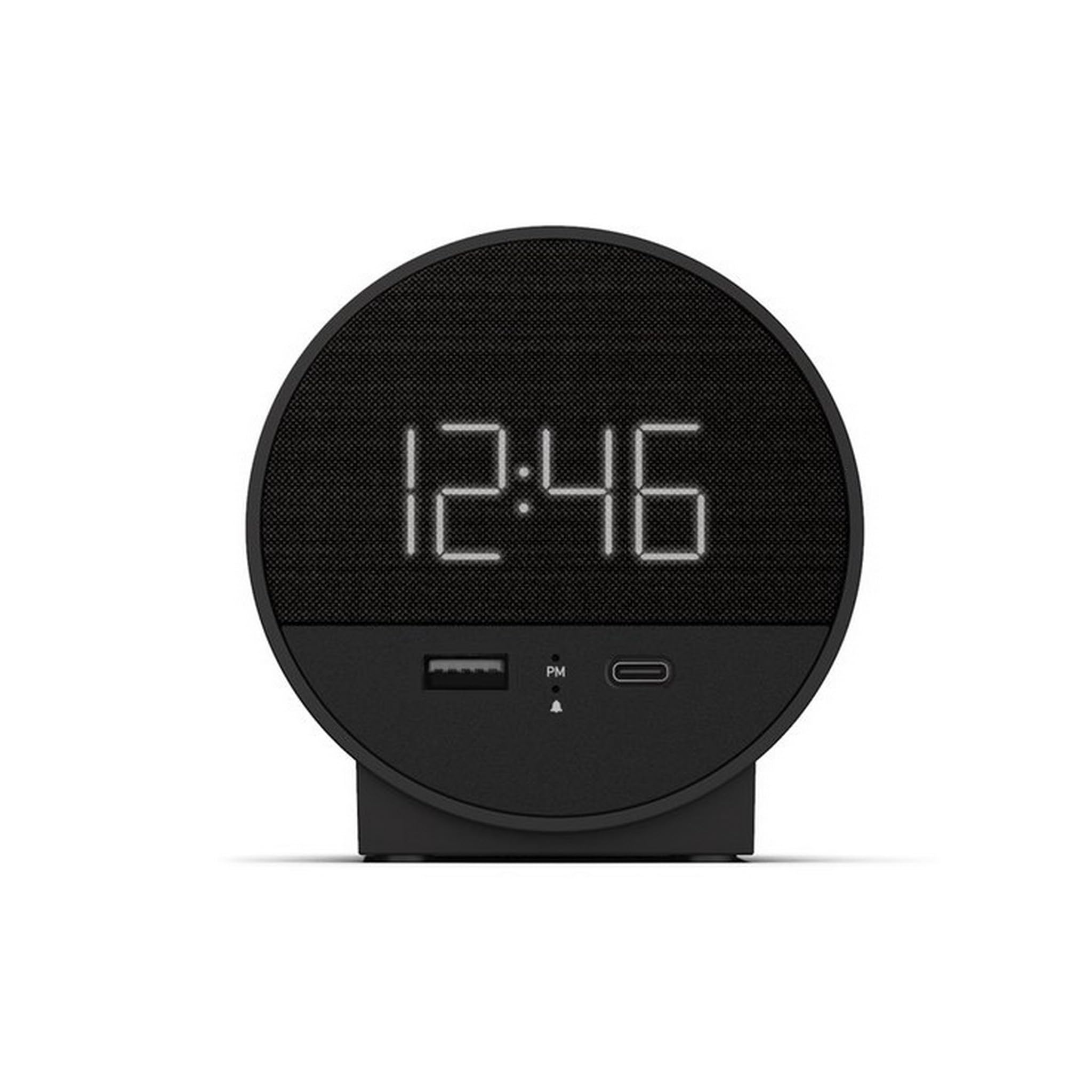
Joonis 1: Esiosa view of the Nonstop NSO2-BK USB-C Hotel Alarm Clock.
2. Toote omadused
- Digital Time Display: Clear and easy-to-read time.
- Dual Alarm Function: Set two independent alarms.
- Snooze Function: Temporarily silence the alarm.
- Display Dimmer: Adjust screen brightness for comfort.
- USB-C Charging Port: Modern charging for compatible devices.
- USB-A Charging Port: Standard USB charging for various devices.
- Bluetooth Speaker: Connect your smartphone or other devices to play audio.
- Relaxation Sounds: Built-in sound machine for sleep or relaxation.

Figure 2: Close-up of the USB-A and USB-C charging ports on the alarm clock.
3. Seadistamine
3.1 Toiteühendus
- Pakkige äratuskell ja kõik lisatarvikud lahti.
- Ühendage toiteadapter äratuskella tagaküljel asuva alalisvoolu sisendporti.
- Ühendage toiteadapter tavalisse pistikupessa. Ekraan süttib.
3.2 Backup Battery (Not included)
Pideva ajaarvestuse jaoks väljalülituse ajaltages, insert 2 AAA batteries (not included) into the battery compartment on the bottom of the unit. The backup battery maintains time settings but does not power the display or alarm functions.
4. Kasutusjuhised
4.1 Kellaaja seadistamine
- Vajutage ja hoidke all nuppu AJA MÄÄRAMINE button (often labeled 'M' or a clock icon) for 3 seconds until the hour digits flash.
- Kasutage HR (Tund) ja MIN (Minute) buttons to adjust the time.
- Vajutage AJA MÄÄRAMINE uuesti kinnitamiseks ja aja seadistamise režiimist väljumiseks.
4.2 Alarmi seadistamine
The NSO2-BK supports two independent alarms (Alarm 1 and Alarm 2).
- Vajutage ja hoidke all nuppu 1. ALARM or 2. ALARM button (bell icon) for 3 seconds until the hour digits flash.
- Kasutage HR ja MIN nuppe, et määrata soovitud äratusaeg.
- Vajutage vastavat ALARM äratusaja kinnitamiseks vajutage uuesti nuppu.
- To activate/deactivate an alarm, short press the corresponding ALARM button. An indicator light will appear/disappear on the display.
4.3 Edasilükkamise funktsioon
Kui äratuskell kõlab, vajutage suurt nuppu UINAK button on top of the unit to temporarily silence the alarm for 9 minutes. The alarm will sound again after the snooze period.
4.4 Display Brightness Control
Vajutage nuppu EDASTUS/DIMMER button (or a dedicated dimmer button if available) repeatedly to cycle through different brightness levels for the display. Select the level that is most comfortable for you.
4.5 Laadimisseadmed
The NSO2-BK provides convenient charging for your electronic devices:
- USB-C port: Located on the front, plug in your USB-C compatible device for fast charging.
- USB-A port: Located on the front, plug in your standard USB-A compatible device for charging.
4.6 Bluetooth-kõlar
To use the alarm clock as a Bluetooth speaker:
- Vajutage nuppu REŽIIM button (labeled 'M') until 'BT' appears on the display.
- Lubage oma mobiilseadmes Bluetooth ja otsige saadaolevaid seadmeid.
- Select 'A21-B' (or similar model name) from the list to pair.
- Once paired, you can play audio from your device through the alarm clock's speaker.
Video 1: Demonstrates various functions including time setting, alarm setting, snooze, brightness, and charging on a similar multifunctional alarm clock. Note: Specific button labels may vary slightly from your model.
5. Hooldus
- Clean the unit with a soft, dry cloth. Do not use liquid cleaners or abrasive materials.
- Hoidke seadet otsese päikesevalguse, soojusallikate ja niiskuse eest kaitstult.
- Ärge proovige seadet ise lahti võtta ega parandada. Abi saamiseks võtke ühendust klienditoega.
6. Veaotsing
- Toide puudub/ekraan välja lülitatud: Ensure the power adapter is securely plugged into both the alarm clock and a working electrical outlet. Check if the power outlet is functional.
- Alarm ei kõla: Verify that the alarm is activated (indicator light on) and the alarm time is correctly set. Check the alarm volume settings.
- Laadimine ei tööta: Ensure your device is compatible with USB-C or USB-A charging. Check the charging cable for damage.
- Bluetoothi sidumisprobleemid: Ensure the alarm clock is in Bluetooth pairing mode ('BT' displayed). Turn off and on Bluetooth on your mobile device and try pairing again.
7. Tehnilised andmed
| Spetsifikatsioon | Detail |
|---|---|
| Mudel | NSO2-BK |
| Kauba kaal | 2 naela |
| ASIN | B0CKCNX688 |
| Esmakordselt saadaval olev kuupäev | 29. juuli 2024 |
8. Garantii ja tugi
This Nonstop NSO2-BK USB-C Hotel Alarm Clock comes with a 365-Day Warranty from the date of purchase. For any product-related inquiries, technical support, or warranty claims, please contact our customer service team.
- Tagastamisreeglid: 30-day refund/replacement period.
- Garantiiaeg: 365 päeva ostust.
- Toe e-posti aadress: Andoservice@outlook.com


