1. Sissejuhatus
Thank you for choosing the Cherry KW 7100 Mini Multi-Device Compact Keyboard. This manual provides essential information for setting up, operating, and maintaining your new keyboard. Designed for versatility and portability, this keyboard offers seamless connectivity across multiple devices.
2. Mis on karbis
- Cherry KW 7100 Mini Multi-Device Compact Keyboard
- USB-C to USB-A Charging/Connection Cable
- 2x AAA patareid
- 2.4 GHz Wireless Nano Receiver (stored magnetically in the keyboard)
- Kandekott
- Kasutusjuhend

Joonis 1: Ülalt-alla view of the Cherry KW 7100 Mini Keyboard.
3. Seadistamine
3.1. Aku paigaldamine
- Leidke klaviatuuri alumisel küljel olev patareipesa.
- Avage patareipesa kaas.
- Sisestage kaks AAA-patareid, jälgides õiget polaarsust (+/-).
- Sulgege akupesa kaas kindlalt.
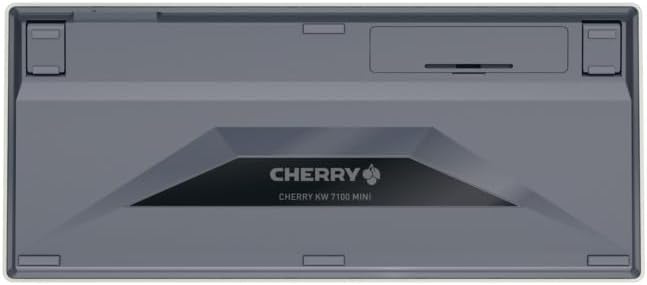
Joonis 2: Klaviatuuri alumine külg koos patareipesaga.
3.2. Klaviatuuri ühendamine
The Cherry KW 7100 Mini supports three connection methods: Bluetooth, 2.4 GHz Wireless, and Wired USB-C.
3.2.1. Bluetooth-ühendus (kuni 3 seadet)
- Lülitage klaviatuur küljel asuva toitelüliti abil sisse.
- Press and hold one of the Bluetooth channel keys (F1, F2, or F3) for 3-5 seconds until the corresponding LED indicator blinks rapidly. This indicates pairing mode.
- On your device (laptop, smartphone, tablet), navigate to Bluetooth settings and search for available devices.
- Select "Cherry KW 7100" from the list to pair. The LED will stop blinking and remain solid for a few seconds upon successful connection.
- Repeat for up to two additional devices using the other Bluetooth channel keys (F1, F2, or F3).
3.2.2. 2.4 GHz traadita ühendus
- Locate the 2.4 GHz wireless nano receiver, typically stored magnetically in a slot on the underside of the keyboard.
- Insert the nano receiver into an available USB-A port on your computer.
- Turn on the keyboard using the power switch. The keyboard should automatically connect to the receiver.
3.2.3. Juhtmega USB-C ühendus
- Ühendage kaasasoleva USB-C-kaabli üks ots klaviatuuri USB-C-porti.
- Connect the other end of the USB-C cable to an available USB-A port on your computer.
- The keyboard will function as a wired keyboard.
Video 1: Demonstrating the setup and typing experience of the Cherry KW 7100 Mini Keyboard.
4. Klaviatuuri kasutamine
4.1. Ühendatud seadmete vahel vahetamine
To switch between paired Bluetooth devices, simply press the corresponding Bluetooth channel key (F1, F2, or F3) that your device is paired to. The keyboard will automatically connect to the selected device.
4.2. Function Keys (FN)
The keyboard features a dedicated FN key, typically located near the right Shift key. This key, in combination with other keys, activates secondary functions such as media controls, screen brightness, and other system commands. Refer to the keycap legends for specific FN key combinations.
4.3. LED-indikaatorid
LED indicators on the keyboard provide information about its status:
- Bluetooth Channel LEDs (F1, F2, F3): Indicate the currently active Bluetooth connection or pairing mode.
- Suurtäheluku LED-signaal: Süttib, kui suurtähelukk on aktiivne.
- Aku oleku LED: Näitab madalat aku taset.
4.4. Reguleeritavad jalad
The keyboard is equipped with stable, fold-out feet on the underside. These allow you to adjust the typing angle for improved ergonomics and comfort.
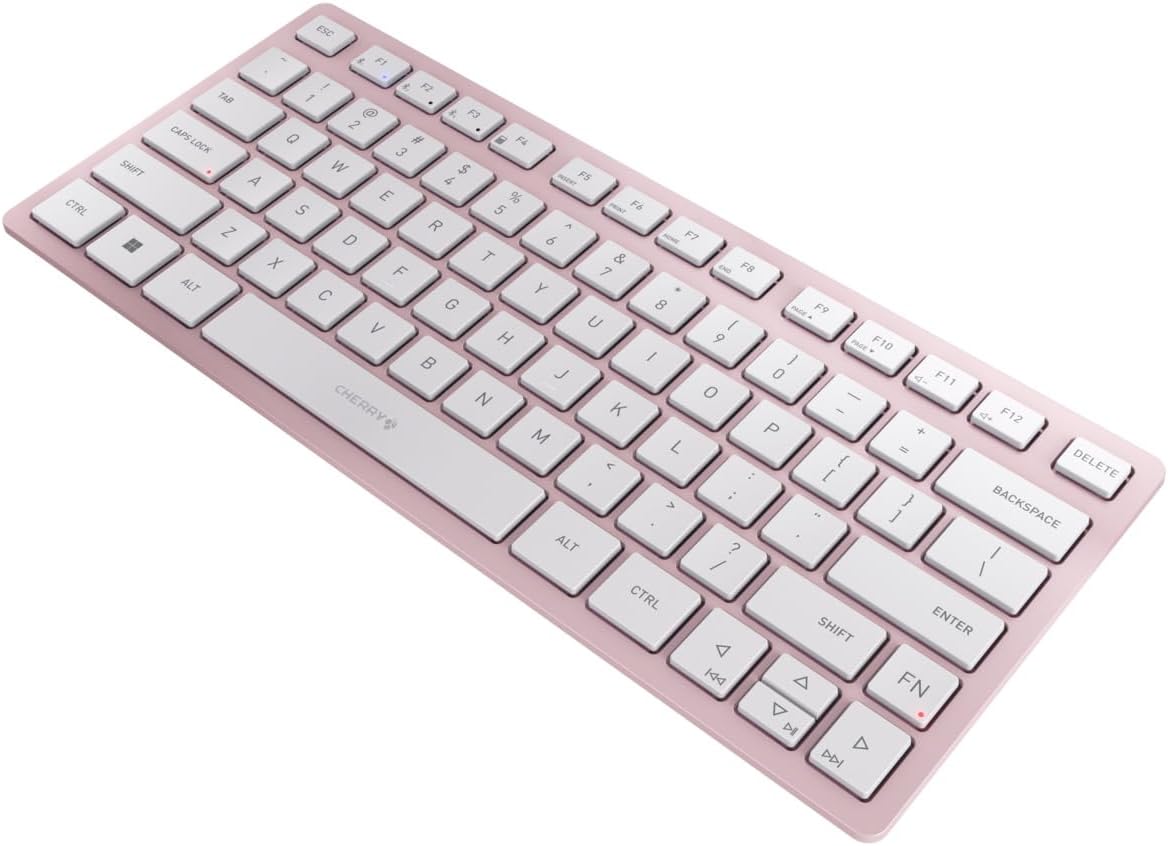
Joonis 3: Nurga all view of the keyboard, highlighting its slim profile.

Joonis 4: Külg view showing the adjustable feet extended for an ergonomic typing angle.
5. Hooldus
5.1. Puhastamine
To clean your keyboard, gently wipe the keycaps and surface with a soft, lint-free cloth. For stubborn dirt, slightly dampLoputage lappi veega või õrna mitteabrasiivse puhastuslahusega. Vältige liigset niiskust ja ärge pihustage puhastusvahendeid otse klaviatuurile.
5.2. Ladustamine
When not in use, especially during travel, store the keyboard in its included carrying case to protect it from dust, scratches, and minor impacts.

Figure 5: The keyboard stored in its protective carrying case.
6. Veaotsing
6.1. Keyboard Not Connecting
- Veenduge, et klaviatuur on sisse lülitatud.
- Kontrollige patareisid ja vajadusel vahetage need välja.
- For Bluetooth, ensure the correct channel (F1, F2, or F3) is selected and the keyboard is in pairing mode (blinking LED).
- For 2.4 GHz wireless, ensure the nano receiver is securely plugged into a USB-A port.
- Traadita ühenduse probleemide välistamiseks proovige ühendada USB-C-kaabli abil.
- Taaskäivitage seade ja proovige uuesti siduda.
6.2. Klahvid ei reageeri
- Check the connection as described above.
- Veenduge, et võtmete alla ei oleks prahti kinni jäänud.
- Juhtmega ühenduse korral proovige teist USB-porti või kaablit.
6.3. Lühike aku tööiga
- Veenduge, et kasutate uusi ja kvaliteetseid AAA-patareisid.
- Turn off the keyboard when not in use to conserve battery power.
7. Tehnilised andmed
| Funktsioon | Spetsifikatsioon |
|---|---|
| Mudeli nimi | KW 7100 |
| Kauba mudeli number | JK-7100US-19 |
| Kaubamärk | Kirss |
| Ühenduvustehnoloogia | Bluetooth 5.1 (3 channels), 2.4 GHz Wireless, USB-C Wired |
| Ühilduvad seadmed | Sülearvuti, nutitelefon, tahvelarvuti |
| Klaviatuuri kirjeldus | Compact, Multi-Device |
| Võtmemehhanism | CHERRY SX Scissor Mechanism |
| Toiteallikas | 2x AAA patareid |
| Krüpteerimine | AES-128 |
| Toote mõõtmed | 11.6 x 5.1 x 0.6 tolli |
| Kauba kaal | 1.4 naela |
| Materjal | Metall, Plastik |
| Värv | Kirsiõis |
8. Garantii ja tugi
This product is covered by Cherry's standard manufacturer warranty. For detailed warranty information, technical support, or service inquiries, please visit the official Cherry websaidil või võtke otse ühendust nende klienditoega.
Tootja: Kirss
Websait: www.cherry.de


