1. Sissejuhatus
This manual provides detailed instructions for the assembly, operation, and maintenance of your Barska Winbest Pursuit-200 Metal Detector Field Kit. Please read this manual thoroughly before using the product to ensure proper function and longevity.
The Pursuit-200 Metal Detector Field Kit is designed for detecting various metals and includes a main metal detector with an LCD display, a handheld wand detector, headphones, a folding shovel, and a soft carrying case.
2. Pakendi sisu
Veenduge, et kõik allpool loetletud esemed on teie pakendis olemas:
- Barska Winbest Pursuit-200 Metal Detector (Main Unit)
- Surveyor-100 Handheld Wand Metal Detector
- Kõrvaklapid
- Folding Shovel with Compass
- Pehme kandekott
- Kasutusjuhend (see dokument)
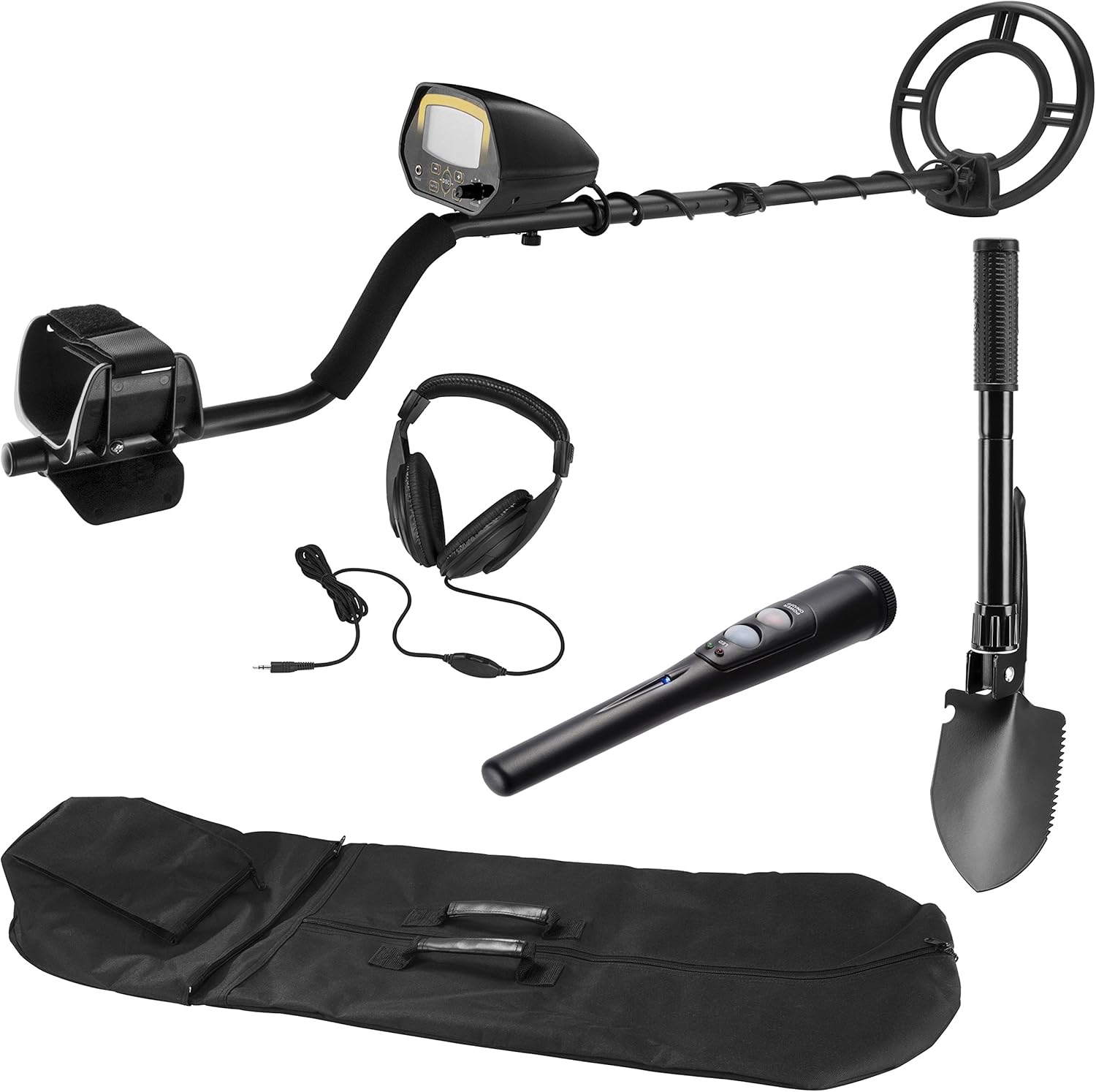
2.1. pilt: All components of the Barska Winbest Pursuit-200 Metal Detector Field Kit, including the main detector, wand detector, headphones, shovel, and carrying case.
3. Seadistamine
3.1. Assembling the Main Metal Detector
- Otsimismähise kinnitamine: Secure the search coil to the lower stem using the provided bolt and nut. Ensure it is firmly attached but allows for slight angle adjustment.
- Connect the Lower and Middle Stems: Insert the lower stem into the middle stem and secure it with the spring clip or locking mechanism.
- Attach the Control Housing: Slide the control housing onto the upper stem. Adjust the armrest for comfort and secure the control housing in place.
- Mähi kaabel ümber: Carefully wrap the search coil cable around the stem, ensuring it is not too tight or loose, and plug the connector into the control housing.
- Patareide paigaldamine: Open the battery compartment on the control housing and insert the required batteries (refer to specifications for battery type).

3.1. pilt: The main metal detector fully assembled, showing the search coil, stem, armrest, and control housing.
3.2. Preparing the Wand Detector
The Surveyor-100 Wand Metal Detector typically requires battery installation. Open the battery compartment, insert the correct batteries, and close the compartment securely.
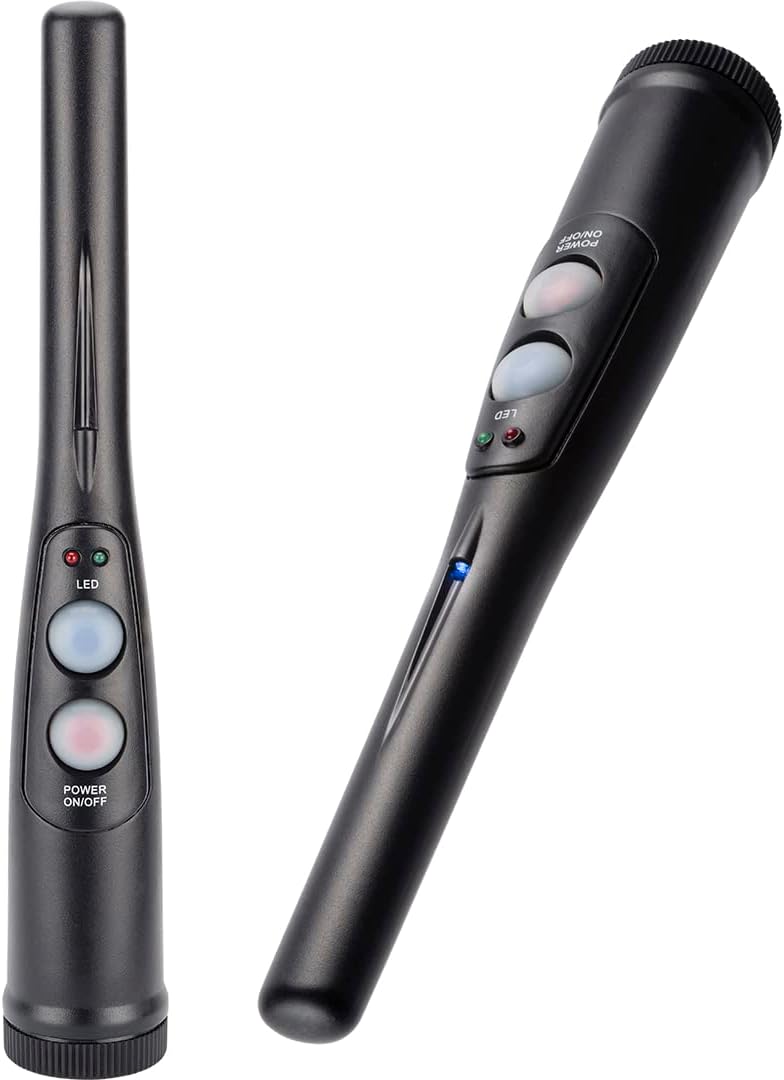
3.2. pilt: The handheld wand metal detector, showing its compact design and control buttons.
3.3. Preparing the Folding Shovel
Unfold the shovel and secure its locking mechanisms to ensure it is rigid for use. The shovel can be configured as a shovel or a pick. The compass is integrated into the handle.

3.3. pilt: The multi-use folding shovel, shown in both shovel and pick configurations.
4. Kasutusjuhised
4.1. Main Metal Detector Operation

4.1. pilt: Close-up of the Pursuit-200 metal detector's LCD display and control panel, showing buttons for DISC, NOTCH, SENS, and volume knob.
- Toide sisse: Turn the VOLUME knob clockwise to power on the detector.
- Adjust Sensitivity (SENS): Press the SENS button and use the '+' and '-' buttons to adjust the sensitivity level. Higher sensitivity increases detection depth but may also increase false signals.
- Diskrimineerimine (DISC): Press the DISC button and use '+' and '-' to set the discrimination level. This feature allows the detector to ignore certain types of metal (e.g., iron). The LCD will show the target ID.
- Sälk: Use the NOTCH function to selectively eliminate specific metal categories from detection.
- Kõrvaklapid: Plug the included headphones into the 'PHONE' jack for private listening and clearer audio signals.
- Pühkimine: Hold the detector with the search coil parallel to the ground, about 1-2 inches above the surface. Sweep the coil slowly from side to side in overlapping arcs.
- Sihtmärgi näit: When a metal object is detected, the detector will emit an audible tone, and the LCD display will show a target ID and signal strength.
- Veekindel otsingupool: The 10-inch search coil is weather-sealed and can be submerged in shallow water for detection. Ensure the control housing is not submerged.
4.2. Wand Detector Operation

4.2. pilt: A hand holding the Surveyor-100 wand detector, demonstrating its ergonomic design for pinpointing targets.
- Toide sisse: Press the Power ON/OFF button to activate the wand detector.
- Määramine: After locating a general area with the main detector, use the wand detector to precisely pinpoint the target's location in the soil.
- Näidustus: The wand detector will typically use audible alerts and/or vibration, along with LED indicators, to signal the presence of metal.
4.3. Shovel Usage
Use the folding shovel to excavate detected targets. Its compact design and pick function are useful for breaking up tough ground. The integrated compass can assist with navigation.
5. Hooldus
- Puhastamine: Wipe down the detector and accessories with a damp lapiga pärast iga kasutuskorda. Vältige abrasiivseid puhastusvahendeid.
- Hoiustamine: Store the kit in the provided soft carrying case in a dry, cool place when not in use.
- Aku hooldus: Remove batteries from both detectors if they will not be used for an extended period to prevent leakage.
- Kaabli kontroll: Regularly check the search coil cable for any signs of wear or damage.
6. Veaotsing
| Probleem | Võimalik põhjus | Lahendus |
|---|---|---|
| No power to main detector/wand detector | Tühjad või valesti paigaldatud akud | Vahetage patareid uute vastu, jälgides õiget polaarsust. |
| Erratic signals or false positives | High sensitivity, electromagnetic interference, mineralized ground | Reduce sensitivity. Move away from power lines or other electronic devices. Use discrimination settings. |
| Detector not finding metal | Low sensitivity, incorrect discrimination settings, search coil not parallel to ground | Increase sensitivity. Adjust discrimination settings. Ensure search coil is swept correctly. |
| Kõrvaklappidest pole heli | Headphones not plugged in correctly, volume too low, faulty headphones | Ensure headphones are fully plugged in. Increase volume. Test with another pair of headphones if available. |
7. Tehnilised andmed
- Mudel: Pursuit-200 (BE12748)
- Kaubamärk: Barska
- Otsingumähise suurus: 10 inches (Waterproof)
- Kuva: LCD
- Toiteallikas: Patareitoitel (nõutavad patareid: Jah)
- Reguleeritav pikkus: Yes, up to 47 inches
- Materjal: Metallist
- Kauba kaal: Ligikaudu 0.4 kilogrammi (14.1 untsi)
- Toote mõõtmed: 10 cm P x 9.5 cm L x 48.42 cm K (kokkupandult)
- Rahvusvaheline kaitsereiting: IP541 (otsingupooli jaoks)
- Kaasasolevad tarvikud: Surveyor-100 Wand Detector, Headphones, Folding Shovel with Compass, Soft Carrying Case
8. Ohutusalane teave
- Enne eramaal otsimist küsige alati luba.
- Be aware of local regulations regarding metal detecting.
- Kaevamisel olge ettevaatlik, et mitte kahjustada maa-aluseid kommunaalteenuseid ega ajaloolisi esemeid.
- Do not use the metal detector near live electrical wires or in hazardous environments.
- Hoidke patareisid lastele kättesaamatus kohas ja utiliseerige need nõuetekohaselt.
9. Garantii ja tugi
For warranty information and customer support, please refer to the official Barska webveebisaidilt või võtke ühendust nende klienditeenindusega. Hoidke ostutšekk ostutõendina alles.
Barska Official Websait: www.barska.com


