Sissejuhatus
Welcome to the user manual for your new Cecotec DrumFit Indoor Bike. This manual provides essential information for the safe assembly, operation, maintenance, and troubleshooting of your indoor cycling equipment. Please read this manual thoroughly before using the product to ensure proper function and longevity.
The DrumFit Indoor Bike is designed for effective indoor cardio training, featuring a 6 kg inertia flywheel, variable resistance, and an LCD display to track your progress. Its robust carbon steel construction ensures stability for users up to 120 kg.

Image: The Cecotec DrumFit Indoor Bike, showcasing its sleek black design, flywheel, and adjustable components.
Ohutusteave
- Enne mis tahes uue treeningprogrammi alustamist konsulteerige alati tervishoiutöötajaga.
- Enne iga kasutamist veenduge, et kõik poldid ja mutrid on kindlalt kinni keeratud.
- Place the bike on a flat, stable surface. Use a mat underneath to protect flooring and reduce noise.
- Hoidke lapsed ja lemmikloomad jalgratta töötamise ajal sellest eemal.
- Kandke sobivaid spordijalatseid ja -riideid.
- Ärge ületage kasutaja maksimaalset kaalu 120 kg.
- Use the emergency stop button (red knob) to quickly halt the flywheel if needed.
Seadistamine ja kokkupanek
The DrumFit Indoor Bike requires some assembly. Follow these steps carefully:
- Lahtipakkimine: Eemaldage pakendist ettevaatlikult kõik komponendid. Kontrollige, et kõik osad oleksid kaasasoleva osade nimekirja alusel olemas.
- Base Stabilizers: Attach the front and rear stabilizer bars to the main frame using the provided bolts and tools. Ensure they are firmly secured for stability.
- Pedaalid: Tuvastage vasak (L) ja parem (R) pedaal. Keerake vasak pedaal vastupäeva ja parem pedaal päripäeva väntvõlli külge. Pingutage kindlalt.
- Sadula paigaldamine: Insert the saddle post into the main frame. Adjust the height and horizontal position of the ergonomic saddle for comfort, then tighten the adjustment knob.
- Juhtraua paigaldamine: Insert the handlebar post into the main frame. Adjust the height of the handlebars to your preferred position and secure with the adjustment knob.
- LCD Display and Device Holder: Mount the LCD display onto the handlebar assembly. Connect any necessary sensor cables. Attach the device holder to the handlebars, ensuring it is stable for your smartphone or tablet.
- Pudeli hoidja: Attach the bottle holder to the frame in the designated location.

Pilt: Lähivõte view of the adjustable saddle and handlebars, highlighting the comfort-fit design and adjustment points.
Kasutusjuhised
Adjusting Your Riding Position
- Sadula kõrgus: Adjust the saddle so that your leg has a slight bend at the knee when the pedal is at its lowest point.
- Saddle Fore/Aft: Position the saddle so your knee is directly above the pedal spindle when the pedals are horizontal.
- Juhtraua kõrgus: Adjust handlebars for a comfortable upper body posture, avoiding excessive strain on your back or wrists.
Vastupanusüsteemi kasutamine
The DrumFit Indoor Bike features variable manual resistance. The resistance is controlled by a knob located on the frame, typically near the handlebars.
- Suurendage vastupidavust: Treeningu intensiivsuse suurendamiseks keerake takistuse nuppu päripäeva.
- Vähenda takistust: Intensiivsuse vähendamiseks keerake takistuse nuppu vastupäeva.
- Hädapeatus: Push down firmly on the resistance knob to engage the emergency brake and quickly stop the flywheel.

Image: A hand demonstrating the use of the red "PUSH TO STOP" emergency brake knob, located on the bike's frame.
LCD-ekraani mõistmine
The LCD display provides real-time feedback on your workout. It typically shows:
- AEG: Teie praeguse treeningu kestus.
- SPD (kiirus): Sinu praegune rattasõidu kiirus.
- DST (Distance): Praeguse treeningu ajal läbitud koguvahemaa.
- CAL (kalorid): Hinnanguliselt põletatud kalorid.
- ODO (odomeeter): Total accumulated distance (resets only when battery is removed).
- SKANNI: Lülitus automaatselt läbi kõigi kuvafunktsioonide.
Use the button on the display to switch between modes or to reset values (hold the button for a few seconds to reset current workout data).

Image: A close-up of the LCD display panel, showing the digital readouts for workout metrics and the control button.
Using the Device Holder
The integrated device holder allows you to place your smartphone, tablet, or book for entertainment or guided workouts during your session.

Image: A user engaging with a tablet placed on the bike's device holder, demonstrating its hands-free functionality.

Image: A man actively exercising on the DrumFit Indoor Bike in a modern home environment, showcasing the bike in use.
Hooldus
Regular maintenance ensures the longevity and safe operation of your DrumFit Indoor Bike.
- Puhastamine: Pühkige kuulutusega jalgratas mahaamp Puhastage pärast iga kasutamist higi ja tolmu lapiga. Ärge kasutage abrasiivseid puhastusvahendeid ega lahusteid.
- Poltide ja mutrite kontrollimine: Kontrollige regulaarselt kõigi poltide, mutrite ja liikuvate osade pingulolekut. Vajadusel pingutage.
- Rihmülekande süsteem: The BeltRide system is designed for low maintenance. Keep the area around the flywheel and belt clean and free of debris.
- Pedaalid: Veenduge, et pedaalid on kindlalt kinnitatud ja pöörlevad vabalt.
- Hoiustamine: Store the bike in a dry, cool place away from direct sunlight and extreme temperatures. The integrated wheels allow for easy transport.
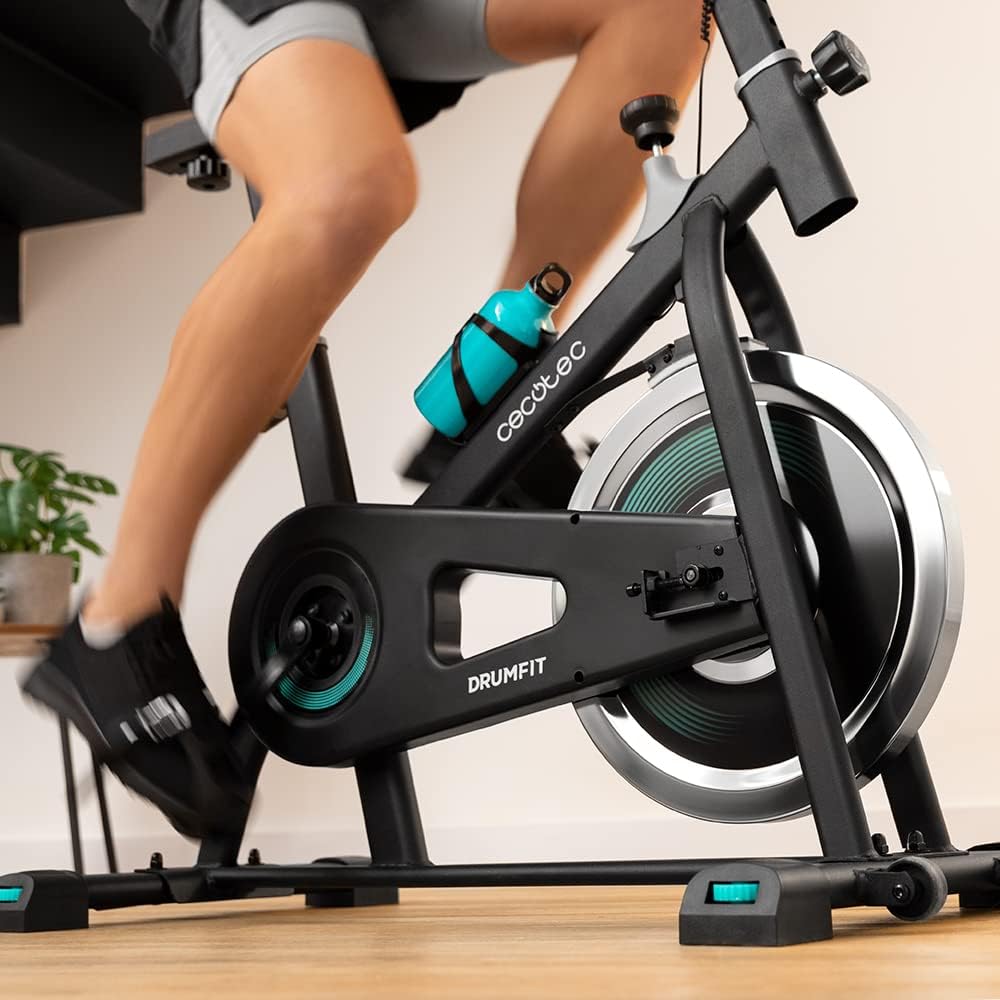
Pilt: Detailne view of the bike's pedals and the 6 kg inertia flywheel, highlighting the belt drive system.
Veaotsing
| Probleem | Võimalik põhjus | Lahendus |
|---|---|---|
| LCD-ekraan ei tööta | Low or dead battery; Loose sensor connection. | Replace batteries (if applicable). Check and secure all sensor cables. |
| Ebatavaline müra töö ajal | Loose bolts; Friction from resistance pads; Debris in flywheel area. | Check and tighten all assembly bolts. Inspect resistance pads for wear. Clean any debris from around the flywheel. |
| Vastupidavus ei muutu | Resistance knob mechanism issue; Worn resistance pads. | Ensure the resistance knob is properly engaged. Contact customer support if the mechanism feels faulty or pads are worn. |
| Jalgratas tundub ebastabiilne | Uneven floor; Loose stabilizer bolts. | Ensure the bike is on a flat, level surface. Check and tighten all bolts on the stabilizer bars. |
Tehnilised andmed
- Kaubamärk: Cecotec
- Mudeli nimi: DrumFit Indoor 6000 Forcis
- Mudeli number: 07094
- Hooratta kaal: 6 kilogrammi
- Vastupanu mehhanism: Manual Fluid Resistance
- Ajami süsteem: Belt Drive (BeltRide)
- Toote mõõtmed (PxLxK): 28.82" S x 8.11" L x 36.22" K (73.2 x 20.6 x 92 cm)
- Kauba kaal: 6 Kilograms (Package Weight: 23.8 Kilograms)
- Materjal: Süsinikteras
- Maksimaalne kasutaja kaal: 120 kilogrammi
- Kasutaja maksimaalne pikkus: 185 sentimeetrit
- Erifunktsioon: Distance Travelled Monitor, Device Holder, Bottle Holder
- Värv: Must/valge
Garantii ja tugi
Cecoteci tooted on valmistatud kõrgete kvaliteedistandardite kohaselt. Garantiikaitse kohta leiate teavet tootega kaasasolevalt garantiikaardilt või Cecoteci ametlikult veebisaidilt. websaidile.
For technical support, spare parts, or any inquiries not covered in this manual, please contact Cecotec customer service through their official channels. Have your model number (07094) and purchase details ready when contacting support.
Tavaliselt leiate tugiteenuste kontaktandmed tootja veebisaidilt. websait: www.cecotec.com


