Toode läbiview
The JCLOUD Upgrade Floor-Standing Scent Air Machine is a luxury commercial-grade aroma diffuser designed for large spaces. Utilizing advanced cold air diffusion technology, it efficiently disperses essential oils without water or heat, ensuring a pure and consistent fragrance experience. This model is suitable for homes, hotels, offices, and other commercial areas, covering up to 5000 square feet.
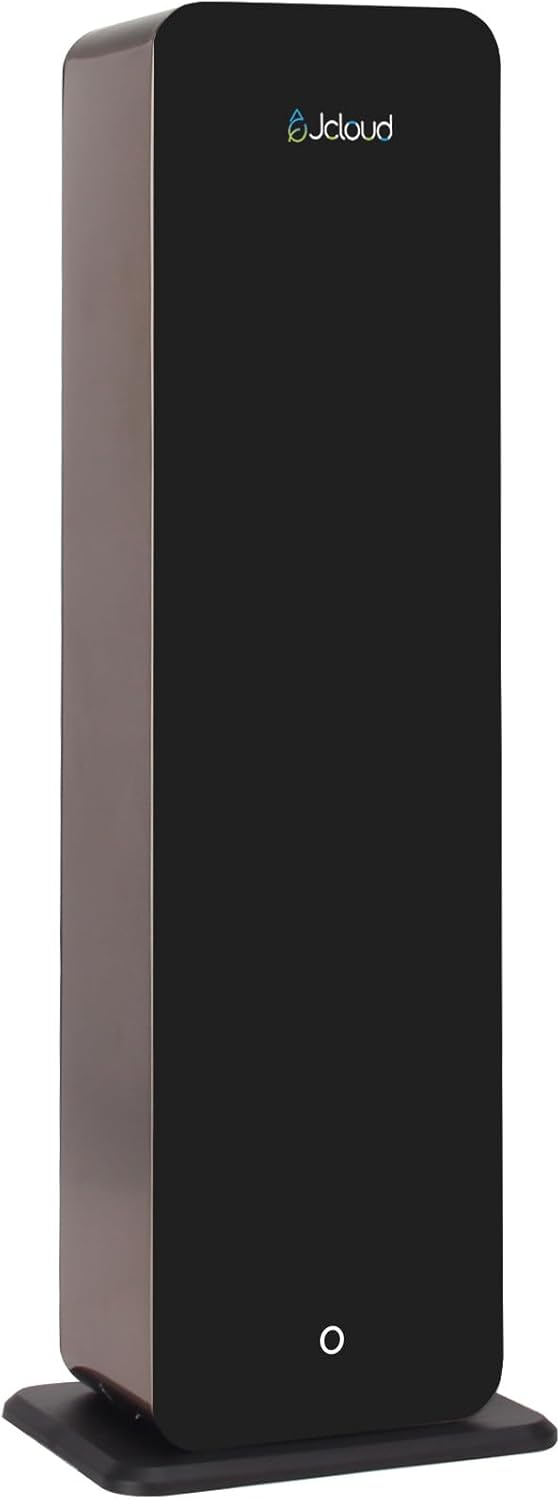
Image: The JCLOUD Floor-Standing Scent Air Machine, showcasinselle elegantse musta disainiga.

Image: Key features of the JCLOUD Scent Air Machine, including no water requirement, large coverage, long working time, kid & pet friendly design, 1000ML capacity, and smart control.
Seadistamine
The JCLOUD Scent Air Machine offers versatile placement options, including a luxurious floor-standing design and an included wall-mounted option. Ensure the device is placed on a stable, level surface or securely mounted to a wall.
Eeterliku õli pudeli täitmine:
- Locate the 1000 ml essential oil bottle within the unit.
- Carefully unscrew the cap of the bottle.
- Pour your preferred pure essential oil into the bottle. Do not dilute with water.
- Securely screw the cap back onto the bottle.
- Insert the filled bottle back into its designated compartment in the machine.
The cold air technology ensures that essential oils are diffused in their pure form, without the need for water, heat, or messy residue.

Image: Illustration showing both floor-standing and wall-mounted installation options for the JCLOUD Scent Air Machine.
Kasutusjuhised
The JCLOUD Scent Air Machine features intuitive app control via Bluetooth, allowing for customized scenting schedules and intensity levels.
App Control (Recommended):
- Download the "Scent Marketing" app from your device's app store.
- Veenduge, et teie nutitelefonis või tahvelarvutis oleks Bluetooth lubatud.
- Open the app and select the Bluetooth version.
- Connect to your JCLOUD diffuser (model A316). The default password for connection is 8888.
- Within the app, you can set up to 5 working periods, customize start and stop times, and choose the desired scent grade (intensity). You can also enable or disable the fan.
- Save your settings. The app will display the remaining oil quantity and estimated days of use.
Video: A demonstration on how to use the "Scent Marketing" app to control your JCLOUD Scent Air Machine, including connecting via Bluetooth and setting working periods.
Manual Operation (Without App):
If you choose not to use the app, the diffuser will operate on a default cycle:
- Work for 5 seconds.
- Peatage 240 sekundit.
- Repeat this cycle continuously.
This default operation is normal and indicates the device is functioning correctly, even if it differs from traditional diffusers.
Hooldus
The JCLOUD Scent Air Machine is designed for minimal maintenance due to its waterless and heatless operation.
- Oil Refill: Regularly check the essential oil level via the app or by inspecting the bottle. Refill with pure essential oils as needed.
- Puhastamine: As the system is waterless, there is no water tank to clean. Periodically wipe the exterior of the machine with a soft, dry cloth to remove dust.
- Ei mingit segadust: The cold air diffusion technology prevents residue buildup, ensuring a clean and mess-free aromatic experience.
Veaotsing
| Probleem | Võimalik põhjus | Lahendus |
|---|---|---|
| No scent or very faint scent. |
|
|
| Device not connecting to app via Bluetooth. |
|
|
| Machine appears to stop working periodically. | This is normal behavior for the default manual operation (5 seconds work, 240 seconds pause). | This is not a malfunction. To change this cycle, use the "Scent Marketing" app to set custom working periods. |
Tehnilised andmed
- Kaubamärk: JCLOUD
- Mudeli nimi: A316
- Värv: Must
- Materjal: Stainless Iron/Glass/Plastic
- Toote mõõtmed: 7.6" P x 7.4" L x 23" K
- Mahutavus: 1000 Milliliters (for essential oil)
- Katvusala: Kuni 5000 ruutjalga
- Wattage: 12 vatti
- Automaatne väljalülitus: Ei
- Soovitatavad kasutusalad: Home, Hotel, Office, Commercial spaces
- Eriomadused: Floor-standing Design, No water needed, No mess, Smart Bluetooth control, Kids & pets friendly, Uses pure essential oils only.

Image: Diagram illustrating the dimensions of the JCLOUD Floor-Standing Scent Air Machine.
Garantii ja tugi
JCLOUD is committed to providing exceptional customer service. If you encounter any problems with your scent air machine, please refer to the service card included in your package for direct contact information, or reach out via Amazon mail.
Our team is ready to assist you with any questions regarding installation, operation, or general inquiries about your aromatherapy diffuser.
For the most up-to-date warranty information, please refer to the documentation provided with your product or contact JCLOUD customer support directly.


