Sissejuhatus
This manual provides detailed instructions for the proper use and maintenance of your UNIQ Rovus Case, designed specifically for the iPad Pro 11" (2nd, 3rd, and 4th Generation). Please read this manual thoroughly to ensure optimal performance and protection for your device.
Toote omadused
- Protective Detachable Case: Offers robust protection for your iPad and can be separated from the folio.
- Integrated Foldable Stand: Provides multiple viewing angles for enhanced usability.
- Magnetic Disc for 360° Rotation: Allows for versatile orientation changes (portrait or landscape) while in stand mode.
- Secure Magnetic Attachment: Enables easy attachment and detachment of the case from the folio.
- Magnetic Mounting Capability: The detachable case can be mounted onto other magnetic surfaces for hands-free use.
- Libisemisvastane alus: Features grooves to securely rest your iPad at various angles.
Seadistamine ja installimine
- Attaching the iPad to the Inner Case: Gently align your iPad Pro 11" with the inner protective case. Press firmly around the edges until the iPad is securely seated within the case. Ensure all ports and buttons are accessible and aligned.
- Attaching the Inner Case to the Folio: The inner case features a magnetic back. Align the magnetic back of the inner case with the designated area on the folio. The magnets will securely snap the case into place.
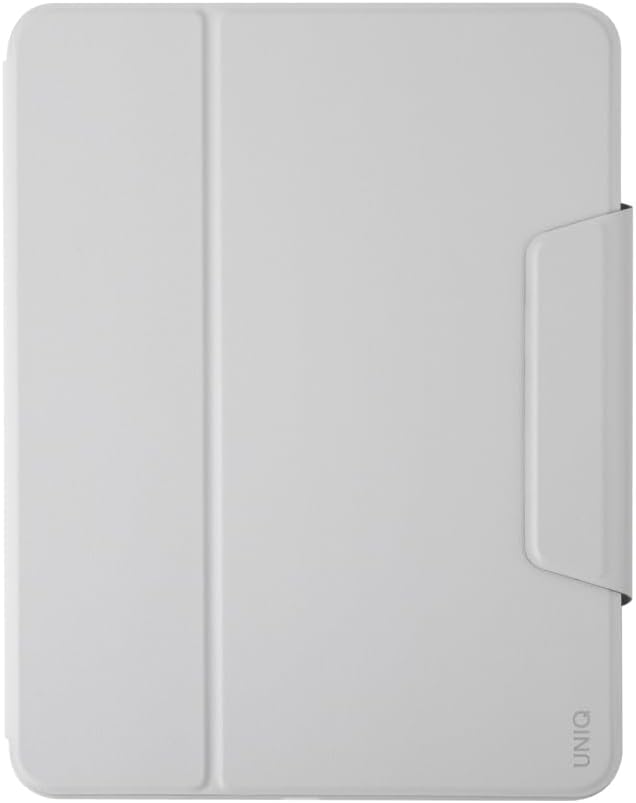
Figure 1: The UNIQ Rovus Case in its closed position, providing full coverage for your iPad.

Figure 2: Visual representation of the magnetic connection between the detachable inner case and the outer folio.
Kasutusjuhised
Kokkupandava aluse kasutamine
The folio cover is designed to fold into a stable stand, offering multiple viewing angles for typing, drawing, or media consumption.
- Sest Viewing: Fold the front cover back to form a triangular stand. Place the iPad into the grooves on the anti-slip base for a stable viewnurk.
- For Typing/Drawing: Adjust the fold to create a lower, more ergonomic angle suitable for typing or using the Apple Pencil.
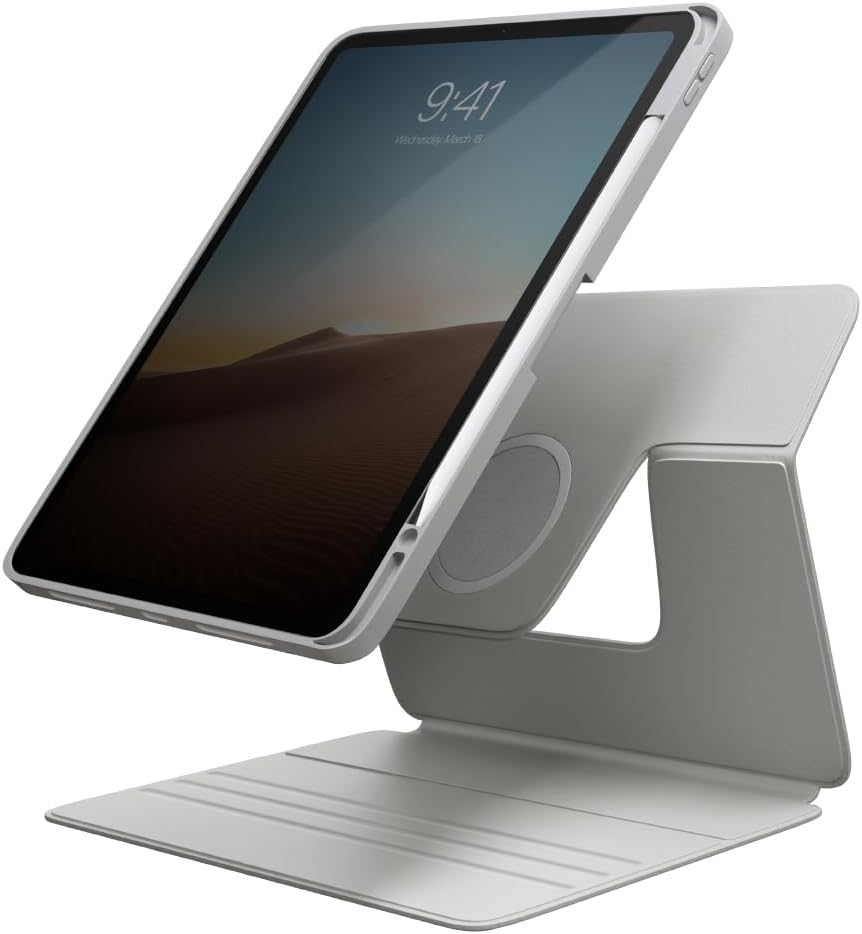
Figure 3: iPad positioned vertically using the integrated foldable stand.

Figure 4: iPad positioned horizontally using the integrated foldable stand, ideal for media viewing.

Figure 5: The rear perspective of the case demonstrating the stability of the stand.
Using the 360° Rotation
The magnetic disc on the back of the inner case allows for seamless rotation of your iPad while it is attached to the folio stand. Simply rotate the iPad to switch between portrait and landscape orientations without removing it from the stand.
Detaching for Magnetic Mounting
The inner protective case can be easily detached from the folio. Once detached, the case's magnetic back allows you to mount your iPad onto various magnetic surfaces, such as refrigerators, whiteboards, or gym equipment, for hands-free use.

Figure 6: Detached iPad case magnetically mounted on a treadmill for convenient viewtreeningu ajal.

Figure 7: Detached iPad case magnetically mounted on a refrigerator, ideal for following recipes.
Hooldus
To keep your UNIQ Rovus Case in optimal condition, follow these simple maintenance guidelines:
- Puhastamine: Pühkige korpust pehme lapigaamp lapiga. Vältige tugevate kemikaalide või abrasiivsete puhastusvahendite kasutamist, kuna need võivad materjali kahjustada.
- Hoiustamine: When not in use, store the case in a clean, dry environment away from direct sunlight and extreme temperatures.
- Avoid Over-stressing: Do not forcefully bend or twist the case or stand components beyond their intended range of motion.
Veaotsing
- Case Not Fitting iPad: Ensure you have the correct model of iPad Pro 11" (2nd, 3rd, or 4th Gen). Gently apply even pressure around the edges to snap the iPad into the inner case.
- Inner Case Not Attaching to Folio: Verify that the magnetic surfaces on both the inner case and the folio are clean and free from obstructions. Ensure proper alignment for the magnets to engage.
- Aluse ebastabiilsus: Make sure the foldable stand is fully extended and properly formed into a triangular shape. Ensure the iPad is seated correctly in the anti-slip grooves.
- Magnetic Mounting Issues: Confirm the surface you are attempting to mount the detached case to is metallic and sufficiently magnetic.
Tehnilised andmed
| Funktsioon | Detail |
|---|---|
| Toote mõõtmed | 10.04 x 0.08 x 7.8 tolli |
| Kauba kaal | 7.8 untsi |
| Ühilduvad seadmed | iPad Pro 11" (2nd-4th Gen or 2020-2022) |
| Eriomadused | Heavy Duty Protection, Detachable Case, Foldable Stand, Magnetic Attachment, 360° Rotation |
| Vormitegur | Juhtum |
| Shelli tüüp | Hübriid |
| Värv | Hall |
| Mudeli number | UNIQ-NPDP11(2022)-ROVUSGRY |
Garantii ja tugi
UNIQ products are designed for quality and durability. For information regarding warranty coverage, product support, or to contact customer service, please visit the official UNIQ website or refer to the packaging for contact details. Please retain your proof of purchase for warranty claims.


