1. Sissejuhatus
This manual provides detailed instructions for the proper use and maintenance of your Arlec Remote SS3136. This remote control is specifically designed to operate the Arlec Wall Fan AWDC001HA, offering convenient and effortless control over your fan's functions. Please read this manual thoroughly before first use to ensure optimal performance and longevity of your device.
2. Toote omadused
- Lihtne juhtimine: Utilizes Infrared technology for seamless communication with your Arlec Wall Fan AWDC001HA from up to 10 meters away.
- Pikaajaline jõud: Requires 3 alkaline batteries for extended use.
- Stiilne disain: Finished in a sophisticated black color.
- Mitmekülgne ühilduvus: Designed to control Arlec Wall Fans, specifically model AWDC001HA.
- Lihtne toiming: Features 3 intuitive buttons for easy fan control.
3. Pakendi sisu
Veenduge, et pakendis on kõik esemed olemas:
- 1 x Arlec Remote SS3136
- 1 x Wall Mount Holder
- 2 x kinnituskruvid
- 2 x seinakontakt
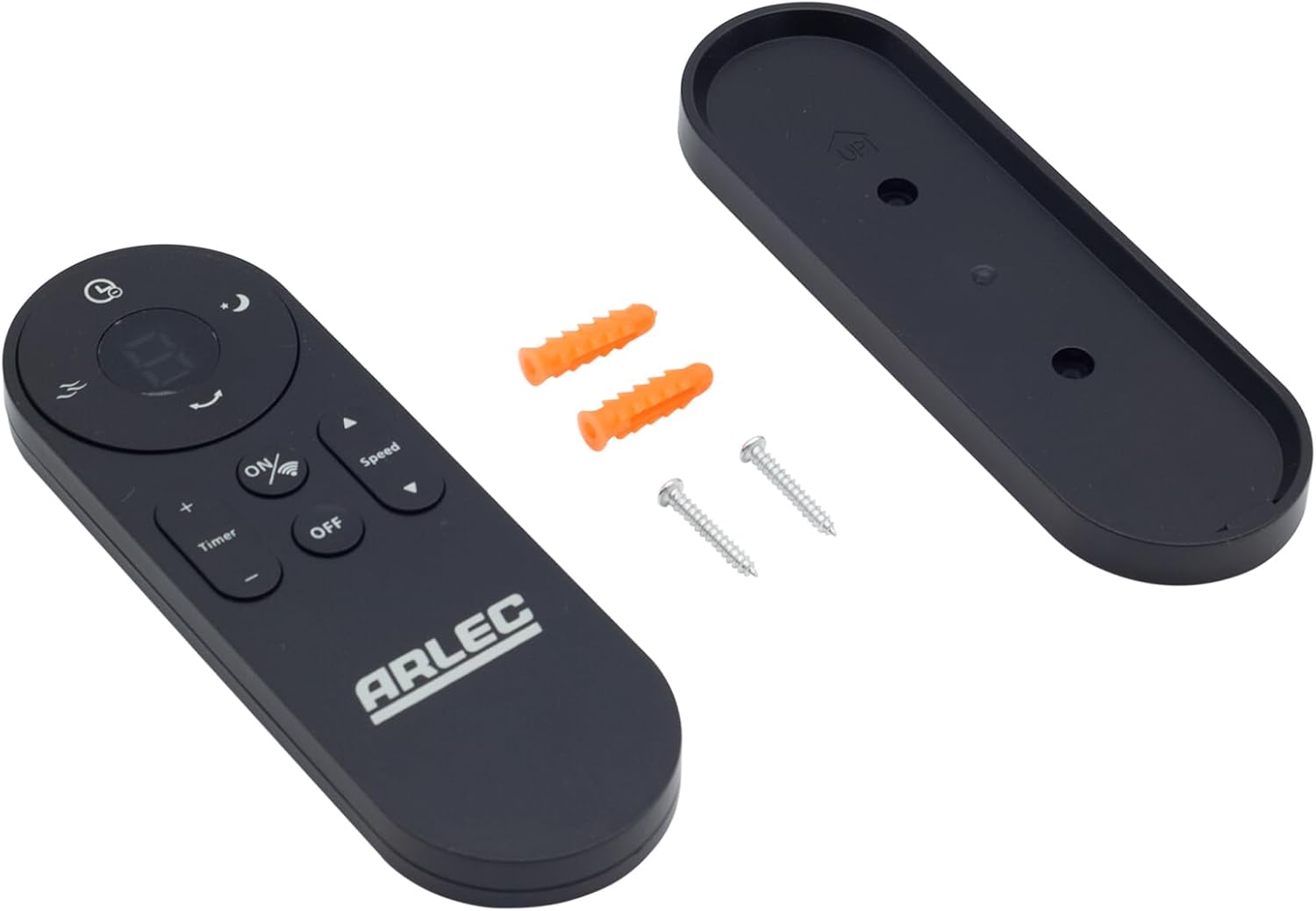
Image: Arlec Remote SS3136 shown with its included wall mount holder, two mounting screws, and two wall plugs, indicating the complete package contents.
4. Seadistamine
4.1 Aku paigaldamine
- Leidke kaugjuhtimispuldi tagaküljel olev patareipesa.
- Avage patareipesa kaas.
- Insert 3 Alkaline batteries (not included) into the compartment, ensuring the correct polarity (+ and -) as indicated inside the compartment. The remote requires 3 Volts (DC).
- Sulgege akupesa kaas kindlalt.
4.2 Seinale paigaldamine (valikuline)
- Choose a suitable location on a wall for the remote holder.
- Mark the positions for the two mounting screws using the holder as a template.
- Drill pilot holes at the marked positions. Insert the wall plugs if drilling into drywall or masonry.
- Secure the wall mount holder to the wall using the provided screws.
- Place the remote control into the installed holder for convenient storage.
5. Kasutusjuhised
The Arlec Remote SS3136 features a simple 3-button layout for controlling your Arlec Wall Fan AWDC001HA. Ensure there is a clear line of sight between the remote and the fan's infrared receiver for optimal performance.

Pilt: Lähivõte view of the Arlec Remote SS3136, highlighting its three main control buttons: ON/OFF, Speed, and Timer.
- ON/OFF nupp: Vajutage seda nuppu ventilaatori sisse- või väljalülitamiseks.
- Kiiruse nupp: Use this button to cycle through the available fan speed settings (e.g., Low, Medium, High).
- Taimeri nupp: Press this button to set or adjust the fan's timer function. Refer to your Arlec Wall Fan AWDC001HA manual for specific timer intervals.
The remote operates using Infrared (IR) technology. Point the remote directly towards the fan's IR receiver. The effective operating range is up to 10 meters (approximately 33 feet).
6. Hooldus
- Puhastamine: Pühkige kaugjuhtimispulti pehme ja kuiva lapiga. Ärge kasutage abrasiivseid puhastusvahendeid ega lahusteid.
- Patarei vahetus: Replace batteries when the remote's performance degrades or it stops responding. Always replace all 3 batteries at the same time with new alkaline batteries.
- Hoiustamine: Kui pulti pikemat aega ei kasutata, eemaldage patareid lekke vältimiseks. Hoidke jahedas ja kuivas kohas.
7. Veaotsing
| Probleem | Võimalik põhjus | Lahendus |
|---|---|---|
| Pult ei reageeri ventilaatorile. |
|
|
| Nupud kleepuvad või ei reageeri. | Mustus või praht nuppude all. | Puhastage kaugjuhtimispuldi pinda pehme ja kuiva lapiga. Vältige vedelikke. |
8. Tehnilised andmed
| Atribuut | Detail |
|---|---|
| Mudel | SS3136 |
| Tootja | Arlec |
| Ühilduvad seadmed | Arlec Wall Fan AWDC001HA |
| Ühenduvustehnoloogia | Infrapuna (IR) |
| Nuppude arv | 3 |
| Kontrolleri tüüp | Nupu juhtimine |
| Aku tüüp | Alkaline (3 required) |
| Voltage | 3 volti (DC) |
| Töövahemik | Kuni 10 meetrit |
9. Garantii ja tugi
For warranty information and technical support, please refer to the documentation provided with your Arlec Wall Fan AWDC001HA or contact Arlec customer service directly. Keep your purchase receipt as proof of purchase.
Lisateabe saamiseks külastage tootja ametlikku veebisaiti websaidil või võtke ühendust nende klienditoega.