1. Sissejuhatus
Thank you for choosing the SILENTWARE Air 1000 Black ATX Midi Tower PC Case. This manual provides essential information for the proper installation, operation, and maintenance of your new PC case. Please read this manual thoroughly before beginning the assembly process to ensure a smooth and successful build.
2. Ohutusalane teave
- Enne arvuti korpusesse paigaldamist või eemaldamist ühendage alati toitejuhe seinakontaktist lahti.
- Käsitsege komponente ettevaatlikult, et vältida elektrostaatilise laengu (ESD) tekitatud kahjustusi. Kaaluge antistaatilise randmepaela kasutamist.
- Be cautious of sharp edges inside the case.
- Ärge proovige korpust ega selle komponente muuta, kuna see võib tühistada garantii ja kujutada endast ohutusriski.
- Keep the case away from water, moisture, and extreme temperatures.
3. Pakendi sisu
Palun kontrollige, kas pakis on kõik esemed olemas:
- SILENTWARE Air 1000 Black ATX Midi Tower PC Case
- Pre-installed 4x 120mm ARGB Fans
- Accessory box (screws, cable ties, standoffs, etc.)
- Kasutusjuhend (see dokument)
4. Toote lõppview
The SILENTWARE Air 1000 is an ATX Midi Tower PC case designed for optimal airflow and component compatibility. It features a mesh front panel for maximum ventilation and a tempered glass side panel to showcase your build.


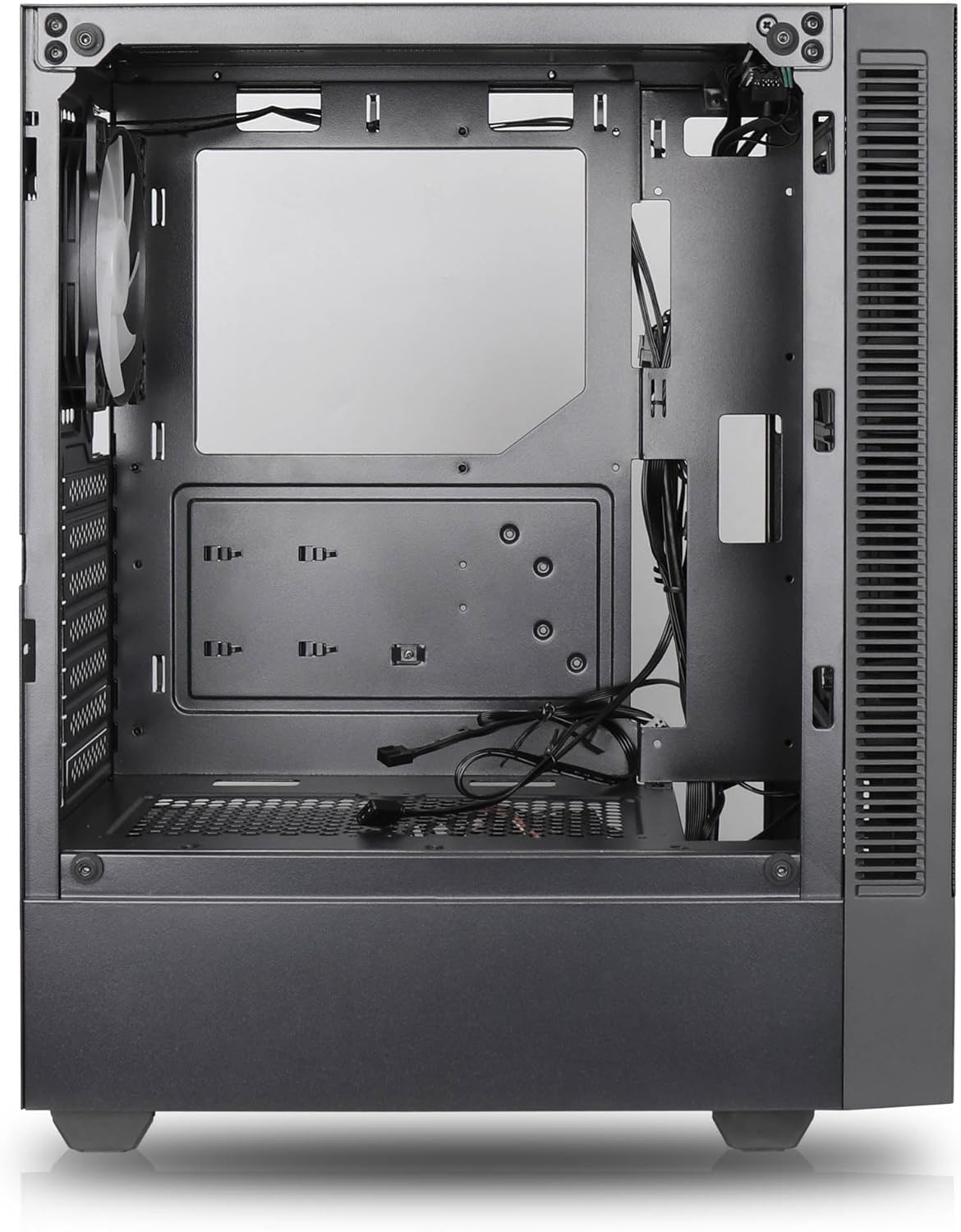

Peamised omadused:
- Maksimaalne õhuvool: Large mesh front panel and four pre-installed 140mm A-RGB fans with hydraulic bearings ensure excellent ventilation.
- Easy PC Building: Thoughtful design with daisy-chain connections simplifies installation, eliminating the need for additional adapters or controllers.
- Kvaliteetne disain: Genuine tempered glass side panel showcases installed components and provides a minimalist, premium aesthetic.
- Flexible Lighting and Control: 3-pin A-RGB fans and 4-pin fan control allow for impressive lighting effects and easy adjustment of fan speed and curves directly from the motherboard.
- Powerful Component Compatibility: Supports GPUs up to 400mm long, radiators up to 360mm (front and top) and 140mm (rear), and space for up to 4 fans.
- Compact Case with Ample Space: Midi tower format accommodates E-ATX, ATX, mATX, and ITX motherboards, up to two 2.5" SSDs, two 3.5" HDDs, and ATX power supplies.
5. Paigaldusjuhend
Follow these steps for component installation. Refer to your individual component manuals for specific instructions.
5.1. Juhtumi ettevalmistamine
- Asetage ümbris tasasele ja stabiilsele pinnale.
- Carefully remove the tempered glass side panel by unscrewing the thumb screws and gently pulling it away. Set it aside on a soft, non-abrasive surface.
- Remove the solid right side panel by unscrewing the thumb screws and sliding it backward.
5.2. Emaplaadi paigaldamine
- Paigaldage I/O-kaitse korpuse tagumisse avasse.
- Ensure the correct standoffs are installed for your motherboard form factor (E-ATX, ATX, mATX, ITX). Adjust or add standoffs as needed.
- Asetage emaplaat ettevaatlikult tugedele, joondades kruviaugud.
- Kinnitage emaplaat kaasasolevate kruvidega. Ärge pingutage üle.
5.3. Toiteploki (PSU) paigaldamine
- Position the PSU in the dedicated compartment at the bottom rear of the case.
- Ensure the PSU fan faces downwards (if the case has a bottom vent) or upwards, depending on your cooling preference.
- Kinnitage toiteplokk (PSU) tagantpoolt kaasasolevate kruvidega korpuse külge.
5.4. Salvestusketta paigaldamine
2.5-tollised SSD-d:
- Locate the 2.5" drive mounts (typically behind the motherboard tray).
- Secure the SSDs using the provided screws.
3.5-tollised kõvakettad:
- Locate the 3.5" drive cages (usually near the PSU shroud).
- Slide the HDDs into the drive trays and secure them with screws or tool-less mechanisms if available.
5.5. Graafikakaardi (GPU) paigaldamine
- Eemaldage korpuse tagaküljelt vajalikud PCIe pesa katted.
- Align your GPU with the PCIe slot on the motherboard and press firmly until it clicks into place.
- Kinnitage GPU kruvidega korpuse külge.
5.6. Kaablite haldamine
Kasutage kaablite haldamiseks emaplaadi sahtli taga olevaid kaablikanalite väljalõikeid ja kinnituspunkte. See parandab õhuvoolu ja esteetikat.
6. Operatsioon
6.1. Sisselülitamine
After all components are installed and cables are connected, reattach the side panels. Connect the power cable to the PSU and a wall outlet, then press the power button on the top I/O panel of the case.
6.2. ARGB ventilaatori juhtimine
The pre-installed ARGB fans feature 3-pin ARGB connectors for lighting control and 4-pin connectors for fan speed control. These can be connected directly to compatible headers on your motherboard. Use your motherboard's software or BIOS settings to customize lighting effects and fan curves.
7. Hooldus
7.1. Puhastamine
- Regularly clean dust filters (if present) to maintain optimal airflow.
- Use a can of compressed air to remove dust from inside the case and components.
- Pühkige välispindu pehme, damp riie. Vältige tugevaid kemikaale.
- For the tempered glass panel, use a glass cleaner and a microfiber cloth.
8. Veaotsing
- PC not powering on: Check all power connections, including the 24-pin motherboard power, 8-pin CPU power, and GPU power cables. Ensure the PSU switch is in the 'ON' position.
- Fans not spinning/RGB not working: Verify that fan and ARGB headers are correctly connected to the motherboard. Check motherboard software for fan speed and lighting control settings.
- Ülekuumenemine: Ensure proper airflow by checking fan orientation and cleaning dust filters. Verify CPU cooler and GPU cooler are properly seated.
- Kuvarit pole: Confirm the monitor cable is connected to the graphics card (not the motherboard integrated graphics, unless you are using integrated graphics). Reseat the graphics card and RAM modules.
9. Tehnilised andmed
| Funktsioon | Spetsifikatsioon |
|---|---|
| Kaubamärk | SILENTWARE |
| Mudeli nimi | Silentware Flow 100 ARGB |
| Kauba mudeli number | FLOW100 |
| ASIN | B0CB8CZ5GF |
| Värv | Must |
| Juhtumi tüüp | Mid Tower |
| Materjal | Karastatud klaas |
| Emaplaadi ühilduvus | ATX, mikro-ATX, mini-ITX |
| Ühilduvad seadmed | ATX, mATX, ITX motherboards, GPUs up to 325mm, radiators up to 360mm, 2.5" and 3.5" storage drives |
| Soovitatavad kasutusalad | Mängimine |
| Jahutusmeetod | Õhk |
| Eelinstallitud ventilaatorid | 4 x 120 mm ARGB ventilaatorit |
| Ventilaatori suurus | 140 Millimeters (Note: Product description mentions 140mm fans, while pre-installed are 120mm. Please verify with product packaging.) |
| Toiteallika kinnituse tüüp | Alumine kinnitus |
| Maksimaalne GPU pikkus | 400 mm |
| Radiator Support (Front/Top) | Kuni 360 mm |
| Radiaatori tugi (tagumine) | Kuni 140 mm |
| 2.5-tollised kettapesad | Kuni 2 |
| 3.5-tollised kettapesad | Kuni 2 |
10. Garantii ja tugi
For warranty information and technical support, please refer to the official SILENTWARE website or contact your retailer. Specific details regarding spare parts availability and software updates are not available in the provided product information.


