1. Sissejuhatus ja lõppview
The Buffbee Sound Machine & Alarm Clock is a versatile 2-in-1 device designed to enhance your sleep and wake-up experience. It combines a high-quality sound machine with a precise digital alarm clock, offering a range of features to create a peaceful environment and ensure timely waking.

Image 1.1: The Buffbee device highlighting its dual functionality as a sound machine and an alarm clock.
Peamised omadused:
- 2-ühes funktsionaalsus: Combines a sound machine and a digital alarm clock in one compact unit.
- 18 rahustavat heli: Includes 5 white noises, 3 fan sounds, and 10 nature sounds (ocean, lullaby, waves, rain, thunderstorm, stream, croaks, bird chirps, summer night, campfire) to aid sleep and relaxation.
- Reguleeritav ekraani heledus: Clock face brightness can be dimmed from 0% to 100% to suit your preference.
- Täpne helitugevuse reguleerimine: Offers 30 levels of volume adjustment for optimal sound output.
- Unetaimer: Set the sound machine to automatically turn off after 15, 30, 60, 90, or 120 minutes, or allow continuous play.
- 7-värviline öövalgus: Features a soothing colored light at the base with 7 color options and ON/OFF functionality.
- Kvaliteetne kõlar: Equipped with a 5W speaker for rich, detailed sound.

Pilt 1.2: esikülg view of the Buffbee Sound Machine & Alarm Clock, displaying the time and the top control panel.
2. Seadistamine
2.1 Karbist väljavõtmine ja sisu
Carefully remove the Buffbee Sound Machine & Alarm Clock from its packaging. Verify that all components are present:
- Buffbee Sound Machine & Alarm Clock unit
- Power Adapter (USB cable and wall adapter)
- Kasutusjuhend (see dokument)
2.2 Toiteühendus
The device is powered by an electrical cable.
- Insert the small end of the USB power cable into the DC IN port on the back of the Buffbee unit.
- Plug the larger end of the USB cable into the provided wall adapter.
- Ühendage seinakontakti adapter tavalisse pistikupessa.
The device will power on automatically, and the digital display will illuminate.
2.3 Kellaaja seadistamine
Upon initial power-on or after a power outage, you may need to set the correct time.
- Vajutage ja hoidke all nuppu Määratud aeg button (usually indicated by a clock icon) on the top panel until the hour digits begin to flash.
- Kasutage +/- buttons (or arrow buttons) to adjust the hour.
- Vajutage nuppu Määratud aeg nuppu uuesti, et lülituda minutite seadistusele.
- Kasutage +/- nuppe minutite reguleerimiseks.
- Vajutage nuppu Määratud aeg nuppu veel üks kord kinnitamiseks ja aja seadistamise režiimist väljumiseks.
3. Kasutusjuhised
3.1 Sound Machine Function
The Buffbee Sound Machine offers 18 soothing sounds to help you relax and sleep.

Pilt 3.1: Sisemine view illustrating the upward-firing speaker for enhanced sound quality.
Helide esitamine:
- Vajutage nuppu Helirežiim button (often a music note icon) to cycle through the available sound categories (White Noise, Fan Sounds, Nature Sounds).
- Kasutage Next/Previous Sound buttons (arrow icons) to select a specific sound within the chosen category.
- The sound will begin playing automatically.
Helitugevuse reguleerimine:
The device features 30 levels of precise volume control.
- Vajutage nuppu Helitugevuse suurendamine (+) or Hääl maha (-) buttons to increase or decrease the sound volume.

Image 3.2: Illustration of the auto-off timer and 30-level precise volume control features.
Unetaimeri seadistamine:
The sleep timer allows the sound machine to turn off automatically after a set duration.
- Vajutage nuppu Taimer button (often an hourglass icon) repeatedly to cycle through the available timer options: 15 minutes, 30 minutes, 60 minutes, 90 minutes, 120 minutes, or continuous play (indicated by 'ON' or no timer display).
- The selected timer duration will be displayed briefly on the screen.
3.2 Äratuskella funktsioon
The Buffbee device functions as a digital alarm clock with customizable wake-up sounds.
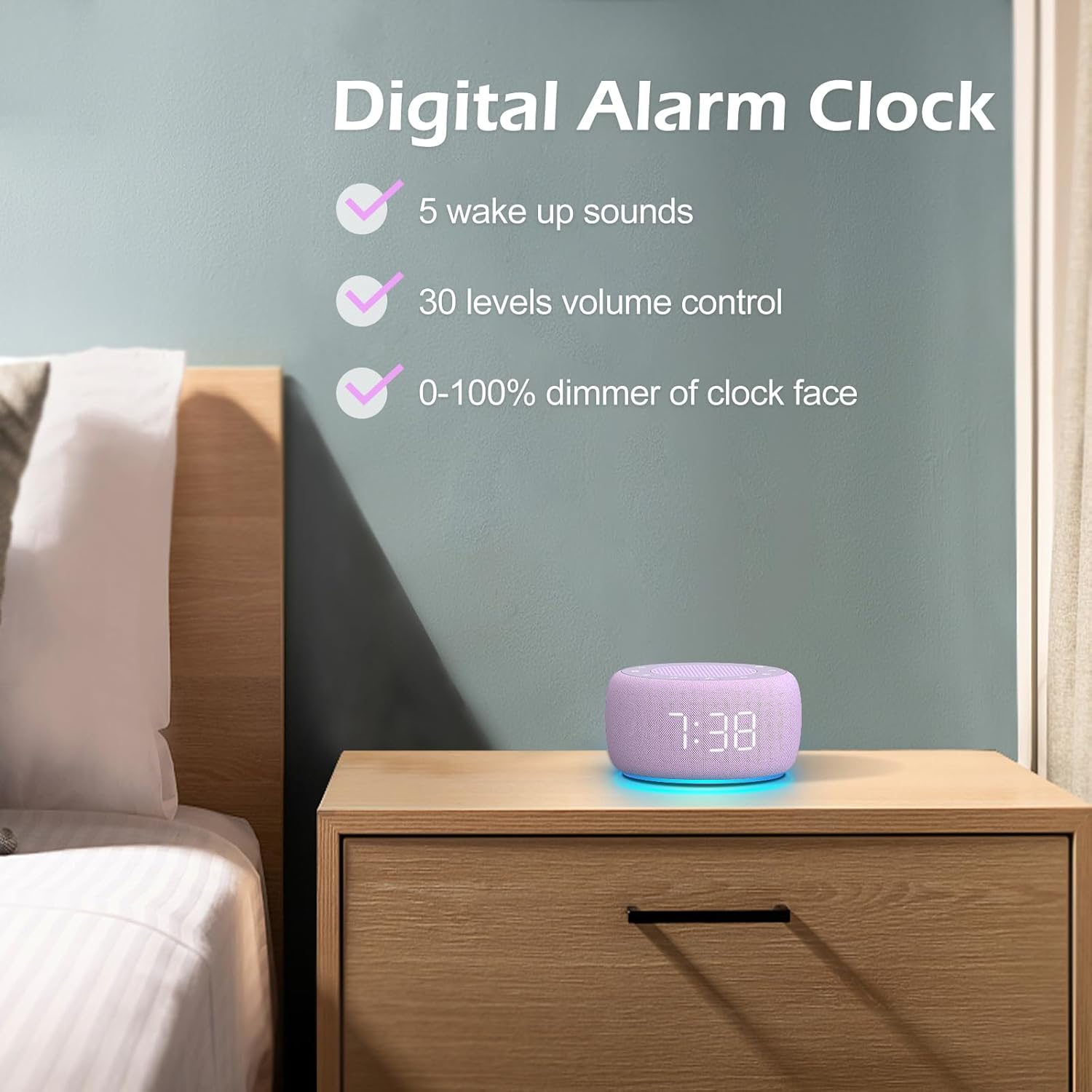
Pilt 3.3: läbiview of the digital alarm clock features, including wake-up sounds, volume control, and display dimmer.
Alarmi seadistamine:
- Vajutage ja hoidke all nuppu Äratuskomplekt button (often an alarm clock icon) until the alarm hour digits begin to flash.
- Kasutage +/- nupud äratuse kellaaja reguleerimiseks.
- Vajutage nuppu Äratuskomplekt nuppu uuesti, et lülituda minutite seadistusele.
- Kasutage +/- nupud äratuse minutite reguleerimiseks.
- Vajutage nuppu Äratuskomplekt button one more time to confirm the alarm time.
- After setting the time, you can select the wake-up sound by pressing the Heli Valige button (if available, or use +/- buttons while alarm sound is flashing). There are 5 wake-up sounds available.
- Vajutage nuppu Äratuskomplekt button again to activate the alarm. An alarm icon will appear on the display.
Korduse funktsioon:
Kui äratus kõlab, vajutage Edasilükkamine button (usually a large button on top or a dedicated snooze icon) to temporarily silence the alarm for a few minutes (typically 9 minutes). The alarm will sound again after the snooze period.
Äratuse väljalülitamine:
Äratuse täielikuks väljalülitamiseks vajutage Alarm sisse/välja button (often the same as the Alarm Set button, or a dedicated toggle). The alarm icon will disappear from the display.
3.3 Display & Light Functions
Ekraani heleduse reguleerimine:
The digital display brightness can be adjusted from 0% (completely dark) to 100% (brightest).

Image 3.4: Demonstration of the 0-100% display dimmer feature, showing various brightness levels.
- Vajutage nuppu Dimmer button (often a sun icon) repeatedly to cycle through different brightness levels.
- Hoidke kinni Dimmer button to smoothly adjust the brightness from 0% to 100% and vice versa. Release the button at your desired brightness.
Öövalgustuse kasutamine:
The device features a colored night light at its base with 7 color options.

Image 3.5: The Buffbee device showcasing its 7-color night light feature in a bedroom setting.
- Vajutage nuppu Valgus button (often a light bulb icon) to turn the night light ON.
- Vajutage nuppu Valgus button repeatedly to cycle through the 7 available colors.
- Vajutage nuppu Valgus button one more time after cycling through all colors to turn the night light OFF.
4. Hooldus
4.1 Puhastamine
To maintain the appearance and functionality of your Buffbee device:
- Enne puhastamist eemaldage seade alati vooluvõrgust.
- Välispindade pühkimiseks kasutage pehmet, kuiva ja ebemevaba lappi.
- Do not use abrasive cleaners, waxes, or solvents, as these may damage the finish.
- Vältige niiskuse sattumist avadesse.
4.2 Säilitamine
Kui seadet pikemat aega ei kasutata, hoidke seda jahedas ja kuivas kohas, eemal otsesest päikesevalgusest ja äärmuslikest temperatuuridest.
4.3 Ohutushoiatused
Palun järgige järgmisi ettevaatusabinõusid:
- See toode ei ole mänguasi. Hoida lastele kättesaamatus kohas.
- Handle with care to avoid electric shock. Do not expose the device to water or excessive moisture.
- Use within recommended noise exposure limits to prevent hearing damage.
- Ärge proovige seadet ise lahti võtta ega parandada. Jätke kogu hooldus kvalifitseeritud personalile.
5. Veaotsing
If you encounter issues with your Buffbee Sound Machine & Alarm Clock, please refer to the following common problems and solutions:
| Probleem | Võimalik põhjus | Lahendus |
|---|---|---|
| Seade ei lülitu sisse. | Toiteühendus puudub või adapter on vigane. | Ensure the power cable is securely plugged into the device and the wall outlet. Try a different outlet. |
| Kõlarist pole heli. | Volume is too low or muted. Incorrect sound selected. | Suurendage helitugevust, kasutades nuppu Helitugevuse suurendamine (+) button. Ensure a sound is selected and not paused. |
| Äratus ei helise. | Alarm is not set or not activated. Alarm volume is too low. | Verify that the alarm time is set correctly and the alarm icon is displayed. Increase the alarm volume (if separate from main volume). |
| Ekraan on liiga tuhm või liiga hele. | Display dimmer setting is incorrect. | Vajutage või hoidke all nuppu Dimmer button to adjust the brightness to your preference. |
| Night light is not working. | Night light is turned off. | Vajutage nuppu Valgus button to turn on and cycle through colors. |
6. Tehnilised andmed
Detailed technical specifications for the Buffbee Sound Machine & Alarm Clock (Model BK11):
| Funktsioon | Spetsifikatsioon |
|---|---|
| Kaubamärk | BUFFBEE |
| Mudeli number | BK11 |
| Värv | Violetne |
| Materjal | Plastikust |
| Toiteallikas | Juhtmega elekter |
| Toote mõõtmed | 14.3 x 11.2 x 7.7 cm (5.6 x 4.4 x 3.0 tolli) |
| Kauba kaal | 322 grammi (0.71 naela) |
| Kõlari väljund | 5W |
| Helivalikud | 18 Soothing Sounds (5 White Noise, 3 Fan, 10 Nature) |
| Helitugevuse tasemed | 30 Precise Levels |
| Kuva dimmer | 0-100% Adjustable Brightness |
| Öövalguse värvid | 7 värvi |
| Unetaimeri valikud | 15, 30, 60, 90, 120 minutes, or Continuous Play |
| Wake-up Sounds | 5 Alarm Sounds |
7. Garantii ja tugi
7.1 Garantii teave
This product comes with a standard manufacturer's warranty. Please refer to the product packaging or the seller's webTäpsemad garantiitingimused, sh kestus ja garantiitingimused, leiate veebisaidilt.
7.2 Klienditugi
For any questions, technical assistance, or warranty claims, please contact Buffbee customer support through the retailer's platform or the official Buffbee website. Have your product model number (BK11) and purchase details ready when contacting support.


