1. Sissejuhatus
This manual provides essential information for the safe and effective use of your Genmitsu 4th Axis Rotary Module. This module is designed as an upgrade for Genmitsu 4040-PRO, 4040 Reno, and 3030-PROVer MAX CNC machines, enabling advanced carving capabilities. Please read these instructions thoroughly before installation and operation.

Joonis 1: Üleview of the Genmitsu 4th Axis Rotary Module.
2. Põhiomadused
- Enhanced Carving Capabilities: Enables carving from multiple angles and positions, supporting full rotary carving with appropriate software. This expands the range of complex parts with curved or angled features that can be produced.
- NEMA17 Planetary Geared Stepper Motor: Features a high-torque NEMA17 motor, providing increased force and precision for rotating workpieces compared to belt-driven rotary modules.
- Mitmekülgsed mõõtmed:
- Center Height: 50mm
- Kogukõrgus: 86 mm
- Material Lengths: 10-100mm (with tailstock), 10-200mm (without tailstock)
- Applicable Material Diameter: 2-50mm

Figure 2: Key dimensions of the rotary module.
- Täppiskontroll: Achieves precise control with a 10:1 reduction ratio, offering a minimum angle of 0.1° and a maximum angular speed of 300° per second for high speed and accuracy.
- 4-lõualuuline padrun: Securely holds various material shapes and sizes.

Joonis 3: Clamped material diameter range (2-50mm).
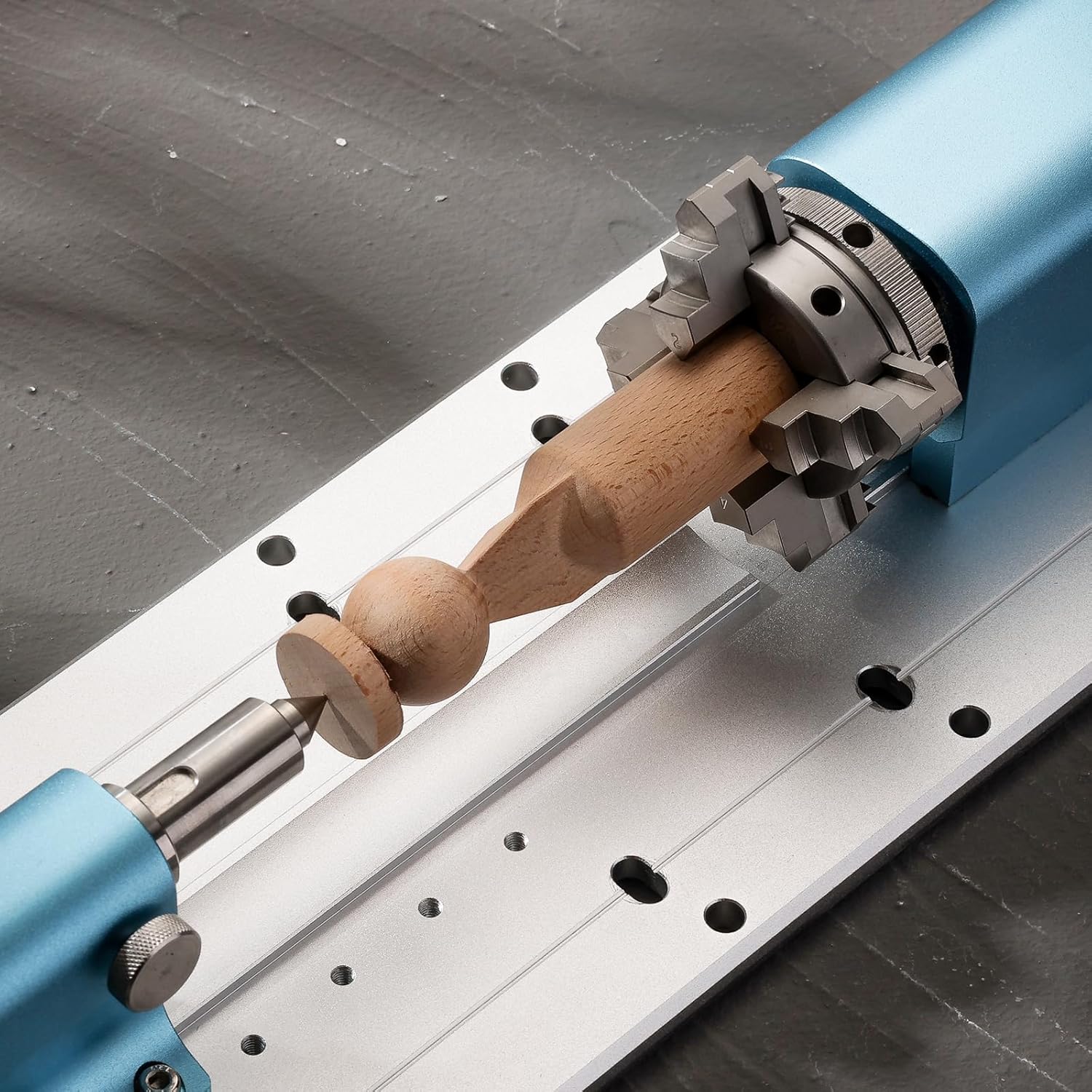
Figure 4: Chuck jaw configurations for forward (2-22mm) and reverse (18-50mm) mounting.
3. Seadistamine ja installimine
The Genmitsu 4th Axis Rotary Module comes pre-assembled for ease of installation. Follow these steps to integrate it with your compatible CNC machine:
- Lahtipakkimine: Eemaldage pakendist ettevaatlikult kõik komponendid. Veenduge, et kõik komplektis loetletud osad on olemas.

Figure 5: Kit contents including the rotary module, tailstock, and mounting hardware.
- Paigaldamine: Position the rotary module on the baseplate of your Genmitsu 4040-PRO, 4040 Reno, or 3030-PROVer MAX CNC machine. Align the module with the pre-cut holes on the baseplate and secure it using the provided screws. Ensure the module is parallel to the CNC's X-axis for accurate operation.
- Ühendamine: Connect the stepper motor cable from the rotary module to the designated 4th axis port on your CNC machine's controller.
- Offline Controller Requirement: For the 4040-PRO and 4040 Reno models, an offline controller (ASIN: B0C582HQ6Z) is required to send G-code for 4th axis operations. The 3030-PROVer Max typically includes an integrated offline controller. Ensure you have the necessary controller for proper functionality.
- Tarkvara konfigureerimine: You will need CAD/CAM software capable of generating toolpaths for rotary motion. Recommended options include Fusion 360 and Vectric. Configure your software to recognize and utilize the 4th axis.

Figure 6: The 4th Axis Rotary Module installed on a compatible CNC machine.
4. Operatsioon
Operating the 4th Axis Rotary Module involves preparing your workpiece, generating appropriate G-code, and executing the carving process.
- Tooriku kinnitamine:
- Open the 4-jaw chuck by rotating the adjustment ring.
- Insert your material (diameter 2-50mm) into the chuck. Ensure it is centered and securely clamptoim.
- If using the tailstock for longer materials (up to 100mm), adjust its position to support the free end of the workpiece. The tailstock can be adjusted along the baseplate in 20mm increments, with a fine adjustment range of 0-30mm.

Figure 7: Tailstock adjustment for supporting longer workpieces.
- G-code Generation: Use your chosen CAD/CAM software (e.g., Fusion 360, Vectric) to design your rotary carving project and generate the corresponding G-code. This G-code will include commands for the 4th axis rotation.
- Täitmine:
- Load the generated G-code onto your offline controller.
- Ensure the CNC machine and rotary module are powered on and properly connected.
- Initiate the carving process from the offline controller. Monitor the operation closely.
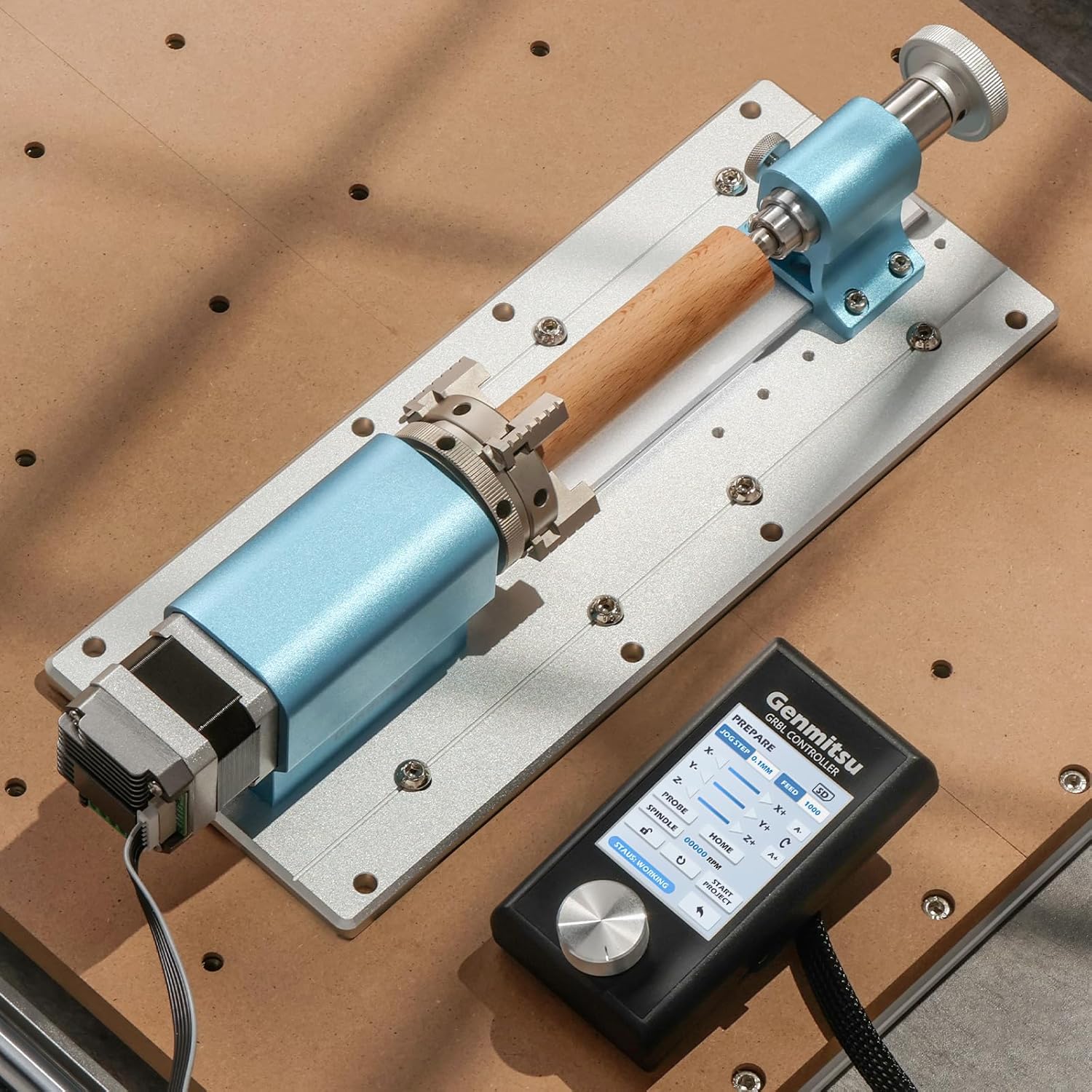
Figure 8: Rotary carving of a wooden piece using the module and an offline controller.
4.1. Operatiivne video
Video 1: Demonstration of carving with the Genmitsu 4th Axis Rotary Module on a Genmitsu 4040 Reno CNC machine. The video shows the module in action, carving a design into a cylindrical wooden workpiece.
5. Hooldus
Regular maintenance ensures the longevity and optimal performance of your 4th Axis Rotary Module.
- Puhastamine: After each use, clean the module, especially the chuck jaws and tailstock, to remove dust, debris, and wood chips. Use a soft brush or compressed air. Avoid using harsh chemicals that could damage the aluminum finish.
- Määrimine: Padruni ja tagapuki kruvimehhanismi liikuvatele osadele tuleb regulaarselt kanda väike kogus kerget masinaõli, et tagada sujuv töö.
- Ülevaatus: Regularly inspect all screws and connections to ensure they are tight. Check for any signs of wear or damage to the motor, cables, or mechanical components. Replace worn parts as necessary.
- Hoiustamine: When not in use, store the rotary module in a clean, dry environment to prevent corrosion and dust accumulation.
6. Veaotsing
This section addresses common issues you might encounter with the 4th Axis Rotary Module.
| Probleem | Võimalik põhjus | Lahendus |
|---|---|---|
| Module not rotating or rotating incorrectly. |
|
|
| Workpiece slipping in chuck. |
|
|
| Inaccurate carving results. |
|
|
7. Tehnilised andmed
| Atribuut | Detail |
|---|---|
| Kaubamärk | Genmitsu |
| Mudeli nimi | 4th Axis |
| Materjal | Alumiiniumist |
| Kauba kaal | 2.93 kilogrammi (6.45 naela) |
| Keskmise kõrgus | 50 mm |
| Kogukõrgus | 86 mm |
| Material Length (with tailstock) | 10-100 mm |
| Material Length (without tailstock) | 10-200 mm |
| Applicable Material Diameter | 2-50 mm |
| Vähendamise suhe | 10:1 |
| Minimaalne pöördenurk | 0.1° |
| Maximum Angular Speed | 300° sekundis |
| Compatible CNC Machines | Genmitsu 4040-PRO, 4040 Reno, 3030-PROVer MAX |
| Required Controller | Offline controller (for 4040-PRO, 4040 Reno) |
8. Garantii ja tugi
Garantiiteabe, tehnilise toe või teeninduspäringute saamiseks pöörduge Genmitsu ametliku esindaja poole. webveebisaidilt või võtke otse ühendust nende klienditeenindusega. Hoidke ostutšekk garantiinõuete esitamiseks alles.


