Sissejuhatus

Pilt: The iJoy Disney Nightmare Before Christmas Sally Dress Bluetooth Headphones, showcasing nende ainulaadset disaini.
Thank you for choosing the iJoy Disney Nightmare Before Christmas Sally Dress Bluetooth Headphones. These wireless over-ear headphones are designed to provide a rich audio experience with a unique Sally Dress design. They feature a built-in microphone for hands-free calling, a foldable design for portability, and versatile connectivity options. This manual will guide you through the setup, operation, and maintenance of your new headphones.
Seadistamine
1. Kõrvaklappide laadimine
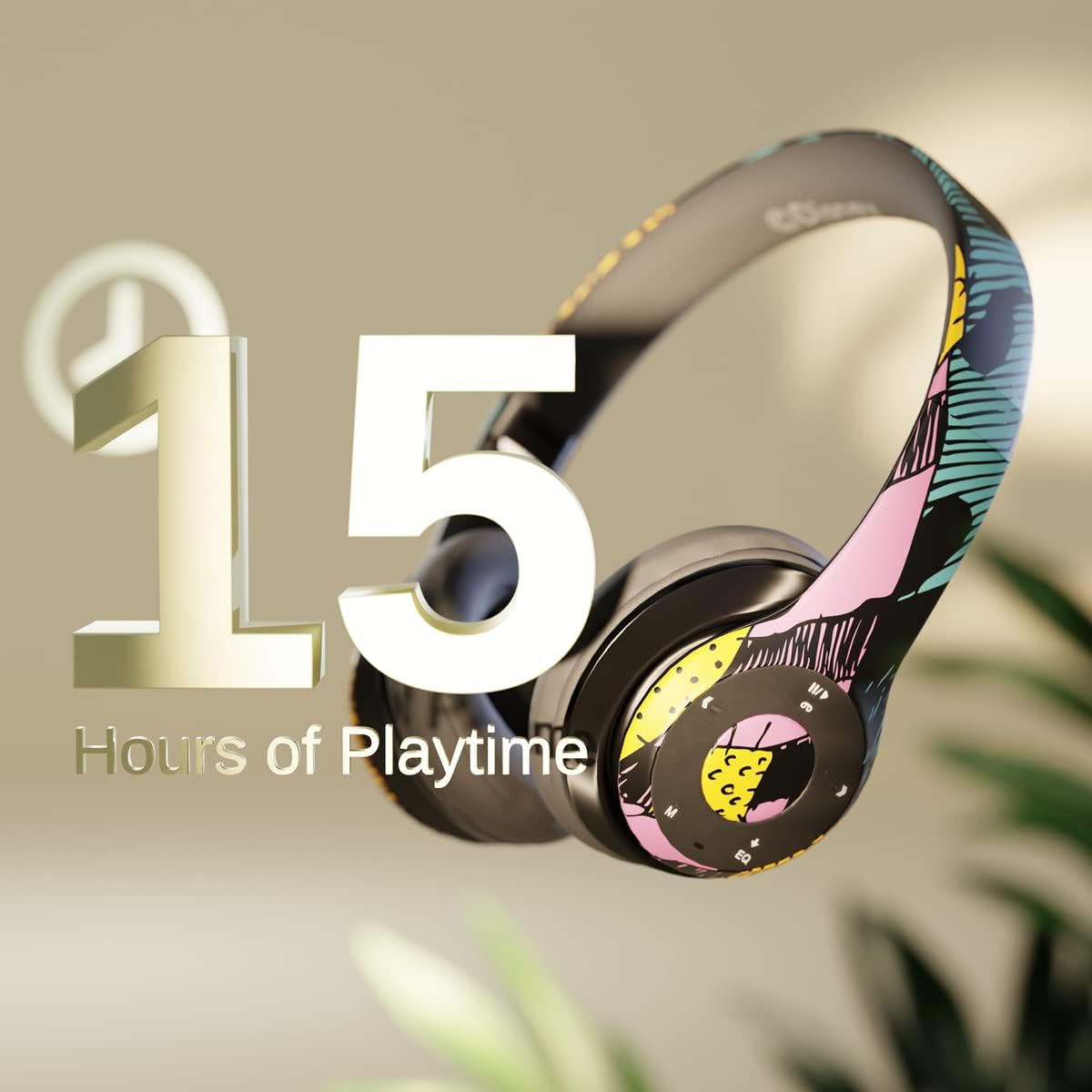
Pilt: Graphic indicating 15 hours of playtime for the headphones, highlighting battery endurance.
Before first use, fully charge your headphones. Connect the provided charging cable to the charging port on the headphones and a USB power source. The LED indicator will show charging status and turn off when fully charged. A full charge provides approximately 15 hours of battery life.
2. Bluetoothi sidumine

Pilt: The headphones with a graphic illustrating universal compatibility with both Apple and Android devices.
- Veenduge, et kõrvaklapid on välja lülitatud.
- Vajutage ja hoidke toitenuppu all, kuni LED-indikaator vilgub siniselt ja punaselt, näidates sidumisrežiimi.
- On your Bluetooth-enabled device (smartphone, tablet, computer), go to Bluetooth settings and search for available devices.
- Select "iJoy DHP2431" (or similar name) from the list.
- Pärast ühendamist hakkab LED -indikaator aeglaselt siniselt vilkuma.
3. Using the Auxiliary Cable
For a wired connection, plug one end of the 3.5mm auxiliary cable into the headphone's audio jack and the other end into your audio device. This allows for continued listening even if the battery is depleted.
4. Micro SD-kaardi taasesitus
Insert a Micro SD card with your favorite music into the designated slot on the headphones. The headphones will automatically switch to Micro SD card playback mode. Use the control buttons to manage your music.
Kasutusjuhised
Toide sisse/välja
- Sisselülitamiseks: Vajutage ja hoidke toitenuppu all, kuni LED-indikaator süttib.
- Väljalülitamiseks: Vajutage ja hoidke toitenuppu all, kuni LED-indikaator kustub.
5-Button Control System
The headphones feature a convenient 5-button control system located on the ear cup for easy management of audio and calls.

Pilt: Üksikasjalik view of the 5-button control panel on the headphone ear cup, indicating functions for volume, track navigation, equalizer, and call management.
- Play/Pause/Answer/Hang-up: Press the center button to play or pause music, or to answer/end a phone call.
- Helitugevuse suurendamine / järgmine lugu: Press the '+' button to increase volume. Hold the '+' button to skip to the next track.
- Helitugevuse vähendamine / eelmine lugu: Press the '-' button to decrease volume. Hold the '-' button to go to the previous track.
- Equalizer: Press the 'EQ' button to cycle through different equalizer presets.
- Režiimi valija: Press the 'M' button to switch between Bluetooth, Micro SD card, and FM Radio modes.
Käed-vabad helistamine
With the built-in microphone, you can make and receive calls directly through your headphones when connected via Bluetooth to your smartphone. Use the center button to answer or end calls.
Sisseehitatud raadiovastuvõtja
Switch to FM Radio mode using the 'M' button. The headphones will automatically scan and tune into available radio stations. Use the track navigation buttons to change stations.
Kokkupandav disain

Pilt: The headphones are shown in their folded configuration, highlighting their compact and portable design for easy storage and transport.
The headphones feature a foldable design, allowing for easy storage and portability. Simply fold the ear cups inwards towards the headband to reduce their size for travel or storage in a backpack.
Noise Canceling Design

Pilt: Üks plahvatas view of the headphone's ear cup, illustrating the internal speaker components and the connection point for the auxiliary cable, emphasizing the noise-canceling technology.
The over-ear cup design helps to isolate audio, providing a more immersive listening experience by reducing external noise interference.
Hooldus
- Puhastamine: Kõrvaklappide puhastamiseks kasutage pehmet ja kuiva lappi. Ärge kasutage abrasiivseid puhastusvahendeid ega lahusteid.
- Hoiustamine: When not in use, store the headphones in a cool, dry place. Utilize the foldable design for compact storage.
- Aku hooldus: Aku tööea pikendamiseks vältige kõrvaklappide sagedast täielikku tühjenemist. Laadige neid regulaarselt, isegi kui neid pidevalt ei kasutata.
- Veekindlus: Need kõrvaklapid ei ole veekindlad. Vältige kokkupuudet vedelikega.
Veaotsing
- Toide puudub: Veenduge, et kõrvaklapid on täielikult laetud. Ühendage need toiteallikaga ja kontrollige laadimisnäidikut.
- Ei saa Bluetoothi kaudu siduda:
- Veenduge, et kõrvaklapid on sidumisrežiimis (LED vilgub siniselt ja punaselt).
- Veenduge, et Bluetooth oleks teie seadmes lubatud ja see oleks leviala piires (tavaliselt 10 meetrit).
- Unusta seade oma telefoni Bluetoothi loendist ja proovi uuesti siduda.
- Taaskäivitage nii kõrvaklapid kui ka seade.
- Heli puudub:
- Kontrollige nii kõrvaklappide kui ka ühendatud seadme helitugevust.
- Ensure the headphones are properly connected via Bluetooth or auxiliary cable.
- If using an SD card, ensure the audio files on ühilduvas vormingus.
- Halb helikvaliteet:
- Häirete vältimiseks liikuge oma Bluetooth-seadmele lähemale.
- Kontrollige heliallikat kvaliteediprobleemide suhtes.
- Ensure the ear cups are properly positioned over your ears for optimal sound isolation.
Tehnilised andmed
| Mudeli nimi | DHP2431 |
| Ühenduvustehnoloogia | Juhtmeta (Bluetooth) |
| Traadita side tehnoloogia | Bluetooth |
| Kaasatud komponendid | Headphones, Charging Cable, Auxiliary Cable |
| Vanusevahemik (kirjeldus) | Adult (suitable for kids) |
| Materjal | Plastic, Metal, Fabric, Memory Foam |
| Toote soovituslikud kasutusalad | Muusika, helistamine |
| Ühilduvad seadmed | Bluetoothi toega seadmed |
| Juhtimistüüp | Volume Control, Track Navigation, Equalizer, Mode Selector |
| Kaabli funktsioon | Retractable, Without Cable (for wireless use) |
| Kauba kaal | 0.26 kilogrammi (9.1 untsi) |
| Veekindluse tase | Ei ole veekindel |
| Stiil | Sally Dress |
| Kontrollimeetod | Nupp |
| Artiklite arv | 1 |
| Aku tööiga | 15 tundi |
| Helidraiveri tüüp | Dünaamiline draiver |
| Kuulari kuju | Üle kõrva |
| Riistvara liides | 3.5 mm heli |
| UPC | 842700197150 |
| Erifunktsioon | Built-in Radio Receiver, Foldable and Adjustable headband, Micro SD Card Plug-in, Microphone Included |
| Tootja | iJoy |
| Pakendi mõõtmed | 6.57 x 6.1 x 3.19 tolli |
| Patareid | Vaja on 1 liitiumpolümeerakut (kaasas) |
Garantii
iJoy provides a 6-kuuline vahetusgarantii for these headphones. If your headset breaks or is damaged for any reason within this period, iJoy will provide you with a free replacement.
Toetus
For further assistance, troubleshooting, or warranty claims, please contact iJoy customer support. You can often find contact information on the product packaging or by visiting the official iJoy websaidile.
Tootevideod
iJoy Disney Nightmare Before Christmas Headphones Overview
Video: Ametlik tootevideo esitlusasing the iJoy Disney Nightmare Before Christmas Headphones, highlighting their design and features.


