Sissejuhatus
This manual provides essential information for the proper setup, operation, and maintenance of your Unitech TS100 2D Hands-Free Presentation Barcode Scanner. Please read this manual thoroughly before using the device to ensure optimal performance and to prevent damage.
The Unitech TS100 is an omnidirectional USB wired desktop barcode reader designed for efficient and intuitive scanning of 1D and 2D barcodes, including PDF417 and Data Matrix, in retail and other point-of-sale environments.
Ohutusteave
- Ärge jätke skannerit äärmuslike temperatuuride, niiskuse ega otsese päikesevalguse kätte.
- Vältige skanneri maha kukkumist või tugevate löökide saamist.
- Ärge proovige skannerit lahti võtta ega muuta. See tühistab garantii.
- Kasutage ühendamiseks ainult kaasasolevat USB-kaablit.
- Täpse vöötkoodi lugemise tagamiseks hoidke skaneerimisaken puhas.
Pakendi sisu
Palun kontrollige paki sisu, et kõik esemed oleksid olemas:
- Unitech TS100 2D Presentation Barcode Scanner
- USB kaabel
- Kiirjuhend (kui on olemas)
Toode läbiview
The Unitech TS100 features a compact design with a large scan window for easy barcode presentation. Its omnidirectional scanning capability allows for quick and efficient data capture.
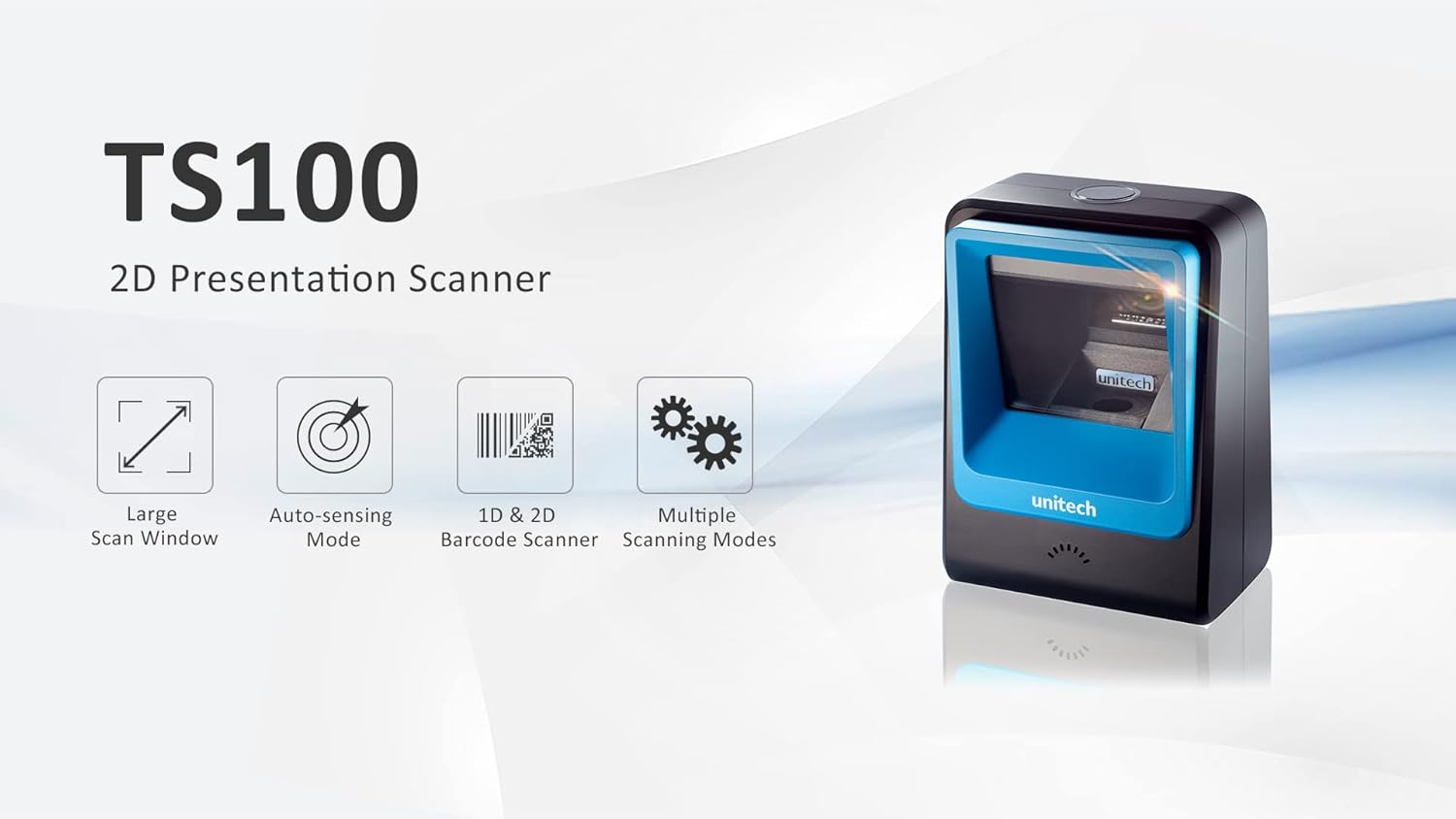
Figure 1: Unitech TS100 2D Presentation Scanner highlighting its large scan window, auto-sensing mode, 1D & 2D barcode scanning, and multiple scanning modes.

Joonis 2: Esiosa view of the Unitech TS100 scanner, showing the blue scanning window and the Unitech logo.

Joonis 3: Tagakülg view of the Unitech TS100 scanner, displaying the product label with model number TS100-SUCB00-SG and power specifications.
Seadistamine
Follow these steps to set up your Unitech TS100 barcode scanner:
- Skanneri lahtipakkimine: Carefully remove the TS100 scanner and its accessories from the packaging.
- Ühendage USB-kaabel: Insert the USB cable into the port at the back of the scanner.
- Ühenda hostseadmega: Plug the other end of the USB cable into an available USB port on your computer, laptop, or POS system.
- Draiveri installimine: The scanner is typically plug-and-play. Your operating system should automatically detect and install the necessary drivers. Wait for the installation to complete.
- Toide sisse: The scanner will power on automatically once connected to a powered USB port. A beep and/or LED indicator will confirm it is ready for use.
Kasutusjuhised
The Unitech TS100 is designed for hands-free operation, offering multiple scanning modes for various applications.
Põhiline skannimine
- Place the barcode within the scanner's field of view, facing the scanning window.
- The scanner will automatically detect the barcode and emit a successful scan indication (e.g., a beep and/or green LED).
- The scanned data will be transmitted to your connected host device as keyboard input.
Skannimisrežiimid
The TS100 supports multiple scanning modes to optimize performance for different barcode types and environments:
- Tavarežiim: Standard scanning for most 1D and 2D barcodes.
- Smartphone Mode: Optimized for reading barcodes displayed on smartphone screens, which can sometimes be reflective.
- Kiirrežiim: Designed for faster scanning of multiple barcodes in quick succession.
Refer to the full programming manual (available on the Unitech website) for instructions on how to switch between these modes using configuration barcodes.
Hooldus
Nõuetekohane hooldus tagab teie skänneri pikaealisuse ja jõudluse:
- Skannimisakna puhastamine: Kasutage kergelt pehmet ebemevaba lappi dampLoputage veega või õrna, mitteabrasiivse puhastusvahendiga. Ärge kasutage tugevaid kemikaale ega abrasiivseid materjale.
- Välimuse puhastamine: Pühkige skanneri välispind pehme ja kuiva lapiga.
- Hoiustamine: Kui skannerit ei kasutata, hoidke seda puhtas ja kuivas kohas, eemal otsesest päikesevalgusest ja äärmuslikest temperatuuridest.
Veaotsing
If you encounter issues with your TS100 scanner, refer to the table below for common problems and solutions:
| Probleem | Võimalik põhjus | Lahendus |
|---|---|---|
| Skanner ei lülitu sisse. | USB cable not properly connected or host device USB port is not powered. | Veenduge, et USB-kaabel oleks nii skanneri kui ka hostseadmega kindlalt ühendatud. Proovige mõnda teist USB-porti või hostseadet. |
| Skanner ei loe vöötkoode. | Barcode is damaged, poorly printed, or not supported. Scanning window is dirty. Incorrect scanning mode. | Ensure the barcode is clear and undamaged. Clean the scanning window. Verify the barcode symbology is supported. Try switching scanning modes (e.g., Smartphone Mode for screen barcodes). |
| Skannitud andmed on valed või mittetäielikud. | Poor barcode quality. Scanner configuration issues. | Ensure the barcode is clear. Refer to the programming manual for advanced configuration settings. |
| Scanner beeps but no data is transmitted. | Host device not recognizing the scanner as a keyboard input. | Ensure the cursor is in a text field on your host device. Reconnect the USB cable. Restart the host device. |
Tehnilised andmed
Detailed technical specifications for the Unitech TS100 scanner:
| Funktsioon | Spetsifikatsioon |
|---|---|
| Andur | Image Sensor with 1280x800 pixels |
| Valgustus | 650nm RED LED |
| Skaneerimise kiirus | 60 kaadrit sekundis |
| Skew Angle | Horizontal Angle: 50°; Vertical Angle: 35° |
| Pigi nurk | ±65° |
| Valtsnurk | 360° |
| Optiline eraldusvõime | 1D: 4 mil; 2D: 6.7 mil |
| Printing Contrast Scale | 25% |
| Hostiliides | USB |
| Mõõdud (P x L x K) | 4.1 x 5.7 x 2.7 tolli (105 mm x 146 mm x 70 mm) |
| Kaal | 12.1 oz / 345g (without cable) |
| 1D Symbologies Supported | UPC-A/E, EAN-8/13, UPC/EAN Supplementals, EAN-8 Extend, Code 128, Code 39, Code 93, Code 11, Interleaved 2 of 5, Matrix 2 of 5, Codabar, MSI Plessey, GS1 DataBar, China Postal, Korean Postal, etc. |
| 2D Symbologies Supported | PDF417, MicroPDF417, DataMatrix, DataMatrix-Inverse, Maxicode, QRcode, MicroQR, Aztec, Aztec Inverse, Han Xin, Han Xin Inverse |
| Näitaja | LED, helisignaal |
| Töötemperatuur | 32 °F kuni 122 °F (0 °C kuni 50 °C) |
| Säilitustemperatuur | -40 °F kuni 158 °F (-40 °C kuni 70 °C) |
| Suhteline õhuniiskus | 0% kuni 95% mittekondenseeruv |
Garantii ja tugi
The Unitech TS100 barcode scanner main unit comes with a 1-aastane garantii alates ostukuupäevast. See garantii katab tavakasutusel esinevad materjali- ja tootmisdefektid.
For technical support, warranty claims, or further assistance, please contact Unitech customer service or visit the official Unitech webveebisait. Hoidke ostutšekk alles ostutõendina garantiiteenuste jaoks.
Unitech America Websait: www.unitechamerica.com


