1. Sissejuhatus
Tänan ostu eestasing the Sharp CP-SS30(BK) Active Bookshelf Speakers. These speakers are designed to provide superior sound reproduction with versatile connectivity options. Please read this manual carefully before using the product to ensure proper operation and to maximize your listening experience.
The CP-SS30(BK) features a robust plywood cabinet, 60W RMS (2 x 30W) two-way active sound, and multiple input options including Bluetooth v5.0, USB, Optical, Auxiliary, and RCA. It also includes an equalizer with preset and custom bass/treble adjustments, and a full-function remote control for convenience.
2. Ohutusalane teave
Please observe the following safety precautions to prevent damage to the product and to ensure your safety:
- Ärge jätke kõlareid vihma ega niiskuse kätte.
- Ärge blokeerige ventilatsiooniavasid.
- Ärge paigaldage soojusallikate, näiteks radiaatorite, küttekehade, ahjude või muude seadmete (sh amptõsteseadmed), mis toodavad soojust.
- Kaitske toitejuhet selle peale kõndimise või muljumise eest, eriti pistikute, pistikupesade ja nende seadmest väljumise kohta.
- Kasutage ainult tootja poolt määratud lisaseadmeid/tarvikuid.
- Ühendage seade vooluvõrgust lahti äikesetormide ajal või siis, kui seda pikka aega ei kasutata.
- Andke kõik hooldustööd kvalifitseeritud teeninduspersonalile. Hooldus on vajalik, kui seade on mingil viisil kahjustatud, nt toitejuhe või pistik on kahjustatud, vedelikku või seadmesse on kukkunud esemeid, seade on sattunud vihma või niiskuse kätte, ei tööta normaalselt või on maha kukkunud.
3. Pakendi sisu
Palun kontrollige, et kõik esemed oleksid olemas ja heas seisukorras:
- 2 x Sharp CP-SS30(BK) Bookshelf Speakers
- 1 x kaugjuhtimispult (patareid kaasas)
- 1 x RCA Audio Cable (3 meters)
- 1 x AUX Audio Cable (1.2 meters)
- 1 x Power Cable (1.2 meters)
- 1 x kõlari ühenduskaabel
- Kasutaja dokumentatsioon

Image: All components included in the Sharp CP-SS30(BK) package, including two speakers, remote control, and various cables.
4. Toote omadused
The Sharp CP-SS30(BK) speakers offer a range of features for an enhanced audio experience:
- Võimas heliväljund: 60W RMS (2 x 30W) two-way active speakers for clear and dynamic sound.
- Premium ehitus: Plywood cabinet design ensures superior sound reproduction and durability.
- Traadita ühenduvus: Seamless audio streaming with Bluetooth v5.0.
- Mitu sisendit: Connect various devices via Bluetooth, USB, Optical, Auxiliary (AUX), and RCA inputs.
- Kohandatav heli: Built-in equalizer with five preset settings and independent bass and treble adjustment.
- Kaasaegne disain: Removable speaker grilles allow for a contemporary aesthetic.
- Mugav juhtimine: Full-function remote control for easy operation from a distance.

Pilt: Esikülg view of the Sharp CP-SS30(BK) speakers with the remote control, showcasing their design and compact size.

Pilt: Lähivõte view of the front panel of one Sharp CP-SS30(BK) speaker with the grille removed, highlighting the tweeter, woofer, indicator light, and volume/input knob.
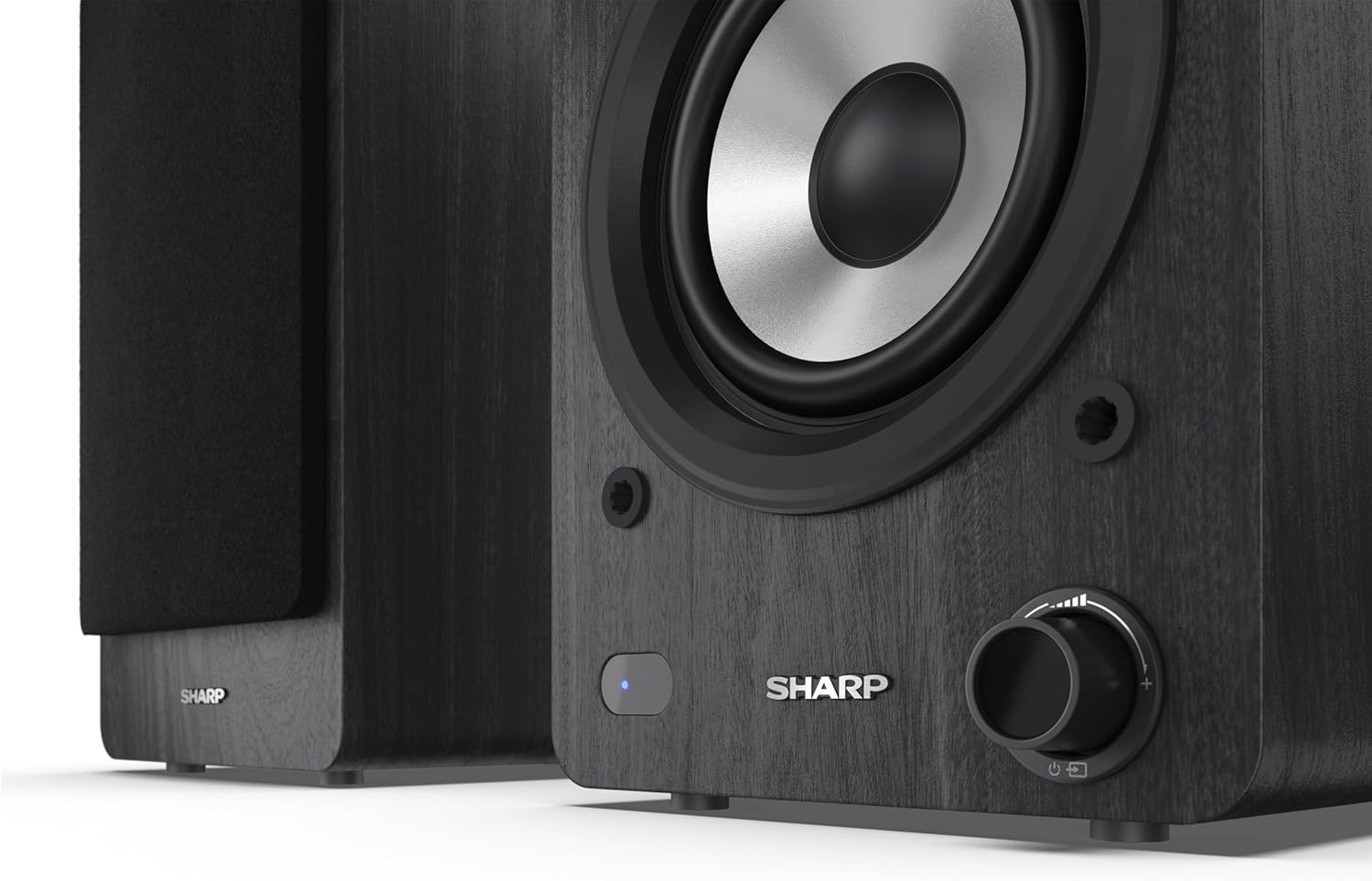
Image: A detailed shot of the control knob and the blue indicator light on the Sharp CP-SS30(BK) speaker, showing the subtle branding.
5. Seadistamine
5.1 Kõlari paigutus
For optimal sound quality, place the speakers on a stable, flat surface. Position them at an equal distance from your listening position, forming an equilateral triangle for the best stereo imaging. Ensure there is adequate space behind the speakers for ventilation and cable connections.
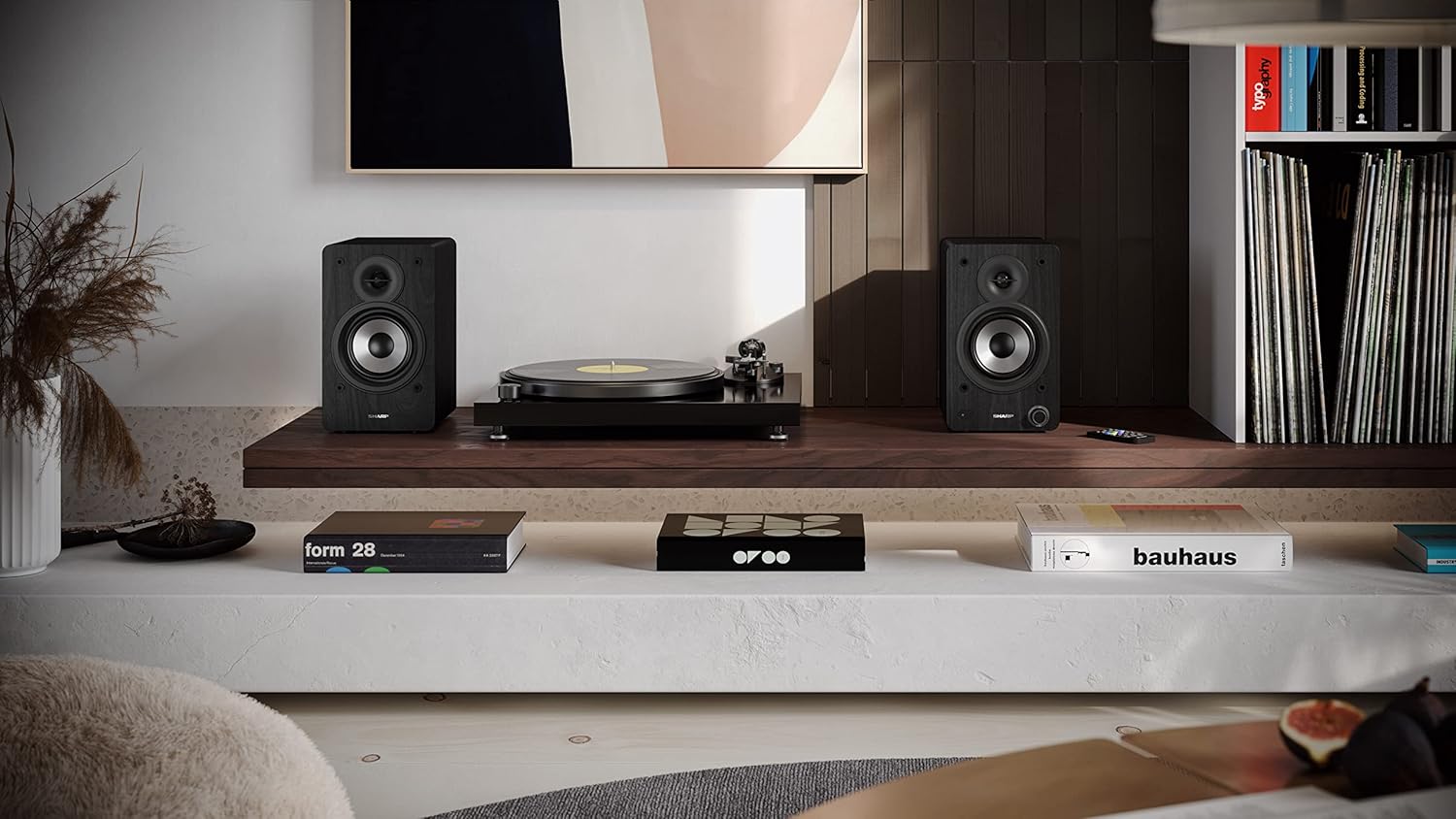
Image: The Sharp CP-SS30(BK) speakers positioned on a shelf in a living room setting, demonstrating a typical setup with a turntable.
5.2 Kõlarite ühendamine
The CP-SS30(BK) consists of one active (main) speaker and one passive (secondary) speaker. Connect them using the provided speaker connection cable.
- Identify the active speaker (with controls and input ports) and the passive speaker.
- Connect one end of the speaker connection cable to the speaker terminals on the active speaker, ensuring correct polarity (+ to + and - to -).
- Connect the other end of the speaker connection cable to the speaker terminals on the passive speaker, maintaining correct polarity.

Image: The rear panel of the Sharp CP-SS30(BK) speakers, illustrating the various input ports (USB, Optical, RCA, AUX) and the speaker connection terminals.
5.3 Toiteühendus
- Ensure the power switch on the active speaker is in the OFF position.
- Connect the provided power cable to the AC input on the active speaker.
- Ühendage toitekaabli teine ots sobivasse seinakontakti.
6. Kasutusjuhised
6.1 Sisse-/väljalülitamine
To power on the speakers, flip the power switch on the active speaker to the ON position. The indicator light on the front will illuminate. To power off, flip the switch back to OFF.
6.2 Sisendite valik
You can select the input source using the remote control or the knob on the front of the active speaker. Available inputs include Bluetooth, USB, Optical, Auxiliary (AUX), and RCA.
- Bluetooth: Select Bluetooth input. The indicator light will flash, indicating pairing mode. Otsi "SHARP CP-SS30(BK)" on your device and connect. The light will become solid once paired.
- USB: Sisestage heliga USB-draiv files into the USB port on the active speaker.
- Optiline: Connect an optical cable from your audio source (e.g., TV, game console) to the Optical input.
- AUX: Connect an AUX cable from your audio source (e.g., smartphone, tablet) to the AUX input.
- RCA: Connect RCA cables from your audio source (e.g., turntable, CD player) to the RCA inputs.
6.3 Helitugevuse reguleerimine
Adjust the volume using the remote control's volume buttons or by rotating the knob on the front of the active speaker.
6.4 Ekvalaiseri seaded
The speakers feature an equalizer to tailor the sound to your preference. Use the remote control to:
- Select from five preset equalizer modes (e.g., Flat, Rock, Pop, Classical, Jazz).
- Adjust bass and treble levels independently for a customized sound profile.
7. Hooldus
To ensure the longevity and optimal performance of your Sharp CP-SS30(BK) speakers, follow these maintenance guidelines:
- Puhastamine: Use a soft, dry cloth to clean the speaker cabinets. Do not use liquid cleaners or aerosol sprays, as they may damage the finish or internal components.
- Võred: The speaker grilles are removable for cleaning. Gently pull them off to clean any dust accumulation on the drivers. Reattach them carefully.
- Ventilatsioon: Ensure that the ventilation openings on the back of the active speaker are not obstructed to prevent overheating.
- Hoiustamine: If storing the speakers for an extended period, disconnect them from power and store them in a cool, dry place away from direct sunlight and extreme temperatures.
8. Veaotsing
Kui teil tekib kõlaritega probleeme, vaadake palun järgmisi levinud probleeme ja lahendusi.
| Probleem | Võimalik põhjus | Lahendus |
|---|---|---|
| Pole jõudu | Power cable not connected; Power outlet not active; Power switch off. | Ensure power cable is securely connected. Check power outlet with another device. Flip power switch to ON. |
| Ei mingit heli | Incorrect input selected; Volume too low; Cables not connected properly; Source device issue. | Select the correct input source. Increase volume. Check all audio cables (RCA, AUX, Optical, USB) and speaker connection cable for secure fit and correct polarity. Test with a different audio source. |
| Bluetoothiga sidumine ebaõnnestus | Kõlarid ei ole sidumisrežiimis; seade on liiga kaugel; häire. | Ensure Bluetooth input is selected and indicator light is flashing. Move device closer to speakers. Avoid strong electromagnetic interference. Try unpairing and re-pairing. |
| Moonutatud heli | Volume too high; Source audio quality is poor; Speaker placement. | Reduce volume. Check the audio source quality. Adjust speaker placement to avoid reflections or resonance. |
| Kaugjuhtimispult ei tööta | Batteries depleted; Obstruction between remote and speaker; Remote not pointed correctly. | Replace remote control batteries. Remove any obstructions. Point the remote directly at the active speaker's sensor. |
9. Tehnilised andmed
| Funktsioon | Detail |
|---|---|
| Mudeli number | CP-SS30(BK) |
| Väljundvõimsus | 60 Watts RMS (2 x 30W) |
| Kõlari tüüp | Active Bookshelf, 2-Way |
| Kapi materjal | Puit (vineer) |
| Ühenduvustehnoloogia | Bluetooth v5.0, USB, Optical, Auxiliary (AUX), RCA |
| Bluetoothi versioon | v5.0 |
| Heliväljundi režiim | Stereo (2.0 kanal) |
| Sagedusvastus | 60 Hz |
| Kontrolleri tüüp | Nupp, kaugjuhtimispult |
| Toote mõõtmed (iga kõlari kohta) | 19S x 15.8L x 24.8K cm (7.5S x 6.2L x 9.8K tolli) |
| Kauba kaal | 4.3 kilogrammi (9.5 naela) |
| Värv | Must |
| Soovitatavad kasutusalad | Gaming console, Music player, Smartphone/Tablet, Ambient sound system, Television |
| Ühilduvad seadmed | Sülearvuti, nutitelefon, tahvelarvuti |

Image: Diagram showing the dimensions of one Sharp CP-SS30(BK) speaker (Height: 248mm, Width: 158mm, Depth: 190mm).
10. Garantii ja tugi
Garantii: This product comes with a 1-year warranty for spare parts availability from the date of purchase. Please retain your proof of purchase for warranty claims.
For technical support, troubleshooting assistance beyond this manual, or warranty inquiries, please contact Sharp customer service. Refer to the contact information provided in the user documentation included in your package or visit the official Sharp websaidile.
Note: Software updates guaranteed until information is not available.


