1. Sissejuhatus
The SIIG Thunderbolt 4 Docking Station (Model: JU-DK0U11-S1) is designed to expand the connectivity of your laptop, providing a comprehensive workstation solution. This docking station offers 15 ports, enabling connections for multiple displays, peripherals, network, and power through a single Thunderbolt 4 cable. It supports high-speed data transfer and versatile display configurations for both Mac and Windows systems.

Image 1.1: SIIG Thunderbolt 4 Docking Station (JU-DK0U11-S1) overview.
2. Pakendi sisu
Veenduge, et pakis on kõik esemed olemas:
- SIIG Thunderbolt 4 Docking Station (JU-DK0U11-S1)
- 150W toiteadapter
- Thunderbolt 4 kaabel
- Kasutusjuhend

Image 2.1: Contents included in the SIIG Thunderbolt 4 Docking Station package.
3. Toote lõppview
3.1 Esipaneeli pordid
- 3.5mm Stereo Out: Kõrvaklappide või väliste kõlarite jaoks.
- SD 3.0 Card Slot: Supports SD 3.0 UHS-1 memory cards up to 2TB.
- USB-A 3.2 Gen 1 (5Gbps) Ports (x2): For connecting USB-A peripherals, supporting 5V/0.9A charging.
- Thunderbolt 4 port: For connecting Thunderbolt 4 devices or displays.
- Toitenupp: Dokkimisjaama sisse- või väljalülitamiseks.

Pilt 3.1: Detailne view of the front panel ports.
3.2 Tagapaneeli pordid
- DC Power Jack (20V/7.5A): Ühendub kaasasoleva 150W toiteadapteriga.
- Thunderbolt 4 Port (Host PD 60W): Connects to your laptop via the Thunderbolt 4 cable, providing up to 60W power delivery.
- 3.5mm Mic In: Välise mikrofoni ühendamiseks.
- Micro SD (TF) 3.0 Card Slot: Supports Micro SD (TF) 3.0 UHS-1 memory cards up to 2TB.
- USB-A 2.0 (480Mbps) Ports (x2): For connecting USB-A peripherals, supporting 5V/1.5A charging.
- Gigabit Etherneti port: Juhtmega võrguühenduse jaoks.
- DisplayPort Out: Välise kuvari ühendamiseks.
- HDMI väljund: Välise kuvari ühendamiseks.
- Thunderbolt 4 Ports (x2): For connecting additional Thunderbolt 4 devices or displays, providing 45W power delivery.

Pilt 3.2: Detailne view of the rear panel ports.
4. Seadistusjuhised
- Ühendage toide: Plug the included 150W power adapter into the DC Power Jack on the rear of the docking station, then connect it to a power outlet.
- Ühenda host-sülearvutiga: Use the provided Thunderbolt 4 cable to connect the Thunderbolt 4 Host port (60W PD) on the rear of the docking station to your laptop's Thunderbolt 4 or USB-C port.
- Toide sisse: Press the power button on the front panel of the docking station. The power indicator LED should illuminate.
- Ühenda kuvarid: Connect your monitors to the available DisplayPort, HDMI, and Thunderbolt 4 output ports on the docking station. Refer to the 'Display Configuration' section for supported setups.
- Ühendage välisseadmed: Connect your USB devices, Ethernet cable, and audio devices to the corresponding ports on the docking station.
5. Kasutusjuhised
5.1 Ekraani konfiguratsioon
The docking station supports various display setups, including single 8K or quad 4K displays, utilizing Thunderbolt 4 and DisplayLink technology. Ensure DisplayLink drivers are installed for optimal performance, especially for additional displays beyond native Thunderbolt outputs.
- Single Display Output: Supports up to 8K resolution.
- Kahe ekraaniga väljund: Supports up to 2x 4K resolution via two Thunderbolt 4 ports.
- Quad Display Output: Achieved by combining two Thunderbolt 4 ports with the DisplayPort and HDMI ports, enabling four 4K displays.

Pilt 5.1: Näideample of a quad display setup using the docking station.

Image 5.2: Display compatibility and resolution matrix for Windows and Mac M1/M2 systems.
5.2 Toite edastamine
The docking station provides power to your connected devices:
- Sülearvuti laadimine: Up to 60W Power Delivery (PD) to the host laptop via the Thunderbolt 4 host port.
- Thunderbolt 4 pordid: Each of the three downstream Thunderbolt 4 ports provides up to 45W of power.
- USB-A Fast Charging: Two USB-A 5Gbps ports support 5V/0.9A charging, and two USB-A 2.0 ports support 5V/1.5A charging.

Image 5.3: Power delivery capabilities of the docking station.
5.3 Andmeedastus
Experience high-speed data transfer for efficient workflow:
- Thunderbolt 4: Up to 40Gbps data transfer speed, 8 times faster than USB 3.0.
- USB-A 3.2 1. põlvkond: Up to 5Gbps data transfer speed.
- Memory Card Reader: Supports SD 3.0 UHS-1 and Micro SD (TF) 3.0 UHS-1 with data transfer rates up to 104MB/s.
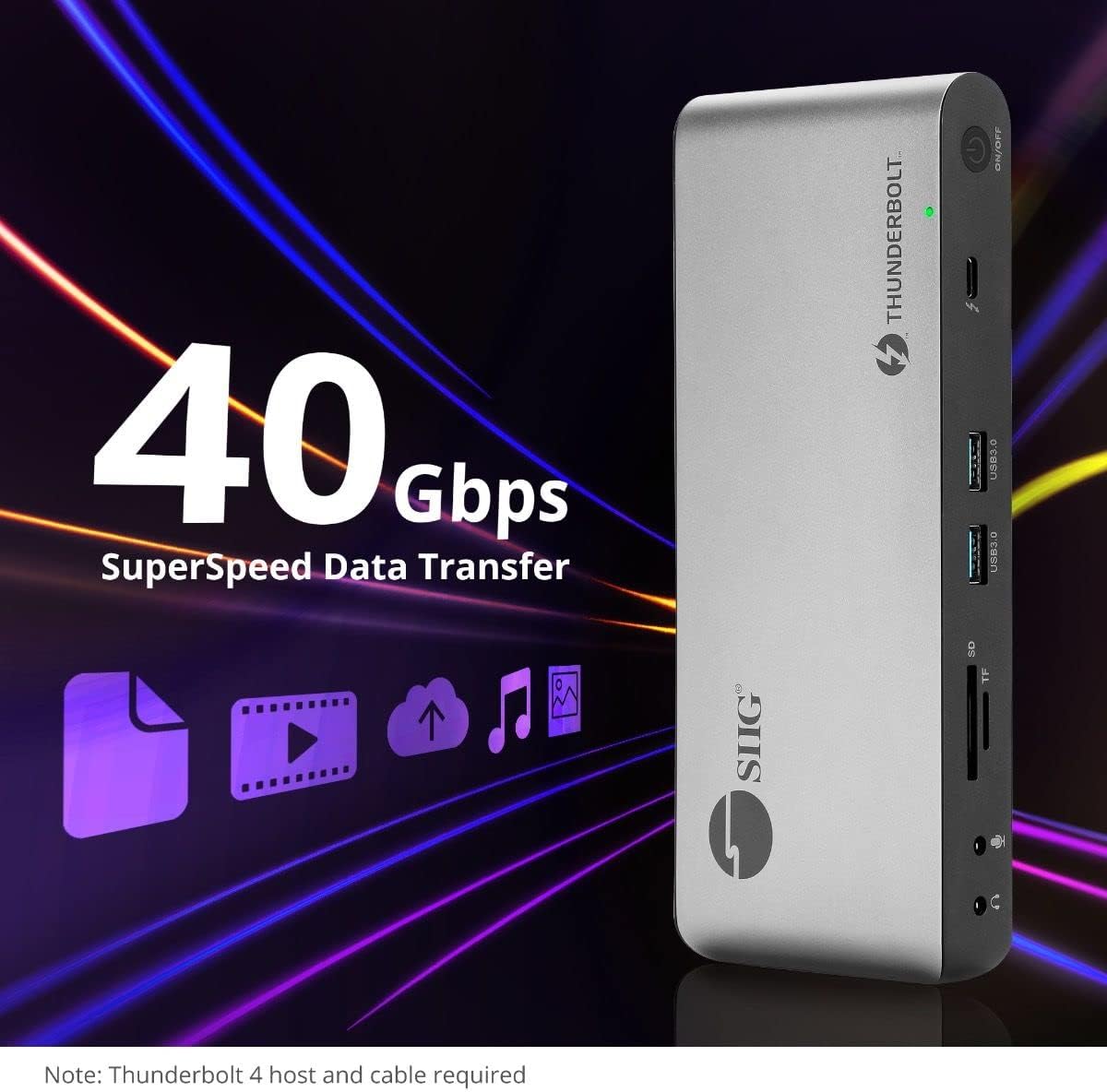
Image 5.4: High-speed data transfer capabilities.
6. Ühilduvus
The SIIG Thunderbolt 4 Docking Station is broadly compatible with various systems:
- Operatsioonisüsteemid: Mac M1/M2/M3 Pro & Max, Intel chip Macs, Windows PCs (Intel/AMD/Snapdragon), and Chromebooks.
- Tagasiühilduvus: Fully compatible with Thunderbolt 3, USB4, and USB-C equipped computers.
7. Hooldus
Dokkimisjaama pikaealisuse ja optimaalse jõudluse tagamiseks järgige neid hooldusjuhiseid:
- Puhastamine: Seadme välispinna puhastamiseks kasutage pehmet ja kuiva lappi. Vältige vedelaid puhastusvahendeid ega lahusteid.
- Ventilatsioon: Veenduge, et dokkimisjaam oleks ülekuumenemise vältimiseks hästi ventileeritavas kohas. Ärge blokeerige ühtegi ventilatsiooniava.
- Hoiustamine: Hoidke seadet jahedas ja kuivas kohas, eemal otsesest päikesevalgusest ja äärmuslikest temperatuuridest.
- Käitlemine: Vältige seadme maha pillamist või tugevate löökide allutamist.
8. Veaotsing
If you encounter issues with your SIIG Thunderbolt 4 Docking Station, refer to the following common problems and solutions:
- Toide puudub:
- Veenduge, et toiteadapter oleks kindlalt ühendatud nii dokkimisjaama kui ka töötava pistikupesaga.
- Verify the power button on the docking station is pressed and the power indicator LED is on.
- Display Issues (No Signal/Incorrect Resolution):
- Check all display cables (HDMI, DisplayPort, Thunderbolt) are securely connected to both the docking station and the monitors.
- Ensure your laptop's display settings are configured correctly to detect and extend/mirror displays.
- For multi-display setups, especially beyond two monitors, ensure DisplayLink drivers are installed and up to date on your operating system.
- Verify your monitors support the selected resolution and refresh rate.
- Välisseadmeid ei tuvastatud:
- Ensure USB devices are properly connected to the docking station's USB ports.
- Try connecting the peripheral directly to your laptop to confirm it is functional.
- Restart the docking station and your laptop.
- Ülekuumenemine:
- Ensure the docking station is placed in an area with adequate airflow and not covered.
- Reduce the number of high-power devices connected if possible, or consider using a cooling pad if persistent.
- Aeglane andmeedastus:
- Ensure you are using Thunderbolt 4 certified cables for Thunderbolt connections.
- Verify the connected device supports the expected transfer speeds.
9. Tehnilised andmed
| Funktsioon | Detail |
|---|---|
| Mudeli number | JU-DK0U11-S1 |
| Toote mõõtmed | 3.27 x 7.8 x 1.14 tolli |
| Kauba kaal | 15.4 untsi (0.96 naela) |
| Sadamate koguarv | 15 (including 7 USB ports) |
| Hostühendus | Thunderbolt 4 (USB-C) |
| Videoväljundid | 1x HDMI, 1x DisplayPort, 3x Thunderbolt 4 (USB-C) |
| Maksimaalne ekraani eraldusvõime | Single 8K@30Hz, Quad 4K@60Hz |
| Toite edastamine (host) | Kuni 60W |
| Power Delivery (Downstream TB4) | Kuni 45W pordi kohta |
| Andmeedastuskiirus | Thunderbolt 4: 40Gbps, USB-A 5Gbps: 5Gbps |
| Ethernet | Gigabit Ethernet |
| Kaardilugeja | SD 3.0 UHS-1, Micro SD (TF) 3.0 UHS-1 (up to 2TB) |
| Heli pordid | 3.5mm Stereo Out, 3.5mm Mic In |
| Ühilduv OS | Mac M1/M2/M3 Pro & Max, Intel Macs, Windows, Chromebooks |
| Värv | Must |
| UPC | 662774045689 |
10. Garantii ja tugi
SIIG products are designed for reliability and performance. For warranty information and technical support, please refer to the documentation included with your product or visit the official SIIG websaidile. Hoidke ostutšekk alles garantiinõuete esitamiseks.


