1. Sissejuhatus
Thank you for choosing the AM alphamount TV Wall Mount. This full motion articulating arm bracket is designed to securely hold most 26-60 inch flat or curved televisions weighing up to 77 lbs. Its robust construction and versatile adjustability provide an optimal viewing experience from various angles in your room. This manual provides detailed instructions for safe installation, operation, and maintenance of your TV wall mount.

Image 1.1: AM alphamount Full Motion TV Wall Mount
2. Oluline ohutusteave
Please read all instructions carefully before installation. If you do not understand these instructions, or have doubts about the safety of the installation, please contact a qualified installer or customer service.
- Do not install this product on walls that are not structurally sound. Ensure the mounting surface can safely support the combined weight of the mount and the television.
- This mount is intended for use with TVs weighing up to 77 lbs (35 kg). Exceeding this weight limit may result in instability and potential injury.
- Verify your TV's VESA mounting pattern (distance between mounting holes on the back of the TV) is within the supported range of 75x75mm to 400x400mm.
- Always use a stud finder to locate wood studs for secure mounting. For concrete or brick walls, use appropriate anchors (not always included, check package contents).
- Do not overtighten screws. Overtightening can damage the mounting surface or the TV.
- Paigaldamise ajal hoidke lapsed ja lemmikloomad eemal.
- Periodically check the mount for any signs of wear, loose screws, or damage.
3. Pakendi sisu
Please check to ensure all components are present and undamaged. If any parts are missing or defective, contact customer service for assistance.
- TV Wall Mount Assembly (Wall Plate and Articulating Arm)
- Televiisori kronsteinid (2 tk)
- Kinnitusdetailide komplekt (erinevad kruvid, seibid, vahetükid teleri ja seina jaoks)
- Mulli tase
- Paigaldusmall (kui on olemas)
- Kasutusjuhend (see dokument)
4. Toote spetsifikatsioonid
| Funktsioon | Spetsifikatsioon |
|---|---|
| Kaubamärk | AM tähestikuline |
| Mudeli number | APMF5 |
| Teleri suuruse ühilduvus | 26–60 tolli |
| Kaalu kandevõime | Kuni 77 naela (35 kg) |
| VESA ühilduvus | 75x75mm kuni 400x400mm |
| Pöördenurk | 180° (depending on TV size) |
| Kaldenurk | +5° / -15° |
| Pikendus seinast | 2.3 tolli (sissetõmmatud) kuni 18.7 tolli (väljatõmmatud) |
| Materjal | Legeerteras |
| Värv | Must |

Image 4.1: Compatibility for TV sizes and VESA patterns.

Image 4.2: Comparison of arm thickness for stability.
5. Seadistamine ja installimine
5.1 Paigalduseelne kontrollnimekiri
- Ensure you have all necessary tools: stud finder, drill, level, Phillips head screwdriver, socket wrench, pencil.
- Identify your wall type: wood stud, concrete, or brick. Different hardware and drilling methods apply.
- Determine the desired TV height. The center of the TV should ideally be at eye level when seated.
- Check for any electrical wires or plumbing behind the wall in the intended mounting area.
5.2 Teleri kronsteinide kinnitamine teleri külge
- Asetage teler ettevaatlikult ekraaniga allapoole pehmele ja puhtale pinnale, et ekraani ei kahjustataks.
- Tuvastage oma teleri tagaküljel olevad VESA kinnitusavad.
- Select the correct diameter and length of screws from the hardware kit that fit your TV's mounting holes. Use washers and spacers if needed to ensure a snug fit without overtightening.
- Attach the two TV brackets to the back of your TV, ensuring they are level and securely fastened. The open ends of the brackets should face downwards.
5.3 Seinaplaadi paigaldamine
- For wood stud installation: Use a stud finder to locate the center of a wood stud. Mark the drilling locations for the wall plate.
- Drill pilot holes at the marked locations. The drill bit size will be specified in the included hardware instructions.
- Align the wall plate with the pilot holes and secure it to the wall using the lag bolts and washers. Use the included bubble level to ensure the wall plate is perfectly horizontal before fully tightening.
- For concrete/brick wall installation: Mark the drilling locations. Drill holes using a masonry drill bit. Insert concrete anchors into the drilled holes. Then, attach the wall plate using the lag bolts and washers, ensuring it is level.

Image 5.1: Illustration of single stud mounting and post-installation leveling.
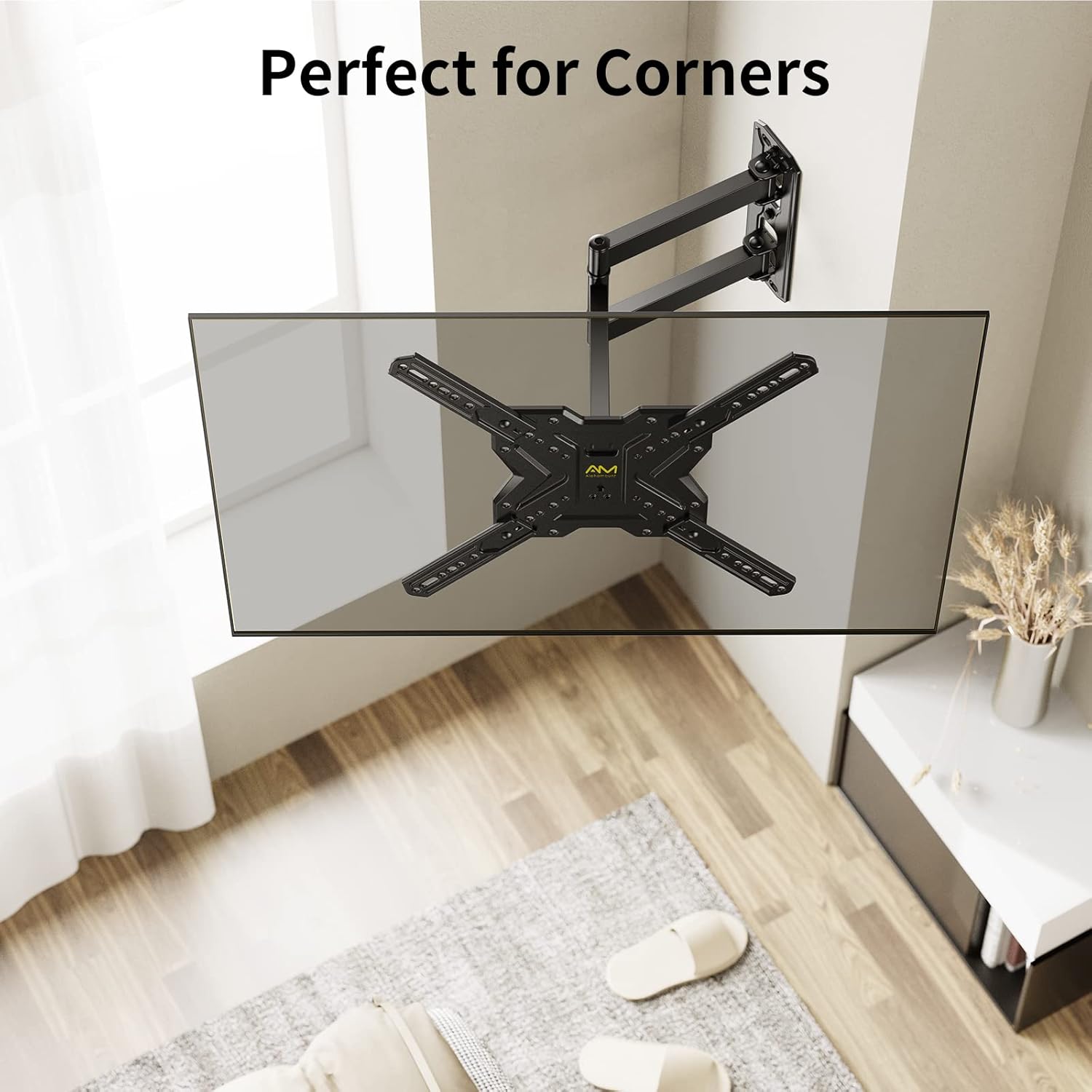
Image 5.2: The mount's design allows for effective corner placement.
5.4 Teleri riputamine
- Tõstke abiga ettevaatlikult teler koos kinnitatud kronsteinidega üles ja kinnitage need seinaplaadi külge.
- Veenduge, et teler oleks seinaplaadile kindlalt kinnitatud.
- Engage the safety locking screws or mechanisms on the TV brackets to prevent accidental dislodging.
6. Operating Your TV Mount
Your AM alphamount TV wall mount offers flexible adjustments to achieve the best viewnurk.
6.1 Pöörde reguleerimine
Gently push or pull the TV screen to the desired left or right angle. The articulating arm allows for up to 180° of swivel, depending on your TV size and wall clearance.

Image 6.1: Adjusting the TV for optimal viewmis tahes asendist.
6.2 Kalde reguleerimine
To adjust the vertical tilt, loosen the tilt knobs or bolts on the TV brackets (if applicable), tilt the screen to your preferred angle (+5° up to -15° down), and then re-tighten the knobs/bolts to secure the position. This helps reduce glare and improve viewmugavust saades.

Image 6.2: Tilting the TV to minimize screen glare.
6.3 Pikendamine ja tagasitõmbamine
The articulating arm allows you to extend the TV up to 18.7 inches from the wall or retract it back to a slim 2.3 inches. Gently pull or push the TV to achieve the desired distance.
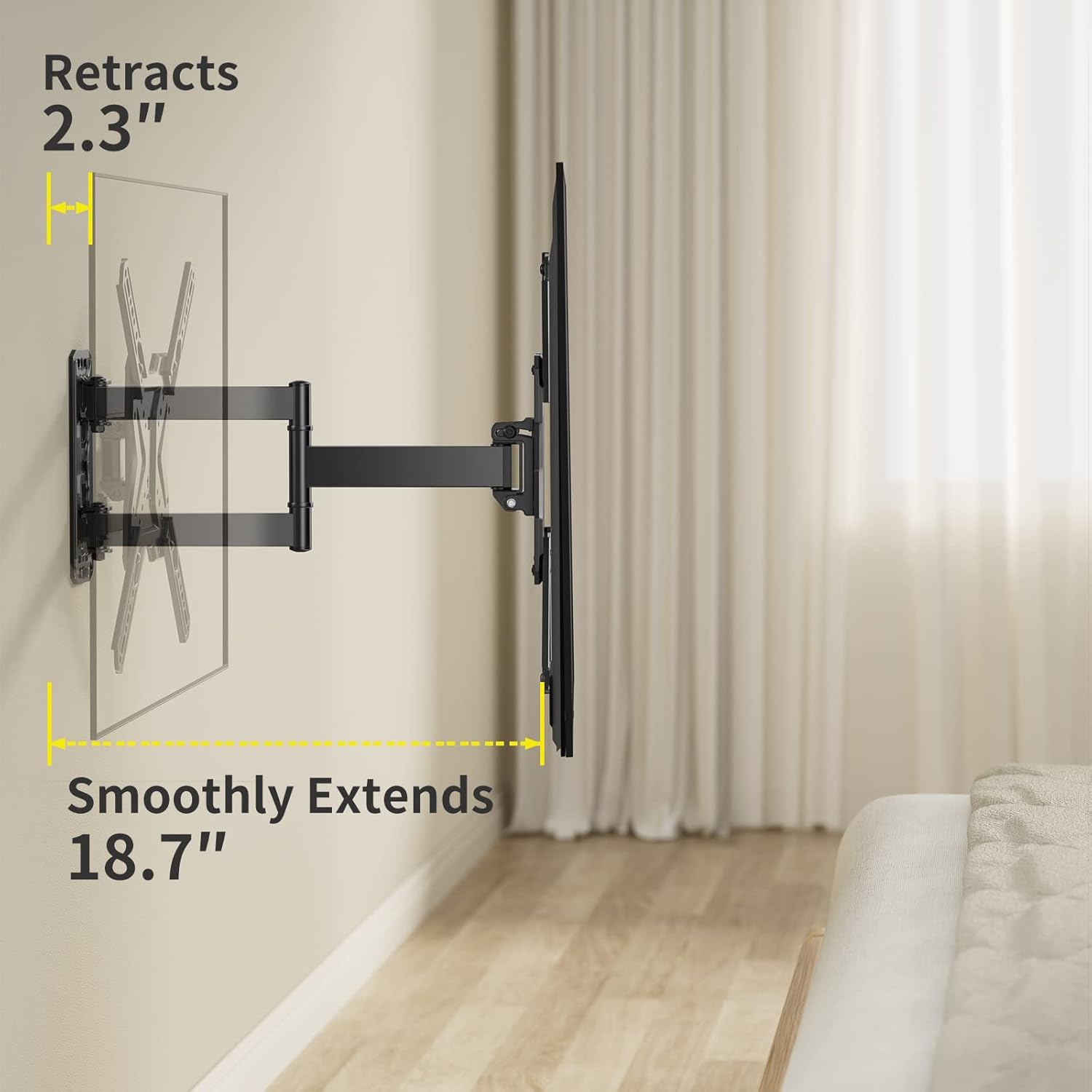
Image 6.3: Demonstrating the mount's extension and retraction capabilities.
7. Hooldus
- Puhastamine: Aluse puhastamiseks kasutage pehmet ja kuiva lappi. Vältige abrasiivseid puhastusvahendeid või lahusteid, mis võivad viimistlust kahjustada.
- Perioodiline ülevaatus: Every 6-12 months, check all screws and bolts to ensure they are still tight and secure. Re-tighten if necessary.
- Määrimine: Liigendliigendid on loodud sujuva liikumise tagamiseks ja üldiselt ei vaja määrimist. Kui liikumine muutub jäigaks, võtke ühendust klienditoega.
8. Veaotsing
| Probleem | Võimalik põhjus/lahendus |
|---|---|
| Teler ei ole pärast paigaldamist tasane. | The mount has a post-installation leveling feature (+/-3°). Loosen the leveling screws slightly, adjust the TV, and re-tighten. |
| Alus tundub kõikuv või ebastabiilne. | Ensure all wall plate bolts are securely tightened into a stud or appropriate anchors. Verify TV weight is within limits. Re-check all connections. |
| Cannot tilt or swivel the TV. | Check if tilt knobs/bolts are too tight. Loosen them slightly to allow movement, then re-tighten to secure. Ensure no cables are obstructing movement. |
| Televiisor ei sobi alusele. | Verify your TV's VESA pattern and weight are within the mount's specifications (75x75mm to 400x400mm, up to 77 lbs). |
9. Garantii ja tugi
AM alphamount is committed to providing high-quality products. For specific warranty details, please refer to the product packaging or the official AM alphamount website. If you encounter any issues or require technical assistance, please contact AM alphamount customer support through their official channels or visit their Amazon store page:
10. Täiendavad ressursid
For a downloadable PDF version of this user manual and other product information, please visit:


