1. Sissejuhatus
The JLab Epic Cam USB HD Webcam delivers high-definition video quality for all your communication needs. Featuring full 2K video resolution at 30 frames per second and a 5-megapixel camera, it ensures a clear and sharp image. Equipped with auto-focus, dual omni-directional microphones, and adjustable zoom and exposure levels, this webcam is designed for versatile use in various environments.
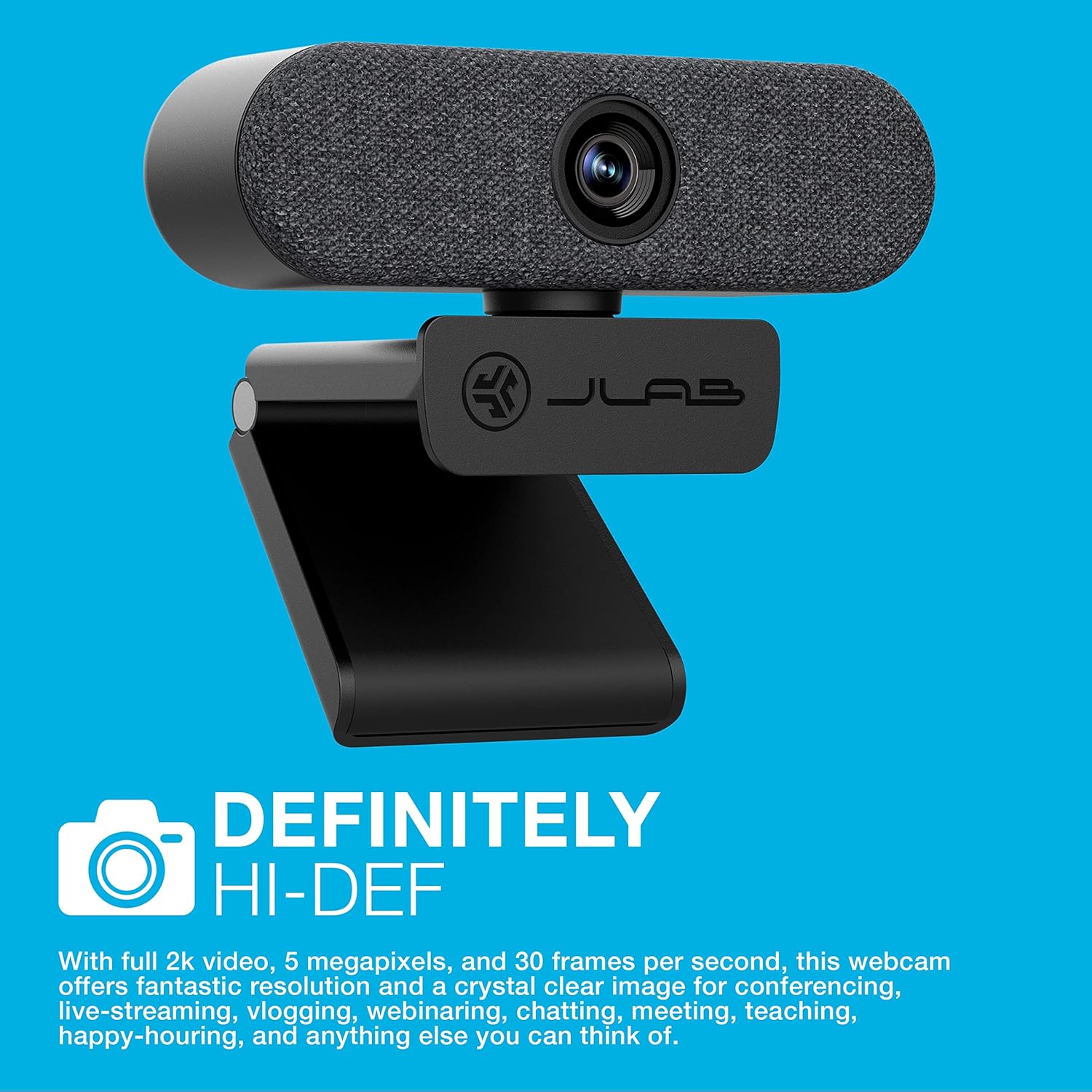
Image: The JLab Epic Cam USB HD Webkaamera, etendusasing its sleek black design with a grey fabric faceplate, securely mounted on top of a computer monitor.

Image: A close-up of the JLab Epic Cam USB HD Webcam, highlighting its high-definition capabilities with a text overlay stating 'DEFINITELY HI-DEF'.
Toode läbiview Video
Video: An official JLab product overview, demonstrating the key features and benefits of the Epic Cam USB HD Webcam as part of the Work Series.
2. Mis on karbis
Your JLab Epic Cam USB HD Webkaamerapakett sisaldab järgmisi esemeid:
- JLab Epic Cam USB HD Webnukk
- Removable Face Plates (Black and White)
- Kiirjuhend

Image: The JLab Epic Cam USB HD Webcam, its USB cable, two interchangeable fabric faceplates (black and light grey), and the Quick Start Guide, laid out on a wooden surface.
3. Seadistamine
The JLab Epic Cam is designed for easy plug-and-play setup, ensuring you can start using it quickly with minimal effort.
3.1 Ühendamine Webnukk
- Ühenda oma seadmega: Plug the integrated USB-A cable from the Epic Cam into an available USB port on your PC, Mac, or Chromebook. The device is automatically recognized, and no additional drivers are typically required.
- Asetage positsioon Webnukk: Use the universal adjustable clip to securely mount the webcam on top of your monitor or laptop screen. The clip is designed to provide a stable fit without causing damage.
- Statiivi kinnitamine: For alternative placement, the webcam's base includes a standard tripod thread, allowing it to be mounted on a tripod (not included) for more flexible positioning.

Image: A hand gently adjusting the JLab Epic Cam, demonstrating its flexible mounting and positioning on a monitor.
3.2 Ühilduvus
The JLab Epic Cam is broadly compatible with various operating systems and devices:
- PC (Windows)
- Mac (macOS)
- Chromebook (Chrome OS)

Image: The JLab Epic Cam displayed alongside logos for Mac, Windows, Android, and Linux, indicating its broad compatibility across different operating systems.
4. Seadme kasutamine Webnukk
The Epic Cam offers intuitive controls and features to enhance your video calls and recordings.
4.1 Video Quality and Field of View
- Resolutsioon: Enjoy crisp 2K (2560x1440) video at 30 frames per second, or 1080p at 30 FPS, with a 5-megapixel camera for high-quality visuals.
- Väli View: The 90-degree wide-angle lens provides a broad perspective, ideal for individual use or including multiple participants in a conference room.
- Auto-Focus & Light Correction: The webcam automatically adjusts focus and corrects lighting conditions to ensure you always look your best, even in varying light environments.

Pilt: Lähivõte view of the JLab Epic Cam mounted on a monitor, with a hand interacting with the touch-sensitive controls on top of the webnukk.
4.2 Helifunktsioonid
- Dual Omni-Directional Microphones: Integrated dual microphones capture clear audio from all directions, ensuring your voice is heard naturally during calls and recordings.

Image: The JLab Epic Cam featuring a white fabric faceplate, accompanied by the text 'SOUND ON POINT', emphasizing its superior audio capabilities.
4.3 Seadmel olevad juhtnupud
The Epic Cam features touch-sensitive buttons on its top surface for quick adjustments:
- Suum: Adjust the zoom level to frame yourself perfectly.
- Kokkupuude: Toggle between 15 exposure settings to optimize your appearance in various lighting conditions without needing external software.

Image: A hand pressing one of the touch-sensitive buttons on the top of the JLab Epic Cam, illustrating the ease of adjusting settings directly on the device.
MITTE KUNAGI kohandamist
- Interchangeable Face Plates: The webcam comes with magnetic, removable fabric face plates in black and white, allowing you to match your desk aesthetic.

Pilt: Plahvatanud view of the JLab Epic Cam, illustrating its main body and the two interchangeable fabric faceplates (black and light grey) that can be swapped to customize its appearance.
5. Hooldus
To ensure the longevity and optimal performance of your JLab Epic Cam, follow these simple maintenance guidelines:
- Objektiivi puhastamine: Gently wipe the camera lens with a soft, lint-free cloth to remove dust or smudges. Avoid using harsh chemicals or abrasive materials.
- Üldpuhastus: Kasutage kuiva või kergelt damp lapiga korpuse puhastamiseks webcam. Ensure no moisture enters the device.
- Hoiustamine: Kui seda ei kasutata, hoidke seda webkaamerat puhtas ja kuivas kohas, eemal äärmuslikest temperatuuridest ja otsesest päikesevalgusest.
6. Veaotsing
If you encounter any issues with your JLab Epic Cam, refer to the following common troubleshooting steps:
- Video/heli puudub: Veenduge, et USB-kaabel oleks kindlalt ühendatud mõlema webcam and your computer. Try a different USB port. Verify that the webcam is selected as the primary video and audio input device in your application settings (e.g., Zoom, Teams, Windows Camera app).
- Kehv pildikvaliteet: Check your lighting conditions. Use the on-device exposure controls to adjust brightness. Ensure the lens is clean and free from obstructions.
- Auto-Focus Issues: Make sure there are no objects too close to the lens that might interfere with the auto-focus mechanism.
- Mikrofon ei tööta: Kinnitage, et webcam's microphone is enabled and set as the default input device in your computer's sound settings and the application you are using.
- Ühilduvusprobleemid: Ensure your operating system is up to date. While plug-and-play, some systems may benefit from a restart after initial connection.
7. Tehnilised andmed
| Funktsioon | Detail |
|---|---|
| Kaubamärgi nimi | JLab |
| Kauba kaal | 5.9 untsi |
| Toote mõõtmed | 1.99 x 3.62 x 1.99 tolli |
| Kauba mudeli number | WEPICCAMRBLK124 |
| Värvi nimi | Must |
| Eriomadused | Nõrk valgustus |
| Fotosensori tehnoloogia | CMOS |
| Video jäädvustamise eraldusvõime | 2K |
| Maksimaalne fookuskaugus | 3.5 millimeetrit |
| Maksimaalne ava | 30 f |
| Välkmälu tüüp | Micro SD |
| Video jäädvustamise vorming | MP4 |
| Toetatud helivorming | AAC, MP3 |
| Ekraani suurus | 2.8 tolli |
| Ühenduvustehnoloogia | USB |
8. Garantii ja tugi
JLab stands by the quality of its products. The Epic Cam USB HD Webcam typically comes with a 2-year manufacturer's warranty.
8.1 Laiendatud kaitseplaanid
Additional protection plans are available for purchase to extend coverage beyond the standard warranty:
- 2-aastane kaitseplaan: Saadaval hinnaga 6.99 dollarit (ühekordne makse).
- 3-aastane kaitseplaan: Saadaval hinnaga 8.99 dollarit (ühekordne makse).
- Täielik kaitse: A monthly plan for $16.99 covering all eligible past and future purchases.
8.2 Klienditugi
For technical assistance, warranty claims, or further information, please visit the official JLab support websaidil või võtke ühendust nende klienditeenindusega.


