1. Toote lõppview
The iMoshion Desk Mat is designed to enhance your workspace by providing a large, protective, and comfortable surface. Measuring 120 x 60 cm, this black desk mat is suitable for various activities, including working, gaming, and studying. It features high-quality synthetic leather construction, a non-slip underside, and is both heat and waterproof, ensuring durability and ease of maintenance.

1.1. pilt: The iMoshion Desk Mat in use, showcasing selle ample space for a laptop and mouse.
2. Omadused
- Optimaalne suurus: Dimensions of 120 x 60 cm provide a generous surface area for various desk setups.
- High-Quality Synthetic Leather: Durable material that is resistant to creases and scratches.
- Non-Slip Underside: Ensures the mat stays securely in place on your desk.
- Heat and Waterproof: Protects your desk from spills and heat from electronic devices, making it easy to clean.
- Mitmekülgne kasutamine: Ideal for office work, gaming, studying, and other desktop activities.
- Laua kaitse: Shields your desk surface from scratches, scuffs, and other damage.
- Includes Storage Strap: Comes with a strap for convenient rolling and storage.

2.1. pilt: Demonstrates the mat's versatility with setups for a laptop, gaming keyboard and mouse, and a monitor with a keyboard.
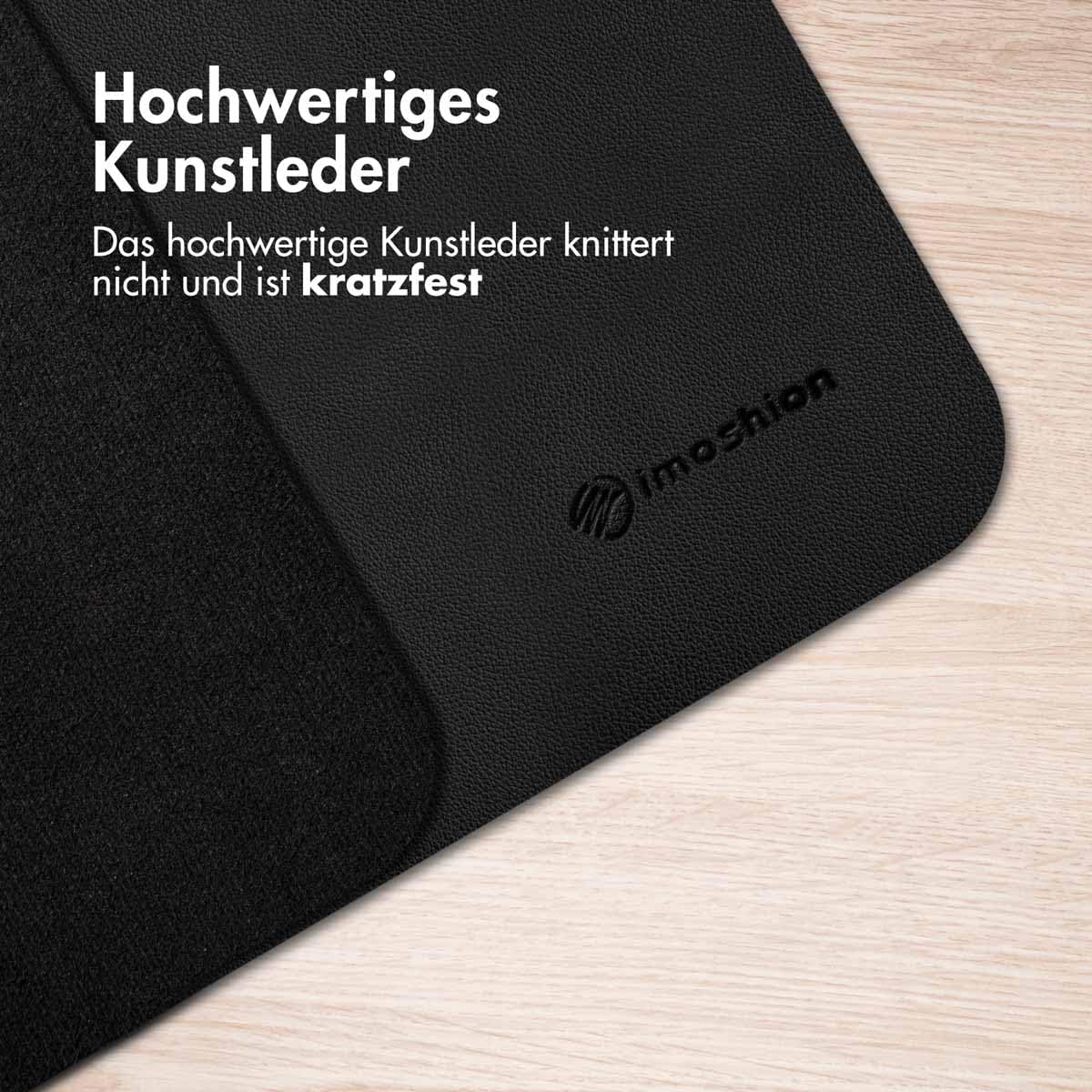
2.2. pilt: Lähivõte view highlighting the high-quality synthetic leather material, which is designed to be crease and scratch-resistant.

2.3. pilt: The non-slip underside of the mat, designed to prevent movement during use.
3. Seadistamine
- Pakkige lahti: Carefully remove the iMoshion Desk Mat from its packaging.
- Kerige lahti: Unroll the mat onto your desired desk surface. If the mat has been stored rolled for an extended period, it may initially show some curvature.
- Asukoht: Adjust the mat to your preferred position on the desk. Ensure the non-slip underside is in full contact with the desk surface.
- Lamendamine: To help the mat flatten completely, you can place heavy, flat objects (like books) on the edges for a few hours. The mat will naturally flatten over time with regular use.

3.1. pilt: The desk mat rolled up and secured with its included storage strap, demonstrating its compact storage capability.
4. Kasutamine
The iMoshion Desk Mat is designed for straightforward use. Simply place your computer, keyboard, mouse, and other desk accessories on its surface. Its large size accommodates a full workstation, providing a consistent and comfortable area for your hands and devices.
- Tööpind: Provides a smooth and stable surface for writing, typing, and using a mouse.
- Mängimine: Offers an expansive and consistent tracking surface for gaming mice, enhancing precision.
- Kaitse: Acts as a barrier against scratches, spills, and heat, preserving your desk's condition.

4.1. pilt: A user demonstrating the mat's heat and waterproof properties while working with a laptop and a drink.

4.2. pilt: A close-up showing a mouse on the mat, emphasizing its role in protecting the desk surface from scratches and wear.
5. Hooldus
Proper care will extend the life and appearance of your iMoshion Desk Mat.
- Puhastuslekked: Due to its waterproof surface, spills can be easily wiped away with a damp cloth. For best results, clean spills immediately.
- Üldpuhastus: Rutiinseks puhastamiseks kasutage pehmet lappiamp cloth with mild soap and water. Avoid harsh chemicals or abrasive cleaners, as these can damage the synthetic leather.
- Kuivatamine: After cleaning, wipe the mat dry with a clean, soft cloth. Allow it to air dry completely before placing items back on it.
- Hoiustamine: When not in use or for transport, roll the mat up and secure it with the provided strap. Store in a cool, dry place.
6. Veaotsing
- Matt ei ole tasane: If the mat retains a curl after unrolling, place heavy, flat objects on the edges for several hours or overnight. The material will relax and flatten over time, especially with use.
- Plekid: For stubborn stains, try a small amount of a gentle leather cleaner or a diluted solution of mild soap. Test on an inconspicuous area first.
- libisemine: Ensure the underside of the mat and your desk surface are clean and dry. Dust or debris can reduce the effectiveness of the non-slip backing.
7. Tehnilised andmed
| Funktsioon | Detail |
|---|---|
| Kaubamärk | IMOSHION |
| Mudeli number | SH00050459 |
| Mõõdud (P x L) | 120 x 60 cm |
| Materjal | Sünteetiline nahk |
| Värv | Must |
| Kuju | Ristkülikukujuline |
| Kaal | 870 g |
| Eriomadused | Non-slip underside, Heat-resistant, Waterproof, Scratch-resistant, Crease-resistant |
8. Garantii ja tugi
Specific warranty information for the iMoshion Desk Mat (Model SH00050459) is not provided within this manual. For details regarding warranty coverage, returns, or technical support, please refer to the product packaging or contact the retailer or manufacturer directly.
Manufacturer: iMoshion


