1. Sissejuhatus
The Eve Aqua Smart Water Controller allows you to automate your garden irrigation system. This device integrates seamlessly with Apple HomeKit, enabling control via the Eve app, Siri, or the onboard button. It supports schedules that operate independently of your iPhone and home network, utilizing Bluetooth and Thread technology for reliable connectivity.

Image: The Eve Aqua Smart Water Controller, a compact device designed for outdoor use.
2. Mis on karbis
Upon unboxing your Eve Aqua, verify that all components are present:
- Eve Aqua Smart Water Controller
- 2x AA patareid
- Vooliku pistik
- Kiirjuhend
3. Seadistamine
Before installation, ensure your iPhone or iPad is running the latest version of iOS/iPadOS.
- Patareide paigaldamine: Open the battery compartment and insert the two AA batteries provided.
- Attach to Faucet: Screw the Eve Aqua onto your outdoor faucet. Ensure a tight, leak-free connection.
- Ühendage voolik: Attach your garden hose to the bottom outlet of the Eve Aqua using the provided hose connector.
- Download Eve App: Download the Eve app from the Apple App Store.
- Lisa lisatarvik: Open the Eve app, tap "Add Accessory," and scan the HomeKit setup code located on your Eve Aqua or in the Quick Start Guide.
- Võrguühendus: Eve Aqua will automatically join your Thread network if available, or connect via Bluetooth.

Image: The Eve Aqua device connected to an outdoor water faucet, ready for hose attachment.
Image: Eve Aqua installed on a faucet with a garden hose attached, demonstrating a typical setup.
4. Kasutusjuhised
4.1. Käsijuhtimine
Press the onboard button on the Eve Aqua to manually start or stop watering. The duration of manual watering can be configured in the Eve app.
4.2. App Control (Eve App / Apple Home App)
Use the Eve app or Apple Home app on your iPhone or iPad to control your sprinkler or irrigation system. You can initiate watering, stop it, and adjust settings remotely.
Image: A user interacting with the Eve app on an iPhone to manage watering schedules.
4.3. Siri Voice Control
Once integrated with Apple HomeKit, you can use Siri voice commands to control Eve Aqua. For example, "Hey Siri, turn on the garden sprinkler" or "Hey Siri, stop watering the lawn."
4.4. Setting Schedules
Create automated watering schedules within the Eve app. These schedules are stored directly on the Eve Aqua and will run even if your iPhone is not present or connected to your home network. You can set up to 7 watering periods.

Image: Screenshot of the Eve app displaying options for setting up autonomous watering schedules.
4.5. Automaatne väljalülitusfunktsioon
The auto shut-off function prevents overwatering. After a manually started watering session, Eve Aqua will automatically stop the water flow after a pre-defined duration, which can be customized in the app.
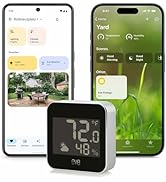
Image: Eve Aqua connected to a faucet, with a sprinkler watering a lawn, illustrating the auto shut-off feature.
4.6. Water Consumption Tracking
The Eve app continuously calculates and displays the estimated water consumption, providing insight into your garden's watering needs.
Image: A smartphone screen showing the Eve app interface with estimated water consumption statistics.
5. Omadused Üleview
- Ühenduvus: Supports Bluetooth and Thread for robust and reliable communication.
- HomeKit Enabled: Seamless integration with Apple HomeKit for ease of use and enhanced security.
- Privaatsus: Operates without an Eve cloud, registration, or tracking, ensuring local intelligence and direct communication.
- Ühilduvus: Works with all popular hose systems and multi-channel water distributors (e.g., Gardena, Kärcher).
- Vastupidavus: Battery-operated, weatherproof, and UV resistant design, developed in Germany for outdoor performance.
- Kaugjuurdepääs: Control your irrigation system from anywhere with a HomeKit hub (e.g., Apple TV, HomePod).
Image: A diagram illustrating how Eve devices, including Eve Aqua, connect and communicate within a Thread network in a home environment.
6. Hooldus
- Patarei vahetus: Replace the two AA batteries annually or when indicated by the Eve app to ensure continuous operation.
- Talvine ladustamine: In regions with freezing temperatures, disconnect the Eve Aqua from the faucet and store it indoors during winter months to prevent damage.
- Puhastamine: Periodically wipe the exterior of the device with a damp lapiga mustuse ja prahi eemaldamiseks. Vältige tugevate kemikaalide kasutamist.
- Lekkekontrollid: Regularly inspect connections for leaks and tighten if necessary.
7. Veaotsing
| probleem | Võimalik põhjus | Lahendus |
|---|---|---|
| Seade ei reageeri | Low batteries, out of Bluetooth/Thread range, network issue. | Replace batteries. Ensure a HomeKit hub is nearby or within Thread network range. Check network connectivity. Try restarting the device by removing and reinserting batteries. |
| Vee leke | Loose connection, damaged washer, incompatible hose system. | Ensure Eve Aqua and hose connections are tightened securely. Check the rubber washer inside the connector for damage and replace if necessary. |
| Schedules Not Running | Incorrect schedule setup, device not powered, valve malfunction. | Verify schedules in the Eve app. Check battery level. If the valve is stuck open or closed, contact support. |
| Difficulty Pairing | Incorrect HomeKit code, Bluetooth interference, device already paired. | Ensure you are scanning the correct HomeKit code. Try pairing in a location with less interference. If previously paired, remove from HomeKit and reset the device before attempting to pair again. |
8. Tehnilised andmed
- Mudeli number: 20ECC4101
- Mõõdud: 5.04" P x 3.74" L x 3.03" K (3.03 x 3.74 x 5.04 tolli)
- Kaal: 13.12 untsi
- Toiteallikas: 2 AA patareid (kaasas)
- Voltage: 3 volti
- Materjal: Alumiinium, polükarbonaat (PC)
- Ühenduvus: Bluetooth, lõim
- Töötemperatuur: Designed for outdoor use, weatherproof and UV resistant.
9. Garantii ja tugi
The Eve Aqua is manufactured by Eve Systems LLC. For warranty information, technical assistance, or support inquiries, please refer to the official Eve Systems webveebisaidilt või võtke otse ühendust nende klienditeenindusega. Hoidke ostutõendit garantiinõuete esitamiseks.
While the product is designed for durability, proper installation and maintenance, including winter storage, are crucial for its longevity.


