Sissejuhatus
This manual provides essential information for the installation, operation, and maintenance of your Hikvision DS-2CD1043G0-IUF 4MP IP Bullet Camera. Please read it thoroughly before using the product to ensure correct and safe operation.
The Hikvision DS-2CD1043G0-IUF is a 4-megapixel IP bullet camera designed for both indoor and outdoor surveillance. It features a 2.8mm lens, built-in microphone, 30-meter night vision, and Power over Ethernet (PoE) capability for simplified installation.
Ohutusteave
- Veenduge, et toiteallikas voltage is correct before connecting the camera.
- Do not expose the camera to extreme temperatures, dust, or moisture.
- Avoid pointing the lens directly at strong light sources.
- Use only Hikvision-approved accessories.
- Andke kõik hooldustööd kvalifitseeritud personalile.
Pakendi sisu
Veenduge, et kõik esemed on olemas ja heas seisukorras:
- Hikvision DS-2CD1043G0-IUF IP Bullet Camera
- Kinnituskruvid ja seinatüüblid
- Veekindel pistik võrgukaabli jaoks
- Kiirjuhend (kui on olemas)
Toode läbiview
The DS-2CD1043G0-IUF camera features a robust metal enclosure, suitable for various environments.
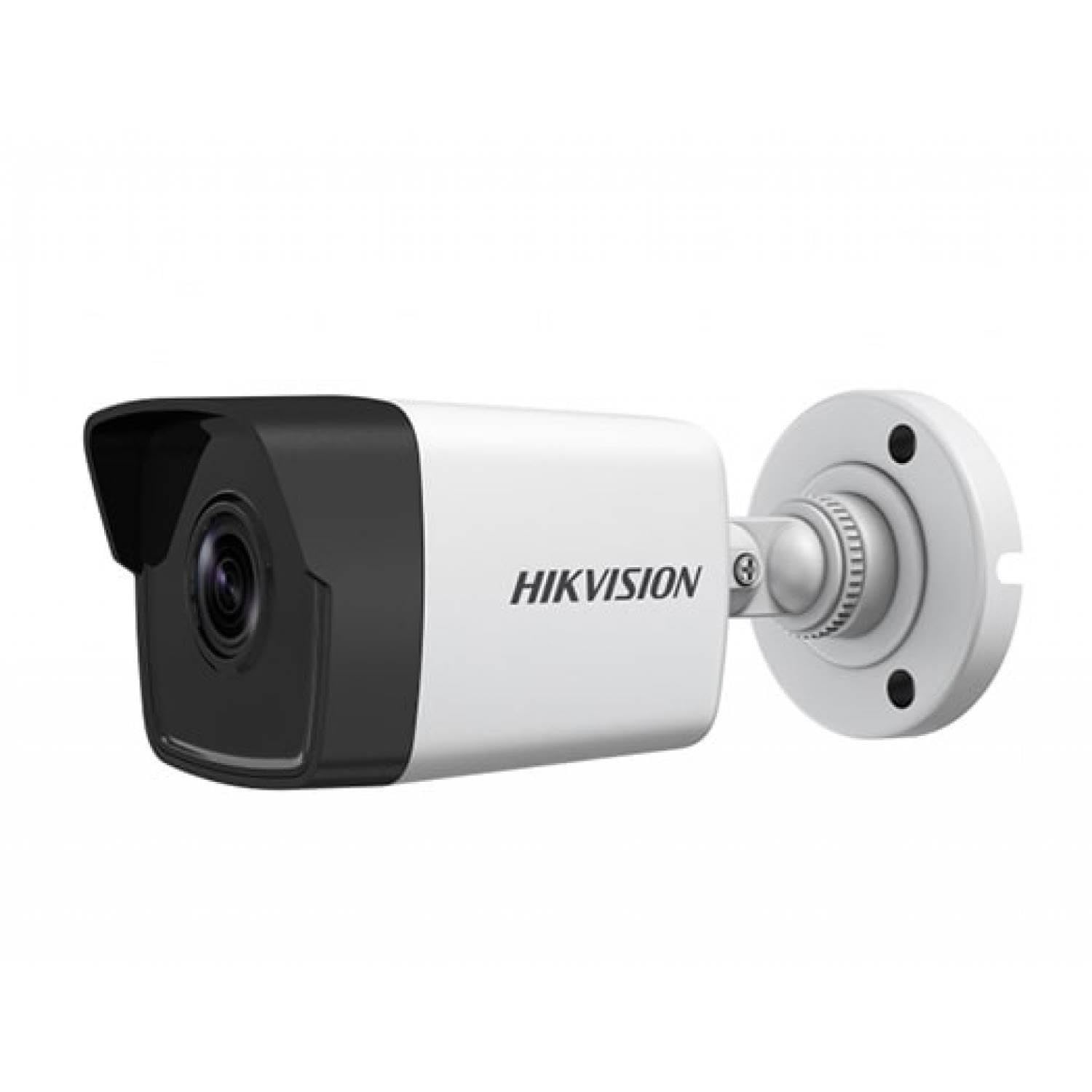
Figure 1: Hikvision DS-2CD1043G0-IUF 4MP IP Bullet Camera. This image shows the front view of the bullet-style camera, highlighting its lens and robust casing.
Põhikomponendid:
- Objektiiv: 2.8mm fixed lens for wide-angle viewing.
- Infrapuna LED-id: For night vision up to 30 meters.
- Mikrofon: Sisseehitatud heli salvestamiseks.
- Võrguport (RJ45): Supports Power over Ethernet (PoE).
- Toite sisend: For optional 12V DC power supply (if not using PoE).
Seadistamine
1. Kaamera paigaldamine
The camera is designed for both indoor and outdoor use and has an IP67 waterproof rating. Choose a suitable location that provides the desired surveillance coverage.
- Mark the positions for drilling using the provided mounting template (if included).
- Müüritisele paigaldamisel puurige eelaugud ja sisestage seinatüüblid.
- Kinnitage kaamera alus kaasasolevate kruvide abil kinnituspinnale.
- Reguleerige kaamera nurka optimaalseks viewing.
2. Toide ja võrguühendus
The camera supports Power over Ethernet (PoE) for simplified installation, allowing both power and data to be transmitted over a single Ethernet cable. Alternatively, it can be powered via a 12V DC power adapter (sold separately).
- PoE ühendus: Connect an Ethernet cable from a PoE-enabled switch or NVR to the camera's network port.
- Mitte-PoE ühendus: Connect a 12V DC power adapter to the camera's power input and an Ethernet cable from your router/switch to the camera's network port.
- Use the waterproof connector for the network cable when installing outdoors to protect against moisture.
3. Esialgne konfiguratsioon
After connecting the camera, you will need to activate and configure it using the Hikvision client software or mobile application.
- Download and install the Hik-Connect app or iVMS-4200 client software on your device.
- Ensure your device is on the same local network as the camera.
- Follow the on-screen instructions in the app/software to discover and activate the camera. You will be prompted to set a strong password.
- Once activated, you can access the live view ja konfigureerida erinevaid seadeid.
Kaamera kasutamine
Otse View
Access the live video feed through the Hik-Connect app or iVMS-4200 software. This allows real-time monitoring of the camera's view.
Salvestamine
The camera can record video to a Network Video Recorder (NVR) or a MicroSD card (if supported by the specific model and installed). Configure recording schedules and modes (continuous, motion-triggered) via the client software or app.
Öine nägemine
The camera automatically switches to night vision mode in low-light conditions, utilizing its infrared LEDs to provide clear black-and-white images up to 30 meters. The "Night Color" feature, if enabled and supported, may provide enhanced color images in very low light.
Liikumistuvastus
Configure motion detection settings to trigger alerts and recordings only when movement is detected within the camera's field of view. Adjust sensitivity and detection zones to minimize false alarms.
Sisseehitatud mikrofon
The integrated microphone allows for audio monitoring of the surveillance area. Ensure local regulations permit audio recording before enabling this feature.
Hooldus
Puhastamine
Regularly clean the camera lens and housing with a soft, dry cloth. For stubborn dirt, use a mild detergent and a damp cloth, then wipe dry. Do not use strong chemicals or abrasive cleaners.
Püsivara värskendused
Kontrollige regulaarselt Hikvisioni ametlikku esindajat webSaadaval olevate püsivara värskenduste kohta vaadake oma veebisaiti või klienditarkvara. Kaamera püsivara ajakohasena hoidmine tagab optimaalse jõudluse, turvalisuse ja juurdepääsu uutele funktsioonidele.
Veaotsing
| Probleem | Võimalik põhjus | Lahendus |
|---|---|---|
| Pildi-/videovoogu pole | Puudub toide; Võrguühenduse probleem; Vale IP-aadress | Check power supply/PoE connection; Verify network cable and router; Ensure correct IP settings. |
| Kehv pildikvaliteet | Dirty lens; Insufficient lighting; Incorrect camera settings | Clean the lens; Ensure adequate lighting or enable night vision; Adjust image settings (brightness, contrast). |
| Liikumistuvastus ei tööta | Detection zone not configured; Sensitivity too low; Firmware outdated | Configure detection zones; Increase sensitivity; Update firmware. |
| Cannot connect to camera via app | Network issues; Camera not activated; Incorrect login credentials | Verify network connectivity; Activate the camera; Double-check username/password. |
Tehnilised andmed
| Funktsioon | Detail |
|---|---|
| Mudel | DS-2CD1043G0-IUF |
| Video jäädvustamise eraldusvõime | 4 MP |
| Objektiiv | 2.8 mm |
| Ühenduvustehnoloogia | Wireless (IP), Corded Electric (PoE) |
| Kasutamine siseruumides/välistingimustes | Toas, Väljas |
| Öise nägemise ulatus | 30 meetrit |
| Erifunktsioon | Night Vision, Built-in Microphone |
| Toiteallikas | Juhtmega elektriline (PoE) |
| Veekindluse reiting | IP67 |
| Korpuse materjal | Metallist |
| Hoiatuse tüüp | Ainult liikumine |
| Kontrollimeetod | Rakendus |
| Fotosensori tehnoloogia | CMOS |
Garantii ja tugi
Garantiiteabe ja tehnilise toe saamiseks pöörduge Hikvisioni ametliku veebilehe poole. webveebisaidilt või võtke ühendust oma volitatud Hikvisioni edasimüüjaga. Hoidke ostutšekk garantiinõuete korral ostutõendina alles.
Interneti-ressursid: Visit the official Hikvision support page for FAQs, software downloads, and additional documentation.


