1. Sissejuhatus
This manual provides detailed instructions for the setup, operation, and maintenance of your Coolfire Wooden Vibrating Alarm Clock, Model 1735BK. Please read this manual thoroughly before using the product to ensure proper function and longevity. This alarm clock is designed to provide multiple wake-up options, including a powerful vibrator, sound alarm, or a combination of both, catering to various user preferences, including heavy sleepers.
2. Pakendi sisu
- Coolfire Wooden Vibrating Alarm Clock (Main Unit)
- Vibrating Shaker Unit with Cable
- USB-toitekaabel
- Kasutusjuhend (käesolev dokument)

3. Toote lõppview
The Coolfire alarm clock features a wooden finish and a digital LED display. It provides time, date, temperature, and humidity readings. The accompanying vibrator unit offers customizable alarm modes.
Seadme põhiomadused:
- Digitaalne ajanäidik (12/24-tunnine formaat)
- Kuupäeva kuvamine
- Temperatuurinäidik (°C/°F)
- Humidity Display (%RH)
- Reguleeritavad heledustasemed
- Sound Control Mode (Power Saving)
- Alarmi seaded
Vibrating Shaker Unit Features:
- Powerful Vibration Alarm
- Audible Buzzer Alarm
- Combination Vibration and Sound Alarm
- High/Low Vibration Intensity Switch
- Snooze/Off Button
- USB Charging Port for External Devices

4. Seadistamine
4.1 Toiteühendus
- Connect the provided USB power cable to the DC 5V input port on the back of the main alarm clock unit.
- Plug the other end of the USB cable into a standard USB power adapter (not included) and then into a wall outlet.
- Ekraan süttib, mis näitab, et kell on sisse lülitatud.
4.2 Vibrator Unit Connection
- Locate the cable attached to the vibrating shaker unit.
- Insert the vibrator cable's plug into the designated port on the back of the main alarm clock unit. Ensure it is securely connected.
- Place the vibrator unit under your pillow or mattress for optimal effect.

5. Kasutusjuhised
The alarm clock features several buttons on the back for setting and adjusting functions. Refer to the labels on the back of your unit for specific button identification.
5.1 Kellaaja ja kuupäeva määramine
- Vajutage ja hoidke all nuppu SET button (usually located on the back) until the year display starts flashing.
- Kasutage UP ja ALLA nupud aasta reguleerimiseks.
- Vajutage SET uuesti, et kinnitada aasta ja liikuda kuu seadistusele.
- Repeat steps 2 and 3 for setting the month, day, 12/24-hour format, hour, and minute.
- After setting the minutes, press SET viimast korda kellaaja/kuupäeva seadistamise režiimist väljumiseks.
5.2 Häirete seadistamine
The clock supports multiple alarms (e.g., AL1, AL2, AL3). The process is similar for each.
- Vajutage nuppu ALARM button (or a button labeled with an alarm icon) to cycle through AL1, AL2, AL3, and OFF.
- When the desired alarm (e.g., AL1) is displayed, press and hold the ALARM button until the hour display for that alarm starts flashing.
- Kasutage UP ja ALLA nupud äratuse kellaaja reguleerimiseks.
- Vajutage ALARM uuesti, et kinnitada tund ja liikuda minutite seadistusse.
- Kasutage UP ja ALLA nupud äratuse minuti reguleerimiseks.
- Vajutage ALARM again to confirm the minute. The alarm icon will appear on the display, indicating the alarm is active.
- To deactivate an alarm, press the ALARM button to select it, then press ALARM again until the alarm icon disappears.
5.3 Vibrator Alarm Modes
The vibrator unit has a switch on its underside to select the alarm mode:
- 1. VIBRATION ONLY: The vibrator will activate without an audible alarm.
- 2. SOUND ONLY: The vibrator will remain silent, and only the audible buzzer will sound.
- 3. VIBRATION + SOUND: Both the vibrator and the audible buzzer will activate simultaneously.
Lisaks on olemas HI/LOW switch to adjust the vibration intensity.

5.4 Edasilükkamise funktsioon
Kui äratussignaal kõlab, vajutage nuppu SNOOZE/OFF button on the vibrator unit to temporarily silence the alarm. The alarm will sound again after a set snooze interval (typically 5-9 minutes, check product specifics if available).
5.5 Alarm väljas
To turn off the alarm completely after it sounds, press and hold the SNOOZE/OFF button on the vibrator unit until the alarm stops.
5.6 Heleduse reguleerimine
The clock display has adjustable brightness levels. Press the UP or ALLA button (or a dedicated brightness button if available) to cycle through different brightness settings (e.g., Dim, Medium, Bright).

5.7 Sound Control Mode (Power Saving)
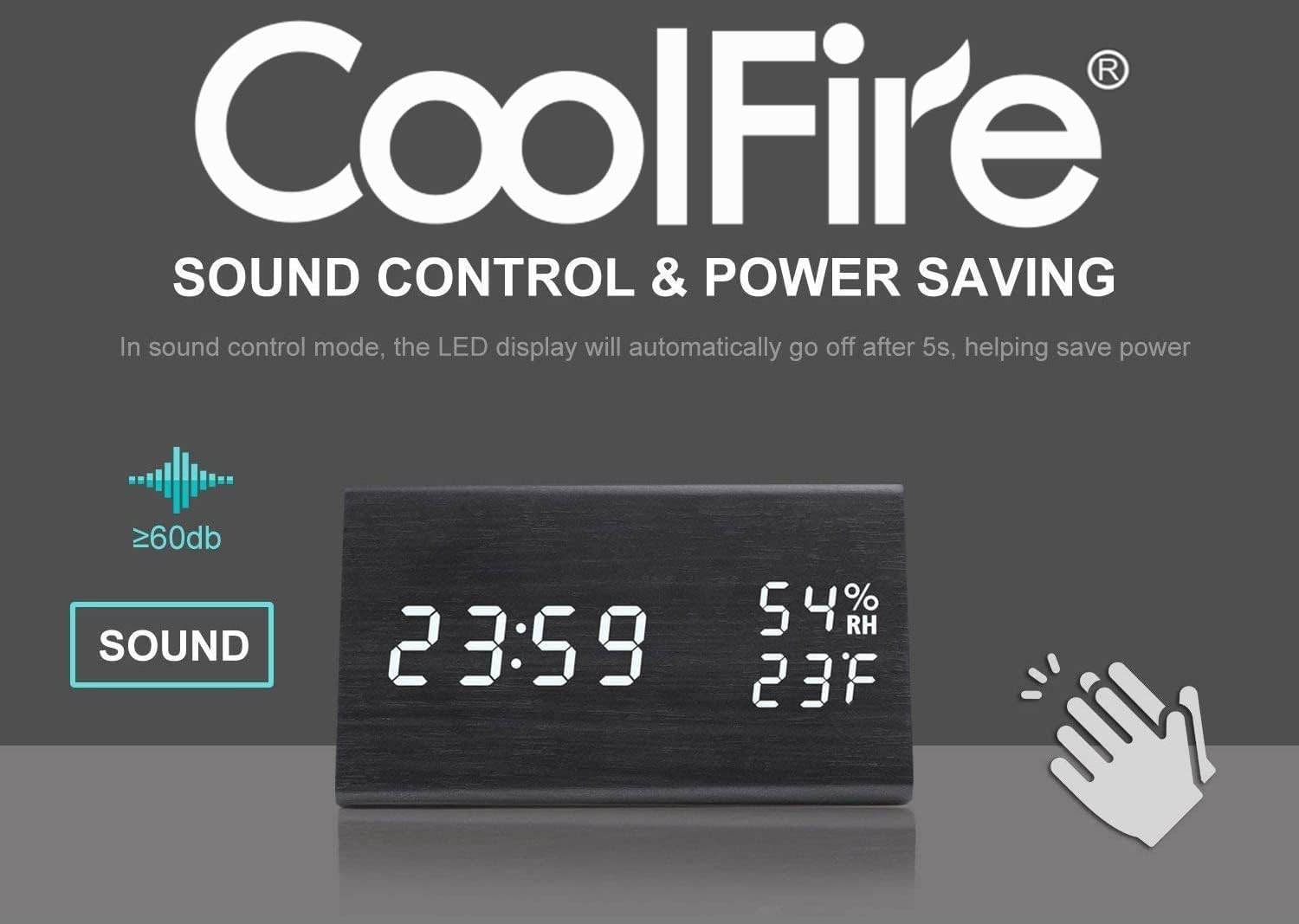
This feature allows the LED display to turn off automatically after approximately 5 seconds to save power. The display will reactivate when a sound above 60dB (e.g., a clap) is detected or when a button is pressed.
5.8 USB laadimisport
The vibrator unit includes a USB port that can be used to charge external devices, such as smartphones, overnight. Connect your device's charging cable to this port.

6. Hooldus
- Clean the clock and vibrator unit with a soft, dry cloth. Do not use abrasive cleaners or solvents.
- Vältige seadme jätmist äärmuslike temperatuuride, otsese päikesevalguse või kõrge õhuniiskuse kätte.
- Veenduge, et kõik kaablid on kindlalt ühendatud ega ole painutatud ega kahjustatud.
7. Veaotsing
- Q: The display is blank or not turning on.
- A: Ensure the USB power cable is securely connected to both the clock and a working power adapter/outlet. If using sound control mode, make a sound (e.g., clap) to activate the display.
- Q: The vibrator is not working.
- A: Check that the vibrator unit's cable is firmly plugged into the main clock unit. Verify the alarm mode switch on the vibrator is set to 'VIBRATION ONLY' or 'VIBRATION + SOUND'. Ensure an alarm is set and active.
- Q: It is difficult to set the time or alarm.
- A: Follow the instructions in sections 5.1 and 5.2 carefully. Ensure you press and hold the respective buttons to enter setting mode and press them briefly to confirm each step. If the display is flashing rapidly, you may be in a different setting mode; press the SET/ALARM button to cycle through options.
- Q: The temperature/humidity readings seem inaccurate.
- A: The sensors provide approximate readings. Ensure the clock is not placed near heat sources, direct sunlight, or in areas with significant air currents that could affect local measurements.
8. Tehnilised andmed
- Kaubamärk: Coolfire
- Mudeli number: 1735BK
- Kuva tüüp: Digitaalne
- Stiil: Kaasaegne
- Toiteallikas: Battery Powered (for backup, main power via USB)
- Ruumi tüüp: Magamistuba
- Kuju: Ristkülikukujuline
- Materjal: Puit
- Raami materjal: Puit
- Paigaldustüüp: Lauaplaat
- Äratuskell: Jah
- Töörežiim: Elektriline
- UPC: 724268990254
- Toote mõõtmed: 2.3 x 4 x 1 tolli
- Kauba kaal: 14 untsi
9. Ametlik tootevideo
Watch this video for a visual guide on the features and operation of the Coolfire Wooden Vibrating Alarm Clock.
10. Garantii ja tugi
For warranty information and customer support, please refer to the contact details provided with your purchase documentation or visit the official Coolfire webveebisait. Hoidke ostutšekk ostutõendina alles garantiinõuete korral.


