1. Sissejuhatus
The LAUNCH CRP909E OBD2 Scanner is a professional diagnostic tool designed for comprehensive vehicle system analysis and maintenance. This device offers advanced features for automotive technicians and enthusiasts, providing accurate and efficient diagnostic capabilities for a wide range of vehicle models.
Key features include full system diagnostics, over 28 reset functions, full OBD2 modes, power balance testing, and extensive vehicle compatibility. The CRP909E operates on Android 7.0, features a 7-inch IPS touchscreen, and is equipped with a 6000mAh battery for extended use.

Image: The LAUNCH CRP909E OBD2 Scanner, showcasing its 7-inch touchscreen and robust design, ready for diagnostic tasks.
2. Pakendi sisu
Paki avamisel veenduge, et kõik komponendid on olemas ja heas seisukorras:
- LAUNCH CRP909E Main Unit
- Laadija
- Toiteadapter
- USB-C kaabel
- OBD2 diagnostikakaabel
- Kasutusjuhend (see dokument)
- Carry Box

Image: Contents of the LAUNCH CRP909E package, including the scanner, charger, adapter, USB-C cable, OBD2 cable, user manual, and a protective carry box.
3. Seadistamine ja esmakordne kasutamine
3.1 Seadme sisselülitamine
The CRP909E is equipped with a built-in Lithium Polymer battery. To power on, press and hold the power button located on the side of the device until the screen illuminates. Ensure the device is sufficiently charged before first use. Connect the charger if the battery level is low.
3.2 Esialgne konfiguratsioon
Upon first startup, the device will guide you through initial setup steps, including language selection, Wi-Fi connection, and time zone settings. A stable Wi-Fi connection is recommended for software updates and online features.
3.3 Tarkvaravärskendused
It is crucial to keep the device's software updated to ensure optimal performance and access to the latest vehicle models and diagnostic functions. The CRP909E offers 2 years of free updates. Connect to Wi-Fi and navigate to the "Upgrade" section on the main menu to check for and install available updates.
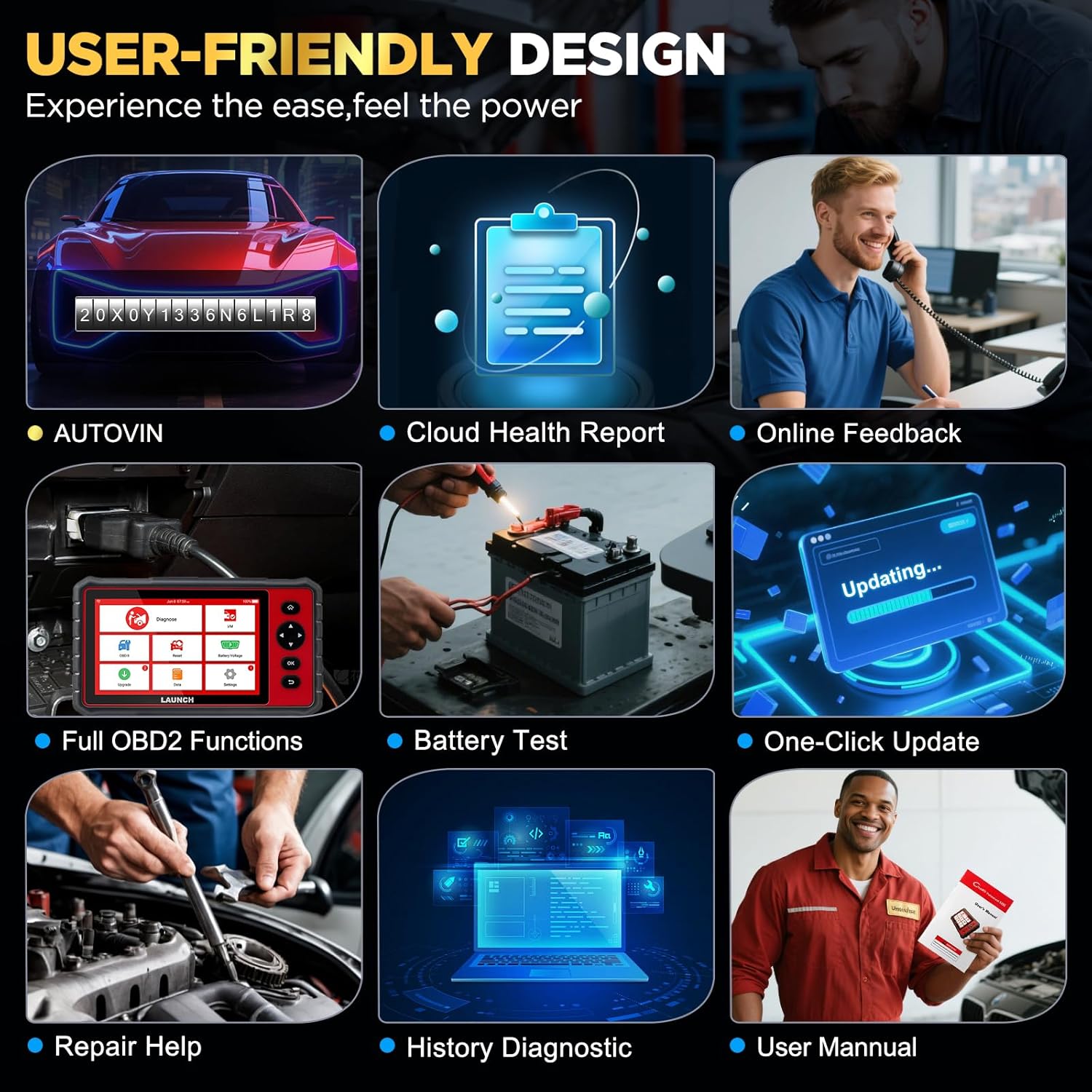
Image: The user-friendly interface of the LAUNCH CRP909E, highlighting the "Upgrade" icon for software updates and other key functions like AutoVIN and Battery Test.
4. Skanneri kasutamine
4.1 Täielik süsteemi diagnostika
The CRP909E can read and clear diagnostic trouble codes (DTCs) and view live data for all available vehicle systems. This includes, but is not limited to, Engine, Transmission, Airbag (SRS), Anti-lock Braking System (ABS), Electronic Stability Program (ESP), Tire Pressure Monitoring System (TPMS), Cruise Control, Gateway, Steering, Rain, Brake, Fuel, 4WD system, Radio, Air Conditioning, Central Locking, Electric Windows, and Xenon Headlights.
Täieliku süsteemi skannimise teostamiseks:
- Connect the OBD2 diagnostic cable to the vehicle's OBD2 port and the scanner.
- Keera sõiduki süüde ON-asendisse (mootor välja lülitatud).
- Valige peamenüüst "Diagnostika".
- The device will automatically detect the vehicle's VIN (Auto-VIN Scan) or prompt for manual entry.
- Follow the on-screen instructions to initiate a full system scan.
- Review the generated Cloud Health Report for a comprehensive overview of vehicle health.

Image: The LAUNCH CRP909E connected to a vehicle, illustrating its capability to perform OE All Systems Diagnostics, including reading and clearing DTCs across various modules like ABS, SRS, and Engine.
4.2 Erifunktsioonid ja hooldusteenused
The CRP909E provides over 28 common reset and maintenance functions. These functions allow for specific component calibration, adaptation, or reset procedures after repairs or part replacements. Some of the key functions include:
- Õlitule lähtestamine: Lähtestab õlivahetuse tule pärast õlivahetust.
- Elektroonilise seisupiduri (EPB) lähtestamine: Deaktiveerib ja taasaktiveerib piduriklotside vahetamiseks piduri juhtimissüsteemi.
- Diislikütuse tahkete osakeste filtri (DPF) regenereerimine: Eemaldab DPF-filtrist tahked osakesed.
- Roolinurga anduri (SAS) kalibreerimine: Kalibreerib roolinurga andurit.
- Rehvirõhu jälgimissüsteemi (TPMS) lähtestamine: Lähtestab TPMS-andurid pärast rehvide roteerimist või vahetamist.
- ABS-i verejooks: Teostab pidurite õhutamist, et taastada ABS-pidurite tundlikkus.
- Drosseli kohandamine: Initializes the throttle actuator to the default state.
- Pihusti kodeerimine: Kodeerib uued pihustite numbrid ECU-le.
- Aku haldussüsteemi (BMS) lähtestamine: Registreerib uue aku vahetuse.
- Varustuse õppimine: Completes gear learning after engine ECU replacement or crankshaft position sensor replacement.
- Sunroof Reset, Suspension Reset, AFS Headlamp Reset, Gearbox Reset, A/C System Relearn, A/F Reset, Coolant Bleed, Language Change, NOx Sensor Reset, Seats Calibration, Stop/Start Reset, Transport Mode, Tyre Reset, Windows Calibration.
To access these functions, select "Reset" from the main menu and choose the desired service function. Follow the on-screen prompts carefully.

Image: A visual representation of the 28+ special functions available on the LAUNCH CRP909E, including TPMS Reset, ABS Reset, Throttle Relearn, and Oil Reset.
4.3 Täielikud OBDII funktsioonid
The CRP909E supports all 10 OBDII test modes, allowing for comprehensive engine and emission-related diagnostics:
- Read Codes (P0, P1, P2, P3, U0, U1)
- Erase Codes and Reset
- Reaalajas andmevoog
- I/M valmisoleku staatus
- Freeze Frame Data
- O2 anduri test
- Rongisisene monitori test
- Komponendi test
- Sõiduki andmed (VIN, CIN, CVN)
- Moodulid olemas
Access these functions via the "OBD II" icon on the main menu.
4.4 Real-Time Data Stream
The device can display live sensor data in text, graph, or gauge format, allowing for real-time monitoring of vehicle performance parameters such as engine RPM, vehicle speed, oil temperature, misfire data, and tire pressure. The 4-in-1 graphic display mode is particularly useful for comparing multiple data streams simultaneously.

Image: The LAUNCH CRP909E displaying real-time data streams in a graphical format, showing parameters like oil temperature, vehicle speed, and accelerator pedal positions for detailed analysis.
4.5 Sõidukite ühilduvus
The LAUNCH CRP909E supports 12V passenger cars, hybrid cars, diesel cars, pickups, light trucks, SUVs, gasoline cars, minivans, caravans, and vans from 1996 to 2025. It covers OBD2/EOBD/KOBD/CAN protocols and is compatible with over 150 car brands globally, including major manufacturers from USA, Europe, and Asia. For OBD1 and JOBD vehicles, an appropriate adapter is required (sold separately).

Image: A map illustrating the global vehicle coverage of the LAUNCH CRP909E, highlighting compatibility with major car brands across USA, Europe, and Asia, along with support for 11 languages.
5. Hooldus
Proper maintenance ensures the longevity and optimal performance of your CRP909E scanner.
- Puhastamine: Kasutage pehmet, damp Seadme ekraani ja korpuse puhastamiseks kasutage lappi. Vältige abrasiivseid puhastusvahendeid või lahusteid.
- Hoiustamine: Store the device in its protective carry box in a cool, dry place when not in use. Avoid extreme temperatures.
- Aku hooldus: Aku optimaalse tööea tagamiseks vältige aku sagedast täielikku tühjendamist. Pikemaajalise hoiustamise korral laadige aku umbes 50% ulatuses ja laadige uuesti iga paari kuu tagant.
- Tarkvaravärskendused: Regularly check for and install software updates to ensure compatibility with new vehicle models and access to enhanced features.
6. Veaotsing
This section addresses common issues you might encounter with your CRP909E scanner.
| Probleem | Võimalik põhjus | Lahendus |
|---|---|---|
| Seade ei lülitu sisse. | Low battery; power button not held long enough; device malfunction. | Laadige seadet vähemalt 30 minutit. Hoidke toitenuppu 3–5 sekundit all. Kui probleem püsib, võtke ühendust toega. |
| Sõidukiga side puudub. | Loose OBD2 connection; vehicle ignition off; incompatible vehicle protocol; blown vehicle fuse. | Ensure OBD2 cable is securely connected. Turn ignition to ON. Verify vehicle compatibility. Check vehicle's OBD2 port fuse. |
| Tarkvarauuendus ebaõnnestub. | Ebastabiilne WiFi-ühendus; ebapiisav salvestusruum; serveriprobleem. | Ensure strong Wi-Fi signal. Check available storage space. Try updating again later. |
| Ekraan hangub või ei reageeri. | Tarkvara tõrge; süsteemi ülekoormus. | Perform a forced restart by holding the power button until the device shuts down, then restart. |
For more detailed troubleshooting or issues not listed here, utilize the "Online Feedback" or "Repair Help" functions available on the device, or refer to the official user manual PDF linked in the support section.
7. Tehnilised andmed
| Funktsioon | Detail |
|---|---|
| Mudel | KÄIVITUS CRP909E |
| Operatsioonisüsteem | Android 7.0 |
| Ekraan | 7-tolline IPS-puuteekraan |
| Aku | 6000 mAh liitiumpolümeer |
| Mälu | 2GB RAM / 16GB Storage (internal) |
| Ühenduvus | Wi-Fi (2.4 & 5 GHz) |
| Mõõtmed | Ligikaudu 15 x 10.83 x 5.59 cm (pakend) |
| Kauba kaal | Umbes 6.89 naela |
| Toetatud protokollid | OBD2/EOBD/KOBD/CAN |
| Värskenda poliitikat | 2 aastat tasuta uuendust |
8. Garantii ja tugi
The LAUNCH CRP909E comes with a commitment to ongoing support and updates.
- Tasuta uuendused: Enjoy 2 years of free software updates to ensure your device remains current with the latest vehicle data and diagnostic capabilities.
- Tehniline tugi: For technical assistance, troubleshooting, or inquiries, utilize the "Online Feedback" or "Repair Help" features directly on your device.
- Ametlik kasutusjuhend: A detailed user manual in PDF format is available for download. For comprehensive instructions and advanced operations, please refer to the official document: LAUNCH CRP909E User Manual (PDF).


