Sissejuhatus
Thank you for choosing the LUXOR MBS-STR-21-12S Modular Classroom Storage Cabinet. This versatile storage solution is designed to help organize and safeguard essential educational materials in various learning environments. This manual provides detailed instructions for assembly, operation, maintenance, and troubleshooting to ensure optimal performance and longevity of your cabinet.

Figure 1: LUXOR MBS-STR-21-12S Modular Classroom Storage Cabinet (Front View)
The image displays the Luxor MBS-STR-21-12S Modular Classroom Storage Cabinet, featuring two side-by-side modules. Each module is equipped with multiple clear storage bins, providing ample space for organizing classroom supplies. The cabinet is white with a dark top surface and is supported by casters for mobility.
Ohutusteave
Please read and understand all safety instructions before assembling or using the cabinet. Failure to follow these instructions may result in injury or damage to the product.
- Ärge koormake kappi üle. Ensure the weight is evenly distributed to maintain stability.
- Secure the cabinet properly when moving to prevent tipping. Engage caster brakes when the cabinet is stationary.
- Use appropriate safety gear when handling heavy loads or during assembly, if necessary.
- Kokkupaneku ajal hoidke väikesed osad lastele kättesaamatus kohas, et vältida lämbumisohtu.
- Enne kasutamist veenduge, et kõik ühendused on kindlad.
Toode läbiview ja funktsioonid
The LUXOR MBS-STR-21-12S cabinet is designed for efficient organization and mobility. It consists of two modular units, each equipped with multiple clear storage bins.
Peamised omadused:
- Each module accommodates six removable 3-inch deep bins or three removable 6-inch deep bins.
- Constructed with a durable steel frame for long-lasting use.
- Each bin can hold up to 20 lbs. of materials.
- Clear plastic bins allow for easy visibility of contents.
- Features a built-in safety mechanism to prevent bins from accidentally pulling off their tracks.
- Bin handles include ticket inserts for standard labels, aiding in organization.
- Includes a dry erase whiteboard side panel for notes and ideas.
- Modules can be stacked, joined side-by-side, or joined back-to-back (depending on model configuration).
- Equipped with four smooth-rolling casters for easy maneuverability; two casters feature locking brakes for stability.
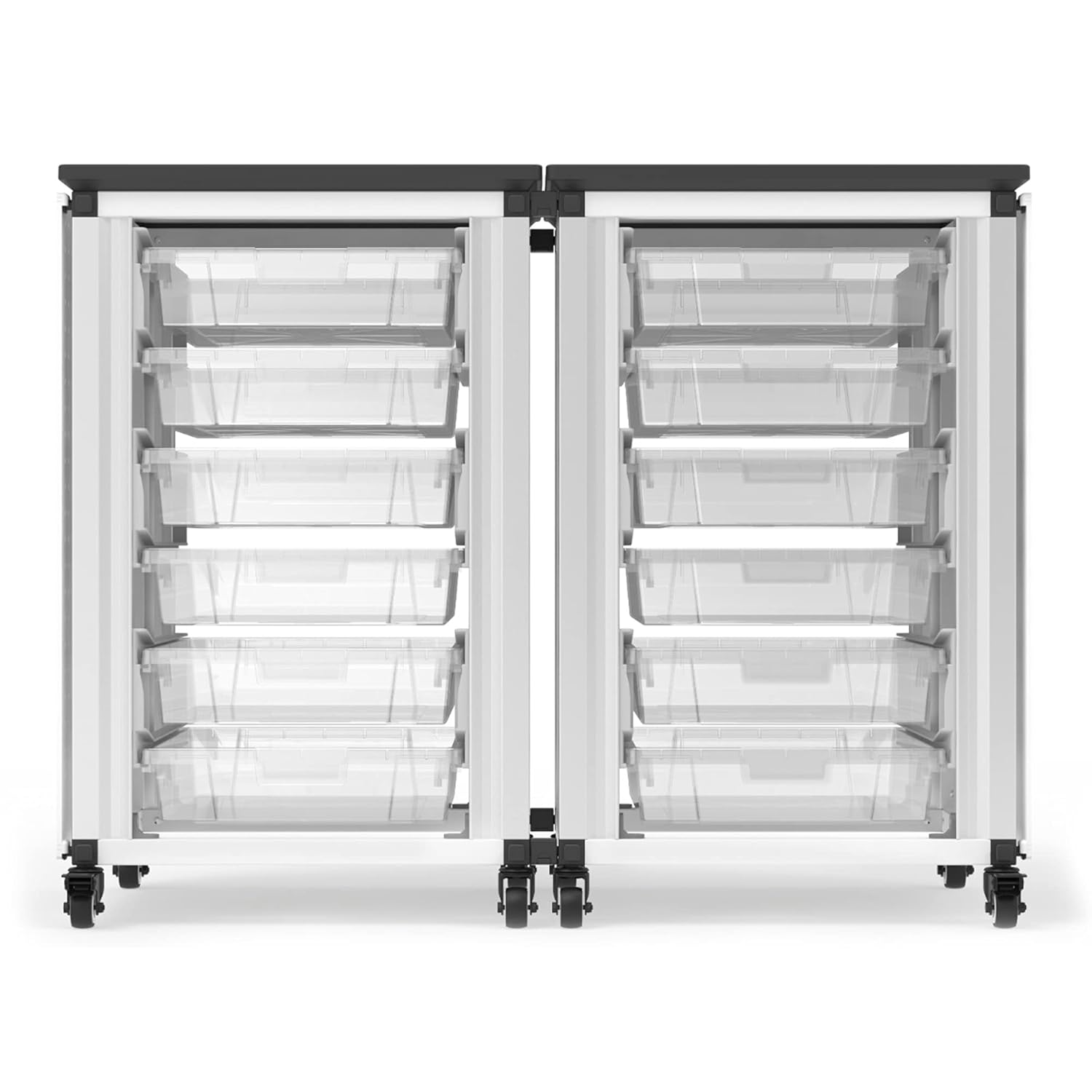
Joonis 2: Esiosa view kabineti näitusestasing the clear storage bins.
See pilt annab otsevaate esiküljele view of the two modular cabinet units, highlighting the transparent storage bins that allow for quick identification of stored items. The robust frame and smooth bin access are visible.

Figure 3: Cabinet in use with whiteboard side panel.
The image shows the cabinet in a classroom setting, filled with various supplies. The right side panel is a dry-erase whiteboard, demonstrating its utility for notes or lesson plans. A pegboard side panel is also available (not shown in this specific image).
Kaasas olevad komponendid
Lahtipakkimisel kontrollige, et kõik komponendid oleksid olemas ja kahjustamata.
- Cabinet Modules (2 units)
- Small Storage Bins (12 units)
- Casters (4 per module, 8 total)
- Dry Erase Whiteboard Side Panel (1 unit)
- Monteerimisdetailid (kruvid, poldid jne)
- Kasutusjuhend
Note: Additional storage bins (small or large) and pegboard side panels are available separately.
Seadistamine ja kokkupanek
Assembly typically requires two people. Follow these general steps for setting up your modular storage cabinet. Refer to the included assembly guide for detailed, step-by-step instructions specific to your model.
- Pakkige komponendid lahti: Carefully remove all parts from the packaging and lay them out on a clean, flat surface. Verify all components are present against the "Components Included" list.
- Kinnitage rattad: Securely attach the casters to the base of each cabinet module using the provided hardware. Ensure that the two locking casters are positioned on the front side of each module for easy access.
- Kappide raamide kokkupanek: Follow the specific instructions to assemble the main frame of each module. This typically involves connecting side panels, top, and bottom sections.
- Install Bin Rails: Insert the bin rails into the designated slots within the cabinet frame. Ensure they are securely seated and level.
- Join Modules (Optional): If you are using two modules side-by-side, align them and use the provided joining hardware to secure them together for increased stability.
- Insert Side Panels: Attach the dry erase whiteboard side panel to one end of the assembled cabinet.
- Sisestage prügikastid: Slide the clear storage bins onto the installed rails. Ensure the safety feature engages correctly to prevent accidental pull-out.

Figure 4: Detail of the bin rail and safety stop mechanism.
This close-up image illustrates the design of the bin rail and the integrated safety feature. This mechanism prevents the bins from being accidentally pulled completely out of the cabinet, enhancing safety and preventing spills.

Figure 5: Demonstrating bin removal.
The image shows a hand engaging the release mechanism on the bin rail, which is necessary to fully remove a bin from the cabinet. This highlights the built-in safety feature that prevents accidental dislodgement.
Töötamine ja kasutamine
The LUXOR MBS-STR-21-12S cabinet is designed for intuitive use and flexibility.
- Loading Bins: Place items into the clear storage bins. Distribute weight evenly to prevent strain on the bins and rails. Each small bin can hold up to 20 lbs.
- Inserting and Removing Bins: Slide bins into the cabinet along the rails. To remove a bin completely, gently lift the front of the bin slightly while pulling it out to clear the safety stop. Refer to Figure 5 for visual guidance.
- Liikuvus: To move the cabinet, ensure the locking brakes on the casters are disengaged. Push the cabinet gently from a stable point.
- Statsionaarne kasutamine: Once the cabinet is in its desired location, engage the locking brakes on at least two casters to prevent unintended movement.
- Using Side Panels: The dry erase whiteboard panel can be used with standard dry erase markers. Erase promptly after use to prevent ghosting.
- Märgistus: Utilize the ticket inserts on the bin handles for clear labeling of contents, improving organization and access.
Hooldus
Regular maintenance will help preserve the appearance and functionality of your storage cabinet.
- Pindade puhastamine: Wipe down the cabinet frame and bins with a soft, damp lapiga ja õrna pesuvahendiga. Vältige abrasiivseid puhastusvahendeid või lahusteid.
- Ratta hooldus: Periodically check casters for debris (e.g., hair, lint) that may impede rolling. Clean as needed. Ensure casters are securely attached.
- Bin Rails: Keep bin rails free of dust and debris to ensure smooth operation.
- Riistvara kontroll: Periodically inspect all screws and bolts to ensure they remain tight. Tighten any loose hardware.
Veaotsing
| Probleem | Võimalik põhjus | Lahendus |
|---|---|---|
| Bins are difficult to slide or remove. | Debris on rails; bin overloaded; safety stop not disengaged. | Clean rails; reduce bin load; ensure you are lifting the bin slightly to clear the safety stop when removing. |
| Kapp on ebastabiilne või kõikub. | Casters not locked; uneven floor; loose assembly hardware. | Engage caster brakes; move to a level surface; tighten all assembly hardware. |
| Rattad ei veere sujuvalt. | Debris in caster wheels; damaged caster. | Clean debris from wheels; contact Luxor support for replacement casters if damaged. |
Tehnilised andmed
Detailed specifications for the LUXOR MBS-STR-21-12S Modular Classroom Storage Cabinet:
| Atribuut | Väärtus |
|---|---|
| Toote mõõtmed (üldine) | 27"D x 15"W x 21"H (for the 2-module configuration) |
| Product Dimensions (Single Module) | 18.2" P x 18.2" L x 28.75" K |
| Kauba mudeli number | MBS-STR-21-12S |
| Kaal | 63 naela |
| Tootja | Luxor |
| Värv | Black (top) / White (frame) |
| Soovitatavad kasutusalad | Indoor Classroom Storage |
| Erifunktsioon | Lockable Casters, Removable Bins, Dry Erase Side Panel |
| Kasti mahutavus | Up to 20 lbs per bin |

Joonis 6: Kapi mõõtmetega joonis.
This diagram illustrates the key dimensions of the modular cabinet, including height (21 inches), width (27 inches), and depth (15 inches). These measurements are crucial for planning placement and ensuring compatibility with your space.
Garantii ja tugi
For specific warranty information regarding your LUXOR MBS-STR-21-12S Modular Classroom Storage Cabinet, please refer to the warranty card included with your product or visit the official Luxor websaidile.
If you require technical assistance, have questions about assembly, or need to order replacement parts, please contact Luxor customer support:
- Websait: Visit the Luxor Store on Amazon
- Tootja: Luxor
Please have your model number (MBS-STR-21-12S) and purchase date ready when contacting support.


