1. Sissejuhatus
This manual provides comprehensive instructions for the assembly, setup, operation, and maintenance of your HOMCOM Corner TV Stand, Model 839-049. Designed to fit neatly into room corners, this entertainment center accommodates TVs up to 50 inches and features integrated storage solutions. Please read this manual thoroughly before beginning assembly and retain it for future reference.
2. Ohutusalane teave
Olulised ohutusjuhised:
- Assembly required. Keep away from heat sources and excessive moisture.
- Do not place heavy objects on the open back compartment to prevent tip-over.
- Järgige alati hoolikalt kokkupanekujuhiseid.
- Ensure all connections are secure before placing a television or other items on the stand.
- Distribute weight evenly across the stand's surfaces.
3. Pakendi sisu
Before assembly, verify that all components listed below are present and undamaged. If any parts are missing or damaged, do not proceed with assembly and contact customer support.
- All necessary wood panels (top, side, bottom, back, drawer components)
- Hardware pack (screws, dowels, cam locks, drawer slides, handles)
- Kasutusjuhend

Joonis 3.1: Esiosa view of the assembled HOMCOM Corner TV Stand.
4. Montaažijuhised
This product requires assembly. Please follow the detailed instructions provided in the separate assembly guide included with your package. Ensure you have adequate space and the necessary tools (typically a screwdriver) before starting.
- Paki lahti ja tuvasta osad: Carefully remove all components from the packaging. Lay them out on a clean, soft surface to prevent scratches. Refer to the parts list in your assembly guide to identify each piece.
- Raam kokku: Begin by connecting the side panels to the base and top panel using the provided hardware. Ensure all connections are tightened securely.
- Sahtliliugude paigaldamine: Attach the drawer slides to the interior side panels as indicated in the assembly guide.
- Sahtlite kokkupanek: Construct the two pull-out drawers. Attach the drawer handles.
- Sahtlite sisestamine: Lükake kokkupandud sahtlid ettevaatlikult paigaldatud sahtliliugudele.
- Lõplikud kontrollid: Verify that all screws are tightened and the stand is stable.

Figure 4.1: Detailed dimensions of the TV stand, including length, width, and height.

Figure 4.2: Illustration of the trapezoidal shape designed for corner placement.
5. Seadistamine
Once assembled, position the TV stand in your desired corner location. The trapezoidal design ensures a snug fit. This stand is suitable for televisions up to 50 inches. Ensure the TV's base fits within the 37.5-inch width of the stand's top surface.
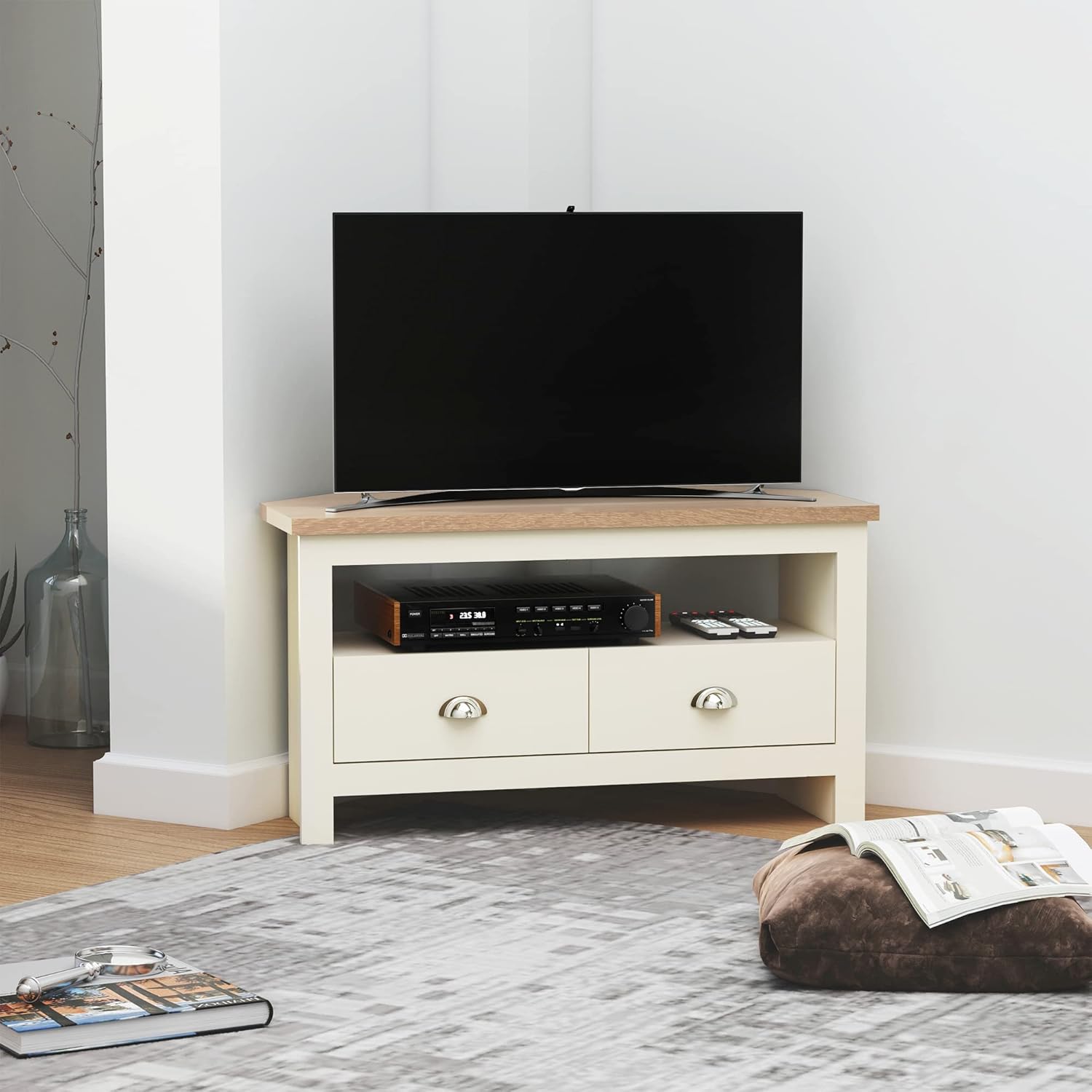
Figure 5.1: The TV stand positioned in a corner, showcasing its functional use with a television and media player.

Figure 5.2: Visual guide indicating the stand's capacity to hold TVs up to 50 inches.
6. Operating the Storage Features
The HOMCOM Corner TV Stand offers versatile storage options:
- Avatud sahtel: Ideal for media devices such as DVD players, gaming consoles, or soundbars. The open back design facilitates easy access for cable management and ventilation.
- Pull-out Drawers: Two drawers provide concealed storage for remotes, game controllers, video games, or other small accessories.

Figure 6.1: The TV stand displaying its open compartment for media devices and two pull-out drawers for storage.

Figure 6.2: A close-up of an open drawer, highlighting the storage space.
7. Hooldus
To maintain the appearance and longevity of your TV stand:
- Puhastamine: Pühkige pinnad reklaamigaamp lapiga. Vältige tugevatoimelisi kemikaale või abrasiivseid puhastusvahendeid, mis võivad viimistlust kahjustada.
- Lekked: Puhastage lekked koheselt, et vältida töödeldud puidu plekke või kahjustumist.
- Stabiilsuskontroll: Kontrollige regulaarselt kõiki kruvisid ja ühendusi, et need oleksid kindlalt ja kindlalt kinnitatud.
- Kõrgendatud disain: The 3.25-inch height of the supporting base allows for easy cleaning underneath the stand.

Figure 7.1: Detail of the elevated design, providing clearance for easy cleaning beneath the unit.

Joonis 7.2: Lähivõte view of the tabletop surface, showing the engineered wood finish.
8. Veaotsing
- Ebakindel alus: Ensure all screws are fully tightened. Check that the stand is placed on a level surface.
- Sahtlid ei libise sujuvalt: Verify that drawer slides are correctly installed and aligned. Apply a silicone-based lubricant if necessary.
- Puuduvad osad: If any parts were missing upon unboxing, refer to the package contents list and contact customer support for replacements.
- TV Overhangs: If your TV exceeds 50 inches or its base is wider than 37.5 inches, it may not fit securely. Consider a different stand or a smaller TV.
9. Tehnilised andmed
| Funktsioon | Detail |
|---|---|
| Üldised mõõtmed | 37.5" P x 17.75" L x 20.5" K |
| Materjal | Engineered Wood (MDF Frame) |
| Värv | White, Natural (top) |
| Kandevõime (kokku) | 88 naela |
| Kaaluvõime (sahtli) | 7 naela sahtli kohta |
| Weight Capacity (Compartment) | 11 naela |
| Fits TVs Up To | 50 tolli |
| Sahtlite arv | 2 |
| Kauba kaal | 52.8 naela |
| Mudeli number | 839-049 |
| UPC | 842525157216 |
10. Garantii teave
For specific warranty details regarding your HOMCOM Corner TV Stand, please refer to the warranty documentation included with your purchase or contact the retailer from whom the product was acquired. Warranty terms typically cover manufacturing defects and may vary by region and retailer.
11. Klienditugi
Should you require assistance with assembly, have questions about product functionality, or need to report missing/damaged parts, please contact HOMCOM customer support or the retailer where you purchased this product. Please have your model number (839-049) and proof of purchase ready when contacting support.
For more information about HOMCOM products, visit the official HOMCOM store: HOMCOMi pood Amazonis


