Sissejuhatus
Thank you for choosing the JBL Cinema SB190 Soundbar. This manual provides essential information for setting up, operating, and maintaining your soundbar system. Please read it thoroughly to ensure proper use and optimal performance.
Oluline ohutusteave
Always follow these basic safety precautions when using your soundbar system:
- Lugege need juhised hoolikalt läbi.
- Hoidke need juhised edaspidiseks kasutamiseks alles.
- Võtke arvesse kõiki hoiatusi.
- Järgige kõiki juhiseid.
- Ärge kasutage seda seadet vee lähedal.
- Puhastage ainult kuiva lapiga.
- Ärge blokeerige ühtegi ventilatsiooniava. Paigaldage vastavalt tootja juhistele.
- Ärge paigaldage soojusallikate, näiteks radiaatorite, küttekehade, ahjude või muude seadmete (sh amptõsteseadmed), mis toodavad soojust.
- Kaitske toitejuhet selle peale kõndimise või muljumise eest, eriti pistikute, pistikupesade ja nende seadmest väljumise kohta.
- Kasutage ainult tootja poolt määratud lisaseadmeid/tarvikuid.
- Ühendage seade vooluvõrgust lahti äikesetormide ajal või siis, kui seda pikka aega ei kasutata.
- Andke kõik hooldustööd kvalifitseeritud teeninduspersonalile. Hooldus on vajalik, kui seade on mingil viisil kahjustatud, nt toitejuhe või pistik on kahjustatud, vedelikku või seadmesse on kukkunud esemeid, seade on sattunud vihma või niiskuse kätte, ei tööta normaalselt või on maha kukkunud.
Mis on karbis
Your JBL Cinema SB190 package includes the following components:
- Soundbar
- Juhtmeta subwoofer
- Patareidega kaugjuhtimispult
- Power cords (region specific)
- HDMI kaabel
- Seinakinnitusklambri komplekt kruvidega
- Kiirjuhend
- Garantiikaart
- Ohutusleht

Image: Included accessories for the JBL Cinema SB190, featuring the remote control, HDMI cable, power cords, and wall-mount hardware.
Toode läbiview
Soundbar Front and Top Panel

Pilt: Esikülg view of the JBL Cinema SB190 Soundbar, showcasing oma elegantset disaini.
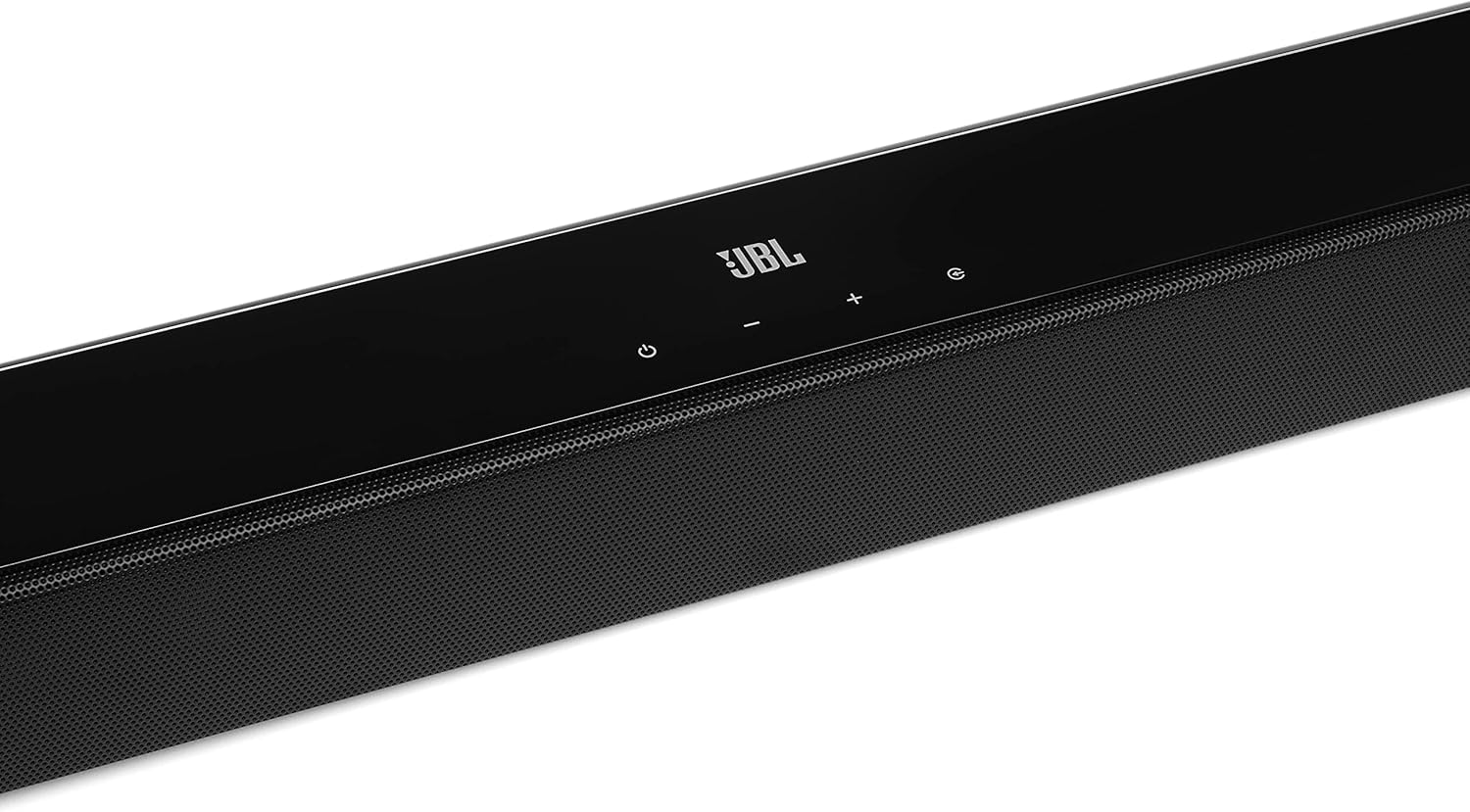
Image: Close-up of the top panel controls on the JBL Cinema SB190 Soundbar, including power, volume, and source selection buttons.
The soundbar features a minimalist design with essential controls located on the top panel for easy access. These include power, volume up/down, and input selection.
Soundbar Rear Panel Connections

Image: Rear panel of the JBL Cinema SB190 Soundbar, showing the power input, HDMI eARC, HDMI In, and Optical In ports.
The rear panel provides various connection options for your audio sources and TV, including HDMI eARC, HDMI In, and Optical In. A power input is also located here.
Juhtmeta subwoofer

Pilt: Esikülg view of the JBL Cinema SB190 Wireless Subwoofer, featuring the JBL logo at the bottom.

Pilt: Tagumine view of the JBL Cinema SB190 Wireless Subwoofer, showing the power input and pairing button.
The wireless subwoofer provides deep bass and connects automatically to the soundbar. Its rear panel includes the power input and a pairing button if manual pairing is required.
Kaugjuhtimispult
The included remote control allows full command over your soundbar system, including power, volume, input selection, sound modes (Music, Movie, News), Voice enhancement, and Bass level adjustment.
Seadistamine
1. paigutus
Heliriba: Place the soundbar on a flat surface directly in front of your TV, centered. Ensure no objects obstruct the front of the soundbar. Alternatively, you can wall-mount the soundbar using the provided bracket kit.
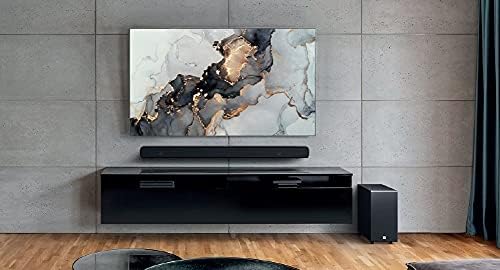
Image: The JBL Cinema SB190 Soundbar positioned below a television, with the wireless subwoofer to the side.
Subwooferid: The wireless subwoofer can be placed anywhere in the room, ideally within 50 feet (15 meters) of the soundbar, for optimal bass distribution. Avoid placing it in a corner directly, as this can sometimes lead to boomy bass.
2. Ühendused
Choose one of the following connection methods to connect your soundbar to your TV:
- HDMI eARC (soovitatav): For the highest quality audio, connect an HDMI cable (included) from the HDMI eARC port on your soundbar to the HDMI eARC port on your TV. This connection supports Virtual Dolby Atmos and allows for TV remote control of the soundbar volume.

Image: HDMI icon, representing the HDMI eARC connection.
- Optiline sisend: If your TV does not have an HDMI eARC port, connect an optical cable (not included) from the OPTICAL IN port on your soundbar to the optical output on your TV.

Image: TV icon, indicating connection to a television.
- HDMI sisend: You can also connect an external device (e.g., Blu-ray player, game console) directly to the HDMI IN port on the soundbar. The video signal will pass through to your TV via the HDMI eARC/ARC connection.
3. Toiteühendus
- Connect the power cords to the soundbar and subwoofer.
- Plug the power cords into an AC outlet.
- The soundbar and subwoofer will automatically power on and attempt to pair. The subwoofer's LED indicator will turn solid white once successfully paired.
Heliriba kasutamine
Toide sisse/välja
Vajutage nuppu Võimsus Heliribal või kaugjuhtimispuldil olevat nuppu süsteemi sisse- või väljalülitamiseks.
Helitugevuse juhtimine
Kasutage Helitugevus + or Maht - Helitugevuse reguleerimiseks kasutage heliriba või kaugjuhtimispuldi nuppe.
Sisendi valik
Vajutage nuppu Allikas button on the soundbar or the dedicated input buttons (HDMI IN, HDMI ARC, OPT, BT) on the remote control to switch between audio sources.
Helirežiimid
Kaugjuhtimispuldil on spetsiaalsed nupud heli optimeerimiseks erinevat tüüpi sisu jaoks:
- MUUSIKA: Enhances audio for music playback.
- FILM: Optimizes sound for cinematic experiences, including Virtual Dolby Atmos effects.
- UUDISED: Enhances vocal clarity for news and dialogue-heavy content.
Voice and Bass Adjustment
The remote control allows for fine-tuning of voice clarity and bass levels:
- HÄÄL: Press the VOICE button repeatedly to cycle through different levels of voice enhancement. This helps make dialogue clearer.
- BASS: Press the BASS button repeatedly to adjust the subwoofer's bass output level.
Bluetoothi sidumine
Heli juhtmevabaks voogesitamiseks mobiilseadmest:
- Vajutage nuppu BT button on the remote control or soundbar. The soundbar's indicator will flash, indicating pairing mode.
- Luba oma mobiilseadmes Bluetooth ja vali saadaolevate seadmete loendist "JBL Cinema SB190".
- Once connected, the indicator on the soundbar will turn solid. You can now stream audio from your device.

Image: Bluetooth icon, representing wireless audio streaming.
Hooldus
To ensure the longevity and optimal performance of your JBL Cinema SB190 Soundbar:
- Puhastamine: Heliriba ja bassikõlari pindade puhastamiseks kasutage pehmet ja kuiva lappi. Ärge kasutage vedelaid puhastusvahendeid ega abrasiivseid materjale, kuna need võivad viimistlust kahjustada.
- Ventilatsioon: Ensure that the ventilation openings on the soundbar and subwoofer are not blocked to prevent overheating.
- Hoiustamine: Kui seadet pikemaks ajaks hoiustate, eemaldage see vooluvõrgust ja hoidke seda jahedas ja kuivas kohas.
Veaotsing
Kui teil tekib heliribaga probleeme, vaadake järgmisi levinud probleeme ja lahendusi.
Heliribast ei kostu heli
- Veenduge, et heliriba on sisse lülitatud ja helitugevus pole vaigistatud ega liiga madalaks seatud.
- Veenduge, et heliribal on valitud õige sisendallikas (nt HDMI ARC, optiline, Bluetooth).
- Check all cable connections (HDMI, Optical) between the soundbar and your TV/source device. Ensure they are securely plugged in.
- If using HDMI ARC/eARC, ensure your TV's HDMI ARC/eARC feature is enabled in its settings.
- Try restarting both the soundbar and your TV.
Subwooferist ei kostu heli
- Ensure the subwoofer is plugged into a power outlet and powered on.
- Check the LED indicator on the subwoofer. If it's not solid white, it may not be paired with the soundbar.
- Subwooferi käsitsi sidumiseks:
- Press and hold the pairing button on the back of the subwoofer until the LED flashes rapidly.
- On the soundbar, press and hold the Võimsus button for 5 seconds. The soundbar will enter pairing mode.
- Once paired, the LED on the subwoofer will turn solid white.
Audio/Video Sync Issues
- If using HDMI eARC, this feature is designed to minimize sync issues. Ensure your TV's firmware is up to date.
- Some TVs have an audio delay setting (lip-sync) that can be adjusted. Consult your TV's manual.
- If connecting via Optical, audio lag can sometimes occur. Try connecting via HDMI eARC if available.
Bluetooth-ühenduse probleemid
- Ensure Bluetooth is enabled on your mobile device and the soundbar is in pairing mode.
- Liigutage seadet heliribale lähemale.
- Tühjendage oma seadmes Bluetoothi sidumisloend ja proovige uuesti siduda.
- Veenduge, et ükski teine Bluetooth-seade ei segaks.
Tehnilised andmed
| Funktsioon | Detail |
|---|---|
| Mudeli nimi | Kino SB190 |
| Kõlari tüüp | Soundbar |
| Ruumilise heli kanali konfiguratsioon | 2.1 |
| Kõlari koguvõimsus | 380 vatti |
| Subwooferi läbimõõt | 6.5 tolli |
| Eriomadused | Bluetooth 5.1 streaming, Dedicated sound mode to enhance voice clarity, HDMI In and Optical In connection, HDMI eARC capable, Virtual Dolby Atmos technology |
| Ühenduvustehnoloogia | Bluetooth, Wired (HDMI, Optical) |
| Kontrollimeetod | Kaugjuhtimispult |
| Toote mõõtmed (heliriba) | 89.9L x 6.2S x 6.6K sentimeetrit |
| Kauba kaal | 7.5 Kilograms (Total system) |
| Materjal | Plastikust |
| Värv | Must |
| Kaasatud komponendid | Soundbar, Wireless subwoofer, Remote control with batteries, Power cords, HDMI cable, Wall-mount bracket kit with screws, Quick start guide, Warranty card, Safety sheet |
Garantii ja tugi
For detailed warranty information, please refer to the warranty card included in your product package. For technical support, product registration, or further assistance, please visit the official JBL support websaidil või võtke ühendust nende klienditeenindusega.
Lisateavet ja tugiressursse leiate aadressilt JBL pood Amazonis.