Sissejuhatus
The Logitech Wireless Presenter R500s is designed to help you deliver impactful presentations with ease. Its intuitive controls and bright red laser pointer allow for seamless navigation and highlighting of key points, boosting your confidence during any presentation. With 2.4 GHz wireless connectivity, you can move freely up to 20 meters from the receiver, engaging with your audience without being tethered to your computer. The plug-and-play design ensures quick setup, making it ready for use whenever you are.
Põhifunktsioonid
- Intuitiivsed juhtnupud: Easy-to-find touch-keys for smooth slideshow navigation (forward/backward).
- Bright Red Laser Pointer: Class 1 laser for clear highlighting against most backgrounds.
- Laiendatud juhtmevaba leviala: Up to 20 meters (65 feet) for freedom of movement.
- Plug-and-Play ühenduvus: No software installation required; simply plug the USB receiver into a port.
- Kahekordne ühenduvus: Connects via USB-A receiver or Bluetooth.
- Ergonoomiline disain: Comfortable to hold for extended periods.
- Smart Automatic On/Off: Aitab säästa aku kasutusaega.
- Storable USB Receiver: Conveniently stores inside the presenter.
- Pikk aku tööiga: Up to 12 months on a single set of AAA batteries.
- Universaalne ühilduvus: Works with Windows 10, 11 or later, macOS, and iOS.
Seadistusjuhend
1. Paigaldage patareid
The R500s requires two AAA batteries. Open the battery compartment, insert the batteries according to the polarity indicators, and close the compartment securely.

Image: The Logitech R500s Wireless Presenter shown with its accompanying USB receiver.

Image: The R500s presenter with the USB receiver detached, ready for connection.
2. Ühendage USB-vastuvõtja
Remove the USB receiver from its storage slot within the presenter. Plug the USB receiver into an available USB-A port on your computer. The system will automatically detect and install the necessary drivers. No additional software is required for basic functionality.
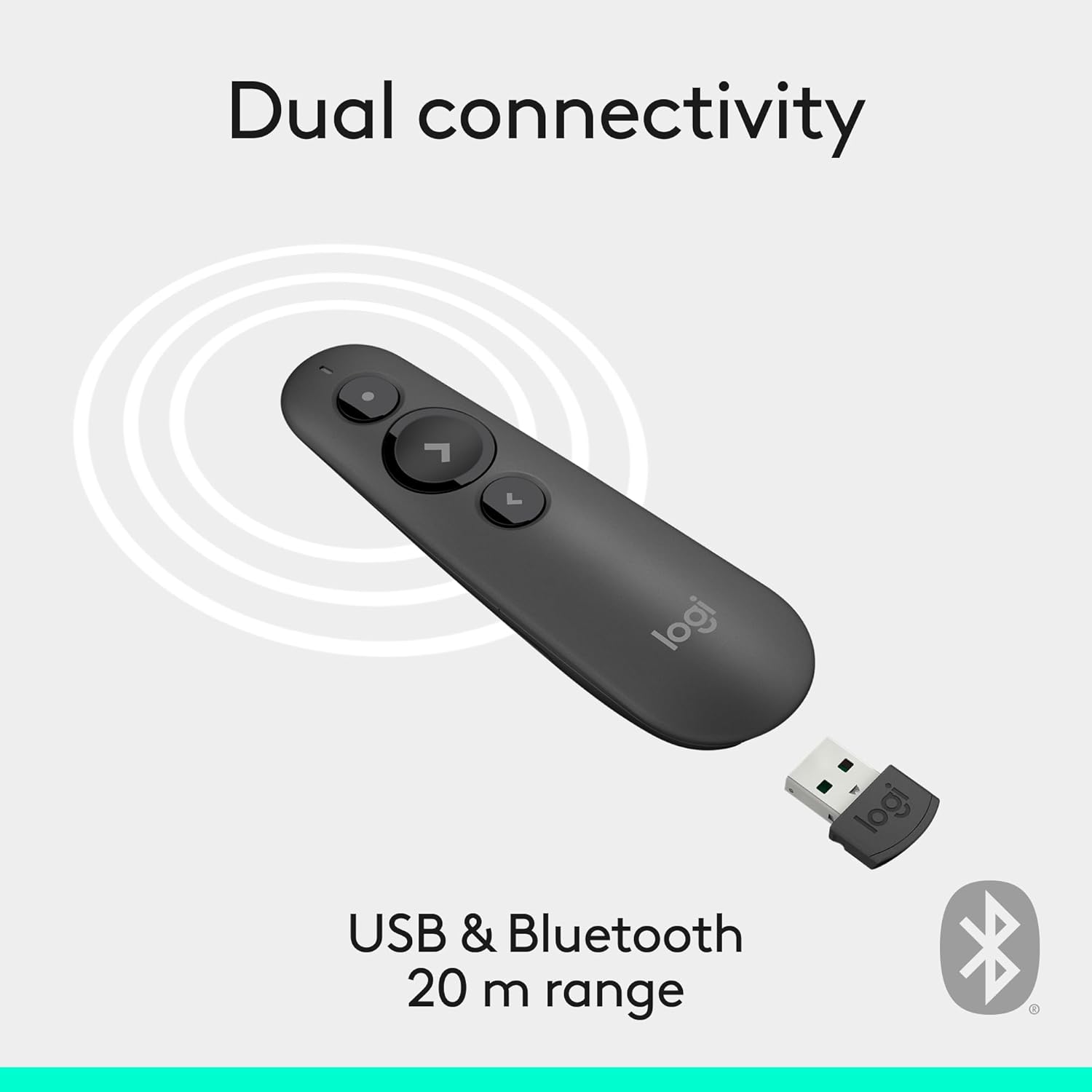
Image: Illustration of the R500s offering dual connectivity options: USB and Bluetooth.
3. Power On the Presenter
Locate the power switch on the side of the presenter and slide it to the 'On' position. The presenter is now ready for use.

Image: The R500s presenter positioned near a laptop, demonstrating its smart automatic on/off feature.
Kasutusjuhised
Slide Navigation
The R500s features intuitive buttons for controlling your presentation slides:
- Forward Button (Large Arrow): Press to advance to the next slide.
- Backward Button (Small Arrow): Press to return to the previous slide.

Image: A hand comfortably holding the R500s presenter, highlighting its ergonomic design and button placement.
Laser Pointer Usage
To activate the red laser pointer, press and hold the dedicated laser button (usually a small dot icon). Release the button to turn off the laser.

Image: The R500s presenter projecting its red laser pointer onto a presentation graph, illustrating its use for highlighting.
Kohandatavad nupud
The R500s offers customizable buttons for enhanced control. You can configure long-press actions for specific functions such as starting a presentation or blacking out the screen. Refer to the Logitech Presentation Software (available for download from the official Logitech websait) üksikasjalike kohandamisvõimaluste jaoks.

Image: A laptop screen displaying the Logitech software interface for customizing the R500s buttons and timer settings.
Hooldus
Patarei vahetus
When the battery indicator on the presenter or in the Logitech software shows low power, replace the two AAA batteries. Ensure correct polarity when inserting new batteries.
Puhastamine
Pühkige esitlusseadet pehme ja kuiva lapiga. Vältige abrasiivsete puhastusvahendite või lahustite kasutamist.
Veaotsing
- Esineja ei vasta:
- Veenduge, et USB-vastuvõtja oleks kindlalt töötavasse USB-porti ühendatud.
- Check if the presenter is powered on.
- Vahetage patareid välja, kui need on tühjad või tühjad.
- Proovige ühendada USB-vastuvõtja teise USB-porti.
- For Bluetooth connection, ensure Bluetooth is enabled on your computer and the presenter is paired.
- Laserpointer ei tööta:
- Ensure the laser button is being pressed firmly.
- Kontrollige aku taset.
- Note that laser visibility can vary on different screen types (e.g., some projection screens or large TVs may reduce visibility).
- Katkendlik ühenduvus:
- Veenduge, et olete traadita ühenduse 20-meetrise leviala piires.
- Minimize obstructions between the presenter and the receiver.
- Vältige teiste seadmete tekitatud tugevat elektromagnetilist häiret.
Tehnilised andmed
| Kaubamärk | Logitech |
| Mudeli nimi | R500s |
| Kauba mudeli number | 910-006518 |
| Ühenduvustehnoloogia | 2.4GHz RF Wireless, Bluetooth |
| Wireless Range | Kuni 20 meetrit (65 XNUMX jalga) |
| Laseri tüüp | 1. klassi punane laser |
| Aku tüüp | 2 x AAA patareid (kaasas) |
| Keskmine aku tööiga | 12 kuud |
| Operatsioonisüsteemi ühilduvus | Windows 10, 11 or later; macOS; iOS |
| Riistvara platvorm | PC, Mac |
| Kauba kaal | 0.2 untsi |
| Toote mõõtmed (PxLxK) | 1 x 1.4 x 4.9 tolli |
Garantii ja tugi
Logitechi toodetel on tavaliselt piiratud riistvaragarantii. Täpsema garantiiteabe, registreerimise ja tehnilise toe saamiseks külastage Logitechi ametlikku tugilehte. website or refer to the warranty card included with your product. You can also find FAQs and troubleshooting guides online.
Lisateabe saamiseks külastage Logitechi pood Amazonis.


