Sissejuhatus
Welcome to the user manual for your Infinity by Harman CLUBZ 250 Portable Waterproof Wireless Speaker. This guide provides essential information on setting up, operating, maintaining, and troubleshooting your speaker to ensure optimal performance and longevity. Please read this manual thoroughly before using your device.
Mis on karbis
Karbist lahti võttes veenduge, et kõik järgmised esemed on kaasas:
- 1 x Infinity CLUBZ 250 Speaker
- 1x laadimiskaabel
- 1 x kiirjuhend (QSG)
Toode läbiview
The Infinity CLUBZ 250 is a compact and powerful portable wireless speaker designed for robust audio performance and durability. It features intuitive controls and a rugged, waterproof design.

Pilt: Esikülg view of the Infinity CLUBZ 250 Portable Wireless Speaker in red, showcasing its cylindrical design and top-mounted control buttons.
Juhtnupud ja indikaatorid
- Toitenupp: Located on the top surface, used for turning the speaker on/off.
- Helitugevuse vähendamise nupp (-): Vähendab helitugevust.
- Helitugevuse suurendamise nupp (+): Suurendab helitugevust.
- Esitus-/pausinupp (►►): Juhib meedia taasesitust.
- Bluetooth Pairing Button (∞): Käivitab Bluetoothi sidumisrežiimi.
- LED indikaator: Kuvab toite ja ühenduse olekut.
Seadistamine
1. Kõlari laadimine
Before first use, fully charge your speaker. Connect the provided charging cable to the speaker's charging port and a compatible USB power adapter (not included). The LED indicator will show charging status and turn off when fully charged.

Image: The Infinity CLUBZ 250 speaker on a beach, illustrating its portability and the '10 Hours Playtime' feature.
A full charge provides approximately 10 hours of music playtime under optimum audio settings.
2. Toide sisse/välja
- Sisselülitamiseks: Vajutage ja hoidke toitenuppu all, kuni LED-indikaator süttib.
- Väljalülitamiseks: Vajutage ja hoidke toitenuppu all, kuni LED-indikaator kustub.
3. Bluetoothi sidumine
- Veenduge, et kõlar oleks sisse lülitatud.
- The speaker will automatically enter Bluetooth pairing mode if not connected to a device. The LED indicator will flash.
- Lubage oma mobiilseadmes Bluetooth ja otsige saadaolevaid seadmeid.
- Select "Infinity CLUBZ 250" from the list of devices.
- Kui ühendus on loodud, hakkab LED-indikaator põlema siniselt.
4. Dual Speaker Connect (TWS Mode)
You can pair two Infinity CLUBZ 250 speakers together for a stereo sound experience.

Image: Two Infinity CLUBZ 250 speakers wirelessly connected to a laptop, demonstrating the Dual Connect feature for stereo sound.
- Ensure both CLUBZ 250 speakers are powered on and not connected to any Bluetooth device.
- On one speaker (this will be your primary speaker), press and hold the Bluetooth pairing button (∞) for 3 seconds. It will enter TWS pairing mode.
- Põhikõlar otsib automaatselt teist kõlarit.
- Once connected, you will hear an audible confirmation, and the LED indicators on both speakers will change to a solid color.
- Nüüd ühendage oma mobiilseade peamise kõlariga Bluetoothi kaudu, nagu on kirjeldatud 3. etapis.
Kasutusjuhised
1. Põhilised juhtnupud
- Esita/peata: Press the Play/Pause button (►►) once to play or pause music.
- Helitugevuse suurendamine: Helitugevuse suurendamiseks vajutage nuppu '+'.
- Hääl maha: Helitugevuse vähendamiseks vajutage nuppu '-'.
- Järgmine lugu: Double-press the Play/Pause button (►►).
- Eelmine lugu: Triple-press the Play/Pause button (►►).
2. Dual Equalizer Modes
The CLUBZ 250 features Dual Equalizer modes, allowing you to switch between 'Normal' and 'Deep Bass' sound profiles.
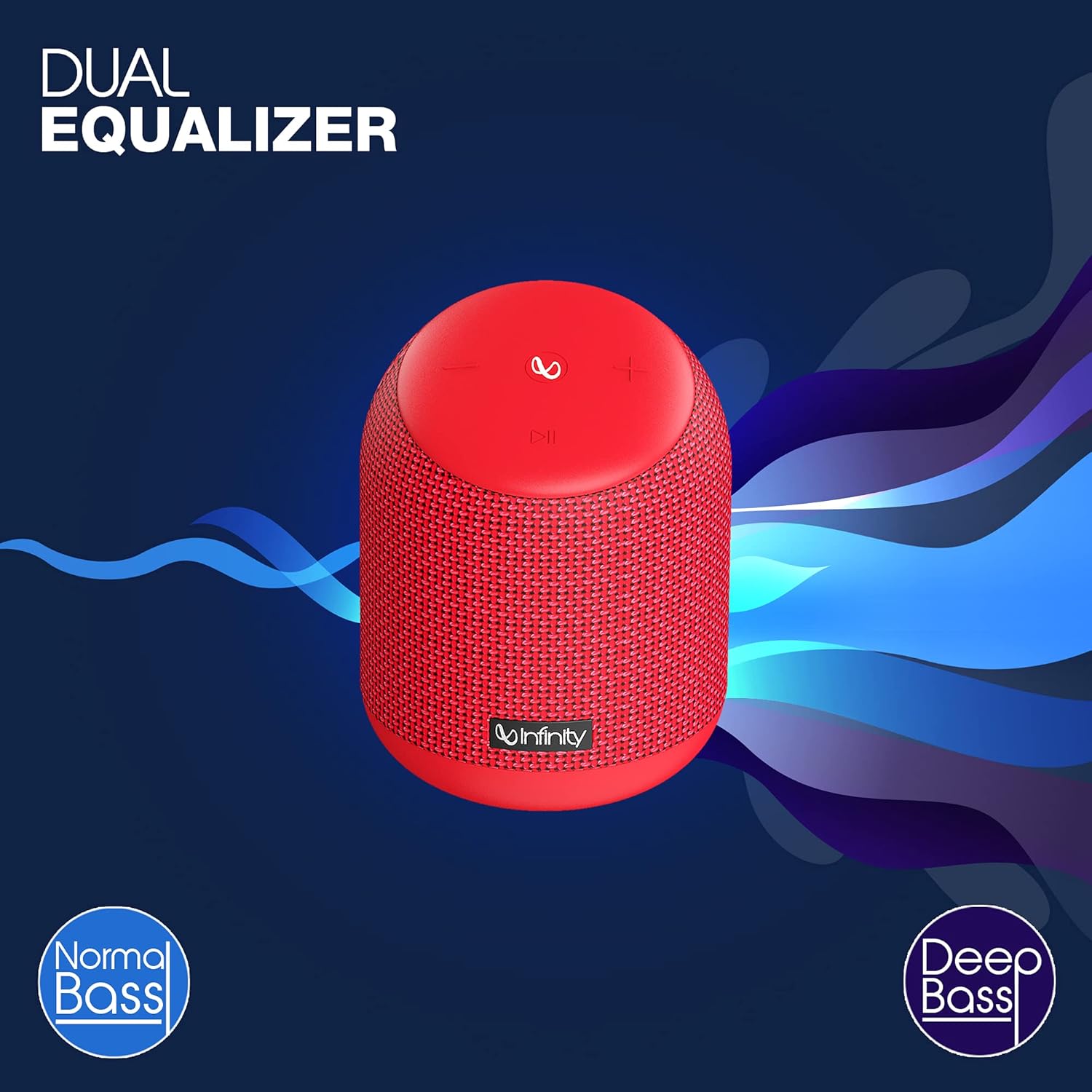
Image: The Infinity CLUBZ 250 speaker highlighting the 'Dual Equalizer' feature with options for 'Normal Bass' and 'Deep Bass'.

Image: The Infinity CLUBZ 250 speaker with a 'Deep Bass' graphic, emphasizing its enhanced bass capabilities.
To switch between modes, press the Bluetooth pairing button (∞) once. You will hear an audible cue indicating the active mode.
3. Hääleassistendi integreerimine
Access your device's voice assistant (e.g., Google Assistant, Siri) directly through the speaker.

Image: A woman interacting with the Infinity CLUBZ 250 speaker, which displays a voice assistant interface on a laptop screen, demonstrating 'Voice Assistant Integration'.
To activate, press and hold the Play/Pause button (►►) for 2 seconds. The speaker will then relay your commands to your paired device's voice assistant.
4. Käed-vabad helistamine
When connected to your smartphone, the speaker can be used for hands-free calls.
- Vasta kõnele: Press the Play/Pause button (►►) once.
- Kõne lõpetamine: Press the Play/Pause button (►►) once during a call.
- Keeldu kõnest: Press and hold the Play/Pause button (►►) for 2 seconds.
Hooldus
1. Veekindlus (IPX7)
The Infinity CLUBZ 250 is IPX7 waterproof, meaning it can be submerged in water up to 1 meter for up to 30 minutes. This makes it suitable for use near water, but it is not designed for prolonged underwater use.

Image: The Infinity CLUBZ 250 speaker with water splashing around it, indicating its 'IPX7 Waterproof' rating.
- Enne kõlari veega kokkupuutumist veenduge, et laadimispordi kate on kindlalt suletud.
- Do not expose the speaker to salt water or other chemicals. If exposed, rinse with fresh water and dry thoroughly.
2. Puhastamine
Puhastage kõlarit pehme, damp lapiga. Ärge kasutage abrasiivseid puhastusvahendeid ega lahusteid, kuna need võivad kahjustada viimistlust või sisemisi komponente.
3. Ladustamine
Hoidke kõlarit jahedas ja kuivas kohas, eemal otsesest päikesevalgusest ja äärmuslikest temperatuuridest. Pikemaajalisel hoiustamisel laadige akut perioodiliselt, et selle eluiga pikendada.
Veaotsing
- Toide puudub: Ensure the speaker is charged. Connect it to a power source and try turning it on again.
- Heli puudub: Kontrollige nii kõlari kui ka ühendatud seadme helitugevust. Veenduge, et kõlar oleks Bluetoothi kaudu õigesti seotud.
- Bluetoothi sidumisprobleemid: Make sure the speaker is in pairing mode (flashing LED). Turn off Bluetooth on other nearby devices that might be interfering. Try unpairing and re-pairing the speaker from your device's Bluetooth settings.
- Halb helikvaliteet: Ensure the speaker is within the Bluetooth range of your device. Move away from sources of interference (e.g., Wi-Fi routers, microwaves).
- Dual Speaker Connect Failure: Enne TWS-i sidumise alustamist veenduge, et mõlemad kõlarid on täielikult laetud ja pole ühendatud ühegi teise Bluetooth-seadmega.
Tehnilised andmed
| Funktsioon | Spetsifikatsioon |
|---|---|
| Mudeli nimi | 250 KLUBI |
| Väljundvõimsus | 15 vatti |
| Ühenduvus | Bluetooth |
| Aku tööiga | Kuni 10 tundi |
| Veekindluse reiting | IPX7 |
| Kontrollimeetod | Puudutage |
| Mõõdud (PxLxK) | 11.6 x 11.6 x 17.8 cm |
| Kauba kaal | 421 grammi |
| Aku tüüp | Liitiumioonaku (1 kaasas) |
Garantii ja tugi
Your Infinity by Harman CLUBZ 250 speaker comes with a 1-year manufacturer's warranty. Please refer to the warranty card included in your packaging for detailed terms and conditions.
For technical support, service, or warranty claims, please contact Infinity customer service through their official websaidil või kiirjuhendis olevatel kontaktandmetel.


