Sissejuhatus
Thank you for choosing the Casio CSN 316 Calculator. This manual provides essential information to help you get the most out of your device, including setup instructions, operational guidance, maintenance tips, and troubleshooting solutions. Please read this manual thoroughly before using the calculator and keep it for future reference.
Toode läbiview
The Casio CSN 316 is a reliable 12-digit calculator designed for everyday use. It features dual power sources, ensuring consistent performance in various environments. Its clear LCD display makes calculations easy to read.
Peamised omadused:
- 12-digit display capacity
- Dual power (Solar and Battery)
- Selge LCD ekraan
- Standard arithmetic functions
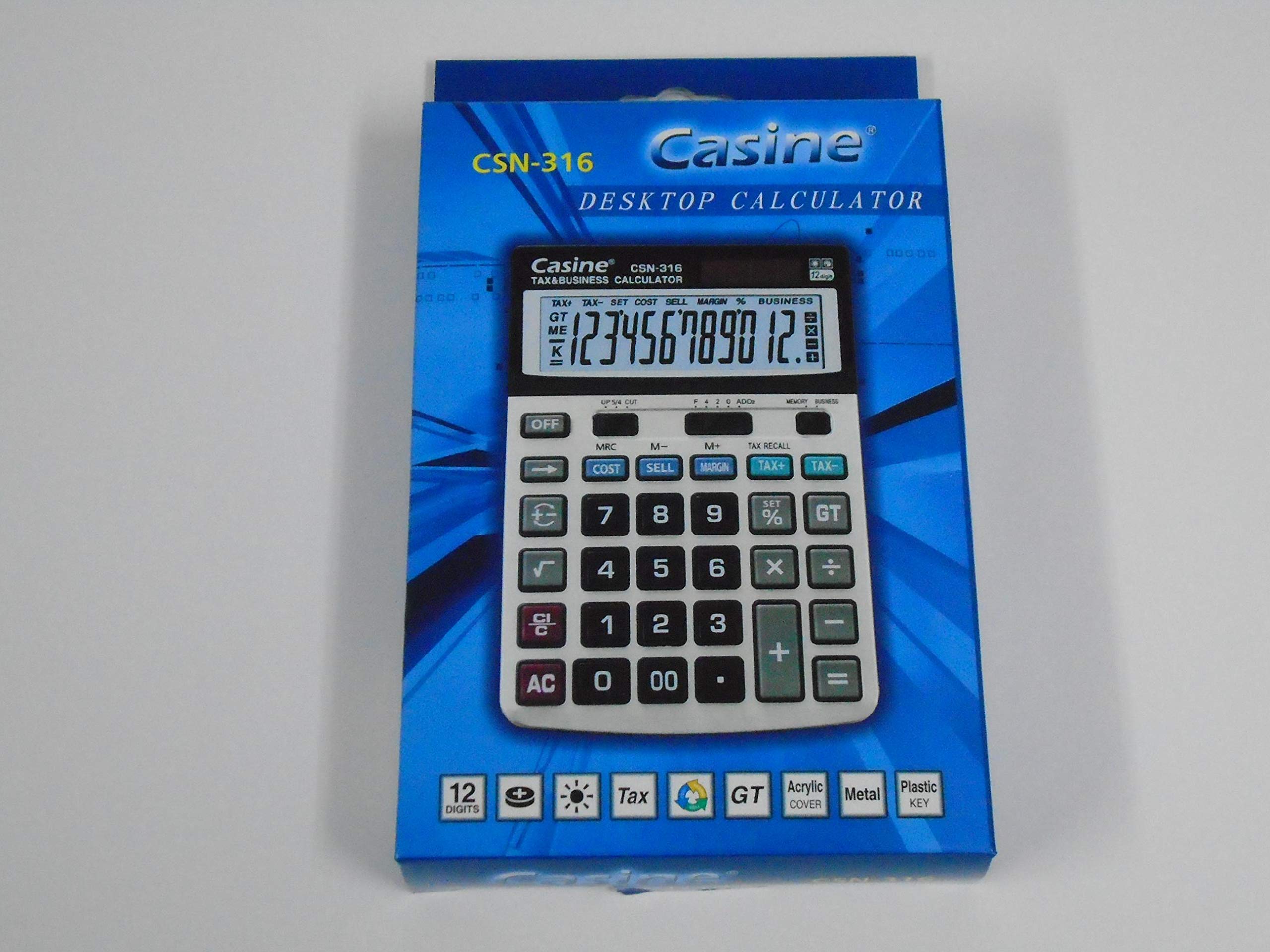
Joonis 1: Esiosa view of the Casio CSN 316 Calculator, showing the 12-digit LCD display and key layout.
Seadistamine
1. Toiteallikas
The Casio CSN 316 calculator operates on dual power: solar power and battery power. Under sufficient lighting, the calculator will primarily use solar power. In low light conditions, it will automatically switch to battery power.
2. Aku paigaldamine/vahetus
- Veenduge, et kalkulaator oleks välja lülitatud.
- Leidke kalkulaatori tagaküljel olev patareipesa kate.
- Using a small screwdriver, carefully remove the screw(s) securing the battery compartment cover.
- Eemaldage kate.
- Insert a new battery (type specified in Specifications section) with the correct polarity (+/-) as indicated inside the compartment.
- Pange patareipesa kate tagasi ja kinnitage see kruvi(de)ga.
Märkus. Kõrvaldage kasutatud patareid vastavalt kohalikele eeskirjadele.
Kasutusjuhised
Põhilised arvutused
- Lisa (+): Sisestage esimene number, vajutage +, sisestage teine number ja vajutage =.
- Lahutamine (-): Sisestage esimene number, vajutage -, sisestage teine number ja vajutage =.
- Korrutamine (×): Sisestage esimene number, vajutage ×, sisestage teine number ja vajutage =.
- Jaotus (÷): Sisestage esimene number, vajutage ÷, sisestage teine number ja vajutage =.
Clearing Entries
- Vajutage AC (All Clear) to clear all entries and reset the calculator.
- Vajutage CE (Clear Entry) to clear the last entered number without affecting previous calculations.
Mälu funktsioonid
- M+: Lisab kuvatud väärtuse mällu.
- M-: Lahutab kuvatud väärtuse mälust.
- MR: Recalls the value stored in memory to the display.
- MC: Tühjendab mälu.
Hooldus
Puhastamine
To clean your calculator, wipe it gently with a soft, dry cloth. Do not use abrasive cleaners, solvents, or spray directly onto the calculator, as this may damage the display or internal components.
Säilitamine
Store the calculator in a cool, dry place away from direct sunlight and extreme temperatures. Avoid placing heavy objects on top of the calculator.
Veaotsing
| Probleem | Võimalik põhjus | Lahendus |
|---|---|---|
| Ekraan on tühi või tuhm. | Päikeseenergia jaoks ebapiisav valgus või aku tühjeneb. | Liikuge valgustatud kohta või vahetage aku. |
| Valed arvutustulemused. | Incorrect key input or previous calculation not cleared. | Vajutage AC to clear all and re-enter the calculation carefully. |
| Klahvid ei reageeri. | Calculator may be frozen or battery is completely drained. | Replace the battery. If problem persists, contact customer support. |
Tehnilised andmed
- Kaubamärk: Casio
- Mudeli nimi: CSN 316
- Kuva tüüp: LCD
- Numbrite arv: 12
- Toiteallikas: Dual Power (Solar and Battery Powered)
- Tootja osanumber: 2724633395248.0
- ASIN: B091BPDPC4
- Esimene saadaolev kuupäev: 30. märts 2021
Garantii ja tugi
For detailed warranty information, please refer to the warranty card included with your product packaging or visit the official Casio website. If you require further assistance or have questions not covered in this manual, please contact Casio customer support through their official channels.
Tugiteenuste kontaktandmed leiate sageli tootja veebisaidilt. websait: www.casio.com


