1. Sissejuhatus
Thank you for choosing the Hama 186369 Weather Forecast Center. This device provides comprehensive weather data, including satellite-based forecasts, indoor and outdoor temperature/humidity, and more. This manual will guide you through the setup, operation, and maintenance of your weather station to ensure optimal performance.
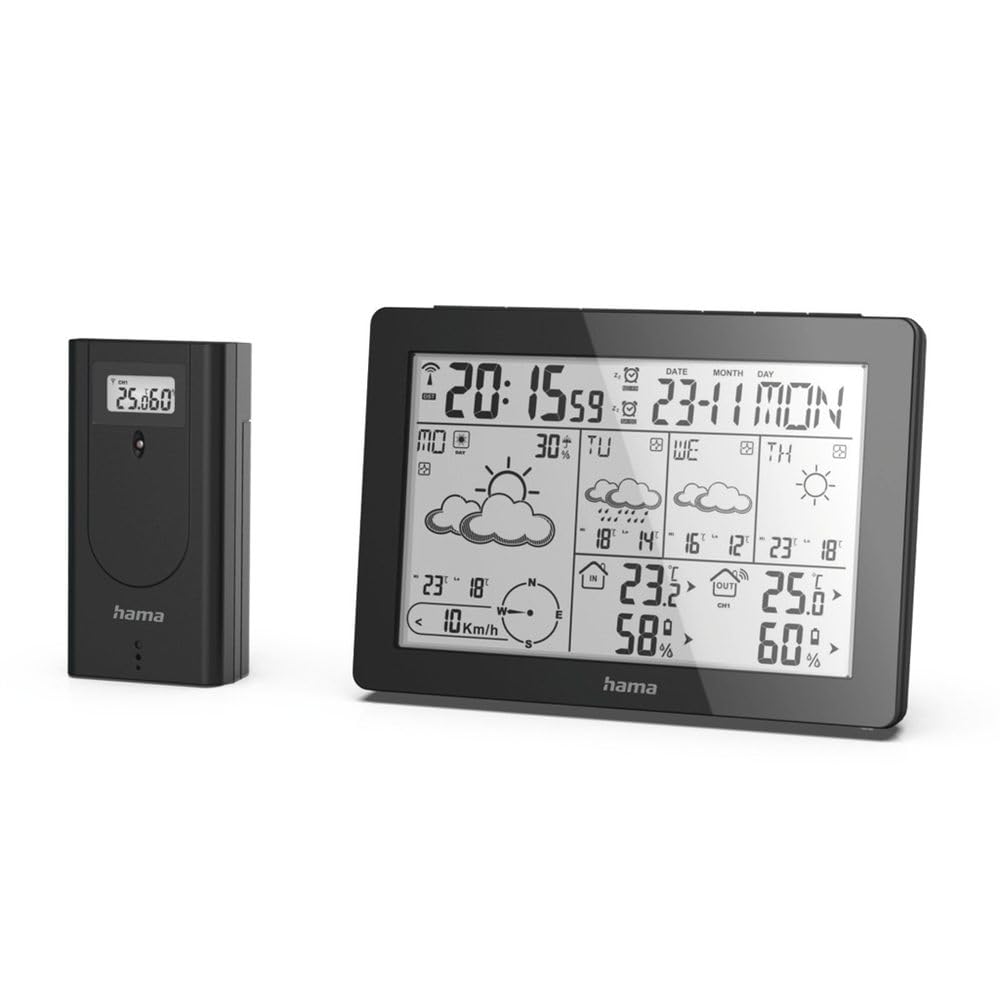
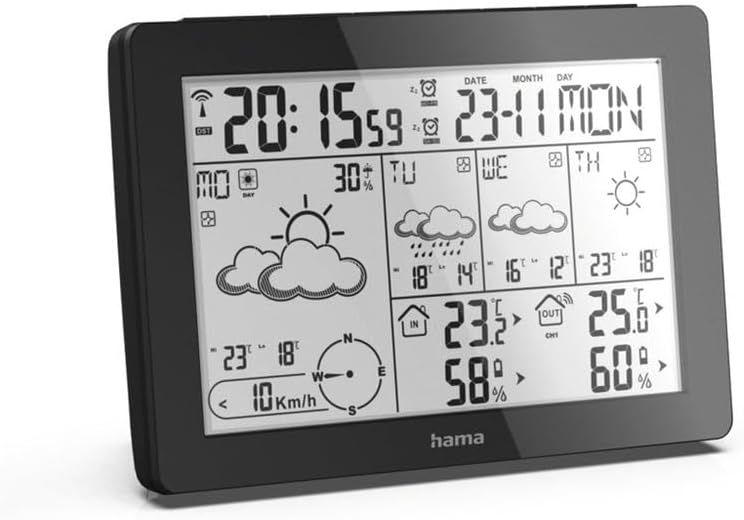
The Hama 186369 Weather Forecast Center main unit, showcasing its digital display with various weather parameters.
2. Pakendi sisu
Please check that all items listed below are present and in good condition:
- Hama 186369 Weather Forecast Center (Base Station)
- Juhtmeta välisandur
- 4 x AA Batteries (for both units)
- See kasutusjuhend

The complete set, including the base station and the wireless outdoor sensor.
3. Ohutusjuhised
- Ärge avage seadet. Ebaõige remont võib kasutajale märkimisväärset ohtu kujutada.
- Ärge jätke toodet otsese päikesevalguse, äärmuslike temperatuuride ega kõrge õhuniiskuse kätte.
- Hoidke seda toodet, nagu kõiki elektritooteid, lastele kättesaamatus kohas.
- Kaitske toodet mustuse, niiskuse ja ülekuumenemise eest.
- Kasutage toodet ainult ettenähtud otstarbel.
- Ärge kasutage toodet kohtades, kus elektroonikatooted ei ole lubatud.
- When inserting batteries, note the correct polarity (+ and - markings) and insert the batteries accordingly. Otherwise, the batteries could leak or explode.
- Replace all batteries of a set at the same time. Do not mix old and new batteries or batteries of different types.
4. Seadistamine
4.1 Patareide sisestamine
The Hama 186369 Weather Forecast Center and its outdoor sensor require AA batteries for operation.
- Open the battery compartment cover on the back of both the base station and the outdoor sensor.
- Insert the AA batteries, ensuring correct polarity (+ and -). The base station requires 2x AA batteries, and the outdoor sensor requires 2x AA batteries.
- Sulgege patareipesa kaaned kindlalt.
Inserting batteries into the base station. Ensure correct polarity.

The wireless outdoor sensor, which also requires batteries.
4.2 Initial Operation and Signal Reception
After inserting the batteries, the base station will automatically search for the DCF-77 signal and connect to the outdoor sensor.
- Place the base station and the outdoor sensor close to each other during initial setup.
- The DCF-77 radio signal for time and date synchronization will be automatically received. This process may take several minutes.
- The outdoor sensor will transmit temperature and humidity data to the base station. Ensure they are within range (up to 30 meters in open areas).

Läbiview of the weather station's features and components, including the outdoor sensor and base station display.
5. Operating the Weather Forecast Center
5.1 Kuva üleview
The main display shows various information at a glance:
- Kellaaeg ja kuupäev: Synchronized via DCF-77 signal.
- Sisetemperatuur ja õhuniiskus: Mõõdetud baasjaama poolt.
- Välistemperatuur ja õhuniiskus: Received from the wireless outdoor sensor.
- Ilmateade: Satellite-based 4-day forecast for 60 regions/30 regions in Europe, updated daily.
- Rain Probability: Indication of precipitation likelihood.
- Tuule kiirus ja suund: Graafiliselt kuvatud.
- Frost Alarm: Activates when temperatures drop to a critical level.
5.2 Nuppude funktsioonid
The buttons on the top of the base station allow you to adjust settings and view different information.

Üles view of the base station showing the control buttons.
- MODE: Switches between display modes (e.g., time, alarm setting).
- KANAL: Selects different outdoor sensor channels if multiple sensors are used.
- DAY/NIGHT/SNOOZE+LIGHT: Activates backlight, snooze function for alarm, or switches between day/night display.
- TEST: Initiates a test of the sensor connection.
- ÜLES ALLA: Adjusts values during settings or navigates through forecast data.
5.3 Kellaaja ja kuupäeva määramine (käsitsi seadistamine)
While the time and date are usually set automatically via the DCF-77 signal, you can manually adjust them if needed.
- Vajutage ja hoidke all nuppu REŽIIM nuppu, kuni ajanäidik hakkab vilkuma.
- Kasutage UP ja ALLA Tunni seadistamiseks vajutage nuppe ja seejärel vajutage REŽIIM kinnitamiseks ja minutite juurde liikumiseks.
- Korda minutite, aasta, kuu ja päeva puhul.
- Vajutage REŽIIM uuesti, et seadistusrežiimist väljuda.
5.4 Häire funktsioon
The weather station includes an alarm function.
- Vajutage nuppu REŽIIM button repeatedly until the alarm time is displayed.
- Vajutage ja hoidke all REŽIIM alarmseadete režiimi sisenemiseks.
- Kasutage UP ja ALLA soovitud äratuse aja määramiseks.
- Vajutage REŽIIM iga seadistuse kinnitamiseks.
- Äratuse aktiveerimiseks/deaktiveerimiseks vajutage nuppu UP button when the alarm time is displayed. An alarm icon will appear/disappear.
6. Hooldus
6.1 Puhastamine
- Puhastage seda toodet ainult kergelt damp, ebemevaba lapiga ja ärge kasutage agressiivseid puhastusvahendeid.
- Veenduge, et seadmesse ei satuks vett.
6.2 Aku vahetamine
When the battery indicator appears on the display, replace all batteries in the respective unit (base station or outdoor sensor).
- Follow the steps in section 4.1 "Inserting Batteries".
- Kõrvaldage kasutatud patareid vastavalt kohalikele eeskirjadele.
7. Veaotsing
| Probleem | Võimalik põhjus | Lahendus |
|---|---|---|
| No display / Weak display | Patareid on tühjad või valesti sisestatud. | Vahetage patareid, veendudes õiges polaarsuses. |
| Välistemperatuuri/niiskuse näitu pole | Outdoor sensor not connected or out of range. |
|
| Vale kellaaeg/kuupäev | DCF-77 signal not received or interference. |
|
| Ebatäpne ilmateade | Incorrect region setting or temporary signal issue. |
|
8. Tehnilised andmed
| Funktsioon | Detail |
|---|---|
| Mudeli number | 186369 |
| Dimensions (Base Station) | 3 x 15.3 x 10.5 cm |
| Kaal | 510 g |
| Materjal | Akrüül |
| Toiteallikas | Battery-powered (4 AA batteries required, included) |
| Ühenduvus | Juhtmevaba (välistingimustes kasutatava anduri jaoks) |
| Eriomadused | Alarm, Wireless Outdoor Sensor, Frost Alarm, DCF-77 Radio Clock |
| Ilmateade | Satellite-based 4-day forecast for 60 regions/30 regions in Europe, daily updated data for 611 locations. |
| Soovitatav kasutamine | Temperature measurement, hobby, private, business. |
9. Garantii ja tugi
Hama GmbH & Co.
For technical support or warranty claims, please contact your retailer or visit the official Hama websaidile täiendava abi saamiseks.

Hama: Experience and competence since 1923.