Sissejuhatus
This manual provides comprehensive instructions for the setup, operation, and maintenance of your TECHMADE Joy Waterproof Smartwatch. Please read this manual carefully before using the device to ensure proper functionality and longevity.
Pakendi sisu
Veenduge, et pakendis on kõik esemed olemas:
- TECHMADE Joy Smartwatch
- Laadimiskaabel
- Kasutusjuhend (see dokument)
Seadistamine
1. Nutikella laadimine
Before initial use, fully charge your smartwatch. Connect the provided charging cable to the charging port on the back of the smartwatch and plug the USB end into a compatible power source (e.g., computer USB port, USB wall adapter).

Pilt: Esikülg view of the TECHMADE Joy Smartwatch, displaying time and date.
2. Rakenduse installimine ja sidumine
To unlock the full functionality of your smartwatch, install the companion application on your smartphone. The app is typically available on major app stores. Once installed:
- Lubage oma nutitelefonis Bluetooth.
- Ava kaasrakendus ja järgi ekraanil kuvatavaid juhiseid konto loomiseks või sisselogimiseks.
- Valige rakenduses „Lisa seade” või „Seo seade”.
- The app will search for your smartwatch. Select 'TECHMADE Joy' from the list of available devices.
- Confirm the pairing request on both your smartphone and smartwatch, if prompted.
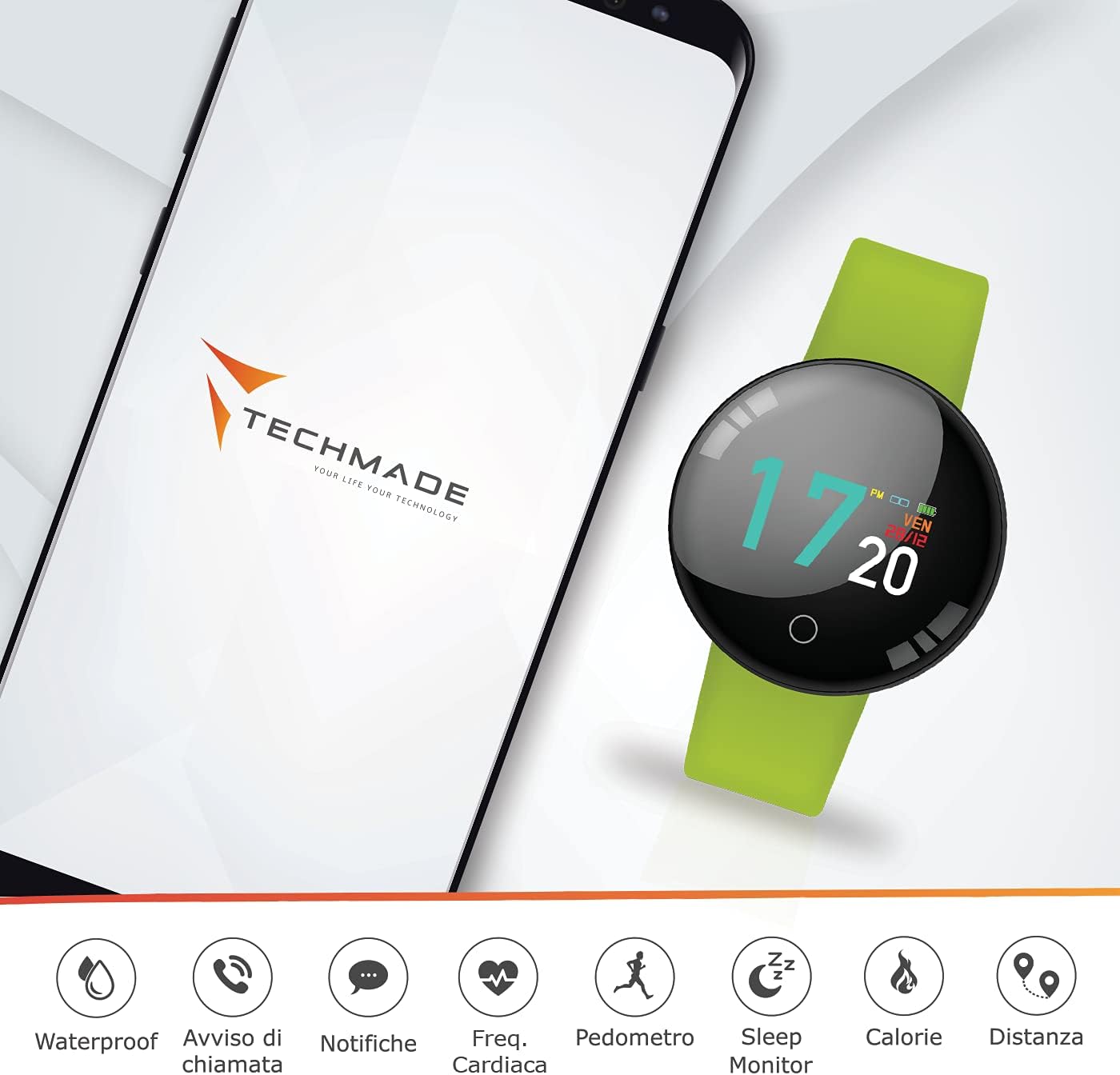
Image: The smartwatch displayed alongside a smartphone screen showing the companion app interface and various feature icons.
Kasutusjuhised
Põhiline navigeerimine
The TECHMADE Joy Smartwatch features a touch-sensitive display and a single button for navigation:
- Puudutage: Üksuse valimiseks või toimingu kinnitamiseks puudutage ekraani.
- Pühkige: Menüüdes ja ekraanidel navigeerimiseks libista vasakule, paremale, üles või alla.
- Nuppude vajutamine: A short press typically wakes the screen or returns to the previous menu. A long press may activate specific functions or power the device on/off.
Põhifunktsioonid
Veekindlus
The TECHMADE Joy Smartwatch is designed to be waterproof, making it suitable for daily activities such as hand washing and light rain exposure. It is not recommended for swimming, diving, or prolonged submersion in water. Avoid exposure to hot water or steam.

Image: The smartwatch with water droplets, illustrating its water-resistant capability.
Märguanded
Once paired with your smartphone, the smartwatch can display notifications for incoming calls, messages, and app alerts. Ensure notification permissions are enabled in both your smartphone settings and the companion app.

Image: The smartwatch screen showing an incoming message notification.
Tegevuse jälgimine
The smartwatch tracks various fitness metrics:
- Pedomeeter: Loeb teie igapäevaseid samme.
- Kaugus: Hindab läbitud vahemaad teie sammude põhjal.
- Kalorid: Arvutab hinnangulise põletatud kalorite arvu.
- Une monitor: Tracks your sleep patterns, including deep and light sleep stages.
Südame löögisageduse jälgimine
The integrated optical sensor on the back of the smartwatch monitors your heart rate. Access this feature through the watch's menu or the companion app to view real-time readings and historical data.

Pilt: detailne view of the heart rate sensor located on the underside of the smartwatch.
Hooldus
Puhastamine
Regularly clean your smartwatch to maintain its appearance and functionality. Use a soft, dry, lint-free cloth. For stubborn dirt, slightly dampen the cloth with water. Avoid using harsh chemicals, abrasive materials, or strong cleaning agents.
Veekindluse juhised
To preserve the water resistance of your device:
- Do not expose the smartwatch to pressurized water or high-velocity water.
- Avoid using the smartwatch in saunas or steam rooms.
- Enne laadimiskaabli ühendamist veenduge, et laadimisport on kuiv.
Veaotsing
If you encounter issues with your TECHMADE Joy Smartwatch, try the following steps:
- Seade ei lülitu sisse: Ensure the device is fully charged. Connect it to the charging cable for at least 30 minutes.
- Ei saa nutitelefoniga siduda: Check that Bluetooth is enabled on your smartphone and the smartwatch. Restart both devices and try pairing again. Ensure the companion app is up to date.
- Ebatäpsed andmed: Ensure the smartwatch is worn snugly on your wrist. For sleep tracking, wear it throughout the night.
- Teavitused ei ilmu: Verify that notification permissions are granted to the companion app in your smartphone's settings. Check the app's settings to ensure notifications are enabled for desired applications.
If problems persist, consult the support section of the companion app or contact TECHMADE customer support.
Tehnilised andmed
| Kaubamärk | TEHNIKA |
| Mudeli nimi | TECHMADE JOY |
| Mudeli number | TM-JOY-GR |
| Mõõtmed | 5 x 10 x 15 cm |
| Operatsioonisüsteem | Android (ühilduv) |
| Ekraani eraldusvõime | 240 x 240 |
| Ühilduvad seadmed | Nutitelefonid |
| Ühenduvus | Bluetooth |
| Aku koostis | Liitiumpolümeer |
| Eriomadused | Water Resistant, Bluetooth Connection |
| GPS | GPS puudub |
Garantii ja tugi
For warranty information and customer support, please refer to the documentation included with your purchase or visit the official TECHMADE website. You can also find support resources within the companion application.


