Sissejuhatus
The GENAI Wireless Bluetooth Headset B112 provides a convenient and hands-free communication experience. This manual offers detailed instructions for setting up, operating, maintaining, and troubleshooting your headset to ensure optimal performance and longevity.
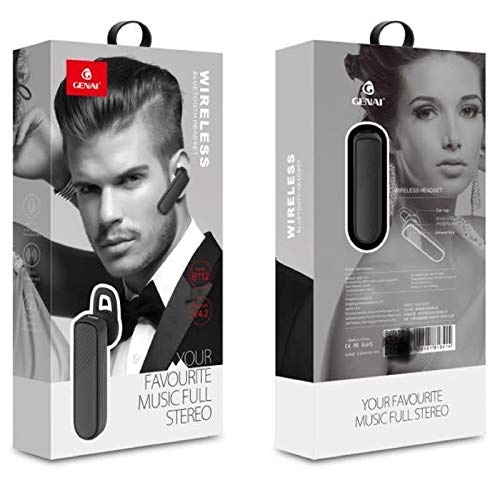
Image: GENAI Wireless Bluetooth Headset B112, main unit with ear hook.
Mis on karbis
Tootepakett sisaldab järgmisi esemeid:
- GENAI Wireless Bluetooth Headset B112
- Kõrvapadjad
- Laadimiskaabel (mikro-USB)
Seadistamine
1. Peakomplekti laadimine
- Ühendage Micro USB laadimiskaabel peakomplekti laadimisporti.
- Connect the other end of the charging cable to a compatible USB power source (e.g., computer USB port, USB wall adapter).
- Laadimise ajal süttib märgutuli.
- Täislaadimine võtab tavaliselt umbes 2 tundi.
- Once fully charged, the indicator light may change color or turn off, depending on the model. Disconnect the charging cable.
2. Bluetooth-seadmega sidumine
- Veenduge, et peakomplekt on täielikult laetud.
- Toide sisse: Press and hold the multi-function button (usually the main button) on the headset until the indicator light flashes, typically alternating blue and red, indicating pairing mode.
- Bluetoothi aktiveerimine: Oma mobiiltelefonis või muus Bluetooth-toega seadmes minge Bluetoothi seadetesse ja veenduge, et Bluetooth oleks sisse lülitatud.
- Otsi Seadmed: Your device will scan for available Bluetooth devices. Look for "B112" or "GENAI B112" in the list.
- Ühenda: Select "B112" or "GENAI B112" to initiate the pairing process. If prompted for a password, enter "0000" (four zeros).
- Once successfully paired, the indicator light on the headset will typically flash blue slowly, and you may hear a voice prompt confirming the connection.
3. Peakomplekti kandmine
The GENAI B112 headset is designed for comfortable wear. Attach the ear hook if desired, and adjust it to fit securely over your ear. The ear cushions can be changed for a better fit.
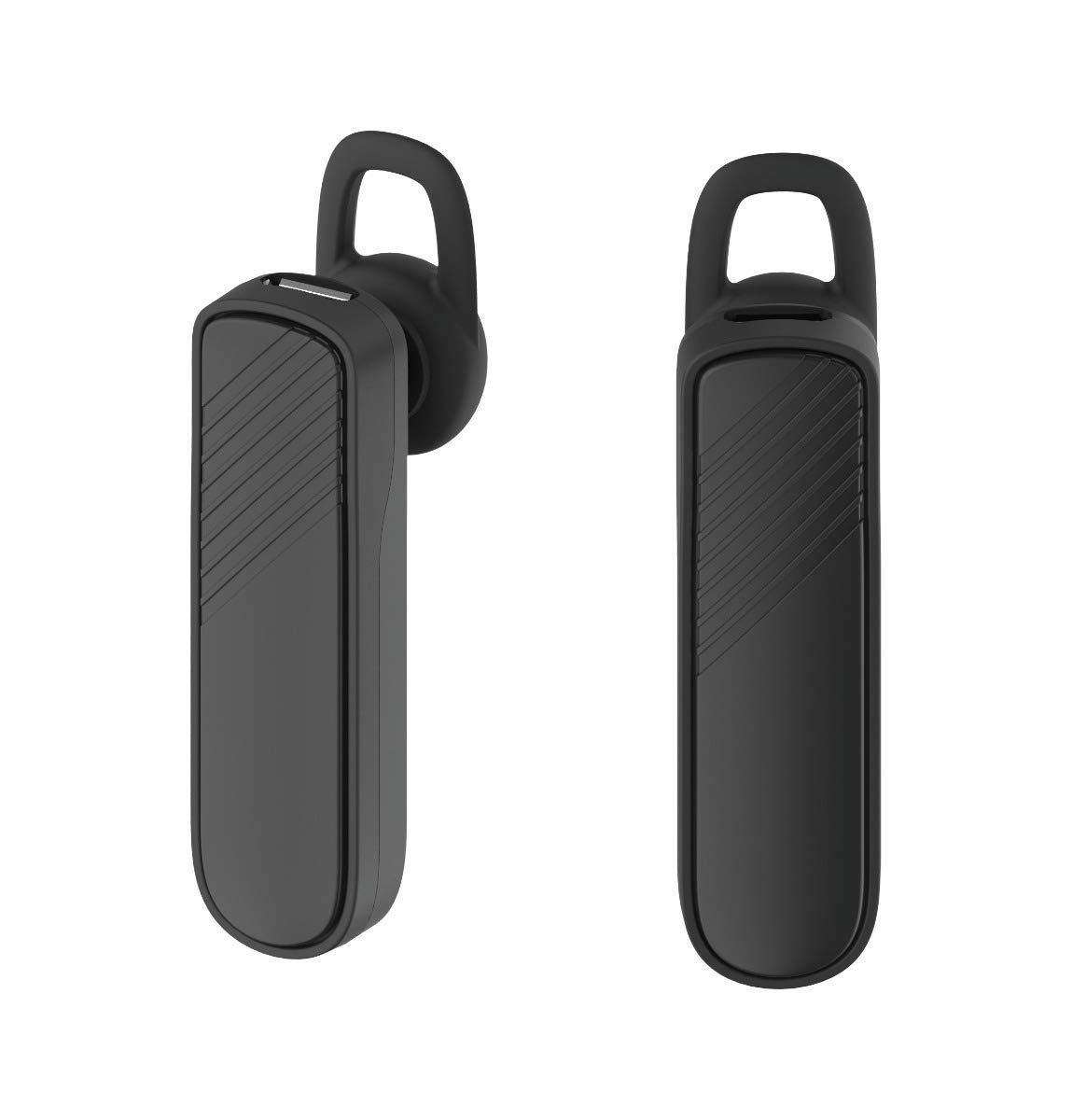
Pilt: Kaks views of the GENAI Wireless Bluetooth Headset B112, illustrating its design.
Kasutusjuhised
- Toide sisse/välja: Press and hold the multi-function button for approximately 3-5 seconds to power on or power off the headset. A voice prompt will confirm the action.
- Kõnedele vastamine / lõpetamine: Press the multi-function button once to answer an incoming call. Press it again to end an active call.
- Kõnede tagasilükkamine: Sissetuleva kõne tagasilükkamiseks vajutage ja hoidke multifunktsionaalset nuppu umbes 2 sekundit all.
- Viimase numbri kordusvalimine: Double-press the multi-function button to redial the last dialed number.
- Helitugevuse juhtimine: Use the dedicated volume buttons (if present) or the multi-function button (depending on model variation) to adjust the call or music volume. Refer to your device's manual for specific button functions.
- Muusika taasesitus: When connected, you can play music from your paired device. The multi-function button may also control play/pause.
- Hääljuhised: The headset provides voice alerts for power on/off and pairing status.
Hooldus
- Puhastamine: Use a soft, dry, lint-free cloth to clean the headset. Do not use harsh chemicals, cleaning solvents, or strong detergents.
- Hoiustamine: When not in use, store the headset in a cool, dry place, away from extreme temperatures and direct sunlight.
- Aku hooldus: To prolong battery life, avoid fully discharging the battery frequently. Charge the headset regularly, even if not used for extended periods.
- Kokkupuude veega: This headset is not waterproof. Avoid exposure to water, moisture, or rain.
Veaotsing
- Peakomplekt ei lülitu sisse:
- Veenduge, et peakomplekt on täielikult laetud. Ühendage see toiteallikaga ja laske sellel enne uuesti sisselülitamist vähemalt 30 minutit laadida.
- Cannot pair the headset with my device:
- Ensure the headset is in pairing mode (indicator light flashing blue/red).
- Veenduge, et Bluetooth oleks teie seadmes lubatud.
- Keep the headset and your device within close proximity (within 1 meter) during pairing.
- Turn off and on both the headset and your device, then try pairing again.
- If previously paired, try "forgetting" or "unpairing" the headset from your device's Bluetooth list and then re-pair.
- Heli puudub või on vaikne:
- Kontrollige nii peakomplekti kui ka seotud seadme helitugevust.
- Ensure the headset is properly connected to your device. Sometimes, the audio output might switch to the phone speaker.
- Proovige mõlemad seadmed taaskäivitada.
- Peakomplekt katkeb sageli:
- Veenduge, et peakomplekti ja seadme vahel ei oleks takistusi.
- Häirete vähendamiseks liikuge seotud seadmele lähemale.
- Check for other active Bluetooth devices that might be causing interference.
- Veenduge, et peakomplekt on piisavalt laetud.
Tehnilised andmed
| Mudeli nimi | B112 |
| Ühenduvustehnoloogia | Bluetooth V4.2 |
| Laadimisport | Mikro-USB |
| Laadimisaeg | Umbes 2 tundi |
| Kõneaeg | Kuni 20 tundi |
| Muusika esitamise aeg | Umbes 20 tundi |
| Ooteaeg | Kuni 1000 tundi |
| Kauba kaal | 30 g |
| Materjal | Plastikust |
| Erifunktsioon | Kõrvahokk |
| Kaasatud komponendid | Kõrvapadjad |
| Ühilduvad seadmed | Android, iOS, Mi devices (Bluetooth-enabled smartphones) |
Garantii teave
This GENAI Wireless Bluetooth Headset B112 comes with a 3-kuuline asendusgarantii from the date of purchase. Please retain your proof of purchase for warranty claims. This warranty covers manufacturing defects. Please note that this warranty does not include refunds.
Toetus
For further assistance, technical support, or warranty claims, please contact your retailer or the GENAI customer service department. Refer to the product packaging or the official GENAI webkontaktandmete sait.


