1. Sissejuhatus
This manual provides comprehensive instructions for the UPERFECT 15.6-inch 4K Portable USB C Monitor, Model M156A17. Please read this manual carefully before using the product to ensure proper operation and to maximize its performance. Keep this manual for future reference.

Kindral view of the UPERFECT 15.6-inch 4K Portable USB C Monitor, showcasing oma õhukest disaini.
2. Pakendi sisu
Veenduge, et kõik allpool loetletud esemed on teie pakendis olemas:
- 1 x UPERFECT 15.6-inch 4K Portable Monitor
- 1 x Standard HD Cable
- 2 x Type-C to Type-C Cables
- 1 x Protective Cover / Stand
- 1x ekraani kaitsekile
- 1 x PD Power Supply
- 1 x kasutusjuhend
3. Omadused
- Vivid 4K UHD Display: Experience stunning visuals with a 3840 x 2160 resolution on a 15.6-inch IPS panel. The monitor features flicker-free technology, 300cd/m² brightness, and 99% sRGB color gamut for accurate and vibrant images. A 60Hz refresh rate ensures smooth display of content.
- Versatile USB-C Connectivity: A single USB-C cable can provide both power and data transfer for Thunderbolt 3.0 PCs and USB 3.1 mobile phones. An HDMI port is also available for broader device compatibility.
- Täiustatud mängukogemus: With a 60 Hz refresh rate and 4 ms response time, coupled with HDR and AMD FreeSync technologies, the monitor delivers a smooth and responsive gaming experience, minimizing input lag and screen tearing.
- Lai Viewnurk: The IPS panel offers a 178° viewing angle, ensuring consistent color and contrast even from extreme positions.
- Kaasaskantav disain: The monitor is lightweight and comes with a durable synthetic leather protective cover that doubles as a stand.

An image illustrating the difference between HDR off and HDR on, highlighting enhanced detail and color depth provided by 4K HDR technology on the UPERFECT monitor.

A visual comparison showing the vibrant and accurate colors achieved with 100% sRGB color gamut on the UPERFECT monitor compared to a standard 72% sRGB display.
4. Seadistamine ja ühendused
The UPERFECT portable monitor offers flexible connectivity options for various devices. Ensure your device supports video output via USB-C (DisplayPort Alternate Mode) or HDMI.
Seadmetega ühendamine:
- USB-C Connection (Single Cable): For devices with a full-featured USB-C port (supporting DisplayPort Alternate Mode and Power Delivery), connect one end of the provided Type-C to Type-C cable to your device and the other end to the monitor's USB-C (PD) port. This single cable can provide both video signal and power. If the device cannot supply sufficient power, connect the included PD power supply to the monitor's other USB-C port.
- HDMI ühendus: For devices with an HDMI output, connect one end of the provided Standard HD Cable to your device's HDMI port and the other end to the monitor's Standard HDMI port. You will also need to power the monitor separately using the provided PD power supply connected to a USB-C port on the monitor.
- Mini DisplayPort Connection: For devices with a Mini DisplayPort output, connect a Mini DisplayPort cable (not included) to your device and the monitor's Mini DP port. Power the monitor separately using the provided PD power supply.
- Välisseadmed: Use the Micro USB port to connect a keyboard or mouse for enhanced productivity, especially when using the monitor with a mobile phone in desktop mode.

A diagram detailing the various connection ports on the UPERFECT portable monitor, including USB Type-C, Mini DisplayPort, Standard HDMI, and Micro USB, along with compatible devices.

The UPERFECT portable monitor connected to both a mobile phone and a laptop, demonstrating its versatility for mobile office setups with a keyboard and mouse.
5. Töörežiimid
The monitor supports various display modes to enhance your workflow and entertainment:
- Duplicate Mode (Mirror Mode): This mode mirrors the content of your primary screen onto the portable monitor. It is ideal for presentations or sharing content in real-time.
- Laiendatud režiim: This mode extends your desktop across both screens, providing more screen real estate for multitasking. You can drag windows between your primary display and the portable monitor.
- Second Screen Only Mode (Single Projection Mode): This mode turns off your primary screen and displays content only on the portable monitor. This can be useful for saving power or focusing on content on the portable display.
Orientatsioon:
The monitor features a gravity sensor for automatic rotation, allowing seamless switching between landscape and portrait orientations. This is particularly useful for coding, document viewing, or specific gaming scenarios.
The UPERFECT portable monitor displayed in both landscape and portrait orientations, illustrating its automatic rotation feature and flexibility for different viewvajadusi.

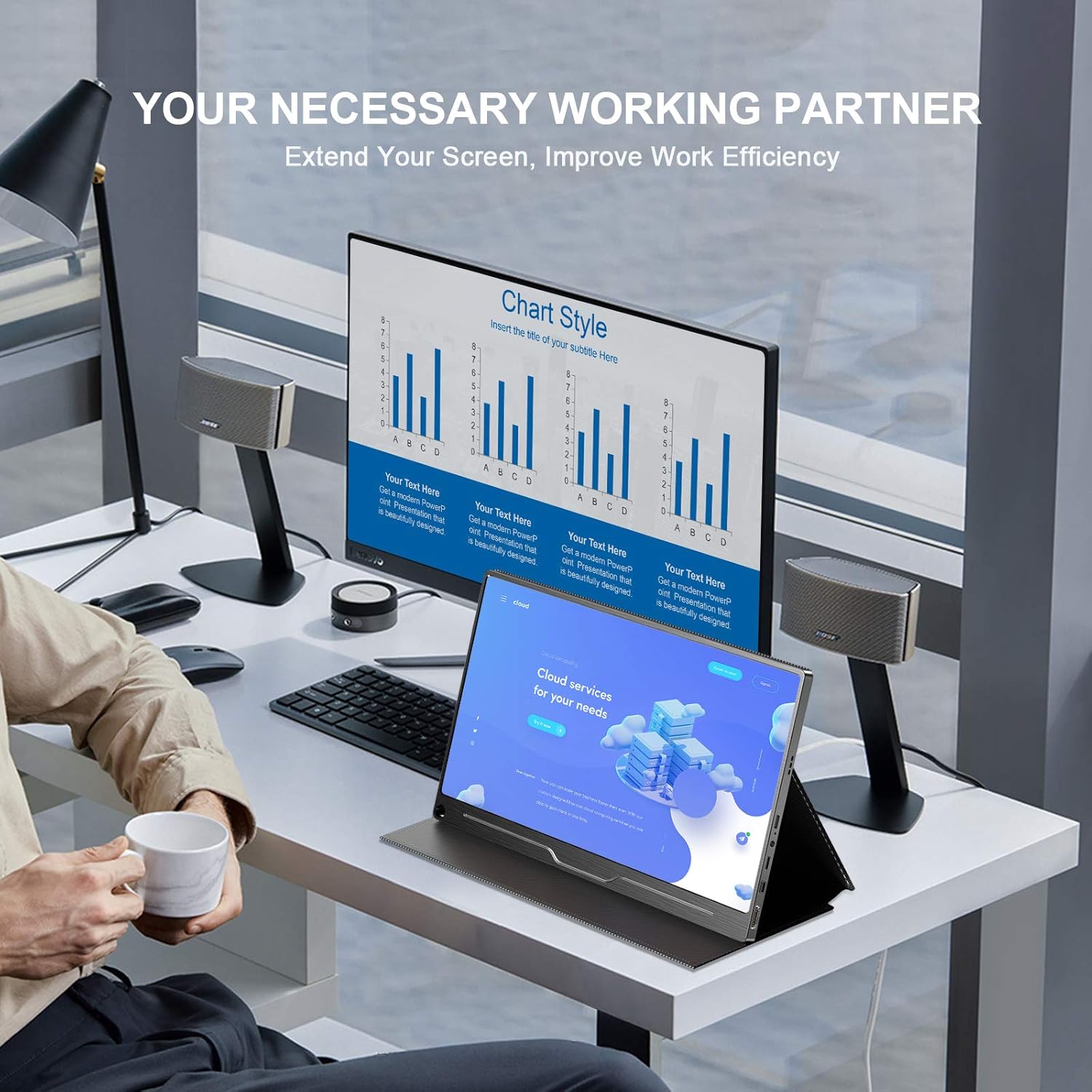
A person working at a desk with the UPERFECT portable monitor acting as a second display, extending the screen from a laptop to improve productivity.
6. Hooldus
Proper maintenance ensures the longevity and optimal performance of your UPERFECT monitor.
- Ekraani puhastamine: Pühkige ekraani õrnalt pehme ja ebemevaba lapiga. Kangekaelsete plekkide korral pühkige õrnaltampen the cloth with water or a screen-specific cleaning solution. Avoid using harsh chemicals, alcohol, or abrasive materials.
- C puhastamineasing: Monitori katte puhastamiseks kasutage pehmet ja kuiva lappi.asing.
- Hoiustamine: When not in use, store the monitor in its protective cover to prevent dust and scratches. Avoid exposing it to extreme temperatures or humidity.
- Käitlemine: Hoidke monitori alati servadest. Vältige ekraanile otsest survet.
7. Veaotsing
Kui teil tekib monitoriga probleeme, vaadake järgmisi levinud probleeme ja lahendusi.
- Signaali pole / must ekraan:
- Ensure all cables (USB-C, HDMI, Mini DP) are securely connected to both the monitor and your device.
- Verify that the monitor is receiving power. Connect the PD power supply if using HDMI or if your device's USB-C port does not provide sufficient power.
- Check your device's display settings to ensure it is configured to output to an external display (e.g., Extend, Duplicate, or Second Screen Only mode).
- Proovige mõnda muud kaablit või porti, kui see on saadaval.
- Virvendav ekraan:
- Ensure the power supply is stable. Use the provided PD power adapter.
- Kontrollige kaabliühendusi lõtvuse suhtes.
- Adjust the refresh rate in your device's display settings.
- Heli puudub:
- Check the monitor's volume settings and your device's audio output settings.
- Ensure the audio source is correctly selected on your device.
- Pildikvaliteedi probleemid (udune, valed värvid):
- Ensure your device's resolution output matches the monitor's native 4K (3840x2160) resolution.
- Check the monitor's OSD (On-Screen Display) menu for color and brightness settings.
- Verify that HDR is enabled/disabled as desired in both the monitor's settings and your device's display settings.
8. Tehnilised andmed
Detailed technical specifications for the UPERFECT 15.6-inch 4K Portable USB C Monitor (Model M156A17):
| Funktsioon | Spetsifikatsioon |
|---|---|
| Kaubamärk | TÄIUSLIK |
| Mudeli number | M156A17 |
| Ekraani suurus | 15.6 tolli |
| Paneeli tüüp | IPS |
| Resolutsioon | 3840 x 2160 (4K Ultra HD) |
| Värskendussagedus | 60 Hz |
| Reageerimisaeg | 4 millisekundit |
| Heledus | 300 cd/m² |
| Kontrastsuse suhe | 1000:1 |
| Viewing | 178° |
| Kuvasuhe | 16:9 |
| Värvigamma | 99% sRGB |
| Eriomadused | HDR, AMD FreeSync, Gravity Sensor (Auto Rotation) |
| Ühenduvus | 2 x USB Type-C (Full-featured, Power Delivery), 1 x Mini DisplayPort, 1 x Standard HDMI, 1 x Micro USB (OTG) |
| Ühilduvad seadmed | ASUS ZenBook 3, XPS13/15, Razer Blade Stealth, Huawei Mate10/P20, Samsung S8/S9/Note8, HTC10, Lumia 950, Laptop PC MAC Windows, Lenovo Yoga 900, HP Spectre/Envy, MacBook, Huawei Mate Book, Xiao Mi Air/Pro, PS3/PS4/PS5, XBOX ONE, Switch, Raspberry Pi 4/3B+, Smart Security Camera |
| Operatsioonisüsteemi ühilduvus | Android, Linux, Windows, iOS |
| Materjal | Alumiiniumist |

The EU energy efficiency label for the UPERFECT 15.6-inch monitor, showing its energy class and consumption. For more details, visit EPRELi andmebaas.
9. Garantii ja tugi
For warranty information, technical support, or service inquiries, please refer to the contact information provided with your purchase documentation or visit the official UPERFECT webveebisait. Teavet varuosade saadavuse ja garanteeritud tarkvarauuenduste kohta toote üksikasjades otseselt ei esitata.


