1. Sissejuhatus
Thank you for choosing the Gembird MUS-6B-01 Optical USB Mouse. This manual provides essential information for setting up, operating, maintaining, and troubleshooting your new mouse. Please read these instructions carefully to ensure optimal performance and longevity of your device.

Image: The official Gembird brand logo, featuring the company name in a stylized font with a geometric design.
2. Toote lõppview
The Gembird MUS-6B-01 is a reliable 6-button optical USB mouse designed for comfortable and precise navigation. Its ambidextrous design makes it suitable for both left and right-handed users.
Peamised omadused:
- Optiline jälgimine: Provides smooth and accurate cursor control.
- 6 nupud: Includes standard left/right click, scroll wheel, DPI adjustment, and two side buttons for enhanced functionality.
- USB-ühenduvus: Simple plug-and-play connection to your computer.
- Kahepoolne disain: Comfortable for both left and right-handed users.
Komponendid:
- Vasakklõpsu nupp
- Paremklõpsu nupp
- Scroll Wheel (also functions as a middle click button)
- DPI reguleerimise nupp
- Edasiliikumise nupp (küljel)
- Tagasiliikumise nupp (külg)
- Optiline andur (alumine külg)
- USB Connector (at the end of the cable)
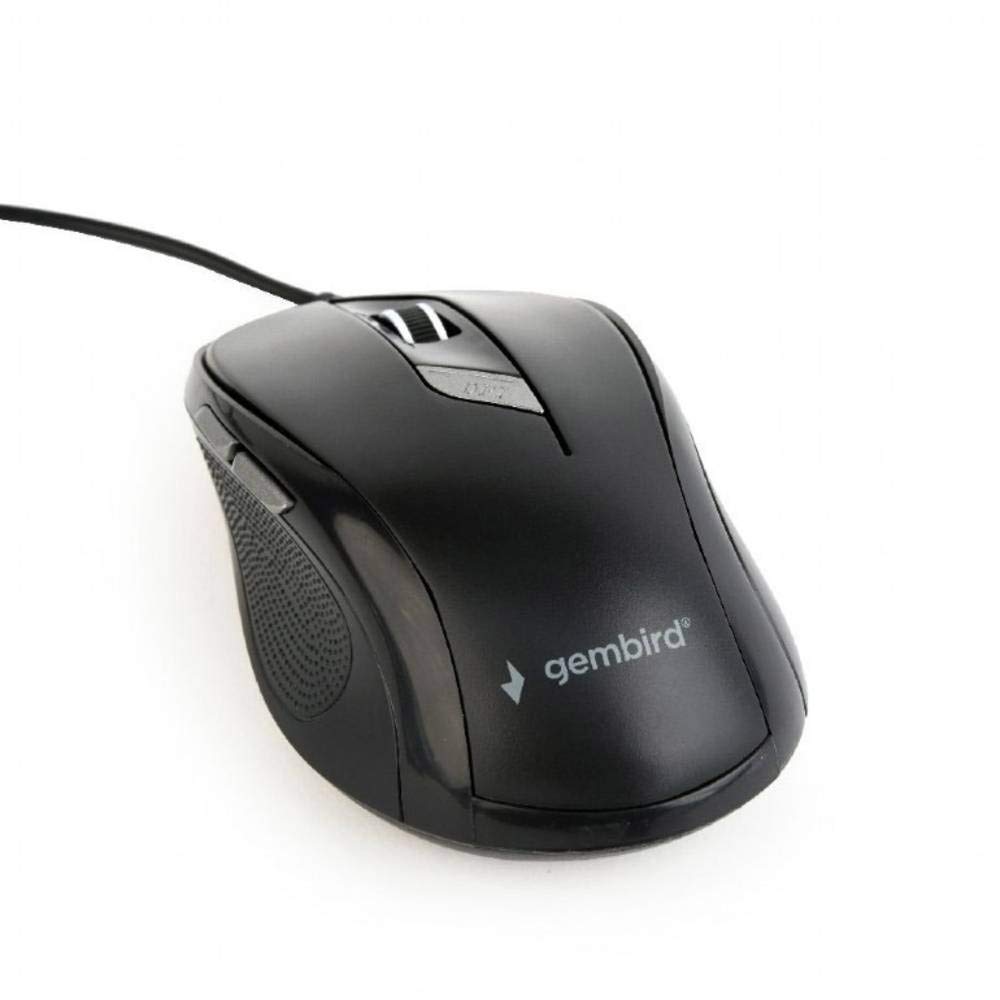
Pilt: Ülalt-alla vaade view of the Gembird MUS-6B-01 optical USB mouse. The mouse is black with a matte finish, featuring a scroll wheel, left and right click buttons, a DPI button, and two side buttons. A black USB cable extends from the front of the mouse.
3. Seadistamine
Setting up your Gembird MUS-6B-01 mouse is a simple plug-and-play process.
Paigaldamise etapid:
- Otsige oma arvutist üles vaba USB-port.
- Plug the USB connector of the Gembird MUS-6B-01 mouse firmly into the USB port.
- Your operating system (Windows, Linux) will automatically detect and install the necessary drivers. This process may take a few moments.
- Kui draiverid on installitud, on hiir kasutusvalmis.
No additional software installation is typically required for basic functionality.
4. Kasutusjuhised
Familiarize yourself with the functions of each button on your Gembird MUS-6B-01 mouse.
Põhifunktsioonid:
- Vasak klõps: Primary action, selecting items, opening files.
- Paremklõps: Opens context menus, provides additional options.
- Kerimisratas: Kerige dokumentides üles või alla ja web lehekülgi.
- Middle Click (Scroll Wheel Press): Often used to open links in new tabs or for specific application functions.
Täpsemad funktsioonid:
- DPI reguleerimise nupp: Located behind the scroll wheel, this button allows you to cycle through different sensitivity (DPI) settings. Press it to change the cursor speed to suit your preference.
- Edasiliikumise nupp (küljel): Typically navigates forward in web brauserid või file uurijad.
- Tagasiliikumise nupp (külg): Typically navigates backward in web brauserid või file uurijad.
The functionality of the side buttons may vary depending on the application or operating system settings. Some operating systems allow customization of these buttons.
5. Hooldus
Proper care will help extend the life of your Gembird MUS-6B-01 mouse.
Puhastamine:
- Enne puhastamist ühendage hiir arvutist lahti.
- Kasutage pehmet, kergelt damp, lint-free cloth to wipe the surface of the mouse.
- For stubborn dirt, a small amount of mild soap solution can be applied to the cloth (not directly to the mouse).
- Use a cotton swab or compressed air to clean around the scroll wheel and between buttons.
- Ensure the optical sensor on the underside is clean and free of dust or debris.
- Do not use harsh chemicals, abrasive cleaners, or immerse the mouse in water.
Hoiustamine:
Kui hiirt pikemat aega ei kasutata, hoidke seda puhtas ja kuivas kohas, eemal äärmuslikest temperatuuridest ja otsesest päikesevalgusest.
6. Veaotsing
If you encounter issues with your Gembird MUS-6B-01 mouse, try the following troubleshooting steps:
| Probleem | Võimalik lahendus |
|---|---|
| Hiir ei reageeri |
|
| Erratic or jumpy cursor movement |
|
| Nupud ei tööta |
|
7. Tehnilised andmed
Detailed technical specifications for the Gembird MUS-6B-01 Optical USB Mouse:
| Funktsioon | Spetsifikatsioon |
|---|---|
| Kaubamärk | Gembird |
| Mudeli nimi | MUS-6B-01 |
| Ühenduvustehnoloogia | Juhtmega (USB) |
| Liikumise tuvastamise tehnoloogia | Optiline |
| Nuppude kogus | 6 |
| Käe orientatsioon | Kahepoolne |
| Ühilduvad operatsioonisüsteemid | Linux, Windows 7, Windows XP (ja uuemad versioonid) |
| Riistvara platvorm | Personaalarvuti |
| Kaabli pikkus | 5.0 meetrit |
| Kauba kaal | 74 grammi |
| Materjal | Plastikust |
| Värv | Must |
| Nõutavad patareid | Ei |
8. Ohutusalane teave
Palun järgige järgmisi ohutusjuhiseid:
- Ärge jätke hiirt vee ega liigse niiskuse kätte.
- Vältige hiirt maha kukkumast või tugevate löökide eest.
- Ärge proovige hiirt ise lahti võtta ega parandada. Pöörduge kvalifitseeritud hooldustöötaja poole.
- Hoidke seadet eemal äärmuslikest temperatuuridest ja otsesest päikesevalgusest.
- Elektroonikajäätmeid tuleb utiliseerida vastutustundlikult vastavalt kohalikele eeskirjadele.
9. Garantii ja tugi
Gembird products are designed for reliability and performance. For specific warranty terms and conditions, please refer to the warranty card included with your product or visit the official Gembird website. For technical support or further assistance, please contact your retailer or the Gembird customer service department.


