Sissejuhatus
Thank you for choosing SIMOLIO JH-711 Wireless Kids Headphones. These headphones are designed with children's safety and comfort in mind, featuring 3-level volume limiting for hearing protection, Bluetooth connectivity, and a durable, foldable design. This manual will guide you through the setup, operation, and maintenance of your new headphones.
Toote omadused
- 3-Level Volume Limiting: Protects children's hearing with selectable limits of 75dB (toddlers), 85dB (kids), and 94dB (adults).
- Wireless & Wired Modes: Connect via Bluetooth for wireless freedom or use the included 3.5mm audio cable when the battery is low or with non-Bluetooth devices.
- Sisseehitatud mikrofon: Enables hands-free calling for convenience.
- Audio Sharing Port: Allows another headphone to connect and share audio from the same device.
- Durable & Flexible Design: Constructed with memory stainless steel strips in the headband to withstand bending and twisting.
- Kokkupandav ja kompaktne: Easy to fold and store in the included EVA hard carrying case, perfect for travel and school.
- Pikk aku tööiga: Provides up to 15 hours of playtime on a single charge.

Image: Diagram illustrating the 3-level volume limiting feature (75dB, 85dB, 94dB) for different age groups.

Image: Hands bending the headphone headband, showcasing its flexible and durable construction.

Image: The headphones folded compactly, ready to be stored in their EVA hard carrying case.
Mis on karbis
- SIMOLIO JH-711 Wireless Kids Headphones (2 Count)
- USB laadimiskaabel
- 3.5 mm AUX helikaabel
- Kasutusjuhend (see dokument)
- EVA Hard Carrying Case
Seadistamine
1. Kõrvaklappide laadimine
- Locate the Micro USB charging port on the headphone earcup.
- Connect the provided USB charging cable to the headphone's charging port.
- Plug the other end of the USB cable into a compatible USB power source (e.g., computer, USB wall adapter).
- LED-indikaator süttib laadimise ajal ja kustub, kui aku on täielikult laetud. Täielik laadimine võtab aega umbes 3 tundi.

Image: The SIMOLIO JH-711 headphones with the charging cable inserted into the Micro USB port.
2. Bluetoothi sidumine
- Veenduge, et kõrvaklapid on täielikult laetud.
- Press and hold the Power button (MFB) on the headphone earcup until the LED indicator flashes blue and red, indicating pairing mode.
- Luba oma seadmes (nutitelefon, tahvelarvuti jne) Bluetooth ja otsi saadaolevaid seadmeid.
- Select "SIMOLIO JH-711" from the list of devices.
- Pärast ühendamist hakkab LED -indikaator aeglaselt siniselt vilkuma.
3. Juhtmega ühendus (AUX-režiim)
- Locate the 3.5mm AUX port on the headphone earcup.
- Connect one end of the provided 3.5mm AUX audio cable to the headphone's AUX port.
- Connect the other end of the AUX cable to the 3.5mm audio jack of your device.
- The headphones will automatically switch to wired mode. This mode works even if the headphone battery is depleted.
4. Adjusting Volume Limiter
The headphones feature a 3-level volume limiter switch (75dB, 85dB, 94dB) located on the earcup. Slide the switch to select the desired maximum volume level appropriate for the user's age and environment.

Image: Detail of the headphone earcup highlighting the 3-level volume limiter switch.
5. Peavõru reguleerimine
The headband is adjustable to fit various head sizes. Gently slide the earcups up or down along the headband to achieve a comfortable and secure fit. The flexible design allows for minor reshaping.

Image: A person demonstrating how to adjust the headband for a proper fit.
Kasutusjuhised
1. Toide sisse/välja
- Toide sisse: Press and hold the Multi-Function Button (MFB) for approximately 3 seconds until the LED indicator lights up.
- Toide välja: Press and hold the MFB for approximately 3 seconds until the LED indicator turns off.
2. Muusika taasesitus
- Esita/peata: Vajutage lühidalt MFB-d.
- Järgmine lugu: Vajutage pikalt nuppu "Helitugevuse suurendamine".
- Eelmine lugu: Vajutage pikalt nuppu "Helitugevuse vähendamine".
- Helitugevuse suurendamine: Vajutage lühidalt nuppu "Helitugevuse suurendamine".
- Hääl maha: Vajutage lühidalt nuppu "Helitugevuse vähendamine".
3. Kõnehaldus
- Kõnele vastamine/lõpetamine: Vajutage lühidalt MFB-d.
- Keeldu kõnest: Vajutage pikalt MFB-d.
4. Audio Sharing
To share audio with another pair of headphones, connect a 3.5mm audio cable from the sharing jack on the right earcup of the SIMOLIO headphones to the audio input of another headphone. This allows two users to listen to the same audio source simultaneously.
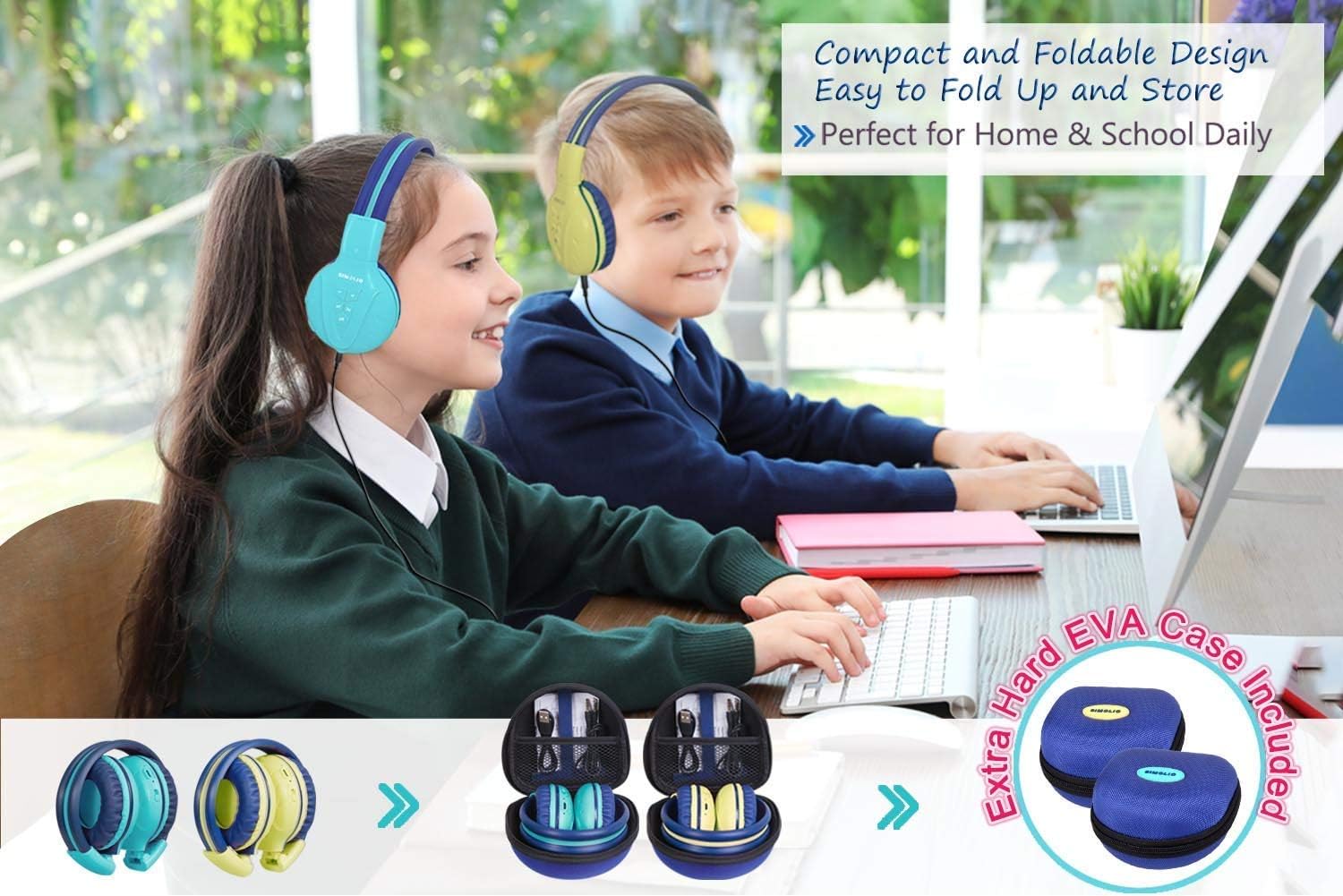
Image: Two pairs of headphones connected using the audio sharing feature, allowing simultaneous listening.
Hooldus
- Puhastamine: Kõrvaklappide puhastamiseks kasutage pehmet ja kuiva lappi. Ärge kasutage vedelaid puhastusvahendeid ega aerosoole.
- Hoiustamine: When not in use, fold the headphones and store them in the provided EVA hard carrying case to protect them from dust and damage.
- Aku hooldus: Aku tööea pikendamiseks vältige kõrvaklappide sagedast täielikku tühjenemist. Laadige neid regulaarselt, isegi kui neid pidevalt ei kasutata.
Veaotsing
| Probleem | Lahendus |
|---|---|
| Kõrvaklapid ei lülitu sisse. | Veenduge, et kõrvaklapid on laetud. Ühendage USB-kaabli abil toiteallikaga. |
| Ei saa Bluetoothi kaudu siduda. | Make sure the headphones are in pairing mode (flashing blue/red LED). Ensure your device's Bluetooth is on and within range. Forget previous pairings on your device and try again. |
| Juhtmega režiimis pole heli. | Check that the 3.5mm AUX cable is securely connected to both the headphones and the audio source. Ensure the audio source's volume is not muted or too low. |
| Sound is too low/high. | Adjust the volume using the +/- buttons on the headphones and on your connected device. Check the 3-level volume limiter switch setting. |
Tehnilised andmed
- Mudeli nimi: Kids Bluetooth Headphones JH-711MY
- Ühenduvustehnoloogia: Juhtmevaba (Bluetooth), Juhtmega (3.5 mm AUX)
- Traadita side tehnoloogia: Bluetooth 4.0
- Bluetoothi vahemik: 30 jalga
- Aku eluiga: Kuni 15 tundi
- Laadimisaeg: Umbes 3 tundi
- Helidraiveri tüüp: Dünaamiline draiver
- Kõrva paigutus: Üle Kõrva
- Mürakontroll: Heliisolatsioon
- Eriomadused: 3 Adjustable Volume Limited, Built-in Microphone, Durable and Flexible, Foldable, Audio Share Port, EVA Case
- Toote mõõtmed: 5.51 x 3.15 x 5.31 tolli
- Kauba kaal: 1.8 naela (0.82 kilogrammi)
- Materjal: Nylon, Stainless Steel (headband), EVA (carrying case)
Ametlik tootevideo
Video: An official product video from Simolio Direct showcasing the features and usage of the SIMOLIO Bluetooth Headphones for Kids with Case JH-711.
Garantii ja tugi
For warranty information or technical support, please refer to the contact details provided on the product packaging or visit the official SIMOLIO websaidile.


