1. Sissejuhatus
The PNI IP930W is a 1080P 2MP wireless P2P PTZ IP surveillance camera designed for indoor use. It offers comprehensive monitoring capabilities with its pan-tilt-zoom functionality, two-way audio, motion detection, and advanced night vision. This manual provides detailed instructions for setting up, operating, and maintaining your camera to ensure optimal performance and security.
2. Pakendi sisu
Before proceeding with the installation, please verify that all items listed below are present in your package.
- PNI IP930W Camera
- Toiteadapter (5V/1A)
- Katteplaat
- Kasutusjuhend
- Kinnituskruvid
- Toitekaabel

Image: Contents of the PNI IP930W package, including the camera, power adapter, USB cable, mounting bracket, and user manual.
3. Toote lõppview
Familiarize yourself with the camera's components and interfaces.
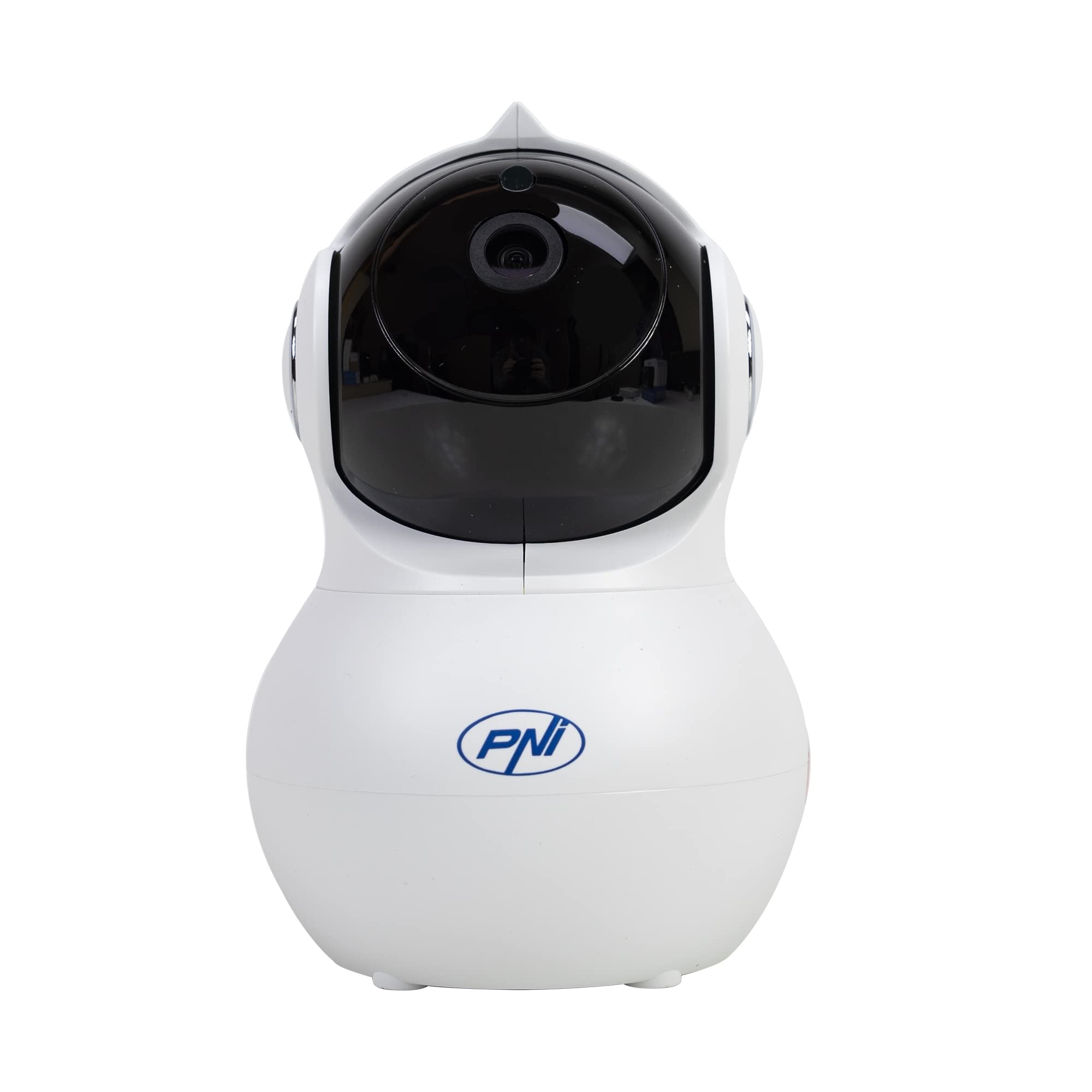
Pilt: Esikülg view of the PNI IP930W surveillance camera, showing its dome shape and lens.

Pilt: Detailne view of the PNI IP930W camera with labels pointing to the Reset Button, TF Card Slot, DC Interface (power), and LAN Interface (Ethernet port.

Pilt: Alumine osa view of the PNI IP930W camera, showing the mounting points, product label with model number, QR code, and power specifications.
4. Seadistusjuhised
4.1. Kaamera sisselülitamine
- Connect the provided power cable to the DC Interface on the camera.
- Ühendage toiteadapter tavalisse pistikupessa.
- The camera will power on and initiate its self-test sequence.
4.2. Võrguühendus
The PNI IP930W supports both wireless (Wi-Fi) and wired (Ethernet) connections.
Wireless Connection (Recommended)
- Download the "Yi IOT" application from your mobile device's app store (iOS or Android).
- Registreeri konto ja logi sisse.
- Follow the in-app instructions to add your camera. This typically involves scanning a QR code on the camera or connecting to a temporary Wi-Fi hotspot created by the camera.
- Valige oma kodune WiFi-võrk ja sisestage parool.
- Wait for the camera to connect to your Wi-Fi network.
Juhtmega ühendus
- Connect an Ethernet cable from your router to the LAN Interface on the camera.
- Follow the in-app instructions in the "Yi IOT" application to add your camera. The app should detect the camera automatically on the local network.
4.3. MicroSD-kaardi paigaldamine (valikuline)
The camera supports a MicroSD card up to 64GB for local video storage.
- Locate the TF Card Slot on the camera (refer to Product Overview pilt).
- Sisestage MicroSD-kaart ettevaatlikult pessa, kuni see klõpsuga oma kohale lukustub.
- Format the MicroSD card via the "Yi IOT" app settings for proper functionality.
4.4. Kaamera paigaldamine
The camera can be placed on a flat surface or mounted to a ceiling or wall using the provided bracket and screws.

Image: The PNI IP930W camera mounted upside down on a ceiling using its bracket, demonstrating flexible installation options.
- Choose a suitable indoor location for optimal viewing.
- Attach the mounting bracket to the desired surface using the mounting screws.
- Kinnitage kaamera kindlalt kinnitusklambri külge.
- Adjust the camera's orientation as needed.
5. Kasutusjuhised
5.1. Ela View ja PTZ-juhtimine
- Open the "Yi IOT" app and select your camera.
- Ilmub otsevideo voog.
- Use the on-screen controls to pan (horizontal 355°) and tilt (vertical 155°) the camera lens to adjust the viewnurk.
5.2. Kahesuunaline heli
- Otseses ajal view, tap the microphone icon in the app to speak through the camera's built-in speaker.
- The camera's built-in microphone will capture audio from the environment.
5.3. Liikumistuvastus ja märguanded
- Enable motion detection in the "Yi IOT" app settings.
- Vajadusel reguleerige tundlikkuse taset.
- When motion is detected, the camera can send alarm notifications to your mobile phone and record a short video clip (e.g., 6 seconds).
5.4. Öine nägemine
- The camera automatically switches to night vision mode in low-light conditions using its 8 infrared LEDs.
- Öönägemine pakub selget mustvalget videot kuni 10 meetri kauguselt.
5.5. Video salvestamine ja salvestamine
- Recordings can be stored locally on the MicroSD card or in the cloud (subscription required).
- Juurdepääs salvestatud foo-letage through the "Yi IOT" app's playback feature.
6. Hooldus
- Puhastamine: Kaamera objektiivi ja korpuse puhastamiseks kasutage pehmet ja kuiva lappi. Vältige abrasiivseid puhastusvahendeid ega lahusteid.
- Püsivara värskendused: Regularly check the "Yi IOT" app for available firmware updates to ensure optimal performance and security.
- MicroSD-kaart: Periodically check the MicroSD card for errors and ensure it has sufficient storage space. Back up important recordings as needed.
7. Veaotsing
| Probleem | Võimalik põhjus | Lahendus |
|---|---|---|
| Kaamera ei lülitu sisse | Toiteadapter pole ühendatud või on vigane; probleem pistikupesas. | Ensure power cable is securely connected. Try a different power outlet. Verify power adapter functionality. |
| Wi-Fi-ga ei saa ühendust luua | Incorrect Wi-Fi password; camera too far from router; Wi-Fi signal interference. | Double-check Wi-Fi password. Move camera closer to the router. Reduce interference from other devices. Ensure router is 2.4GHz compatible. |
| Rakenduses pole videovoogu | Network connection issue; app malfunction. | Check network connection. Restart camera and app. Re-add camera to the app if necessary. |
| Liikumistuvastus ei tööta | Motion detection disabled; sensitivity too low; incorrect detection zone. | Enable motion detection in app settings. Increase sensitivity. Adjust detection zones. |
| MicroSD-kaart ei salvesta | Card not inserted correctly; card not formatted; card full or faulty. | Reinsert MicroSD card. Format card via app. Replace card if faulty. |
8. Tehnilised andmed
| Funktsioon | Detail |
|---|---|
| Mudeli number | IP930W |
| Pildi andur | 1/2.7" |
| Anduri lahutusvõime | 2 megapikslit |
| Video eraldusvõime | 1080P (1920x1080) |
| Objektiivi tüüp | f:3.6 mm |
| Minimaalne valgustus | 0.01 luksi |
| Viewing | 80° (Fixed Lens), 360° (PTZ Coverage) |
| IR-lõigatud filter | Jah |
| Video tihendamine | H.264 |
| Kaadrit sekundis | 20-25 kaadrit sekundis |
| Helisisend | Sisseehitatud mikrofon |
| Heliväljund | Sisseehitatud kõlar |
| Ethernet | 10/100 Mbit/s RJ-45 |
| Traadita ühenduvus | WiFi (802.11b / g / n) |
| Traadita turvalisus | WEP, WPA, WPA2 krüptimine |
| Panoraami/kallutamise vahemik | Horisontaalne: 355°, vertikaalne: 155° |
| Mõõdud (P x L x K) | 20.25 x 12.15 x 11.7 cm |
| Netokaal | 225 g |
| MicroSD-kaardi pesa | Max 64 GB (card not included) |
| Liikumistuvastus | Jah |
| Video salvestamine | Local (MicroSD), Cloud (paid) |
| Beebimonitori funktsioon | Jah |
| Infrapuna kaugus | Kuni 10 m |
| Häireteade | To mobile phone |
| P2P tugi | Jah |
| Spetsiaalne rakendus | Yi IOT |
| Toiteallikas Voltage | 5V/1A |
| Energiatarve | 5W |
| Töötemperatuur | -26°C ~ +80°C |
| Töö niiskus | 20% -85% (mittekondenseeruv) |
| Kasutuskeskkond | Siseruumides |
| IP reiting | IP66 |
9. Garantii ja tugi
For warranty information, please refer to the documentation provided with your purchase or contact your retailer.
For technical support, please visit the official PNI website or contact their customer service. The dedicated "Yi IOT" application also provides support resources and FAQs.

Image: An image indicating PNI technical support, showing tools and a multimeter, suggesting repair and service capabilities.


