1. Sissejuhatus
Welcome to the user manual for your Genius Manticore Gaming Keyboard. This guide provides essential information for setting up, operating, maintaining, and troubleshooting your new gaming keyboard. Please read these instructions carefully to ensure optimal performance and longevity of your device.
2. Toote lõppview
The Genius Manticore Gaming Keyboard is designed for an enhanced gaming experience, featuring a durable build and responsive keys. It connects via USB and is compatible with a wide range of devices. The keyboard includes 104 keys with a standard QWERTY layout, complemented by additional gaming-specific features.
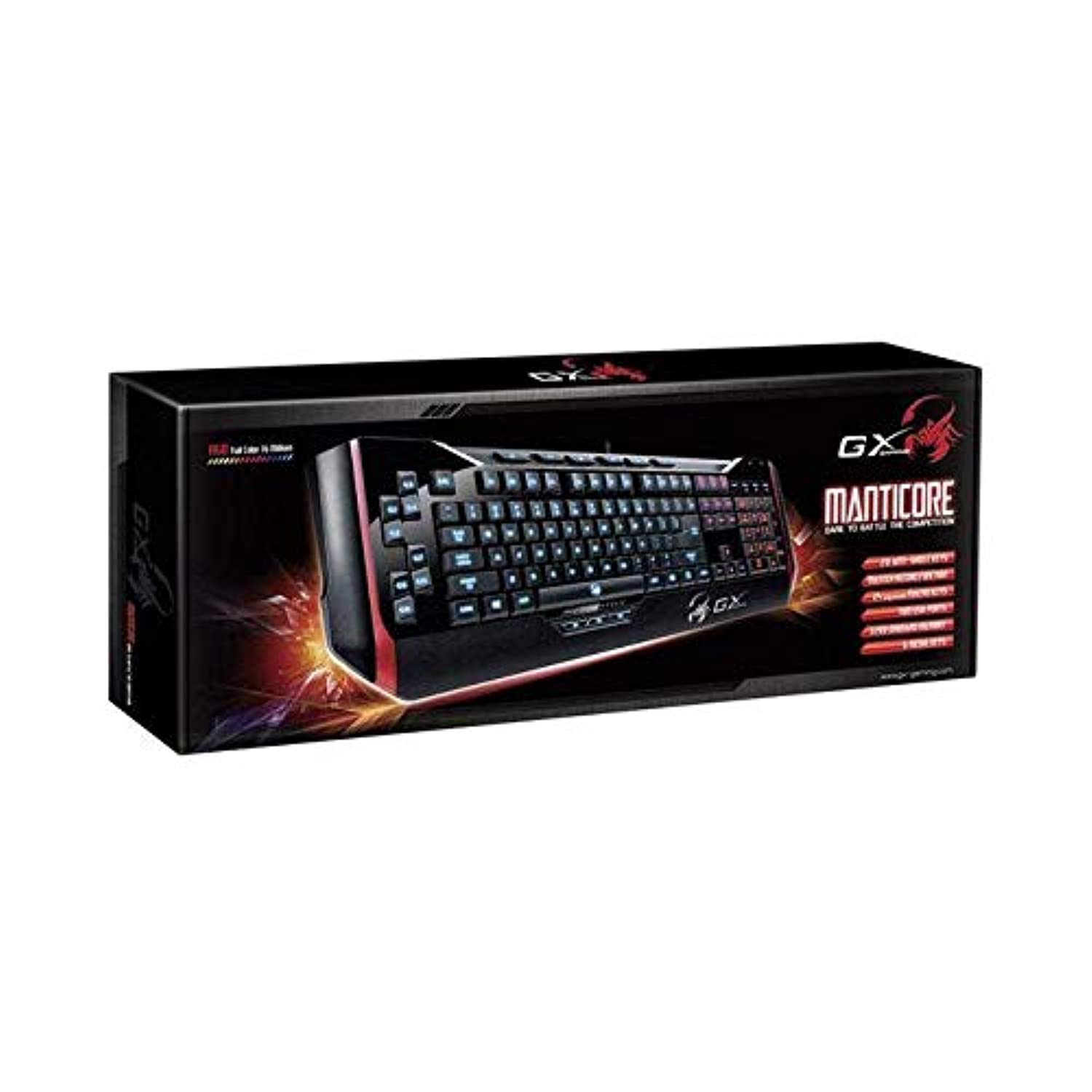
Joonis 1: Genius Manticore Gaming Keyboard. This image displays the Genius Manticore Gaming Keyboard, featuring a black body with red accents on the sides. The keys are illuminated, indicating its gaming functionality. The keyboard has a standard QWERTY layout with additional keys on the left side, likely for macros, and a numeric keypad on the right.
3. Seadistamine
- Pakkige klaviatuur lahti: Carefully remove the Genius Manticore Gaming Keyboard from its packaging. Ensure all components are present.
- Ühendage oma seadmega: Locate an available USB port on your computer or compatible device. Insert the USB connector of the keyboard firmly into the USB port.
- Draiveri installimine (vajadusel): For most modern operating systems, the keyboard will be recognized automatically, and standard drivers will be installed. If prompted, follow the on-screen instructions to complete any driver installation.
- Testi funktsionaalsus: Ava tekstiredaktor või web browser and test the keys to ensure they are responding correctly.
4. Kasutusjuhised
The Genius Manticore Gaming Keyboard offers a standard QWERTY layout for general typing and dedicated features for gaming.
- Standardsete klahvide funktsioonid: All standard alphanumeric, symbol, and function keys operate as expected on a typical QWERTY keyboard.
- Mängufunktsioonid: The keyboard is designed for gaming. Specific gaming features, such as customizable backlighting or programmable macro keys (if available on your model), can typically be configured through dedicated software provided by Genius or through specific key combinations. Refer to the Genius website for any available software downloads or advanced feature guides.
- Toiteallikas: The keyboard is powered directly via the USB connection to your device. No external power supply or batteries are required.
5. Hooldus
Nõuetekohane hooldus tagab klaviatuuri pikaealisuse ja jõudluse.
- Puhastamine: Klaviatuuri pinna pühkimiseks kasutage pehmet ja kuiva lappi. Klahvide vahelt tolmu ja prahi eemaldamiseks kasutage suruõhku. Vältige karmide kemikaalide või abrasiivsete materjalide kasutamist.
- Kokkupuude vedelikuga: This keyboard is mitte veekindel. Avoid spilling liquids on the keyboard, as this can cause permanent damage. If liquid exposure occurs, immediately disconnect the keyboard from your device and allow it to dry completely before attempting to use it again.
- Hoiustamine: Kui klaviatuuri ei kasutata, hoidke seda puhtas ja kuivas kohas, eemal äärmuslikest temperatuuridest ja otsesest päikesevalgusest.
6. Veaotsing
Kui teil tekib klaviatuuriga probleeme, proovige järgmisi lahendusi.
- Klaviatuur ei reageeri:
- Veenduge, et USB-kaabel oleks kindlalt ühendatud nii klaviatuuri kui ka arvutiga.
- Proovige klaviatuur ühendada arvuti teise USB-porti.
- Testige klaviatuuri teises arvutis, et teha kindlaks, kas probleem on klaviatuuris või originaalarvutis.
- Taaskäivitage arvuti.
- Teatud klahvid ei tööta:
- Check for any physical obstructions under the non-functional keys.
- Puhastage klaviatuuri, nagu on kirjeldatud jaotises Hooldus.
- Ensure no software conflicts are present (e.g., macro software interfering with standard key functions).
- Taustvalgustuse probleemid:
- If your model features adjustable backlighting, ensure it is not turned off or set to the lowest brightness level. Consult the Genius website for specific key combinations to control backlighting.
If these steps do not resolve the issue, please contact Genius customer support for further assistance.
7. Tehnilised andmed
| Funktsioon | Detail |
|---|---|
| Kaubamärgi nimi | Geniaalne |
| Mudeli number | GE31310058108 |
| Ühilduvad seadmed | Kõik |
| Ühenduvustehnoloogia | USB |
| Klaviatuuri kirjeldus | Mängimine |
| Eriomadused | Mängimine |
| Värv | Multi-color (Black and Red) |
| Stiil | Kaasaegne |
| Materjal | Mitu materjali |
| Teema | Mängud |
| Toiteallikas | USB-toide |
| Võtmete arv | 104 |
| Klaviatuuri paigutus | QWERTY klaviatuur |
| Käe orientatsioon | Kahepoolne |
| Nuppude kogus | 104 |
| Veekindluse tase | Ei ole veekindel |
| Tootja | Geniaalne |
| ASIN | B07MQMXJS9 |
8. Garantii ja tugi
Your Genius Manticore Gaming Keyboard is covered by a standard manufacturer's warranty. For detailed information regarding warranty terms, registration, or to access technical support, please visit the official Genius webveebisaidilt või võtke ühendust nende klienditeenindusega. Hoidke ostutšekk ostutõendina alles.
Lisateabe saamiseks võite külastada Geeniuse ametnik Websaidile.


