Sissejuhatus
This manual provides essential instructions for the safe operation, setup, and maintenance of your Protocol Director HD Foldable Drone. Please read this manual thoroughly before operating the drone to ensure proper function and to prevent damage or injury.
The Protocol Director HD is a foldable drone equipped with a live streaming HD camera, designed for capturing aerial video and photos. It features an intuitive 2.4 GHz remote control, an altitude sensor for stable flight, and a free downloadable app for enhanced camera control and flight path drawing.
Ohutusmeetmed
- Kasutage drooni alati avatud ja takistusteta alal, eemal inimestest, loomadest ja takistustest.
- Do not operate near airports, restricted airspace, or sensitive facilities.
- Hoidke ohutus kauguses elektriliinidest, puudest ja veekogudest.
- Enne iga lendu veenduge, et kõik propellerid on kindlalt kinnitatud ja kahjustamata.
- Ärge lennake tugeva tuule või halbade ilmastikutingimuste korral.
- Hoidke sõrmed ja juuksed pöörlevatest propelleritest eemal.
- Adult supervision is recommended for users under 18 years of age. Recommended age for operation is 14 years and up.
- Only use original Protocol replacement parts and accessories.
- Ärge proovige drooni ega selle komponente muuta.
- Lülitage droon ja kaugjuhtimispult välja, kui neid ei kasutata.
Pakendi sisu
Veenduge, et pakendis on kõik esemed olemas:
- Protocol Director HD Foldable Drone with Camera
- Remote Control with Phone Mount
- USB laadimiskaabel
- 2 x drooni akut
- Reisikott
- Kasutusjuhend (see dokument)
- Spare Parts: Blades, Screwdriver

Image: The Protocol Director HD Foldable Drone, showcasing its compact design with propellers extended and camera visible at the front.
Seadistamine
1. Drooni aku laadimine
- Insert one of the drone batteries into the USB charging cable.
- Connect the USB charging cable to a USB power source (e.g., computer USB port, USB wall adapter).
- USB-kaabli laadimise indikaatortuli süttib laadimise ajal ja kustub, kui aku on täielikult laetud.
- Laadimine võtab tavaliselt aega umbes 60–90 minutit. Ärge laadige üle.
2. Kaugjuhtimispuldi patareide paigaldamine
- Avage kaugjuhtimispuldi tagaküljel olev patareipesa.
- Sisestage 4 AA-patareid (ei kuulu komplekti), jälgides õiget polaarsust (+/-).
- Sulgege patareipesa kindlalt.

Image: The drone's remote control with a smartphone securely mounted, displaying a live feed from the drone's camera.
3. Drooni lahtivoltimine
- Gently unfold each of the four rotor arms until they click into place.
- Enne lendu veenduge, et kõik käed on täielikult välja sirutatud ja lukustatud.
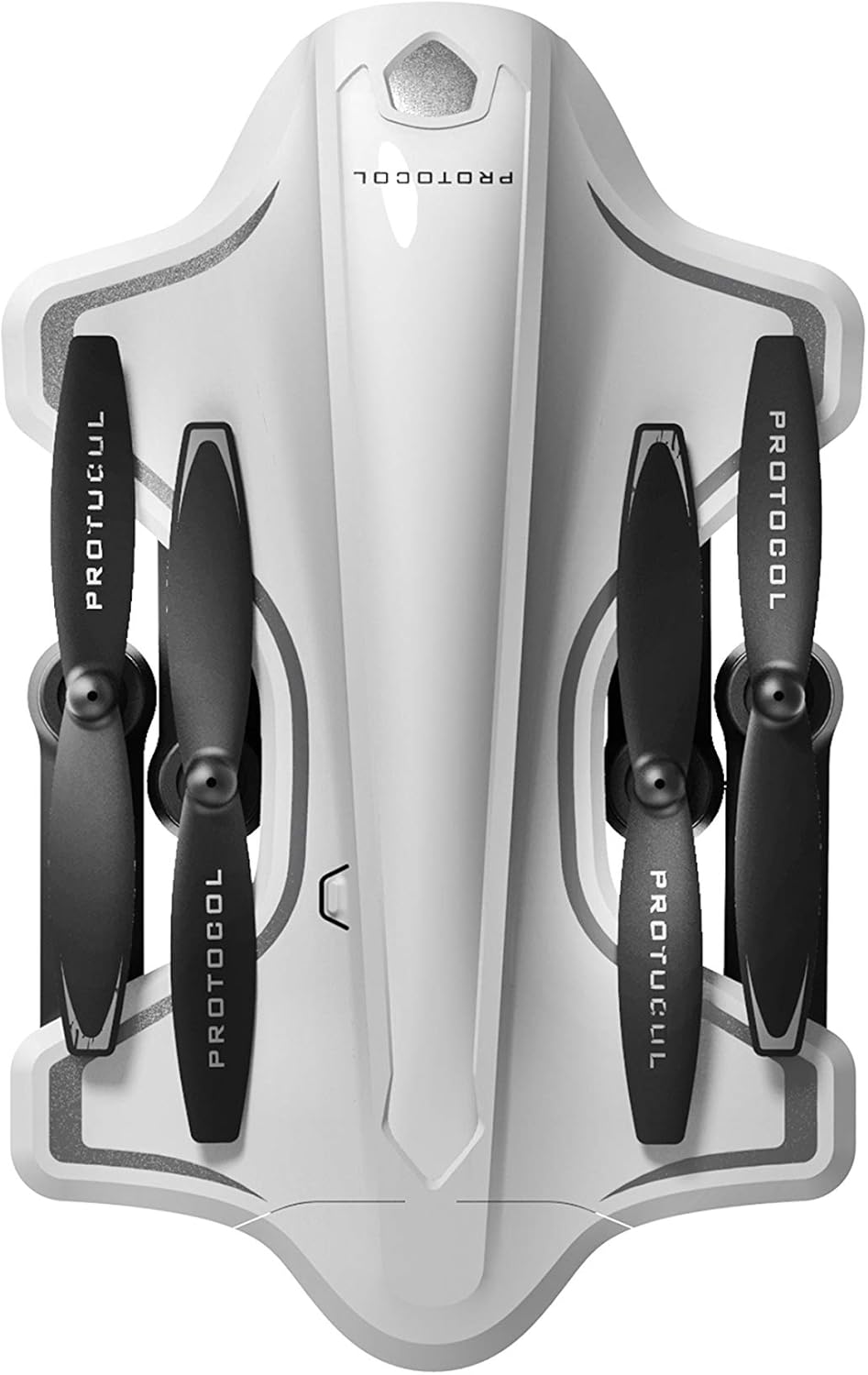
Image: The Protocol Director HD Foldable Drone in its compact, folded configuration, ready for transport.
4. Installing the Drone Battery
- Leidke droonil akupesa.
- Insert the fully charged drone battery, ensuring it is securely seated.
- Sulgege patareipesa kaas.
5. Downloading the App (Optional for Camera Features)
- Otsi the "Protocol Director HD" app in your smartphone's app store (iOS or Android).
- Download and install the free application.
- Mount your smartphone onto the remote control's phone mount.
Kasutusjuhised
1. Sisselülitamine ja sidumine
- Asetage droon tasasele ja tasasele pinnale.
- Lülita droon sisse, vajutades toitenuppu. Drooni tuled vilguvad.
- Lülitage kaugjuhtimispult sisse.
- Lükake vasakpoolne juhtkang (gaas) täiesti üles ja seejärel täiesti alla. Drooni tuled hakkavad pidevalt põlema, mis näitab edukat sidumist.
2. Güroskoobi kalibreerimine
After pairing, it is recommended to calibrate the gyroscope for stable flight:
- With the drone on a flat surface, push both joysticks down and to the right simultaneously for a few seconds.
- The drone's lights will flash rapidly and then become solid, indicating calibration is complete.
3. Lennu põhijuhtimisseadmed
The Protocol Director HD features auto launch, hover, and land functions due to its altitude sensor.
- Auto Launch: Press the dedicated auto launch button on the remote. The drone will ascend to a stable hovering altitude.
- Drossel (vasak juhtkang):
- Push up: Increase altitude
- Push down: Decrease altitude
- Push left/right: Rotate drone left/right (yaw)
- Suuna juhtimine (parempoolne juhtkang):
- Push up: Fly forward
- Push down: Fly backward
- Push left: Fly left (strafe)
- Push right: Fly right (strafe)
- Auto Land: Press the dedicated auto land button. The drone will slowly descend and land.
- Kiiruse valik: Use the speed button on the remote to cycle through three selectable speeds (low, medium, high).
4. Camera and App Features
Connect your smartphone to the drone's Wi-Fi network (usually named "Protocol_Drone_XXXXXX") to access live streaming and advanced camera functions via the app.
- Otseülekanne: View the drone's camera feed in real-time on your smartphone.
- Video salvestamine: Initiate and stop video recording (480p resolution) through the app.
- Foto jäädvustamine: Take still images through the app.
- Mitu kaameranurka: The app supports three different camera angles (Aerial, POV, Selfie) for varied content creation.
- Heli salvestamine: The app allows for audio recording alongside video.
- Draw Your Own Flight Path: Utilize the app's feature to draw a flight path on your screen, and the drone will follow it.
- VR Capability: The app is VR capable; VR goggles are sold separately.
Hooldus
- Propelleri ülevaatus: Regularly check propellers for cracks, bends, or damage. Replace any damaged propellers using the provided spare parts and screwdriver.
- Puhastamine: Use a soft, dry cloth to clean the drone and remote control. Avoid using liquids or harsh chemicals.
- Aku hooldus:
- Ärge laadige akusid üle.
- Hoidke patareisid jahedas ja kuivas kohas.
- Remove batteries from the drone and remote control during long periods of non-use.
- Hoiustamine: Fold the drone arms for compact storage in the provided travel bag when not in use. Store in a cool, dry environment.
Veaotsing
| Probleem | Võimalik põhjus | Lahendus |
|---|---|---|
| Droon ei lülitu sisse. | Aku pole laetud või on valesti paigaldatud. | Veenduge, et aku on täielikult laetud ja õigesti sisestatud. |
| Kaugjuhtimispult ei lülitu sisse. | AA batteries are dead or incorrectly installed. | Replace AA batteries, checking polarity. |
| Drone and remote do not pair. | Pairing sequence not followed correctly. | Ensure drone is on, then remote. Push left joystick up then down completely. |
| Droon triivib lennu ajal. | Gyroscope needs calibration; uneven surface at launch. | Land the drone, place on a flat surface, and recalibrate the gyroscope (both joysticks down and right). |
| One propeller does not spin. | Propeller damaged or motor issue. | Check for obstructions. Replace damaged propeller. If issue persists, contact support. |
| Nutitelefonis otseülekannet ei toimu. | Drooni WiFi-ga pole ühendust; rakendus pole avatud. | Ensure smartphone is connected to the drone's Wi-Fi network and the app is running. |
Tehnilised andmed
| Kaubamärk | Protokoll |
| Mudeli nimi | Director HD |
| Mudeli number | 6182-7RCHA |
| Mõõdud (volditud) | Ligikaudu 4.75 tolli (pikkus) |
| Mõõtmed (laiendatud) | Approximately 9 inches (length, including blades) |
| Kaal | 0.94 kilogrammi (940 g) |
| Kaamera eraldusvõime | 480p (Video Capture) |
| Ühenduvus | Wi-Fi (for app control and live streaming), 2.4 GHz (for remote control) |
| Stabiliseerimine | 6-axis motion-sensitive auto stabilizers, Altitude sensor |
| Kiiruse režiimid | Three selectable speeds |
| Drooni aku | Laetav (2 kaasas) |
| Kaugjuhtimispuldi aku | 4 x AA patareid (ei kuulu komplekti) |
| Materjal | Plastic (Crash-resistant) |
| Soovitatav vanus | 14 aastat ja rohkem |
Garantii ja tugi
For warranty information, technical support, or to purchase replacement parts, please visit the official Protocol webveebisaidilt või võtke ühendust nende klienditeenindusega. Hoidke ostutšekk ostutõendina alles.
Websait: www.protocolny.com (Ntamplink, tegelik link võib erineda)
Kontakt: Refer to the Protocol website for contact details, including phone numbers or email support.


