1. Sissejuhatus
Thank you for choosing the lightmaXX Vega 3-Way PRO Beam/WASH/FX Moving Head Scanner. This versatile lighting fixture is designed for professional stage, event, and club applications, offering dynamic beam, wash, and special effect capabilities. This manual provides essential information for safe operation, setup, maintenance, and troubleshooting to ensure optimal performance and longevity of your device.
2. Ohutusjuhised
Please read and understand all safety instructions before installing or operating this device. Failure to comply with these instructions may result in electric shock, fire, or personal injury.
- See seade on mõeldud ainult professionaalseks kasutamiseks.
- Veenduge, et toiteallikas voltage vastab voltage seadmel märgitud.
- Ühendage seade alati maandatud pistikupessa.
- Disconnect from mains power before any service, cleaning, or maintenance.
- Ärge kasutage seadet, kui toitejuhe on kahjustatud.
- Vältige silma otsest kokkupuudet valgusallikaga.
- Ensure adequate ventilation around the unit to prevent overheating. Maintain a minimum distance of 0.5 meters from flammable materials.
- Mount the device securely using appropriate clamps ja turvakaablid.
- Ärge avage korpust; sees ei ole kasutaja poolt hooldatavaid osi. Pöörduge kogu hoolduse poole kvalifitseeritud personali poole.
- Keep the device away from rain, moisture, and extreme temperatures.
3. Toote lõppview
The lightmaXX Vega 3-Way PRO is a hybrid moving head fixture designed to deliver powerful and versatile lighting effects. It combines beam, wash, and special effect functionalities in one compact unit.
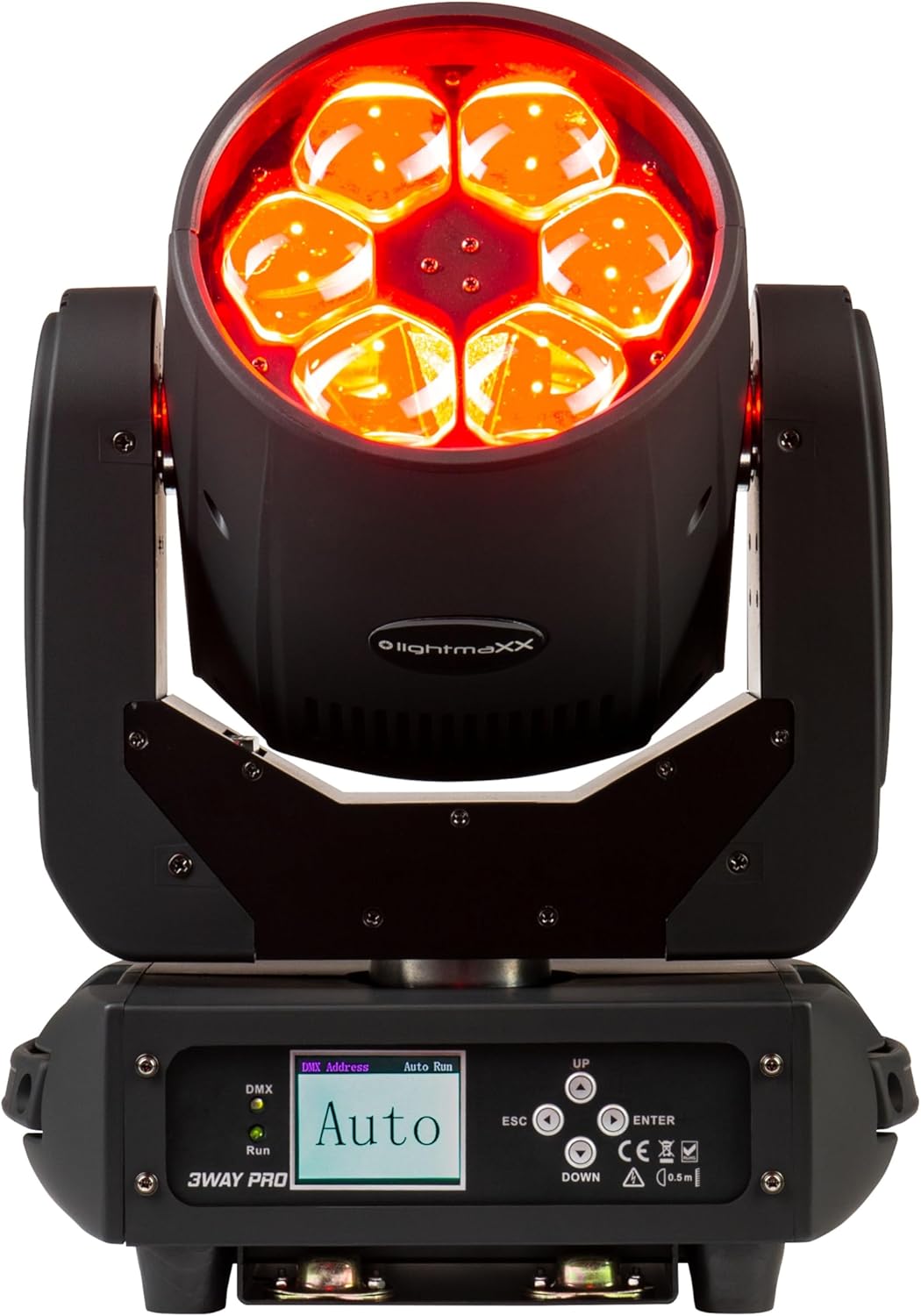
Joonis 3.1: Esiosa view of the lightmaXX Vega 3-Way PRO, displaying red light output.

Joonis 3.2: Esiosa view of the lightmaXX Vega 3-Way PRO with lights off, showing the lens array.
3.1 Juhtpaneel ja ühendused
The rear of the unit features the control panel and various input/output connections for power and DMX control.

Figure 3.3: Close-up of the control panel and connection ports.

Joonis 3.4: Tagumine view of the lightmaXX Vega 3-Way PRO, showing DMX In/Out, Power In/Out, and fuse.
- DMX IN/OUT: 3-pin XLR connectors for DMX signal input and output.
- SISSE/VÄLJAS: PowerCon compatible connectors for mains power input and daisy-chaining power to other units.
- SULAV: Fuse holder for circuit protection.
- ON/OFF lüliti: Seadme peatoitelüliti.
- Kuva: LCD screen for menu navigation and settings.
- Juhtnupud: UP, DOWN, ESC, ENTER for navigating the menu and adjusting settings.
- DMX/Run Indicators: LEDs indicating DMX signal presence and auto-run mode.
4. Seadistamine
4.1 Paigaldamine
The lightmaXX Vega 3-Way PRO can be mounted in various orientations (floor, truss, wall) using appropriate mounting hardware (not included). Always ensure the mounting surface or truss is capable of supporting the weight of the fixture and any additional equipment.
- Use a safety cable (not included) attached to the designated safety point on the fixture to prevent accidental drops.
- Ensure the fixture is securely fastened and balanced.
- Allow sufficient space around the fixture for ventilation and movement.
4.2 Toiteühendus
Connect the provided power cable to the POWER IN connector on the fixture and then to a suitable grounded power outlet. The unit supports daisy-chaining power to other fixtures using the POWER OUT connector, but ensure the total current draw does not exceed the circuit breaker's rating.
4.3 DMX-ühendus
To control the fixture via DMX, connect a DMX controller to the DMX IN port using a 3-pin XLR cable. If connecting multiple DMX fixtures, daisy-chain them by connecting the DMX OUT of the first fixture to the DMX IN of the next. The last fixture in the chain should have a DMX terminator connected to its DMX OUT port to prevent signal reflection.
5. Töötamine
5.1 Juhtpaneelil navigeerimine
Use the control buttons to navigate the menu and adjust settings:
- ÜLES ALLA: Scroll through menu options or increase/decrease values.
- SISENEMA: Valige suvand või kinnitage säte.
- ESC: Go back to the previous menu or cancel an action.
5.2 DMX Address Setting
To control the fixture with a DMX controller, you must set a unique DMX start address for each unit. Refer to the DMX channel chart in your DMX controller's manual for channel assignments.
- Vajutage SISESTA peamenüüsse pääsemiseks.
- Navigate to the 'DMX Address' or 'Address Set' option using ÜLES/ALLA.
- Vajutage SISESTA valimiseks.
- Kasutage ÜLES/ALLA to set the desired DMX start address.
- Vajutage SISESTA to confirm and save the address.
5.3 töörežiimid
The lightmaXX Vega 3-Way PRO typically offers several operating modes:
- DMX režiim: Full control over all functions via a DMX controller.
- Automaatne töörežiim: Pre-programmed internal light shows that run automatically. Select 'Auto Run' from the menu and choose a program.
- Heli aktiivne režiim: The fixture reacts to sound via its built-in microphone. Select 'Sound Active' from the menu.
- Ülem/alluv režiim: Link multiple units together. Set one unit as 'Master' and others as 'Slave'. The slave units will mirror the master's actions.
6. Hooldus
Regular maintenance ensures the longevity and optimal performance of your lightmaXX Vega 3-Way PRO.
- Puhastamine: Periodically clean the lenses and exterior housing with a soft, lint-free cloth. Do not use abrasive cleaners or solvents. Ensure the unit is powered off and cool before cleaning.
- Ventilatsioon: Keep ventilation openings clear of dust and debris. Use compressed air to gently clear vents if necessary.
- Kaitsme vahetus: If the unit does not power on, check the fuse. Disconnect power, unscrew the fuse holder, and replace with a fuse of the exact same type and rating (refer to specifications).
- Ülevaatus: Regularly inspect power cables, DMX cables, and mounting hardware for any signs of wear or damage. Replace damaged components immediately.
7. Veaotsing
If you encounter issues with your lightmaXX Vega 3-Way PRO, refer to the following common problems and solutions:
| Probleem | Võimalik põhjus | Lahendus |
|---|---|---|
| Pole jõudu | No mains power; Blown fuse; Damaged power cable | Check power outlet; Replace fuse; Replace power cable |
| DMX-i juhtimine puudub | Incorrect DMX address; Faulty DMX cable; No DMX signal; Missing terminator | Verify DMX address; Check/replace DMX cables; Ensure DMX controller is active; Add DMX terminator to last fixture |
| Fixture not moving/responding | DMX issue; Internal error; Motor blockage | Check DMX connection/address; Power cycle the unit; Ensure no physical obstructions |
| Ülekuumenemine | Blocked ventilation; Insufficient airflow | Clear vents; Ensure proper spacing for airflow |
If the problem persists after attempting these solutions, please contact lightmaXX customer support or your authorized dealer.
8. Tehnilised andmed
| Funktsioon | Spetsifikatsioon |
|---|---|
| Mudel | Vega 3-Way PRO Beam/WASH/FX |
| Tootja viide | LIG0014819-000 |
| Energiatarve | 240 vatti |
| Mõõdud (P x L x K) | 43.5 x 36.5 x 33 cm |
| Kaal | 11.1 kilogrammi |
| Ühenduvus | DMX (3-pin XLR), PowerCon compatible (In/Out), USB (for service/firmware) |
| Optilise anduri tehnoloogia | CMOS |
| Resolutsioon | 600 (units not specified, likely for internal sensor) |
9. Garantii ja tugi
For warranty information, please refer to the terms and conditions provided at the time of purchase or contact your authorized lightmaXX dealer. If you require technical assistance or have questions not covered in this manual, please contact lightmaXX customer support or your retailer for further guidance.


