1. Sissejuhatus
The Audio-Technica PRO24CM is a lightweight, compact stereo condenser microphone designed for digital recording with high-fidelity stereo sound. It is optimized for use with camcorders that feature an accessory shoe and a stereo microphone input. The microphone utilizes a pair of cardioid elements in an X-Y configuration to capture the spatial impact and realism of a live sound field.
This manual provides essential information for the proper setup, operation, and maintenance of your PRO24CM microphone.
2. Pakendi sisu
Veenduge, et teie pakendis on kõik järgmised esemed:
- PRO24CM Stereo Condenser Microphone with permanently attached 6-12 inch coiled cable and right-angle 3.5 mm stereo mini plug
- Video-camera shoe mount
- LR44 battery (1.5V)
- Esiklaas
- Pehme kaitsekott

Image: Included accessories for the PRO24CM microphone.
3. Seadistamine
3.1 Aku paigaldamine
The PRO24CM can operate on a 1.5V LR44 battery or via plug-in power from your camcorder. If your camcorder does not provide plug-in power, battery installation is required.
- Locate the battery compartment on the microphone body.
- Avage sahtel ettevaatlikult.
- Sisestage üks LR44 patarei, jälgides õiget polaarsust (+/-).
- Sulgege patareipesa kindlalt.
Image: The LR44 battery for microphone power.
3.2 Mikrofoni paigaldamine
The PRO24CM is designed to attach to a camcorder's accessory shoe.
- Slide the video-camera shoe mount onto your camcorder's accessory shoe.
- Secure the mount by tightening its locking mechanism.
- Insert the microphone into the shoe mount.
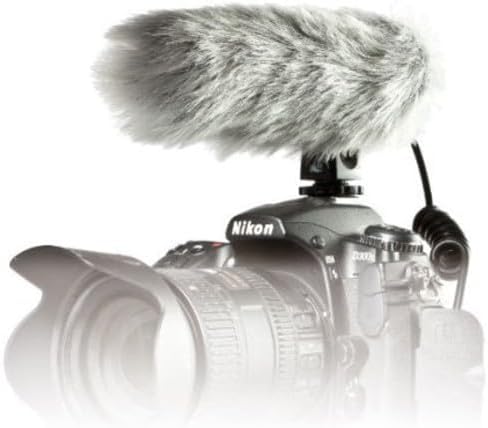
Image: PRO24CM microphone attached to a camcorder.
3.3 Connecting to a Camcorder
Connect the microphone to your camcorder's stereo microphone input.
- Locate the 3.5 mm stereo mini plug on the microphone's coiled cable.
- Insert the plug firmly into the microphone input jack on your camcorder.

Image: The PRO24CM microphone showing its coiled cable and 3.5mm connector.
3.4 Esiklaasi kasutamine
For outdoor recording or in windy conditions, attach the included windscreen to reduce wind noise and plosives.
- Gently slide the foam windscreen over the microphone's capsule.
- Ensure it fits snugly without obstructing the microphone elements.
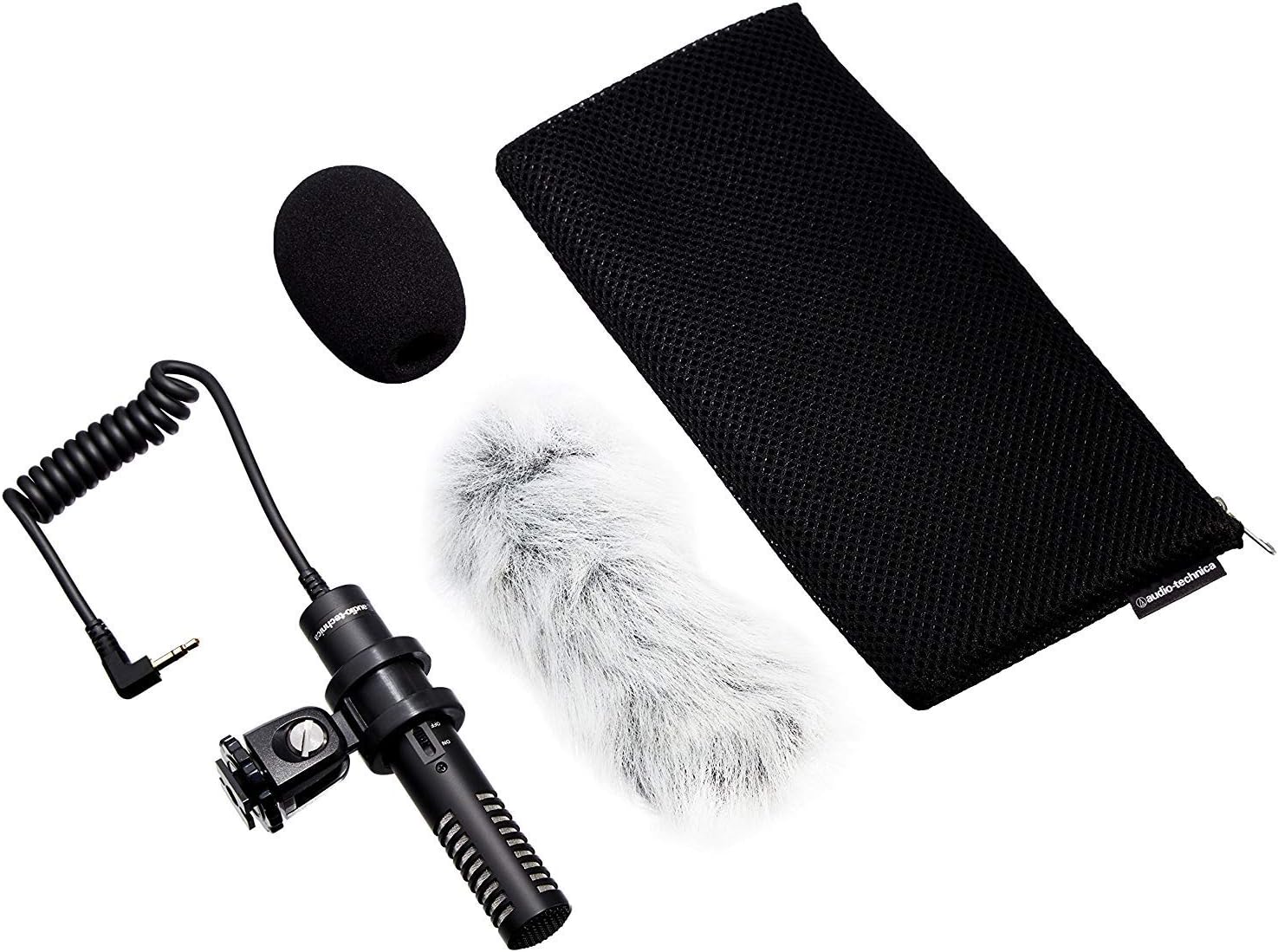
Image: PRO24CM microphone with windscreen and other accessories.
4. Operatsioon
4.1 Sisse-/väljalülitamine
The PRO24CM features an on/off switch for convenient operation.
- To turn the microphone ON, slide the switch to the "ON" position.
- To turn the microphone VÄLJAS, slide the switch to the "OFF" position.
When using plug-in power from your camcorder, the microphone will draw power directly from the camcorder, and battery operation is not required. However, it is still recommended to turn the microphone off when not in use to conserve battery life if a battery is installed.
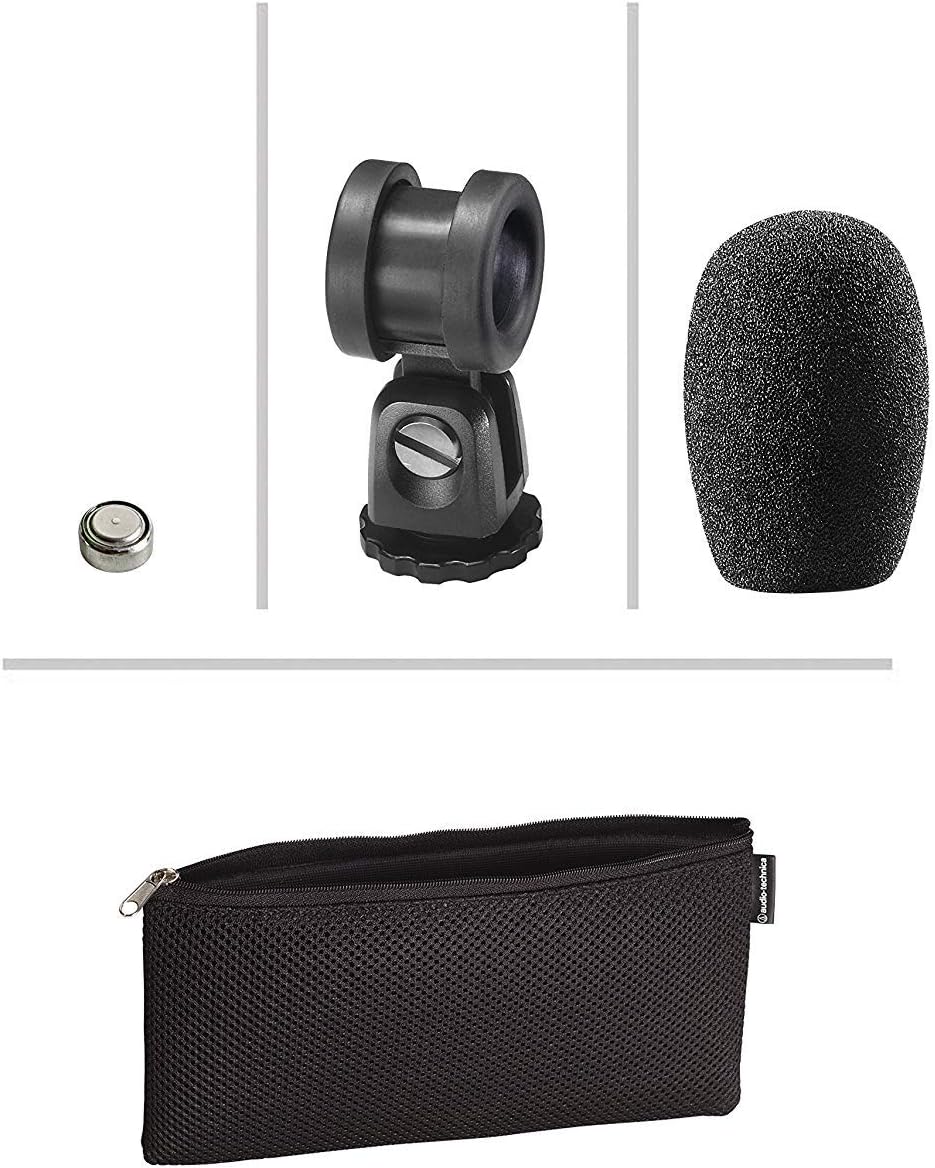
Image: The PRO24CM microphone with its on/off switch visible.
4.2 Recording Considerations
- Paigutus: Position the microphone to capture the desired sound source. The X-Y stereo configuration is designed to provide a natural stereo image.
- Jälgimine: Always monitor your audio through headphones connected to your camcorder to ensure optimal sound quality and to detect any unwanted noise.
- Saavutage tasemed: Adjust the input gain on your camcorder to prevent clipping (distortion) while ensuring a strong signal.
5. Hooldus
- Puhastamine: Mikrofoni korpuse puhastamiseks kasutage pehmet ja kuiva lappi. Vältige karmide kemikaalide või abrasiivsete materjalide kasutamist.
- Hoiustamine: When not in use, store the microphone in its protective pouch to prevent dust and damage. Remove the battery if storing for extended periods to prevent leakage.
- Kaabli hooldus: Avoid sharp bends or kinks in the microphone cable.
6. Veaotsing
- Heli puudub:
- Ensure the microphone's on/off switch is in the "ON" position.
- Kontrollige, kas aku on õigesti paigaldatud ja kas sellel on piisavalt laetud. Vajadusel vahetage aku välja.
- Verify the 3.5 mm plug is fully inserted into the camcorder's microphone input.
- Confirm the camcorder's audio input settings are correct and the input gain is not set to zero.
- Moonutatud heli:
- Reduce the input gain on your camcorder.
- Veenduge, et mikrofon ei oleks heliallikale liiga lähedal, kuna see võib põhjustada ülekoormust.
- Liigne tuulemüra:
- Veenduge, et tuuleklaas on õigesti paigaldatud.
- Consider using an additional furry wind muff for extreme conditions (not included).
7. Tehnilised andmed
| Funktsioon | Spetsifikatsioon |
|---|---|
| Element | Fikseeritud laenguga tagaplaadi püsivalt polariseeritud kondensaator |
| Polaarne muster | X/Y Stereo |
| Sagedusvastus | 100-17,000 Hz |
| Avatud vooluahela tundlikkus | -50 dB (3.1 mV) re 1 V 1 Pa juures |
| Takistus | 600 oomi |
| Maksimaalne sisendheli tase | 119 dB SPL, 1 kHz 1% THD juures |
| Dynamic Range (typical) | 82 dB, 1 kHz maksimaalse helitugevuse juures |
| Signaali-müra suhe | 57 dB, 1 kHz 1 Pa juures |
| Nõuded võimsusele | 2-10V DC plug-in power or 1.5V LR44 battery |
| Aku tüüp | 1.5 V LR44 patarei |
| Aku vool / eluiga | 0.6 mA / 200 tundi tüüpiline |
| Lüliti | Sees/väljas |
| Kaal | 3.9 oz (111 g) / 120 Grams |
| Dimensions (L x Max Body Dia.) | 4.59" (116.5 mm) long, 0.83" (21.0 mm) maximum body diameter |
| Väljundliides | 3.5 mm stereo mini plug on cable |
| Kaabel | Permanently attached 152.4 mm - 304.8 mm (6"-12") coiled cable with right-angle molded 3.5 mm stereo mini-plug |
8. Ohutusalane teave
- Ärge jätke mikrofoni äärmuslike temperatuuride, niiskuse ega otsese päikesevalguse kätte.
- Vältige mikrofoni maha kukkumist või tugevate löökide saamist.
- Hoidke mikrofon tugevatest magnetväljadest eemal.
- Do not attempt to disassemble or modify the microphone. This will void any warranty.
- Kõrvaldage kasutatud patareid vastutustundlikult vastavalt kohalikele eeskirjadele.
9. Garantii ja tugi
For warranty information or technical support, please contact Audio-Technica customer service or visit their official websait. Hoidke ostutšekk ostutõendina alles.
Audio-Technica Contact Information:
- Ametlik Audio-Technica Websaidile
- Vaadake toote pakendilt või ametlikult website for specific regional contact details.