1. Seadistamine
1.1 Monitori lahtipakkimine
Eemaldage pakendist ettevaatlikult kõik komponendid. Veenduge, et kõik allpool loetletud esemed on olemas:
- BenQ EX3501R Monitor
- Monitori alus (alus ja kael)
- Toiteadapter
- Toitejuhe
- HDMI kaabel
- DisplayPort-kaabel
- USB-C kaabel
- Kasutusjuhend (see dokument)
1.2 Aluse kokkupanek
Aluse monitorile kinnitamiseks toimige järgmiselt.
- Kriimustuste vältimiseks asetage monitor ekraaniga allapoole pehmele ja puhtale lapile.
- Attach the stand neck to the back of the monitor. Ensure it clicks securely into place.
- Connect the stand base to the neck, tightening any screws as indicated in the quick start guide.

Joonis 1: Esiosa view of the BenQ EX3501R monitor with its stand.
1.3 Ühenduskaablid
Connect the necessary cables to the monitor and your computer. The monitor supports various input options:
- Võimsus: Connect the power adapter to the monitor and then to a power outlet.
- Video sisend: Use either the HDMI, DisplayPort, or USB-C cable to connect your computer to the monitor.
- USB-C: The USB-C port supports video, data transfer, and power delivery, allowing for a single-cable connection with compatible devices.
- USB 3.0 pordid: Utilize the integrated USB 3.0 ports for connecting peripherals.
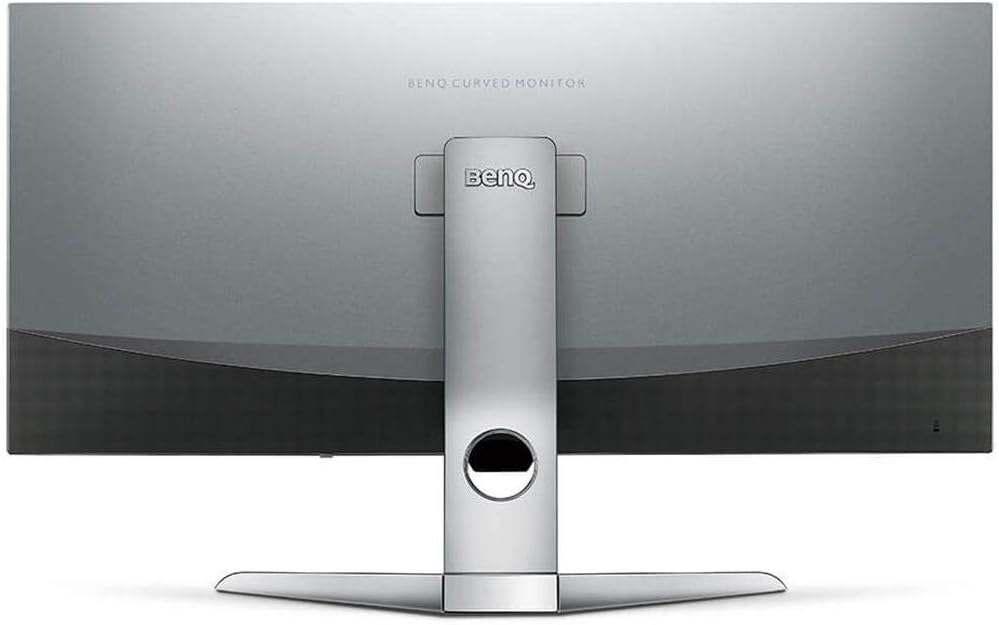
Joonis 2: Tagumine view of the monitor displaying the connectivity ports.
2. Monitori kasutamine
2.1 Toide sisse/välja
Press the power button, usually located on the bottom right side of the monitor, to turn it on or off. The power indicator light will illuminate when the monitor is active.
2.2 Ekraanimenüü (OSD) navigeerimine
Use the joystick or buttons located on the monitor's underside to navigate the On-Screen Display (OSD) menu. This menu allows you to adjust various settings such as brightness, contrast, color modes, and input sources.
2.3 Display Features and Eye-Care Technology
The BenQ EX3501R incorporates several technologies designed to enhance viewing experience and reduce eye strain:
- Heleduse intelligentsus Plus (BI+): This patented technology automatically senses ambient lighting conditions and adjusts the screen's brightness and color temperature to provide optimal viewing comfort and protect your eyes during extended use.
- Madal sinine valgus: Filters out harmful blue light emissions to reduce eye fatigue. Multiple levels of blue light reduction are available.
- ZeroFlicker™: Eliminates screen flickering at all brightness levels, further reducing eye strain and discomfort.
- HDR (suur dünaamiline ulatus): Offers enhanced brightness and contrast, bringing greater detail and vibrancy to HDR video content.
Video 1: Ülelöökview of BenQ's Eye-Care technology, including Low Blue Light, ZeroFlicker, and Brightness Intelligence Plus, demonstrating how these features work to reduce eye strain and adjust screen settings automatically based on ambient light.
2.4 Eraldusvõime ja värskendussagedus
The monitor features a QHD (3440x1440) resolution and a 100Hz refresh rate, providing a smooth and detailed visual experience. The 21:9 ultrawide aspect ratio offers ample screen space for multitasking, such as viewing multiple documents side-by-side without needing a second monitor.
2.5 AMD FreeSync
For a fluid gaming experience, the monitor supports AMD FreeSync technology, which synchronizes the monitor's refresh rate with your graphics card's frame rate to eliminate screen tearing and stuttering.
3. Hooldus
3.1 Monitori puhastamine
To maintain optimal performance and appearance, regularly clean your monitor:
- Ekraan: Pühkige ekraani õrnalt pehme ja ebemevaba lapiga. Kangekaelsete plekkide korral kasutage monitorispetsiifilist puhastuslahust, mida kantakse lapile, mitte otse ekraanile.
- Välimus: Use a soft, dry cloth to wipe dust and debris from the monitor casing and stand.
Avoid using abrasive cleaners, waxes, or solvents as they can damage the monitor's surface.
3.2 Üldised hooldusnipid
- Ärge blokeerige monitori ventilatsiooniavasid.
- Vältige monitori asetamist otsese päikesevalguse kätte või soojusallikate lähedusse.
- Füüsiliste kahjustuste vältimiseks käsitsege monitori ettevaatlikult.
4. Veaotsing
If you encounter issues with your BenQ EX3501R monitor, refer to the following common troubleshooting steps:
4.1 No Display or Black Screen
- Veenduge, et toitekaabel on kindlalt ühendatud nii monitori kui ka pistikupesaga.
- Verify that the video cable (HDMI, DisplayPort, or USB-C) is firmly connected to both the monitor and your computer.
- Kontrollige, kas monitori ekraanimenüüs on valitud õige sisendallikas.
- Taaskäivitage arvuti.
4.2 Flickering or Unstable Image
- Ensure the ZeroFlicker™ feature is enabled in the OSD menu.
- Check for loose video cable connections.
- Värskendage oma graafikakaardi draiverid uusimale versioonile.
- Kui kasutate AMD FreeSynci, veenduge, et see oleks teie graafikakaardi sätetes õigesti konfigureeritud.
4.3 Color or Brightness Issues
- Reguleerige heledust, kontrasti ja värviseadeid OSD-menüü kaudu.
- Enable or disable Brightness Intelligence Plus (B.I.+) to see if it resolves the issue.
- Perform a factory reset through the OSD menu.
5. Tehnilised andmed
Key technical specifications for the BenQ EX3501R monitor:
| Funktsioon | Spetsifikatsioon |
|---|---|
| Ekraani suurus | 35 tolli |
| Maksimaalne ekraani eraldusvõime | 3440 x 1440 Pixels (QHD Ultrawide) |
| Kuvasuhe | 21:9 |
| Värskendussagedus | 100 Hz |
| Kumerus | 1800R |
| Paneeli tüüp | VA (vertikaalne joondus) |
| Ühenduvus | USB-C, HDMI, DisplayPort |
| Eriomadused | AMD FreeSync, Brightness Intelligence Plus, Low Blue Light, ZeroFlicker |
| Kauba kaal | 21.3 naela |
| Toote mõõtmed | 6.88 x 3.47 x 12.93 tolli |
6. Garantii ja tugi
6.1 Toote garantii
The BenQ EX3501R monitor typically comes with a 3-year manufacturer's warranty. Please refer to the warranty card included in your product packaging for specific terms and conditions, or visit the official BenQ websaidil üksikasjalikku teavet garantii kohta.
6.2 Klienditugi
For further assistance, technical support, or warranty claims, please contact BenQ customer service. You can find contact information and support resources on the official BenQ websait: www.benq.com/en-us/support.html