Sissejuhatus
This manual provides essential information for the proper installation, operation, and maintenance of your KYOCERA Genuine TK-5217K Black Toner Cartridge. Please read these instructions carefully before use to ensure optimal performance and longevity of your printer and cartridge.
The KYOCERA TK-5217K toner cartridge is designed specifically for use with KYOCERA TASKalfa 406ci multifunction printers.
Toode läbiview
The KYOCERA TK-5217K is a genuine black toner cartridge engineered to deliver consistent print quality and reliable performance. It is a standard yield cartridge, providing an estimated page yield of up to 20,000 pages.
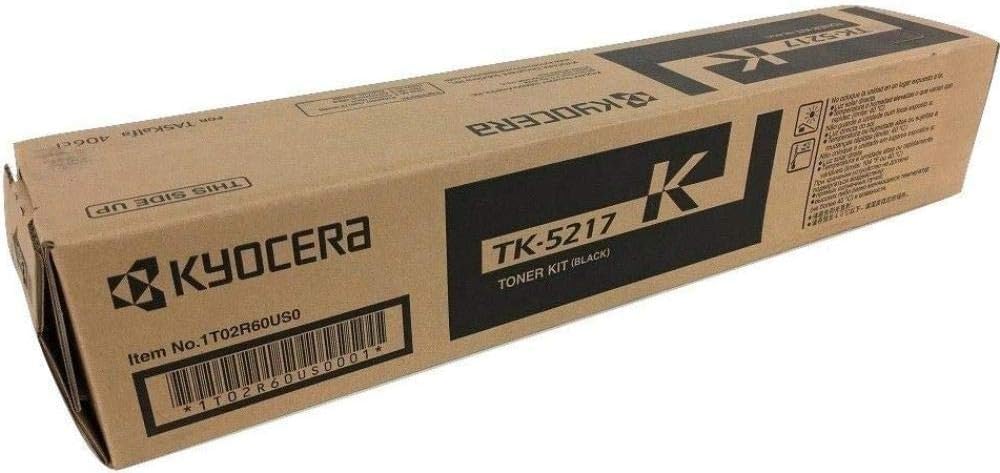
Image: KYOCERA TK-5217K Black Toner Cartridge. This image displays the toner cartridge in its retail packaging, highlighting the product's appearance and branding.
This cartridge contains solvent-free toner, designed for efficient fusing at lower temperatures, contributing to both print quality and environmental considerations.
Seadistamine ja installimine
Follow these general steps to install the KYOCERA TK-5217K Black Toner Cartridge. Always refer to your KYOCERA TASKalfa 406ci printer's specific user manual for detailed, model-specific instructions.
- Kasseti lahtipakkimine: Eemaldage uus toonerikassett ettevaatlikult pakendist. Vältige trumli ega elektrikontaktide puudutamist.
- Gently Shake the Cartridge: Before installation, gently rock the toner cartridge horizontally several times to distribute the toner evenly inside.
- Open the Printer's Front Cover: Locate and open the front cover or toner access door on your KYOCERA TASKalfa 406ci printer.
- Eemaldage vana kassett: Grasp the handle of the used toner cartridge and pull it straight out of the printer. Place the old cartridge in a protective bag for recycling.
- Sisestage uus kassett: Align the new TK-5217K toner cartridge with the guides in the printer and push it firmly until it clicks into place. Ensure it is securely seated.
- Close the Printer's Front Cover: Close the front cover or toner access door. The printer may perform a brief initialization cycle.
- Printige testleht: After installation, print a test page or a small document to confirm proper installation and print quality.
Tähtis: Do not force the cartridge into place. If it does not slide in easily, recheck its alignment. Keep toner cartridges out of reach of children.
Kasutusjuhised
Once the KYOCERA TK-5217K toner cartridge is correctly installed, the printer will automatically detect it and prepare for printing. No specific user operation is required for the toner cartridge itself beyond proper installation.
- Tooneri taseme jälgimine: Your KYOCERA TASKalfa 406ci printer will display toner level warnings when the cartridge is nearing empty. Replace the cartridge when prompted or when print quality degrades significantly.
- Prindi kvaliteet: If print quality issues arise, ensure the cartridge is properly seated and refer to the troubleshooting section of this manual or your printer's user guide.
Hooldus
The KYOCERA TK-5217K Black Toner Cartridge is a sealed unit and requires no user maintenance. Do not attempt to refill or disassemble the cartridge, as this can damage the unit and void any warranty.
- Hoiustamine: Store unused toner cartridges in their original, sealed packaging in a cool, dry place, away from direct sunlight and extreme temperatures.
- Kõrvaldamine: Dispose of empty toner cartridges responsibly. KYOCERA offers recycling programs for their genuine toner cartridges. Visit the official KYOCERA webtaaskasutusalase teabe sait.
Veaotsing
If you encounter issues after installing your KYOCERA TK-5217K toner cartridge, consider the following common solutions:
- Teade „Tooner on otsakorral” või „Vahetage tooner”:
- Ensure the new cartridge is correctly installed and fully seated.
- Kui teade püsib pärast uue kasseti paigaldamist, taaskäivitage printer.
- Poor Print Quality (Faded, Streaky, or Inconsistent Prints):
- Gently remove the cartridge and rock it horizontally a few times to redistribute toner, then reinsert it.
- Check if the cartridge is a genuine KYOCERA product. Non-genuine cartridges may cause compatibility or quality issues.
- Perform a printer cleaning cycle or calibration from your printer's control panel or software. Refer to your printer's manual for instructions.
- Kassetti ei tuvastatud:
- Remove the cartridge and check for any protective seals or tabs that may not have been removed.
- Ensure the cartridge is inserted correctly and fully seated.
- Puhastage kasseti ja printeri sisemuse elektrikontaktid ebemevaba lapiga.
- Taaskäivitage printer.
If these steps do not resolve the issue, consult your KYOCERA TASKalfa 406ci printer's user manual or contact KYOCERA customer support.
Tehnilised andmed
| Atribuut | Detail |
|---|---|
| Mudeli nimi | TK-5217K |
| Osa number | 1T02R60US0 |
| Värv | Must |
| Lehekülje tootlikkus | Kuni 20,000 lehekülge |
| Ühilduvad seadmed | KYOCERA TASKalfa 406ci Copier, Printer |
| Kauba kaal | 1.94 naela (umbes 0.88 kg) |
| Kauba mõõtmed (P x L x K) | 4"S x 18"L x 4"K (umbes 10.16 cm S x 45.72 cm L x 10.16 cm K) |
| Kaasatud komponendid | Toonerikassett |
Garantii ja tugi
The KYOCERA TK-5217K Black Toner Cartridge is covered by a manufacturer's warranty. For specific details regarding warranty coverage, terms, and conditions, please refer to the documentation included with your product or visit the official KYOCERA websaidile.
For technical assistance, troubleshooting beyond the scope of this manual, or warranty claims, please contact KYOCERA customer support directly. You can find contact information on the official KYOCERA webveebisaidilt või printeri dokumentatsioonist.
Ametlik KYOCERA Websait: www.kyoceradocumentsolutions.com


