1. Üleview
The Talking Products Voice Pad Voice Recorder (Model VP3-40-BLU) is a versatile digital voice recorder designed for capturing and playing back up to 40 seconds of audio. It serves as an excellent resource for communication, educational activities like phonics and speaking practice, and creating personalized audio messages. Its user-friendly design makes it suitable for various applications, including sensory learning and independent living aids.
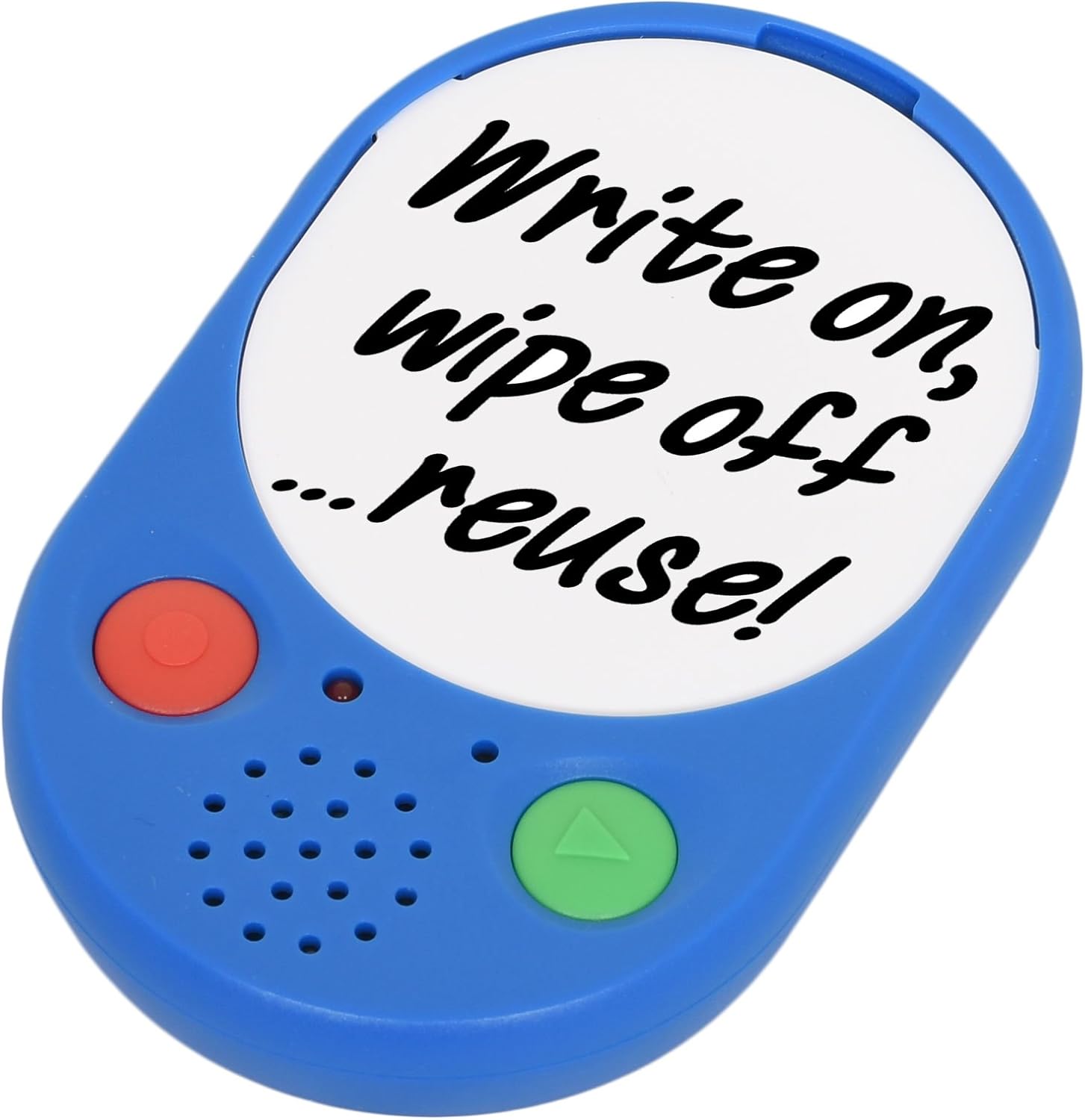
Image 1: The Voice Pad Voice Recorder, highlighting its reusability for custom messages.
2. Omadused
- 40-Second Recording: Record and playback up to 40 seconds of speech, music, or sound effects.
- Re-recordable: Messages can be re-recorded as many times as desired, overwriting previous content.
- Kohandatav ekraan: Includes a removable clear cover, allowing you to insert photographs or pictures to match your recordings.
- Mitmekülgne paigutus: Features a wall mounting hole, built-in magnets, and a kickstand for flexible positioning.
- Kasutajasõbralik: Equipped with large, tactile buttons for easy operation.
- Akuga töötav: Requires replaceable AAA batteries for power.

Pilt 2: Detailne esikülg view of the Voice Pad, highlighting its key components.

Pilt 3: Detailne tagaosa view of the Voice Pad, illustrating its mounting and control features.
3. Pakendi sisu
Palun veenduge, et pakis on kõik esemed olemas:
- 1 x Voice Pad Voice Recorder Unit
- 1 x Removable Clear Cover
- 1 x Dry Wipe Insert
Märkus: Vajalikud on 3 x AAA patareid, mis ei kuulu komplekti.
4. Seadistamine
- Aku paigaldamine:
- Locate the battery compartment on the rear side of the Voice Pad.
- Carefully open the battery door.
- Sisestage 3 AAA-patareid, jälgides õiget polaarsust (+/-).
- Sulgege aku luuk kindlalt.
- Toide sisse/välja:
- Libistage ON/OFF lüliti on the rear of the device to the 'ON' position to power it on.
- Slide to 'OFF' to power down.
- Helitugevuse juhtimine:
- Reguleerige taasesituse helitugevust, kasutades LOW/HIGH Switch located on the rear side.
- Message Protection Lock:
- To prevent accidental erasure of your recorded message, slide the LUKUSTUS Lüliti on the rear to the 'ON' position after recording.
- Ekraani kohandamine:
- Gently remove the clear cover from the front of the Voice Pad.
- Insert a photograph, picture, or use the provided dry wipe insert to write a message.
- Replace the clear cover securely.
5. Kasutusjuhised
5.1 Sõnumi salvestamine
- Ensure the Voice Pad is powered on (ON/OFF switch to 'ON').
- Veenduge, et Message Protection LOCK Switch on the rear is in the 'OFF' position.
- Vajutage ja hoidke all nuppu red 'REC' button on the front of the device.
- Speak clearly into the built-in microphone. The device will record for up to 40 seconds.
- Release the 'REC' button to stop recording. The new recording will automatically overwrite any previous message.
5.2 Playing a Message
- Ensure the Voice Pad is powered on.
- Vajutage nuppu green 'PLAY' button on the front of the device once to play your recorded message.
- Press the 'PLAY' button again to pause playback.
5.3 Protecting Your Message
To prevent accidental erasure of your recorded message:
- After recording, slide the Message Protection LOCK Switch on the rear of the device to the 'ON' position. This will disable the recording function until switched back to 'OFF'.

Image 4: Voice Pads used for phonics programs, demonstrating the customizable inserts.
Video 1: An official product video from Talking Products Limited demonstrating the Voice Pad's use for creating talking photo frames and fridge magnets, showcasing its recording and customization features.
6. Hooldus ja hooldus
- Puhastamine: Wipe the Voice Pad with a soft, dry cloth. Avoid using abrasive cleaners, solvents, or harsh chemicals, as these may damage the device.
- Aku hooldus: If the device will not be used for an extended period, remove the batteries to prevent potential leakage and damage.
- Hoiustamine: Store the Voice Pad in a cool, dry place, away from direct sunlight, extreme temperatures, and excessive moisture.
- Käitlemine: Handle the device with care to avoid dropping or subjecting it to strong impacts, which could damage internal components.
7. Veaotsing
- No Sound or Low Sound During Playback:
- Veenduge, et seade oleks sisse lülitatud.
- Kontrollige LOW/HIGH Switch on the rear and set it to 'HIGH' for maximum volume.
- Verify that the batteries are correctly installed and have sufficient power. Replace with fresh AAA batteries if necessary.
- Cannot Record a Message:
- Tagada Message Protection LOCK Switch on the rear is in the 'OFF' position.
- Confirm that the batteries have sufficient power. Low battery levels can prevent recording.
- Recorded Message is Unclear or Distorted:
- Ensure you are speaking clearly and directly into the microphone during recording.
- Avoid recording in excessively noisy environments.
- Try re-recording the message.
- Seade ei lülitu sisse:
- Kontrollige patareide paigaldamist ja veenduge, et polaarsus on õige.
- Vahetage patareid uute vastu.
- Tagada ON/OFF lüliti is firmly in the 'ON' position.
8. Tehnilised andmed
| Funktsioon | Detail |
|---|---|
| Salvestusaeg | 40 sekundit |
| Toiteallikas | 3 x AAA patareid (ei kuulu komplekti) |
| Toote mõõtmed | 4.92 x 3.15 x 0.79 tolli |
| Kauba kaal | 2.82 untsi |
| Mudeli number | VP3-40-BLU |
| Tootja | Talking Products Ltd |
9. Garantii ja tugi
Sellele tootele kehtib 30-päevane tagastusõigus raha tagastamiseks või asendamiseks vastavalt jaemüügi standardsetele tingimustele.
For any product inquiries, technical support, or further assistance, please contact Talking Products Ltd directly. Refer to the product packaging or the official Talking Products websaidilt kõige ajakohasemad kontaktandmed.


