Sissejuhatus
The AT&T CL82407 DECT 6.0 4-Handset Cordless Phone system is designed to provide reliable communication with advanced features for your home or office. This system includes a digital answering machine, Smart Call Blocker, Caller ID Announce, and offers long-range coverage with clear HD audio. Its expandable design allows for up to 12 handsets, ensuring connectivity throughout your space.
Pakendi sisu
Enne seadistamise alustamist veenduge, et kõik esemed on olemas:
- 1 Answering Device (Base Unit)
- 4 Juhtmeta telefoni
- 3 Charging Cradles (for additional handsets)
- 4 AAA Batteries (included, for handsets)
- 1 toiteadapter baasseadmele
- 1 telefoniliini juhe
- User's Manual and Quick Start Guide

Image: The complete AT&T CL82407 system, showing the main base unit with one handset and three additional handsets in their charging cradles.
Seadistamine
Follow these steps to set up your AT&T CL82407 phone system:
- Ühendage baasüksus: Plug the power adapter into the base unit and a wall outlet. Connect the telephone line cord from the base unit to your telephone wall jack.
- Paigaldage telefoni akud: Open the battery compartment on the back of each cordless handset. Connect the battery pack plug securely into the jack inside the compartment. Place the battery pack into the compartment and close the cover.
- Laadige käsitelefone: Place each handset in its respective charging cradle or the main base unit. The CHARGE light on the handset will illuminate, indicating it is charging. Allow at least 10 hours for the batteries to fully charge before initial use.
- Määra kuupäev ja kellaaeg: Once charged, follow the on-screen prompts on any handset to set the date and time. This is crucial for accurate Caller ID and answering system timestamps.

Image: The AT&T CL82407 base unit and a handset positioned in different rooms, demonstrating the phone's extended range capability.
Kasutusjuhised
Kõnede tegemine ja vastuvõtmine
- Helistamiseks tehke järgmist. Vajutage TELEFON or KÕLARja seejärel vali number.
- Kõnele vastamiseks: Vajutage TELEFON or KÕLAR kui telefon heliseb.
- Kõne lõpetamiseks: Vajutage VÄLJAS or place the handset back in the cradle.
Digitaalne automaatvastaja
The base unit features a digital answering system with a voice guide for easy setup. It can record up to 22 minutes of incoming messages, outgoing announcements, and memos.
- Sõnumite esitamine: Vajutage MÄNGI/STOP on the base or access the Answering System menu on a handset.
- Teadaannete salvestamine: Follow the voice guide prompts to record your personalized outgoing message.

Image: Close-up of the AT&T CL82407 base unit's answering system controls, highlighting the play/stop and record buttons, with a text overlay indicating voice guide functionality.
Smart Call Blocker & Caller ID Announce
Effectively manage unwanted calls with the Smart Call Blocker feature. Robocalls are automatically blocked from ringing through. You can permanently blacklist numbers with one touch, and the call block directory stores up to 1,000 entries.
- Blocking a Call: Vajutage nuppu HELISTA Blokeerida button on the handset during a call or from the Caller ID log.
- Helistaja ID teatamine: The handset announces the name of the caller, allowing you to screen calls without looking at the display.

Image: A close-up of the AT&T CL82407 handset keypad, emphasizing the dedicated 'CALL BLOCK' button for easy access to the smart call blocker feature.

Image: The AT&T CL82407 handset and base unit displaying a caller's name, with a speech bubble illustrating the Caller ID Announce feature.
Intercom and Push-to-Talk
- Intercom: Use the intercom feature to communicate between handsets.
- Push-to-Talk: For quick, effortless communication, press and hold the Lükka rääkimiseks button on the side of the handset to broadcast to other handsets.

Image: A woman holding the AT&T CL82407 handset, with a circular highlight on the side indicating the 'PUSH TO TALK' button.
Telefoni kõlar
The simulated full-duplex speakerphone on the handset allows both parties to speak and be heard simultaneously, making conversations more natural.

Image: A woman using the AT&T CL82407 handset on speakerphone while preparing food in a kitchen, illustrating hands-free communication.
Vaikne režiim
Activate Quiet Mode to silence all handset and base ringers for a set period, ensuring undisturbed peace.

Image: A close-up of the AT&T CL82407 handset keypad, highlighting the '# QUIET' button, with a person meditating in the background, symbolizing peace and quiet.
Omadused üleview
- Laiendatav süsteem: Easily add accessory handsets (CL80107 or CL80067 models) up to 12 total, using just one phone jack.
- High-Contrast Backlit LCD & Lighted Keypad: The extra-large 2-inch screen with high-contrast text makes reading Caller ID and call history easy. Enlarged font and lighted keypad allow for easy dialing in low-light conditions.
- HD-heli: Experience enhanced sound quality with HD audio and an equalizer for customized audio settings.
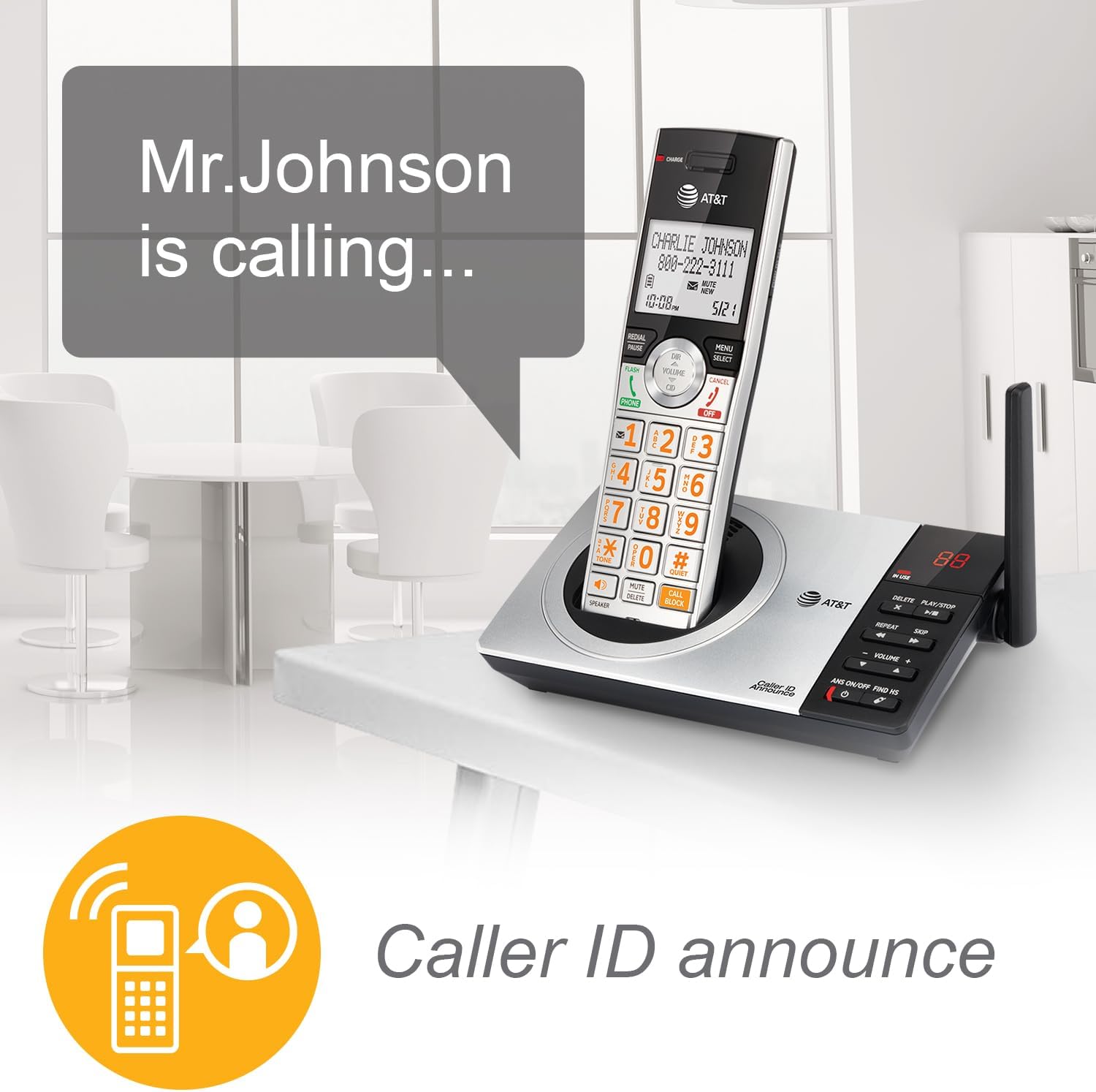
Image: A close-up of the AT&T CL82407 handset, showcasing its large, high-contrast backlit LCD screen and lighted keypad for improved visibility.

Image: A woman holding the AT&T CL82407 handset, with a graphic overlay of an audio equalizer, representing the HD audio and customizable sound features.
Veaotsing
If you encounter issues with your phone system, try the following common solutions:
- Valimistooni pole: Veenduge, et telefoniliinijuhe on kindlalt nii baasseadme kui ka seinakontakti ühendatud. Kontrollige, kas toiteadapter on korralikult ühendatud.
- Telefon ei lae: Verify the handset is correctly seated in the charging cradle/base and the CHARGE light is on. Clean the charging contacts on both the handset and cradle with a dry cloth.
- Poor Audio Quality/Static: Move the handset closer to the base unit. Ensure the base unit is not near other electronic devices that may cause interference.
- Handset Out of Range: Move closer to the base unit. If you frequently experience this, consider adding more accessory handsets to extend coverage.
- Automaatvastaja ei salvesta: Kontrollige, kas automaatvastaja on sisse lülitatud. Veenduge, et salvestusaega on piisavalt (kuni 22 minutit).
For more detailed troubleshooting, please refer to the full User Manual available online or in your product packaging.
Tehnilised andmed
| Funktsioon | Detail |
|---|---|
| Toote mõõtmed | 6.3 x 7.26 x 3.96 tolli |
| Kauba kaal | 1 naela (16 untsi) |
| Mudeli number | CL82407 |
| Patareid | Vaja on 4 AAA patareid (kaasas) |
| Telefoni tüüp | Lauatelefon |
| Automaatvastaja tüüp | Digitaalne |
| Toiteallikas | Juhtmega elekter |
| Materjal | Plastik, Metall |
| Värv | Silver/Black Cordless |
| Tootja | VTech |
| Päritoluriik | Malaisia |
Hooldus
To ensure the longevity and optimal performance of your AT&T CL82407 phone system, follow these maintenance guidelines:
- Puhastamine: Regularly wipe the handsets and base unit with a soft, damp riie. Vältige tugevatoimeliste kemikaalide või abrasiivsete puhastusvahendite kasutamist.
- Aku hooldus: For best battery life, allow handsets to fully charge before initial use. If the phone will be unused for an extended period, remove the batteries.
- Paigutus: Keep the base unit and charging cradles in a dry, stable environment away from direct sunlight, heat sources, and excessive moisture. Avoid placing them near other electronic devices that may cause interference.
Garantii ja tugi
Your AT&T CL82407 DECT 6.0 4-Handset Cordless Phone system comes with a manufacturer's warranty. For specific warranty details, technical support, or service inquiries, please refer to the warranty information included in your product packaging or visit the official AT&T support websaidile.
Täiendavad ressursid:


