Sissejuhatus
The House of Marley Smile Jamaica Wireless earphones combine FSC Certified Wood and recyclable aluminum housings for a unique and sustainable design. Featuring a noise-isolating design and 9mm dynamic drivers, these earphones deliver rich and full sound. Designed for comfort and convenience, they offer Bluetooth connectivity and up to 8 hours of playtime.

Image: House of Marley Smile Jamaica Wireless Earphones, showcasing their design with wood accents and neckband.
Mis on karbis
- Juhendraamat
- Eartips (1xM, 2xM)
- Micro USB laadimiskaabel
- Kaitseümbris
Seadistamine
Kõrvaklappide laadimine
Before first use, fully charge your Smile Jamaica Wireless earphones. Connect the supplied Micro USB charging cable to the charging port on the neckband. Plug the other end into a USB power source (not included). The LED indicator will show charging status.

Image: Micro USB charging cable connected to the earphones, ready for charging.
Bluetoothi sidumine
- Veenduge, et kõrvaklapid on välja lülitatud.
- Vajutage ja hoidke toitenuppu all, kuni LED-indikaator vilgub siniselt ja punaselt, näidates sidumisrežiimi.
- Luba oma seadmes (nutitelefon, tahvelarvuti jne) Bluetooth ja otsi saadaolevaid seadmeid.
- Select "Smile Jamaica Wireless" from the list.
- Pärast ühendamist muutub LED-indikaator siniseks.
Optimaalne sobivus
The Smile Jamaica Wireless earphones come with 2 sizes of eco-friendly REGRIND silicone ear tips. Experiment with different sizes to find the most comfortable and secure fit for optimal sound isolation and audio performance. The lightweight and flexible neckband is designed to rest comfortably around your collar.
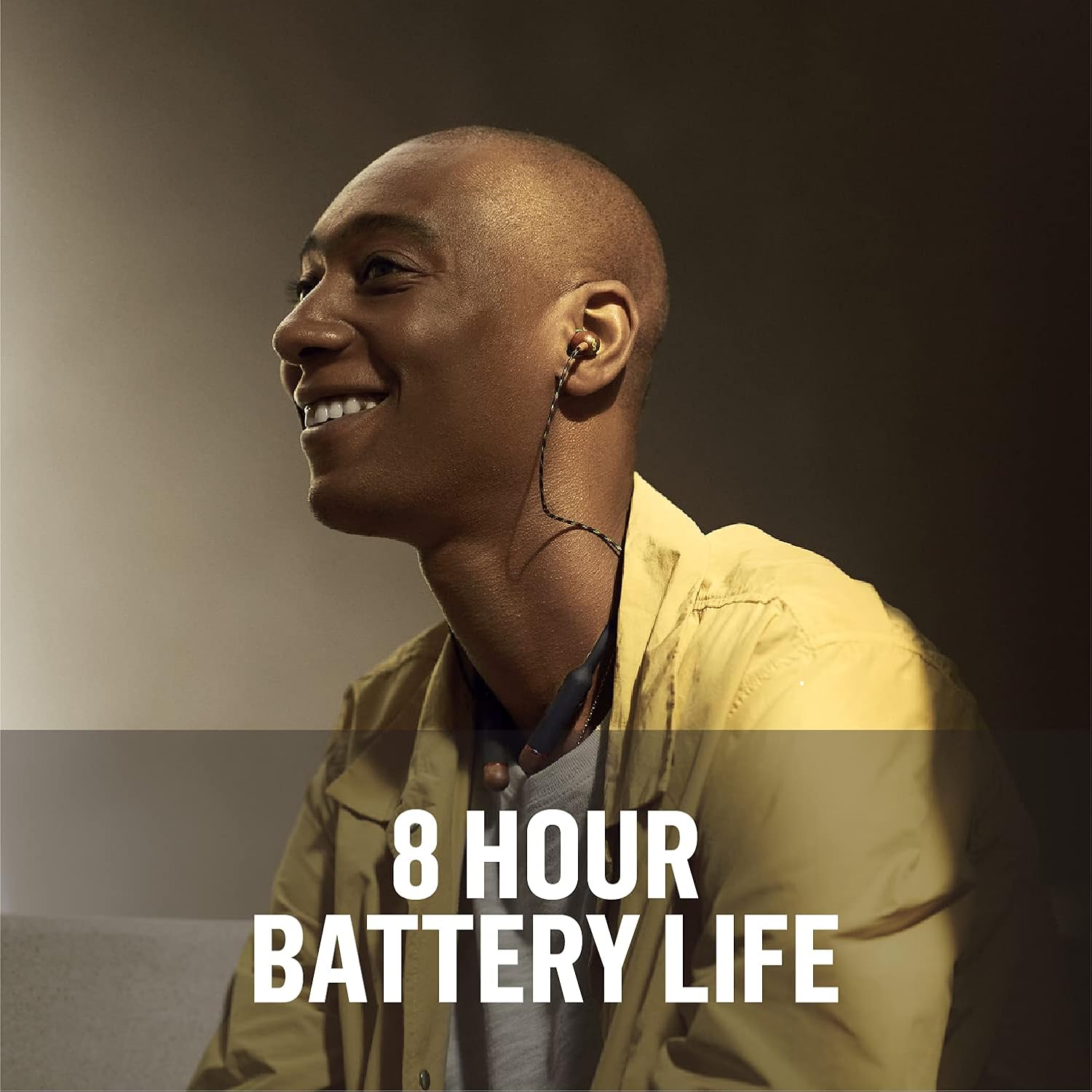
Image: A person wearing the Smile Jamaica Wireless earphones, demonstrating the comfortable and secure fit of the ear tips and neckband.
Kõrvaklappide kasutamine
3-Button Controls
The neckband features intuitive 3-button controls for managing your audio and calls:
- Helitugevuse suurendamine (+): Vajutage helitugevuse suurendamiseks.
- Hääl maha (-): Helitugevuse vähendamiseks vajutage.
- Mitmeotstarbeline nupp (keskel):
- Muusika esitamiseks/peatamiseks vajutage üks kord.
- Press once to Answer/End calls.
- Sisse-/väljalülitamiseks vajutage ja hoidke all.
- Double-press for Next Track.
- Triple-press for Previous Track.

Pilt: Detailne view of the 3-button controls on the neckband, highlighting the volume and multi-function buttons.
Kõnede tegemine ja vastuvõtmine
The Smile Jamaica Wireless earphones include an onboard microphone for hands-free calling. Use the multi-function button to answer or end calls as described above.
Aku tööiga
Enjoy up to 8 hours of continuous playtime on a full charge, allowing for all-day listening. Actual battery life may vary based on volume level and audio content.

Image: A person enjoying music with the earphones, emphasizing the 8-hour battery life.
Hooldus ja hooldus
To ensure the longevity of your Smile Jamaica Wireless earphones, follow these care guidelines:
- Puhastage kõrvaotsi regulaarselt pehme, damp riie.
- Wipe the neckband and earbud housings with a dry, soft cloth.
- Avoid exposing the earphones to extreme temperatures or direct sunlight for prolonged periods.
- While sweatproof with an IPX4 rating, avoid submerging the earphones in water.
- Store the earphones in the provided protective case when not in use to prevent tangling and damage.
Veaotsing
| Probleem | Lahendus |
|---|---|
| Kõrvaklapid ei lülitu sisse | Ensure the earphones are fully charged. Press and hold the power button for several seconds. |
| Seadmega ei saa siduda | Ensure earphones are in pairing mode (flashing blue/red LED). Turn off and on Bluetooth on your device. Move earphones closer to your device. |
| Heli pole või helitugevus on madal | Check volume levels on both earphones and your device. Ensure earphones are properly connected. Try re-pairing. |
| Katkendlik ühendus | Move closer to your device. Avoid obstacles between earphones and device. Ensure no other strong wireless signals are interfering. |
| Mikrofon ei tööta | Ensure the earphones are selected as the audio input device on your phone. Check for any obstructions near the microphone. |
Tehnilised andmed
| Funktsioon | Detail |
|---|---|
| Mudeli nimi | Naerata Jamaica |
| Ühenduvustehnoloogia | Bluetooth |
| Traadita side tehnoloogia | Bluetooth |
| Juhtimistüüp | Helitugevuse reguleerimine, puudutus |
| Kauba kaal | 0.15 kilogrammi (5.1 untsi) |
| Veekindluse tase | Veekindel (IPX4) |
| Sagedusvahemik | 20 Hz–20 000 Hz |
| Aku tööiga | 8 tundi |
| Helidraiveri tüüp | Dünaamiline draiver |
| Bluetoothi versioon | 5.0 |
| Mürakontroll | Heliisolatsioon |
| Materjal | Kunststof, Hout (FSC Certified Wood) |
| Toote mõõtmed | 8 x 6 x 1.38 tolli |
Garantii ja tugi
House of Marley products are manufactured with a commitment to quality. For detailed warranty information and customer support, please refer to the warranty card included in your product packaging or visit the official House of Marley websait. Samuti leiate veebist KKK-d ja täiendavaid tugiressursse.
For direct assistance, please contact House of Marley customer service through their official channels.


