1. Sissejuhatus
The Turtle Beach Stealth 700 is a premium wireless gaming headset designed for an immersive audio experience on PlayStation 5 and PlayStation 4 consoles. This manual provides essential information on setting up, operating, and maintaining your headset, ensuring optimal performance and longevity.

Figure 1: Turtle Beach Stealth 700 Wireless Gaming Headset
2. Mis on karbis
Upon unboxing your Turtle Beach Stealth 700 headset, please ensure all the following components are present:
- Turtle Beach Stealth 700 Wireless Gaming Headset
- Juhtmeta USB-saatja
- USB-C laadimiskaabel
- Kiirjuhend / dokumentatsioon
Video 1: Ametlik toode ülevalview and unboxing of the Turtle Beach Stealth 700 headset.
3. Toote lõppview
Familiarize yourself with the physical components and controls of your Stealth 700 headset.
3.1 Peakomplekti komponendid

Figure 2: User wearing the Stealth 700 headset, demonstrating its over-ear design.
- Reguleeritav peapael: Features a synthetic leather-wrapped headband for comfort.
- Kõrvapadjad: Premium synthetic leather-wrapped ear cushions with ProSpecs glasses-friendly design to relieve pressure.
- 50mm Over-Ear Speakers: Deliver immersive surround sound and chat audio.
- High-Sensitivity Flip-Up Mic: Integrated microphone that mutes when flipped up.
3.2 Juhtnupud
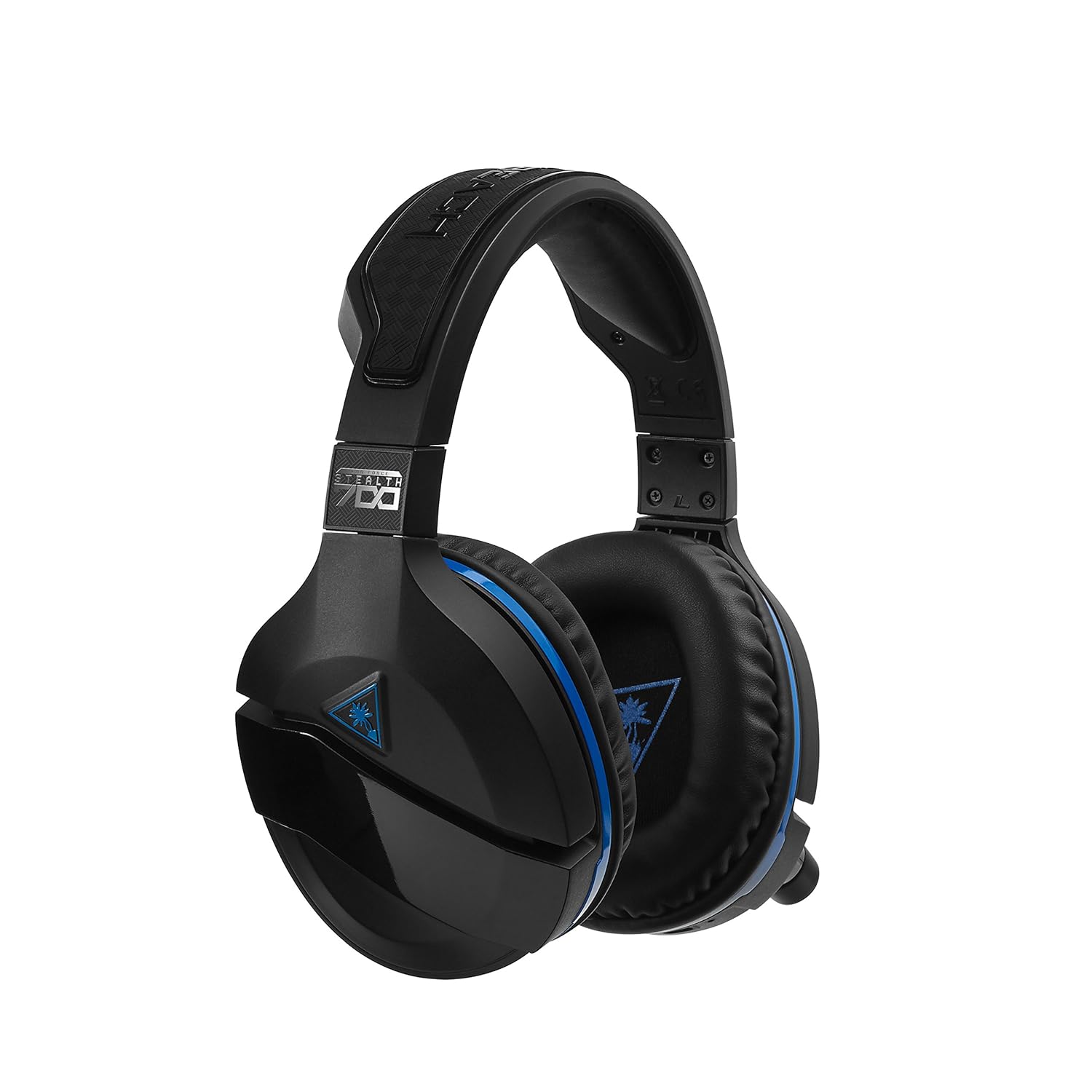
Figure 3: Right earcup controls and microphone in the down position.
- Toitenupp: Lülitab peakomplekti sisse/välja.
- Bluetoothi nupp: Käivitab Bluetoothi sidumise.
- Game Volume Dial: Adjusts the overall game audio volume.
- Chat Volume Dial: Adjusts the chat audio volume independently.
- Mikrofoni jälgimise ketas: Adjusts the level of your own voice heard in the headset.
- Superhuman Hearing Button: Activates/deactivates the Superhuman Hearing sound setting.
- Režiimi nupp: Cycles through DTS surround sound modes and audio presets.

Figure 4: Microphone in the flipped-up (muted) position.
4. Seadistusjuhised
Follow these steps to set up your Turtle Beach Stealth 700 headset with your PlayStation console.
4.1 Esmane laadimine
- Connect the USB-C Charging Cable to the headset and a USB power source.
- Charge the headset fully before first use (approximately 5 hours). The LED indicator will change when fully charged.
4.2 Connecting to PlayStation (Wireless)
- Plug the Wireless USB Transmitter into an available USB port on your PlayStation console.
- Power on your Stealth 700 headset by pressing and holding the Power Button until the LED illuminates.
- Peakomplekt ja saatja peaksid automaatselt paaristuma. Mõlemal põlev LED näitab edukat ühendust.
- Navigeeri oma PlayStationil lehele Seaded> Seadmed> Heliseadmed.
- Määra Sisendseade juurde USB-peakomplekt (Turtle Beach Stealth 700).
- Määra Väljundseade juurde USB-peakomplekt (Turtle Beach Stealth 700).
- Määra Väljund kõrvaklappidesse juurde Kõik heli.
- Adjust your volume levels as desired.
4.3 Bluetooth Pairing (for Mobile Devices)
The Stealth 700 supports Bluetooth connectivity for calls, music, and the Turtle Beach Audio Hub app while gaming.
- With the headset powered on, press and hold the Bluetoothi nupp until the headset announces "Bluetooth Pairing" and the LED flashes blue.
- On your mobile device, go to Bluetooth settings and select "Stealth 700" from the list of available devices.
- The headset will announce "Bluetooth Paired" when the connection is successful.
5. Kasutusjuhised
5.1 Põhiline heli juhtimine
- Mängu maht: Use the upper dial on the left earcup to adjust game audio.
- Vestluse helitugevus: Use the lower dial on the left earcup to adjust chat audio.
5.2 Mikrofoni kasutamine
- To Unmute: Flip the microphone down.
- Vaigistamiseks: Flip the microphone up. The headset will provide an audible cue.
- Variable Mic Monitoring: Adjust the lower dial to control how much of your own voice you hear in the headset.
5.3 Aktiivne mürasummutus (ANC)
The Stealth 700 features active noise-cancellation to minimize external distractions.
- Aktiveerimiseks/deaktiveerimiseks: Press the Power Button briefly while the headset is on. The headset will announce the status.
5.4 Superhuman Hearing
This exclusive Turtle Beach sound setting enhances critical in-game sounds like footsteps and weapon reloads.
- Aktiveerimiseks/deaktiveerimiseks: Press the dedicated Superhuman Hearing button on the left earcup.
5.5 Audio Presets and DTS Surround Sound
Cycle through different audio presets and DTS surround sound modes for an optimized listening experience.
- To Cycle: Vajutage nuppu Režiimi nupp to switch between available presets (e.g., Bass Boost) and DTS Headphone:X 7.1 surround sound options.
6. Turtle Beach Audio Hub App
The Turtle Beach Audio Hub app (available for iOS and Android) allows you to customize various settings of your Stealth 700 headset via Bluetooth.
- Adjust mic monitoring levels.
- Select DTS surround sound modes.
- Choose from various audio presets, including Bass Boost.
- Enable/disable Dynamic Chat Boost.
- Hallake Bluetooth -ühendusi.
7. Hooldus
Nõuetekohane hooldus tagab teie peakomplekti pikaealisuse ja jõudluse.
- Puhastamine: Kasutage pehmet, damp cloth to clean the headset. Avoid harsh chemicals.
- Hoiustamine: Hoidke peakomplekti jahedas ja kuivas kohas, eemal otsesest päikesevalgusest ja äärmuslikest temperatuuridest.
- Aku hooldus: Aku optimaalse tööea tagamiseks vältige aku sagedast täielikku tühjendamist. Laadige regulaarselt.
8. Veaotsing
If you encounter issues with your Stealth 700 headset, try the following solutions:
8.1 No Audio / Disconnection
- Ensure the headset is fully charged and powered on.
- Verify the Wireless USB Transmitter is securely plugged into the console.
- Check PlayStation audio settings (Settings > Devices > Audio Devices) to ensure the headset is selected as input/output.
- Try re-pairing the headset and transmitter by powering both off and on.
8.2 Mikrofon ei tööta
- Ensure the microphone is flipped down to unmute.
- Check PlayStation audio settings to confirm the headset is selected as the input device.
- Adjust the Mic Monitoring dial to ensure it's not set to zero.
- Võimalusel testige mikrofoni mõne teise rakenduse või seadmega.
8.3 Bluetoothi sidumise probleemid
- Ensure the headset is in Bluetooth pairing mode (LED flashing blue).
- Forget the "Stealth 700" device from your mobile device's Bluetooth settings and try pairing again.
- Veenduge, et ükski teine Bluetooth-seade ei segaks ühendust.
9. Tehnilised andmed
| Funktsioon | Detail |
|---|---|
| Mudeli number | TBS-3770-01 |
| Ühenduvus | Wireless (USB Transmitter), Bluetooth |
| Ühilduvad seadmed | PlayStation 5, PlayStation 4 |
| Helidraiveri tüüp | Dünaamiline draiver |
| Kõlari suurus | 50 mm |
| Aku tööiga | Kuni 10 tundi |
| Laadimisaeg | u. 5 tundi |
| Bluetoothi versioon | 5.0 |
| Bluetoothi vahemik | 10 meetrit |
| Eriomadused | DTS Headphone:X 7.1 Surround Sound, Active Noise Cancellation, Superhuman Hearing, ProSpecs Glasses Friendly Design, Dynamic Chat Boost, Variable Mic Monitoring |
| Materjal | Faux Leather (ear cushions, headband) |
| Kauba kaal | 1.6 naela |
10. Garantii ja tugi
For detailed warranty information, product registration, and further technical support, please visit the official Turtle Beach websait aadressil www.turtlebeach.com. You can also find FAQs and additional resources there.